
NameQuick
AI file renamer for Mac
NameQuick is an AI file renamer for Mac that helps you turn unclear filenames into content-based names and keep incoming documents organized.
by Josef Moucachen
What you get
You get readable filenames without renaming every file yourself.
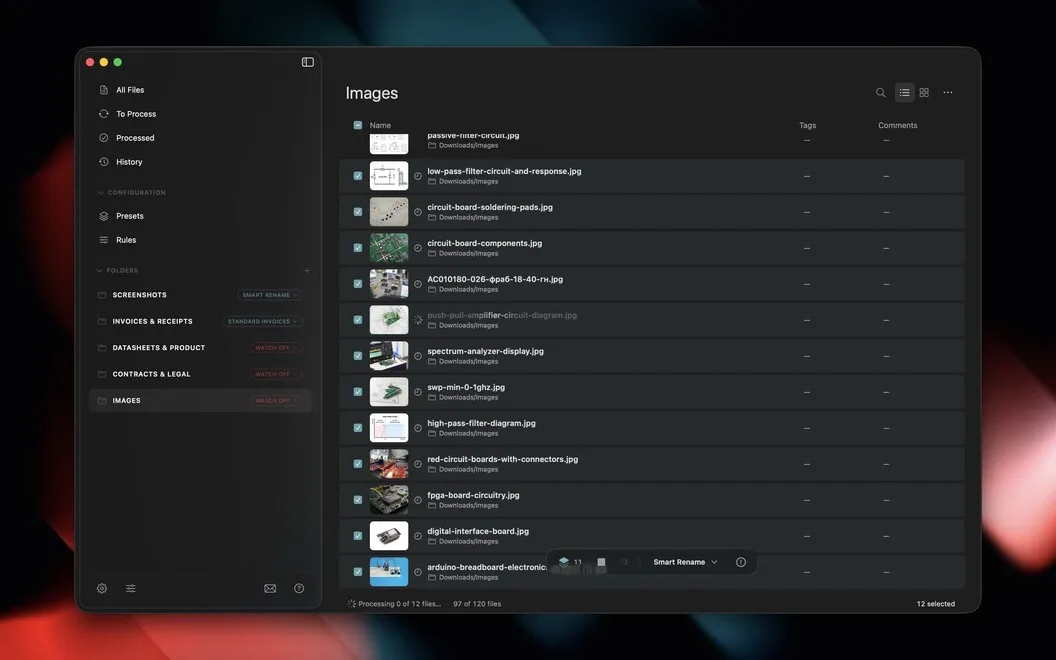
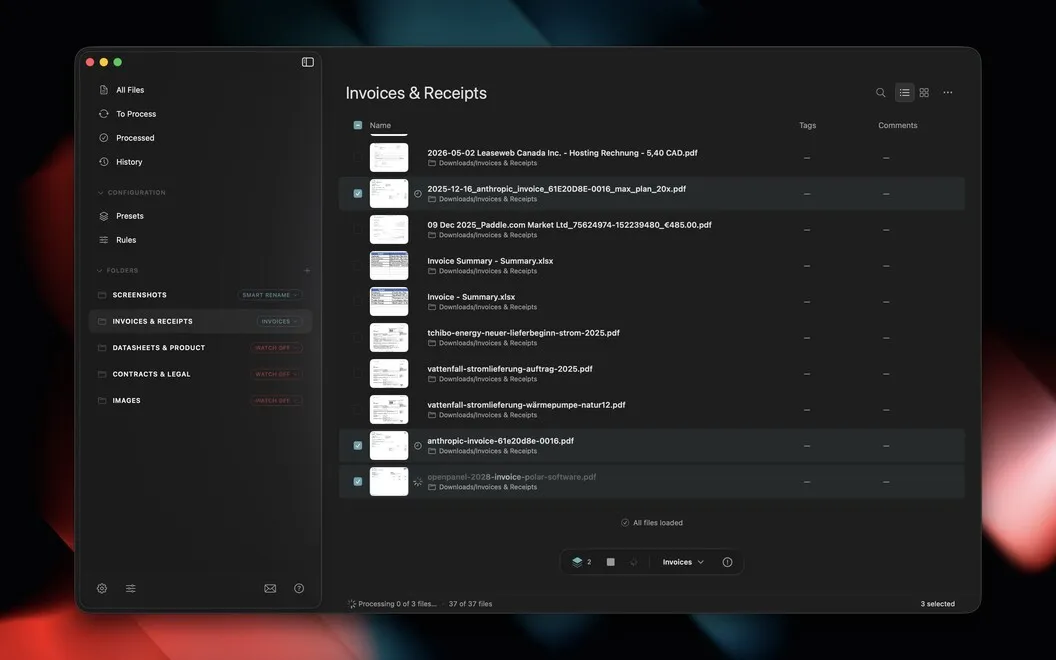
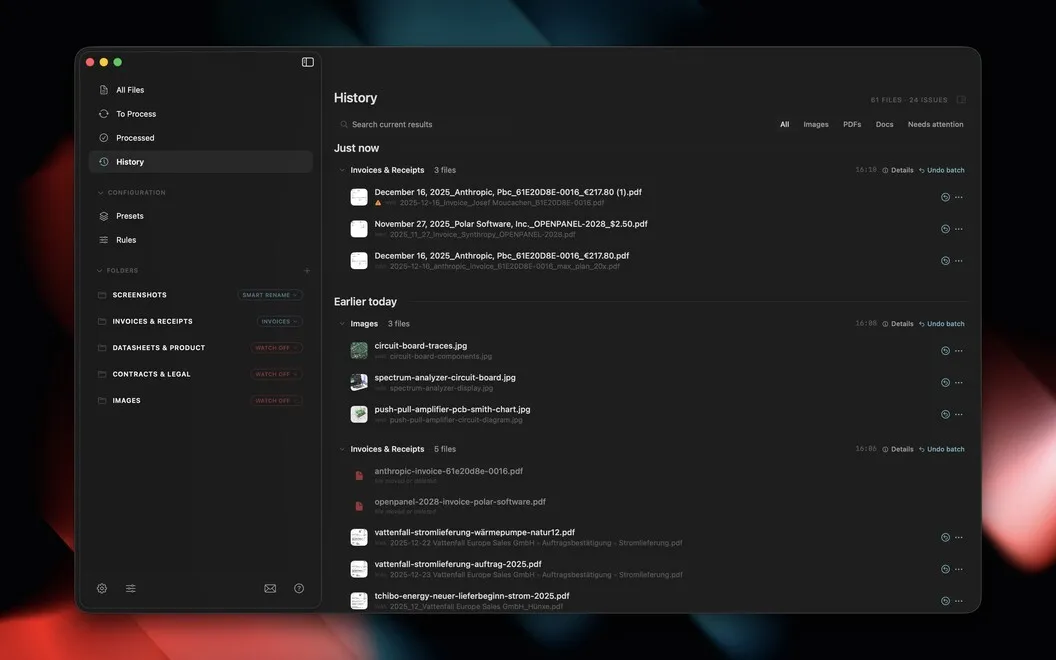
You get filenames that tell you what a document contains, rather than leaving you to guess from a generic scan or download name. NameQuick reads PDFs, invoices, scans, screenshots, images, and Office files, then names them based on their contents. You can clean up a selected group of files in one pass instead of opening and renaming each one yourself.
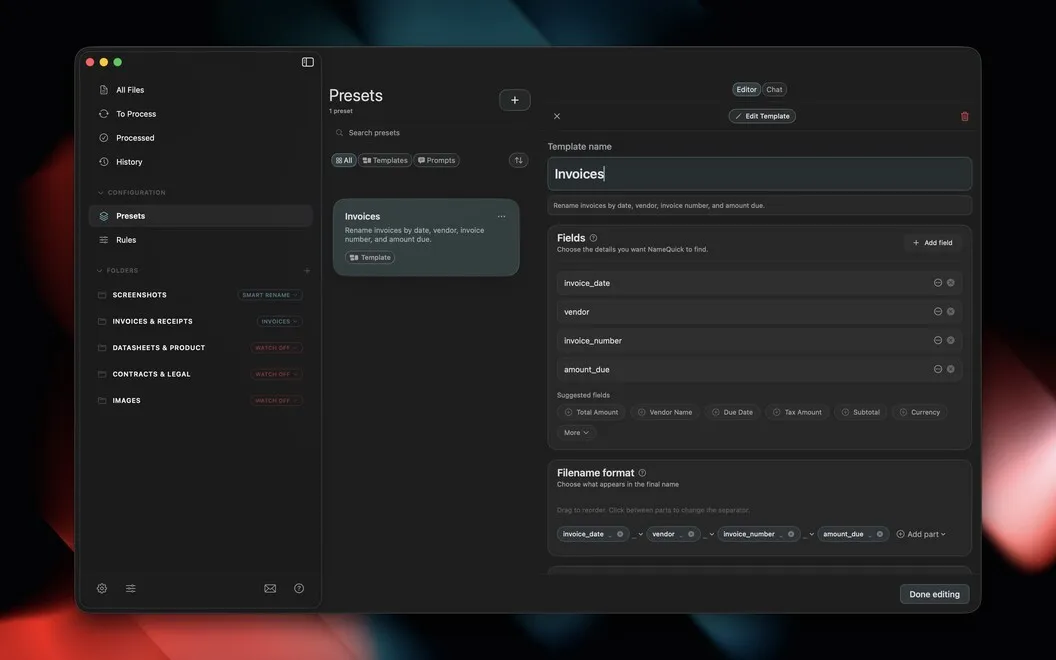
You can also keep names consistent across a client or project. Reusable templates let you follow a format built around details such as date, client, or document type, so you don't have to recreate your naming approach each time.
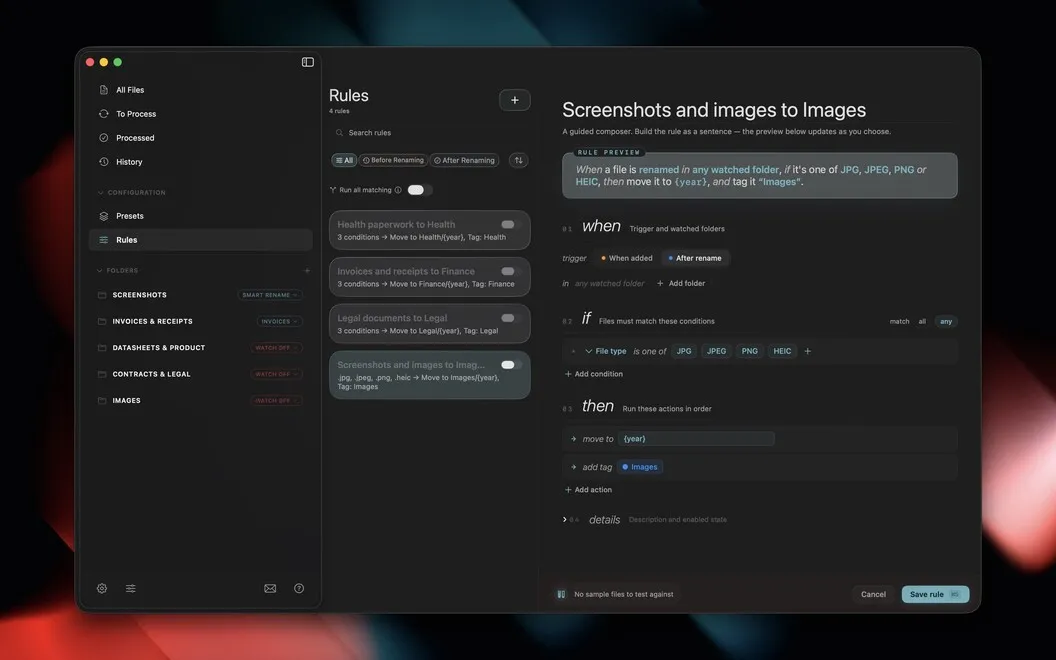
For ongoing cleanup, you can choose folders to watch. New files are renamed as they arrive, while background rules move, tag, or sort them. That gives you less routine filing to do after each download or scan.
-
Recognize files by name
You get names based on file contents, making vague scans, screenshots, and documents easier to identify.
-
Clear a renaming backlog
You can rename a selected group of files in one pass rather than handling each file individually.
-
Keep naming consistent
You can reuse formats based on dates, clients, or document types across your project files.
-
Reduce routine filing
You can have incoming files renamed, moved, tagged, or sorted automatically in watched folders.
Best for
- You regularly collect invoices, scans, or downloaded documents
- You need consistent filenames across client or project folders
- You want incoming files organized without repeated manual cleanup
Skip it if
You probably don't need it if you handle few files and already name and file them consistently.
Screenshots
From the developer
NameQuick reads what's actually inside your files, PDFs, invoices, screenshots, scans, and more, then renames them with something that makes sense. Use Smart Rename for a quick one-off cleanup, or set up templates for naming formats you use again and again.Read the full description
Alternatives to NameQuick
Other apps to rename files in bulk. See all
 Renamer
Rename a batch of files
Setapp
96% · 1,044 ratings
Renamer
Rename a batch of files
Setapp
96% · 1,044 ratings
 Keep It Shot
Rename screenshots with AI
Setapp
73% · 245 ratings
Keep It Shot
Rename screenshots with AI
Setapp
73% · 245 ratings
 Refolder
A calmer way to sort files
Setapp
80% · 65 ratings
Refolder
A calmer way to sort files
Setapp
80% · 65 ratings
 FinderCraft
Move, rename, compare, and organize files without leaving the Finder
Sold separately
FinderCraft
Move, rename, compare, and organize files without leaving the Finder
Sold separately
 Image Stack
Batch image processing, simplified
Sold separately
Image Stack
Batch image processing, simplified
Sold separately
 Tidyshot
Tidy up your screenshots
Sold separately
Tidyshot
Tidy up your screenshots
Sold separately