Image Stack
Batch image processing, simplified
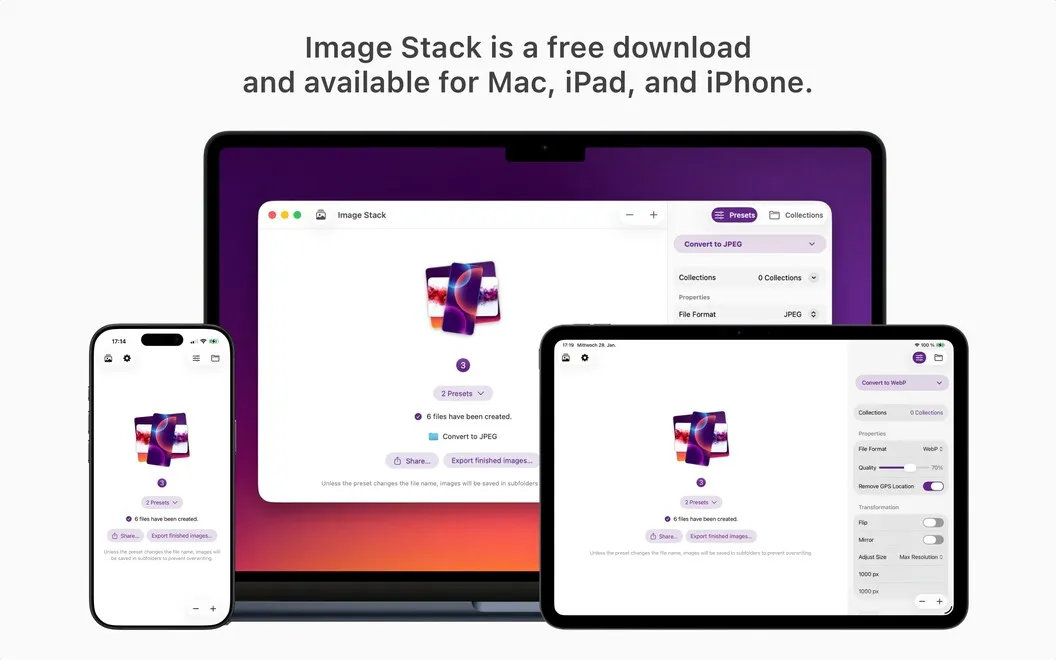
Image Stack is a batch image processor for Mac that helps you prepare photos for websites, clients, or archives without repeating the same adjustments.
by Daniel Witt
What you get
Get batches of images ready to deliver with consistent sizes, formats, and names.
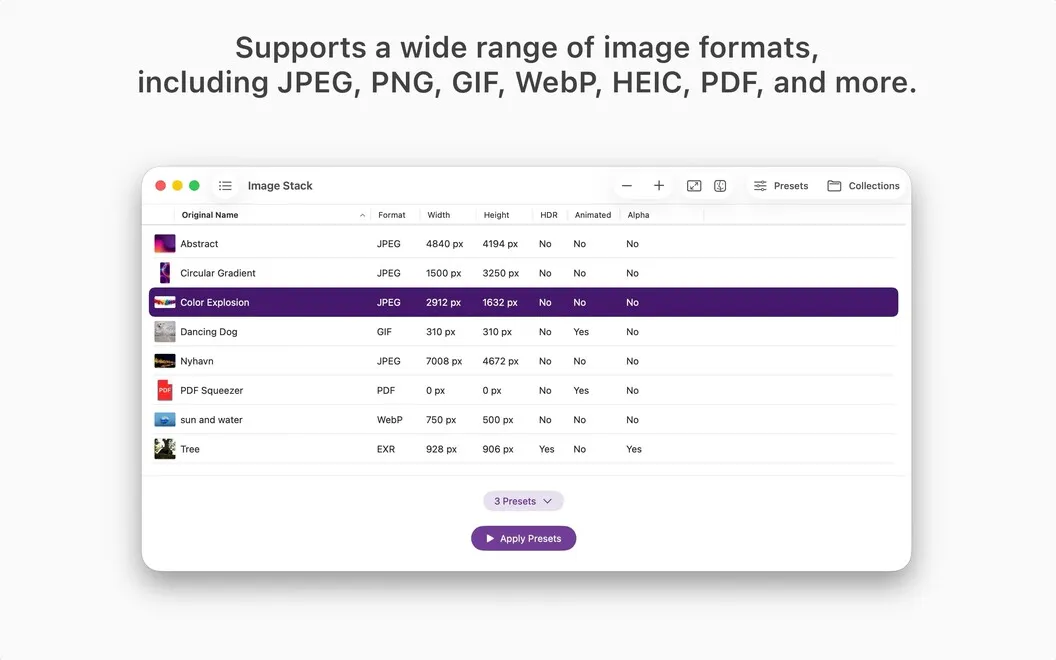
With Image Stack, you can turn a folder of images into files ready for your website, social posts, or client delivery. You apply the same size, format, and naming rules across a batch, rather than adjusting each image separately. You can process one image or thousands.
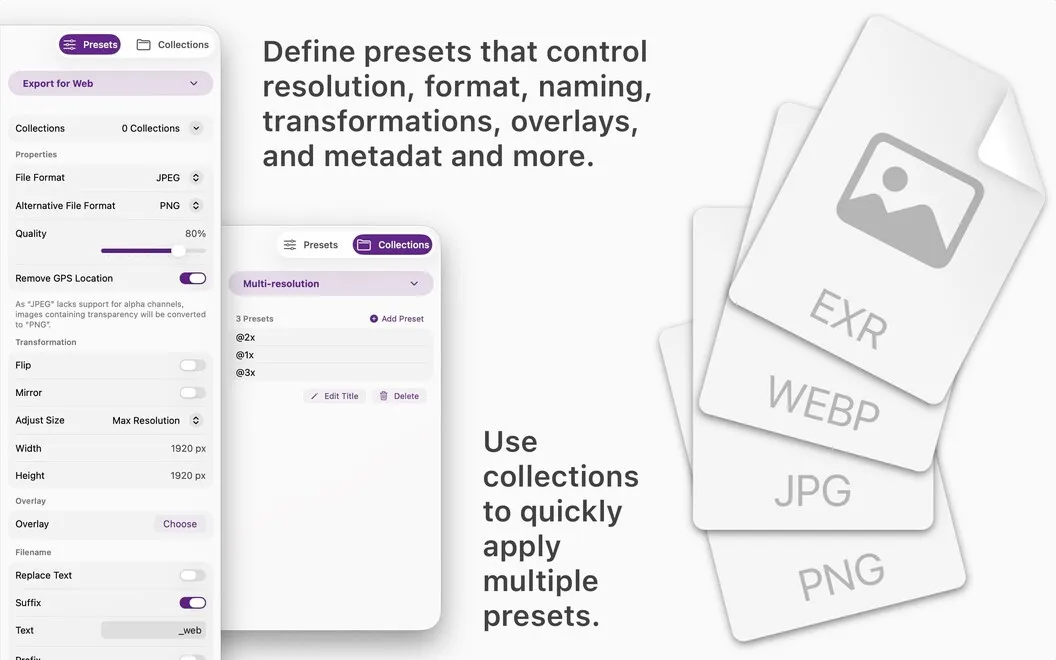
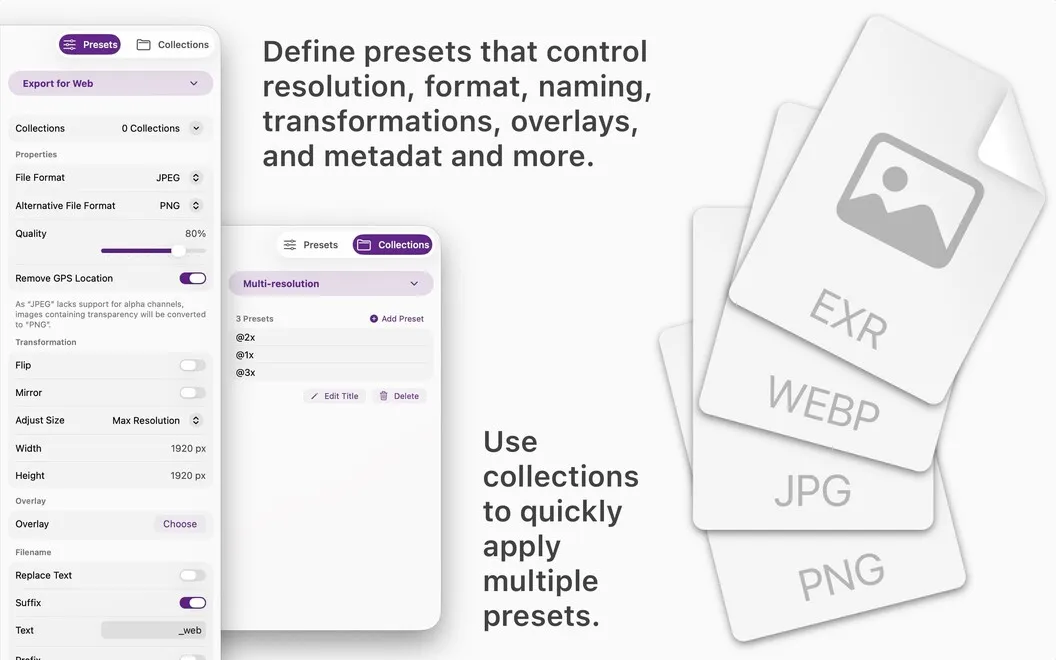
You save your requirements as reusable presets, including dimensions, filenames, metadata, and watermarks. When you need several sets of rules for a project, you can group presets into a collection and run them together. That means less repeated setup and fewer mismatched files.
Your presets sync through iCloud, so you can reuse your saved setup wherever you use Image Stack. For recurring deliveries, you keep the same preparation rules ready for the next batch.
-
Prepare whole batches
You get images into the required sizes and formats without processing each file individually.
-
Keep filenames consistent
You apply saved naming rules across your images instead of renaming files one by one.
-
Reuse delivery requirements
You save dimensions, formats, metadata, and watermark settings so you don't have to rebuild your setup for each batch.
-
Run grouped presets
You apply a collection of presets in one step when a project needs multiple sets of image-processing rules.
Best for
- You regularly prepare image batches for websites or social media
- You deliver client images with consistent specifications
- You repeat the same image-processing tasks across projects
Skip it if
You probably don't need it if you only resize an occasional image and have no recurring delivery requirements.
Screenshots
From the developer
Image Stack is a batch image processor for Mac that helps you convert, resize, rename, and organize images with reusable presets. Create your workflow once, then apply it to a single image or thousands of files in just a few clicks. Presets sync through iCloud, so your setup is always ready wherever you work.Read the full description
Alternatives to Image Stack
Other apps to resize & convert images in bulk. See all
 Squash
Compress and resize images
Setapp
92% · 936 ratings
Squash
Compress and resize images
Setapp
92% · 936 ratings
 PhotoBulk
Watermark, Resize, Optimize, Rename and Convert multiple images on Mac
Setapp
96% · 445 ratings
PhotoBulk
Watermark, Resize, Optimize, Rename and Convert multiple images on Mac
Setapp
96% · 445 ratings
 XnConvert
Image Converter
Mac App Store
XnConvert
Image Converter
Mac App Store
 Filepane
Do more with drag-and-drop
Setapp
100% · 43 ratings
Filepane
Do more with drag-and-drop
Setapp
100% · 43 ratings
 IconJar
Organize your icon sets
Setapp
98% · 434 ratings
IconJar
Organize your icon sets
Setapp
98% · 434 ratings
 FreeScaler
Mac App Store
FreeScaler
Mac App Store