
ShutdownBar
Shut down Mac on a timer
ShutdownBar gives you a one-time shutdown timer for your Mac, useful when you want to leave a long task running without keeping your computer on indefinitely.
by Florian Steller
What you get
Have your Mac shut down later without waiting around.
With ShutdownBar, you can leave your Mac running for a download, export, or other lengthy task and have it shut down after a duration you choose. You don’t need to stay nearby just to turn it off, and you can avoid leaving it on longer than intended. The shutdown follows your timer, rather than detecting when a task finishes.
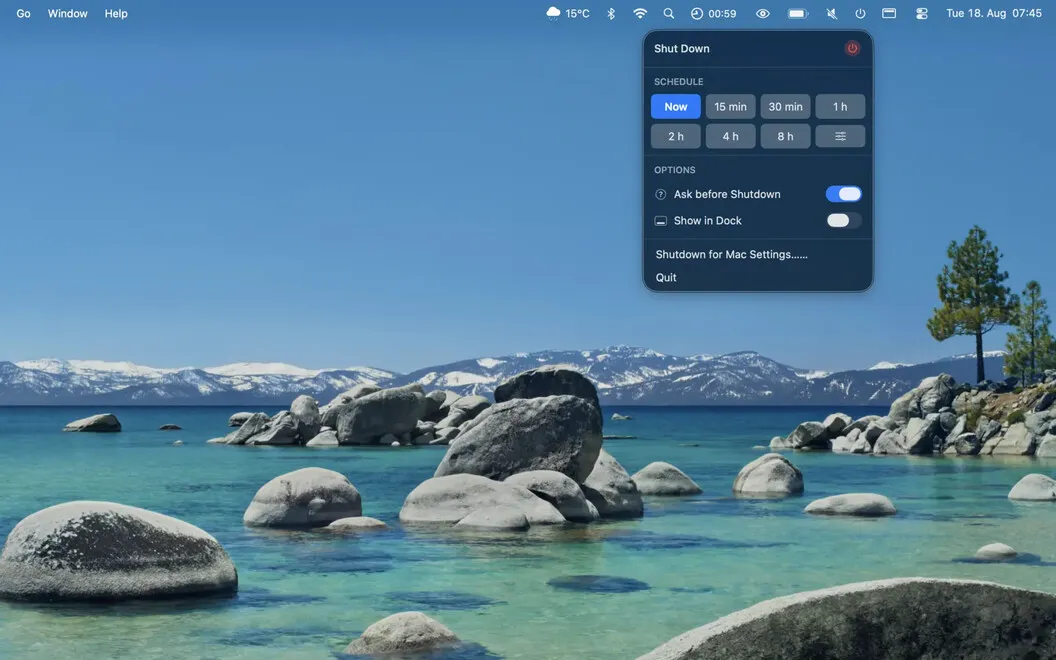
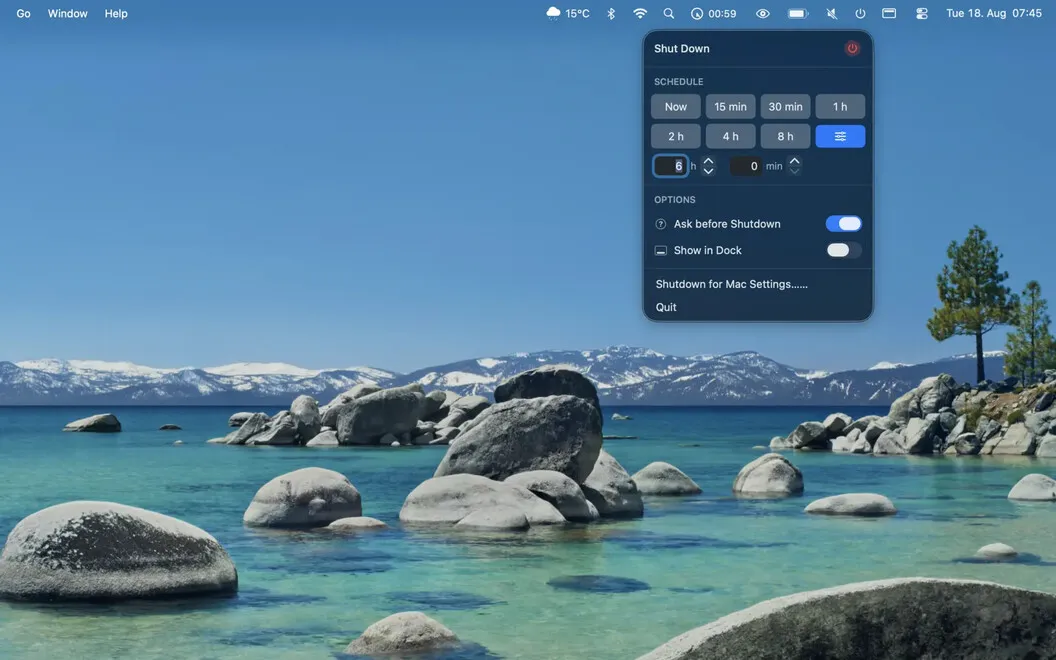
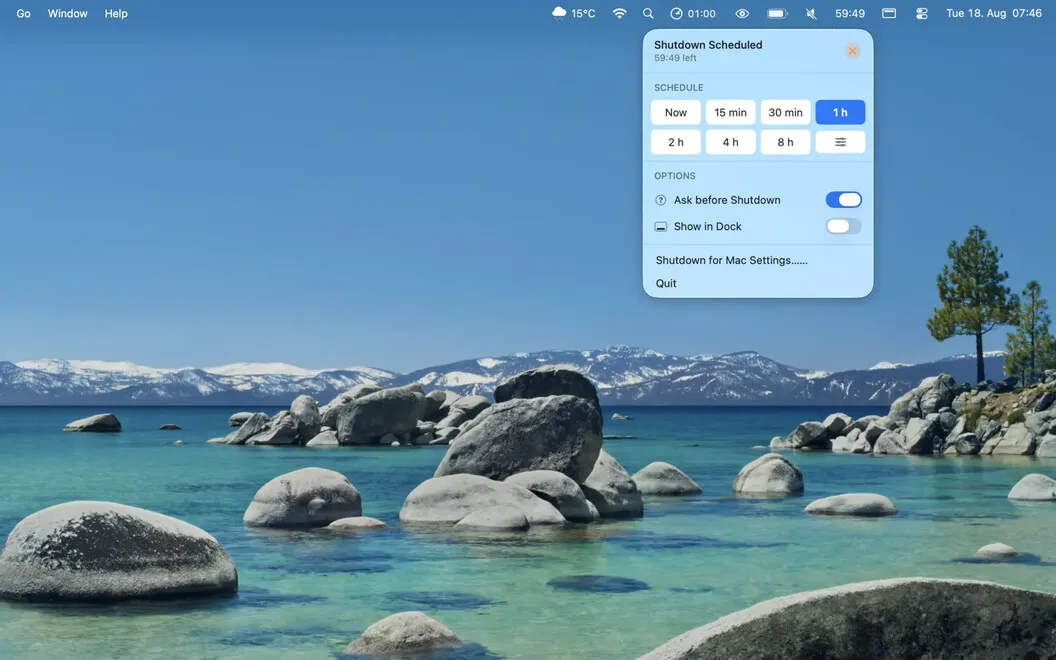
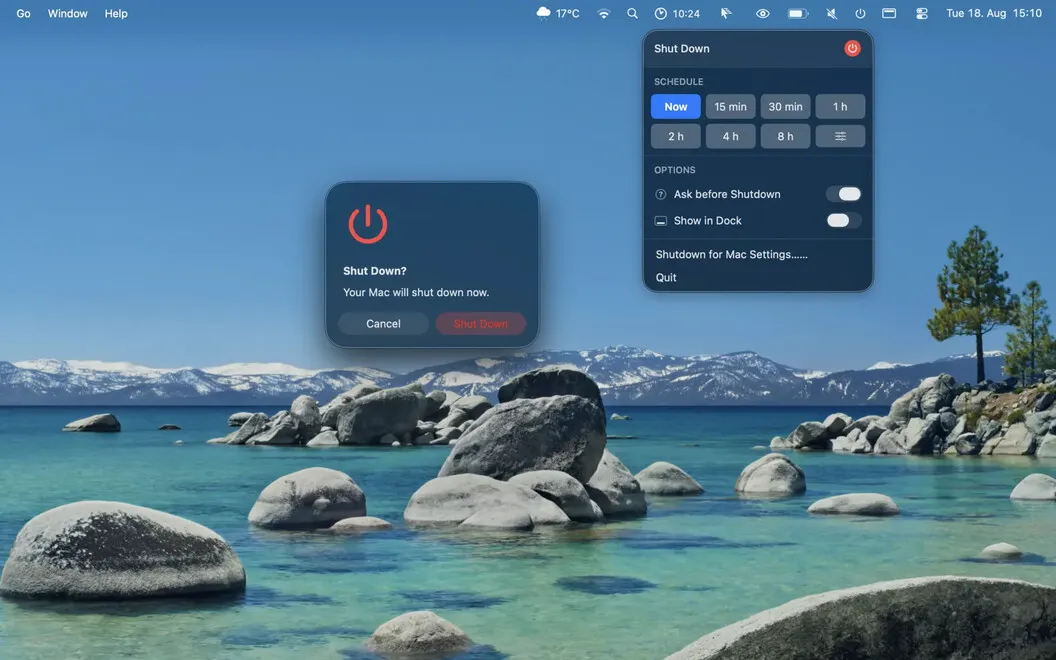
You can choose a preset between 15 minutes and 8 hours, or enter a custom duration in hours and minutes. From the menu bar, you can check how much time remains and cancel the shutdown if your plans change.
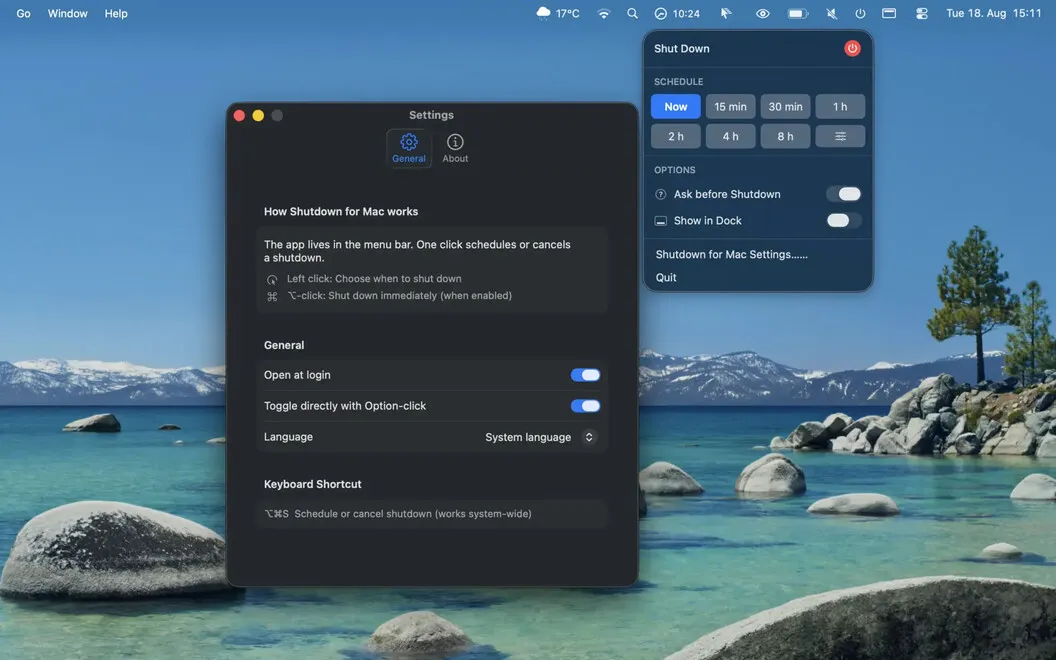
If you want a final opportunity to keep working, you can enable a confirmation before shutdown. That confirmation is off by default, so you decide whether you want the extra check.
-
Leave without waiting
You can schedule your Mac to shut down later instead of staying nearby to turn it off.
-
Choose your shutdown delay
You can use a preset from 15 minutes to 8 hours or enter your own duration.
-
Change your mind
You can check the remaining time and cancel a scheduled shutdown from the menu bar.
-
Get a final check
You can enable an optional confirmation for one last chance to keep your Mac running.
Best for
- You leave downloads or exports running while you step away
- You want your Mac to stop running after a chosen duration
- You need an occasional, one-time shutdown timer
Skip it if
You don’t need it if you always shut down your Mac yourself or need shutdown triggered by task completion rather than a timer.
Screenshots
From the developer
ShutdownBar is a shutdown timer for Mac. Choose a preset from 15 minutes to 8 hours or set a custom duration in hours and minutes. Check or cancel the scheduled shutdown anytime from the menu bar. Schedule a shutdown Choose when you want your Mac to shut down, and ShutdownBar takes care of it automatically.Read the full description
Alternatives to ShutdownBar
Other apps to unlock hidden macOS settings. See all