One Switch
Access macOS features fast
One Switch gives you a customizable menu of macOS controls, useful if you regularly change settings, connect AirPods, or want to hide desktop clutter without opening System Settings.
by Fireball · 98% positive (2,026)
What you get
You can reach your everyday Mac settings from one menu.
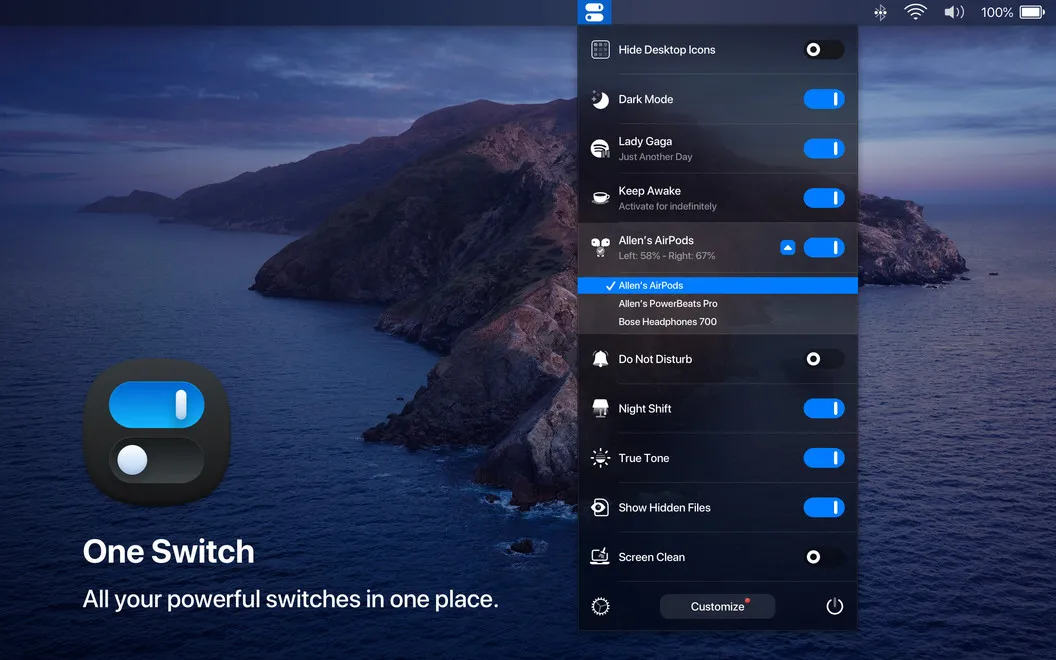
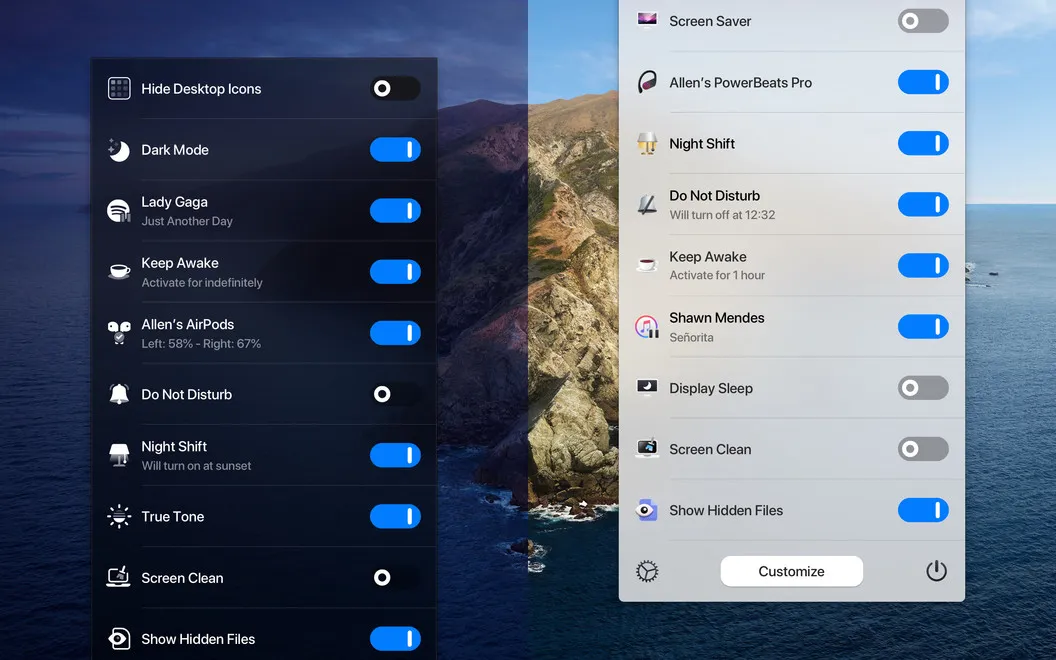
With One Switch, you spend less time digging through settings for routine changes. You get a menu-bar panel with the controls you choose, so you can keep frequently used actions close and leave out those you rarely touch. From there, you can reveal hidden files, change resolution, or start connecting your AirPods.
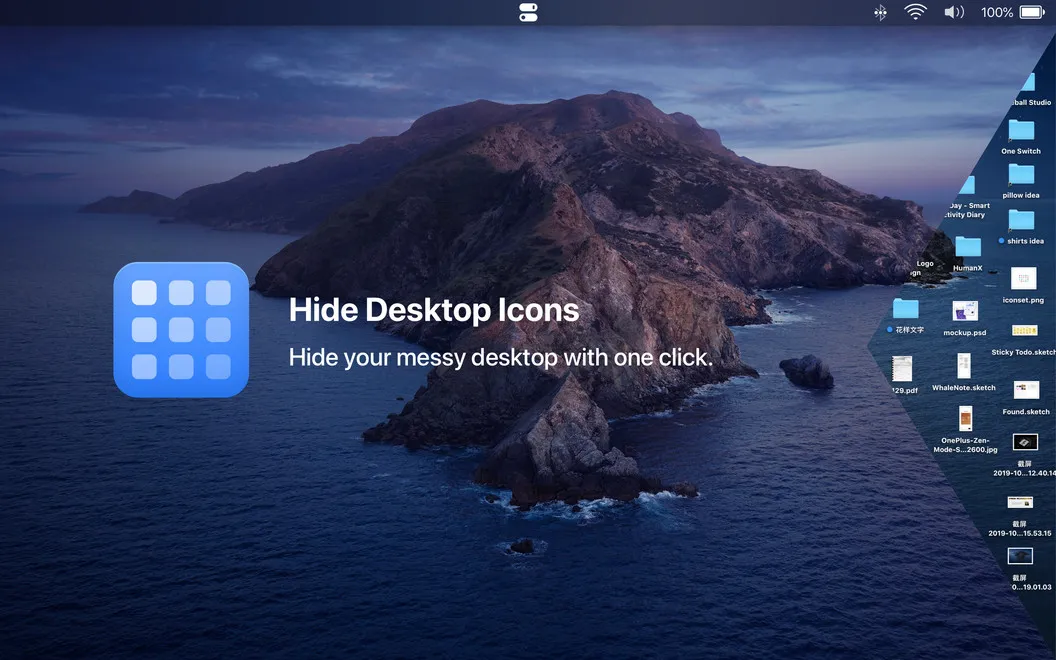
You can also make your desktop look clear without moving or deleting anything: hide its icons before taking a screenshot, then show them again when you need them. Switch between light and dark appearance yourself, or let the appearance change with sunrise and sunset.
When you need fewer interruptions, you can turn on Do Not Disturb or schedule quiet hours from the same menu. The result is a single place for small, recurring adjustments rather than repeated trips through macOS settings.
-
Less digging through settings
You can put frequently used controls in one menu and remove the ones you don't need.
-
A clear-looking desktop
You can hide desktop icons for a screenshot, then restore them without moving your files.
-
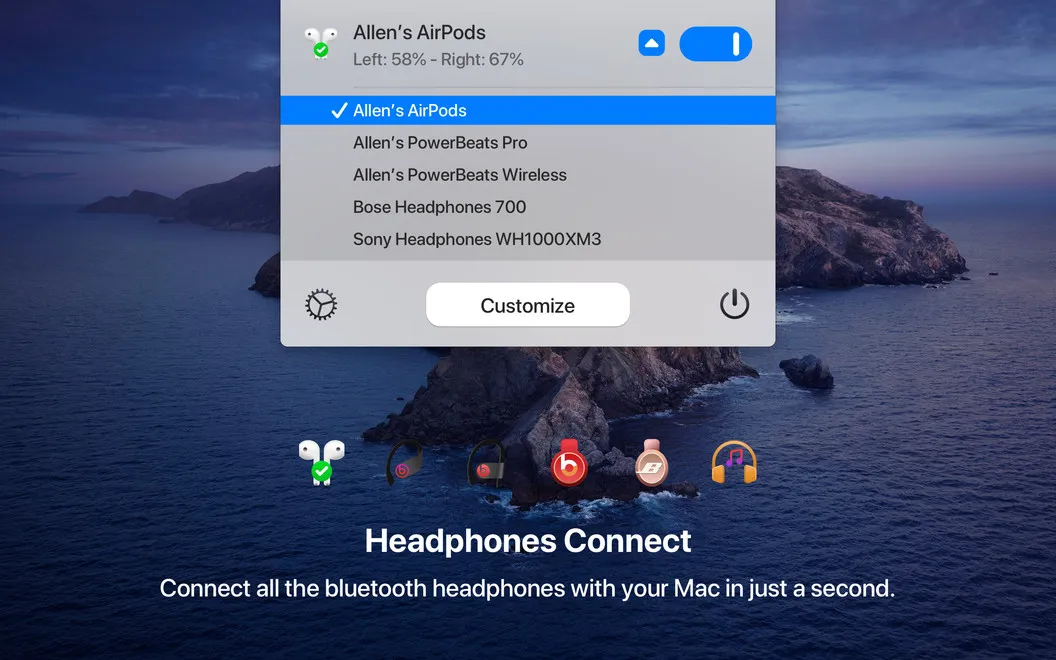
Fewer AirPods connection steps
You can start connecting your AirPods directly from the menu bar instead of opening Bluetooth settings.
-
Quiet hours within reach
You can enable Do Not Disturb or schedule it to keep notifications off your screen during work.
-
Appearance that follows daylight
You can switch light and dark modes manually or have them change with sunrise and sunset.
Best for
- You regularly switch Mac settings throughout the day
- You want a clear desktop for screenshots
- You frequently connect AirPods to your Mac
Skip it if
You probably don't need it if you rarely change these settings and are comfortable using the built-in macOS controls.
Screenshots
From the developer
Replace numerous apps and settings with One Switch. A time-saver for Mac, the app allows to access the key switchers like toggling between Dark/Light modes and managing AirPods connection. For convenience, set the app to show custom toggles in your menu bar and disable those you don’t use regularly.Read the full description
Alternatives to One Switch
Other apps to tidy up your menu bar. See all
 Bartender
Clean up and superpower your menu bar
Setapp
97% · 15,789 ratings
Bartender
Clean up and superpower your menu bar
Setapp
97% · 15,789 ratings
 MistBar
Tidy menu bar, built-in tools
Sold separately
MistBar
Tidy menu bar, built-in tools
Sold separately
 PeekBar
Rescue your hidden menu bar
Sold separately
PeekBar
Rescue your hidden menu bar
Sold separately
 SaneBar
Private menu bar control
Sold separately
SaneBar
Private menu bar control
Sold separately
 Hidden Bar
Mac App Store
Hidden Bar
Mac App Store
 MenubarX
Browse the web from menu bar
Setapp
94% · 272 ratings
MenubarX
Browse the web from menu bar
Setapp
94% · 272 ratings