
SnapMotion
Capture snaps from your videos
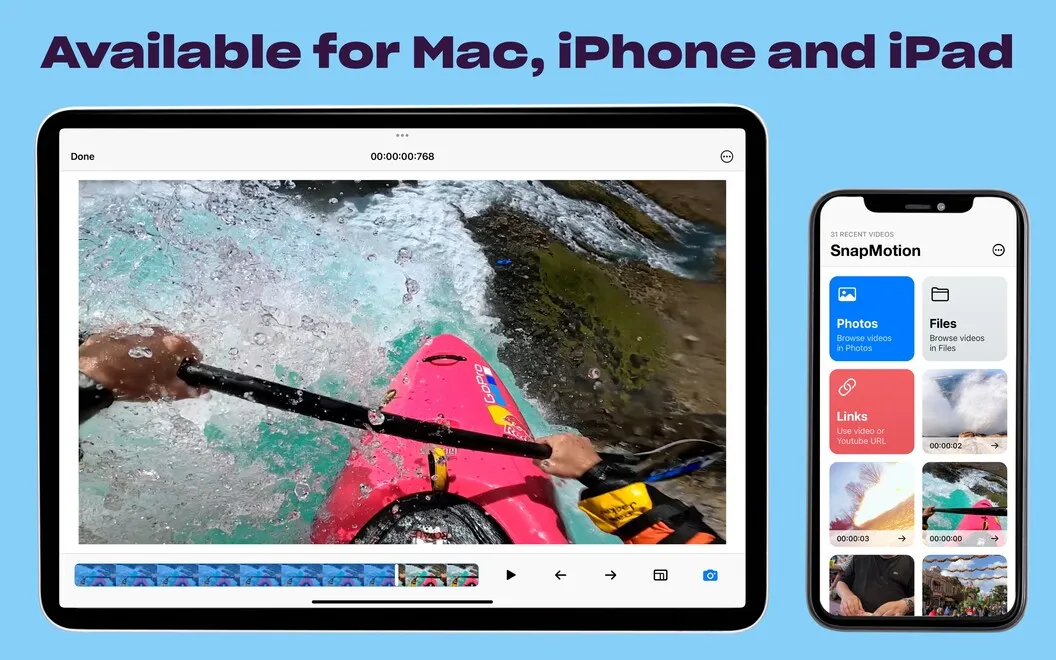
SnapMotion lets you extract high-quality still images from videos, including 4K and 8K footage. It suits you if you need individual frames or batches of images.
by NEEDEDAPPS PTE. LTD. · 99% positive (229)
What you get
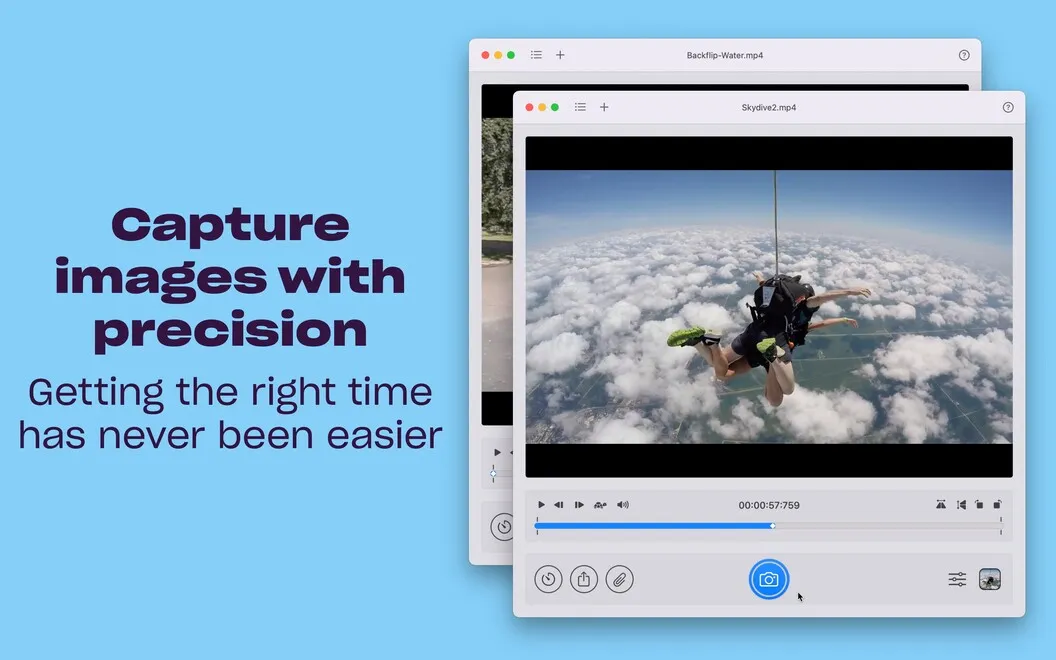
Get high-quality stills from your videos without relying on screenshots.
SnapMotion gives you still images taken directly from your videos, so you don’t have to rely on screenshots of a paused player. You can capture frames from 4K and 8K footage and save them as PNG, JPEG, or TIFF files. Your video needs to be playable by your version of QuickTime.
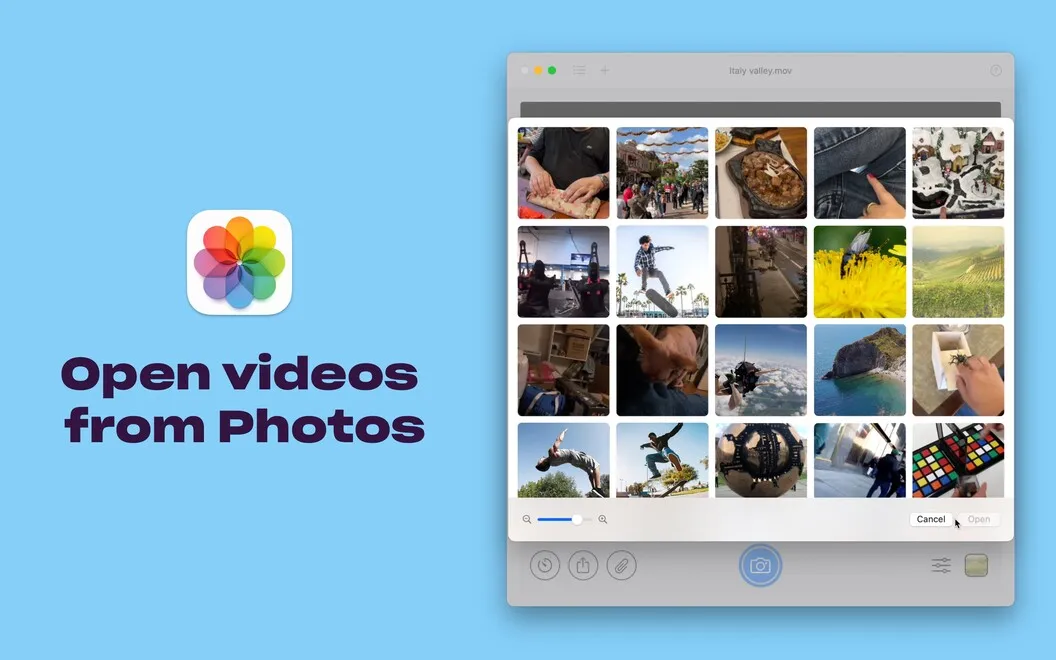
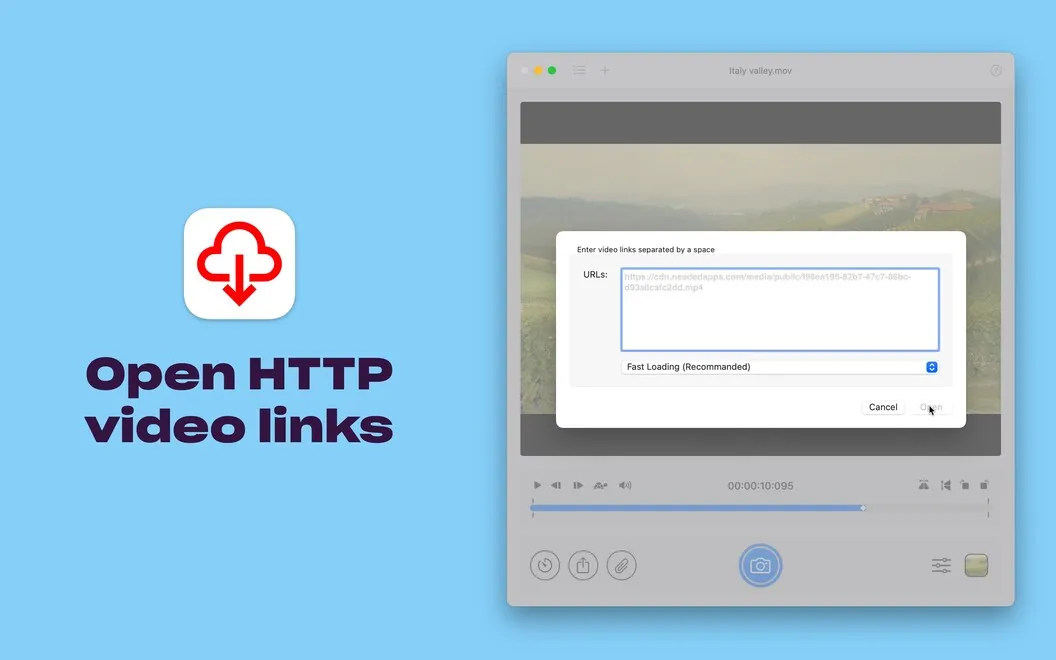
You can open videos from Finder, Photos, or links, then rotate or flip the footage before capturing. That means you get images in the orientation you need without re-encoding the source video first.
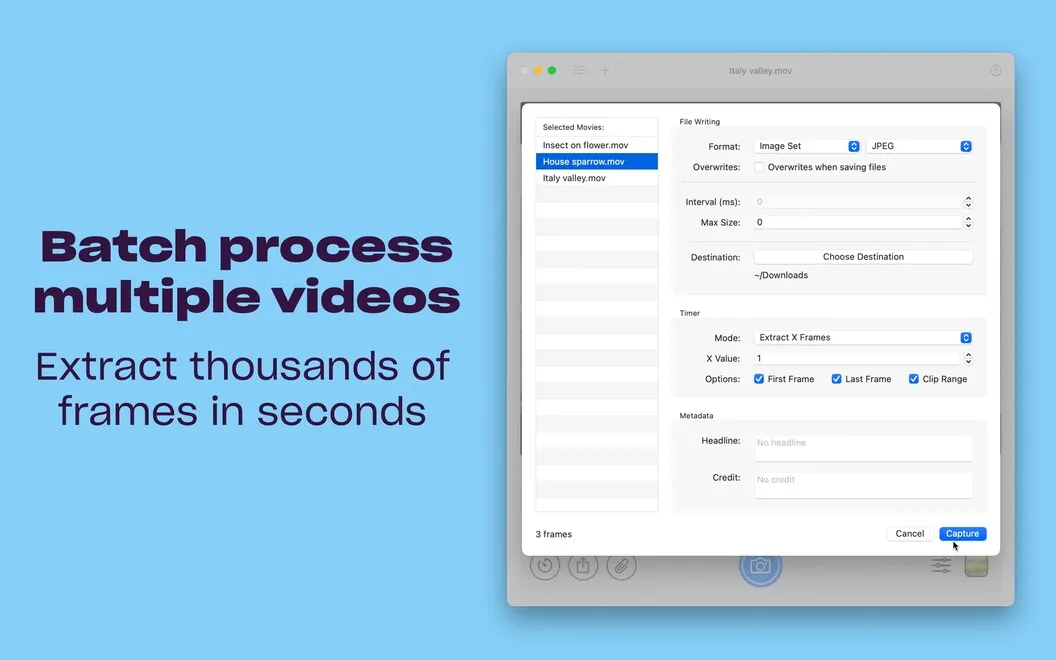
When you need more than a single frame, you can extract numerous images in a batch rather than capture each one separately. You can also turn your images into a GIF or MP4, giving you a way to use the captured frames as a moving sequence.
-
Keep detail from your footage
You can extract high-quality frames from 4K and 8K videos instead of taking screenshots of playback.
-
Capture many frames at once
You can extract images in batches rather than repeat the capture process for every still.
-
Get the orientation right
You can rotate or flip footage before capturing, without re-encoding your video.
-
Reuse frames as moving images
You can create GIFs or MP4s from your images, as well as save individual stills.
Best for
- You need high-resolution stills from video footage
- You regularly extract batches of video frames
- You want to turn captured images into GIFs
Skip it if
You don’t need it if you only watch videos and have no use for extracted frames.
Screenshots
From the developer
Want an easy tool to get images out of your videos? Use SnapMotion — a simple tool to help you get just the visuals you need from your video files. Rotate or flip your videos before capture, open quickly from Finder or Photos, and get as many stills as you like with no delay with SnapMotion.Read the full description
Alternatives to SnapMotion
Other apps to convert video, audio & images. See all
 Permute
Convert audio, images, and videos
Setapp
98% · 4,352 ratings
Permute
Convert audio, images, and videos
Setapp
98% · 4,352 ratings
 RAW to HEIC
Shrink RAW photos to HEIC by 70–90% and keep every detail and edit
Sold separately
RAW to HEIC
Shrink RAW photos to HEIC by 70–90% and keep every detail and edit
Sold separately
 1-Click Video Converter
Mac App Store
1-Click Video Converter
Mac App Store
 Audio Converter
One Click
Mac App Store
Audio Converter
One Click
Mac App Store
 AVI to Any Lite
Mac App Store
AVI to Any Lite
Mac App Store
 Compressor
Encode Media
Mac App Store
Compressor
Encode Media
Mac App Store