System Color Picker
System Color Picker gives you screen color sampling, reusable palettes, and color format conversion on your Mac, suited to design and development work.
by Sindre Sorhus
What you get
Capture colors from your screen and reuse them in the formats you need.
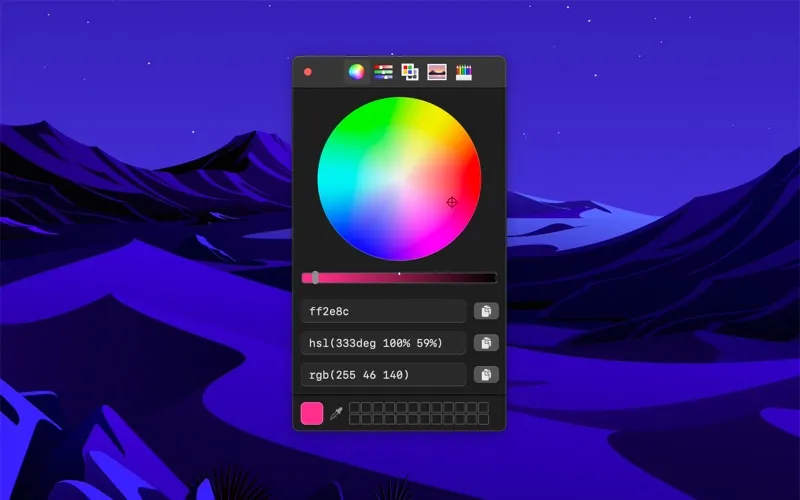
You can sample a color anywhere on your screen, then copy its value into your design or code. Convert between Hex, HSL, RGB, Unit RGB, OKLCH, LCH, and CMYK without working out the values yourself. You can also paste an existing color value to convert it.
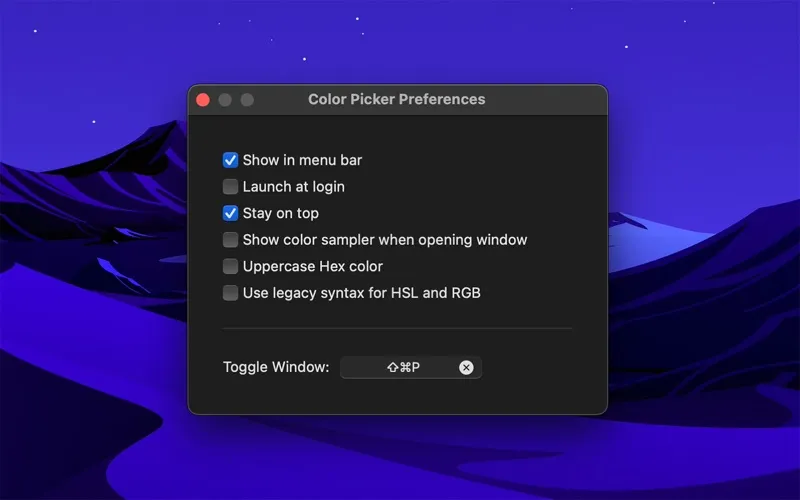
Keep colors together in palettes and return to recently picked shades instead of sampling them again. If you already have Simple Color Palette or Adobe Swatch Exchange files, you can import those palettes. A global keyboard shortcut lets you start picking without switching apps, and you can keep the picker above other windows or access it from the menu bar.
On macOS 26, you may occasionally get an incorrect sampled color because of a system bug. The app uses macOS’s sampler and cannot correct that issue.
-
Reuse colors you find
You can sample colors from anywhere on your screen and copy their values into your work.
-
Avoid manual conversions
You can paste and convert color values across seven formats, including Hex, RGB, OKLCH, and CMYK.
-
Return to useful shades
You can organize colors into palettes, revisit recent picks, and import Simple Color Palette or ASE files.
-
Keep picking within reach
You can start sampling with a global shortcut and keep the picker visible above your other windows.
Best for
- You design interfaces and need to reuse screen colors.
- You develop websites or apps using different color formats.
- You work with existing Simple Color Palette or ASE palettes.
Skip it if
You do not need saved palettes or format conversion and already get enough from the built-in macOS color picker.
Screenshots
From the developer
Pick colors from anywhere using the built-in color picker. Note: On macOS 26, a system bug causes the color sampler to sometimes pick the wrong color. The app relies on macOS's color sampler and canot fix this.Read the full description
Alternatives to System Color Picker
Other apps to pick & manage colors. See all