
Tangerine
File Converter
Tangerine is a Mac file converter for you if you regularly change formats, shrink files, or make basic edits and want to work directly from Finder.
by LEAP STUDIO
What you get
You get converted, smaller, or edited files without leaving Finder.
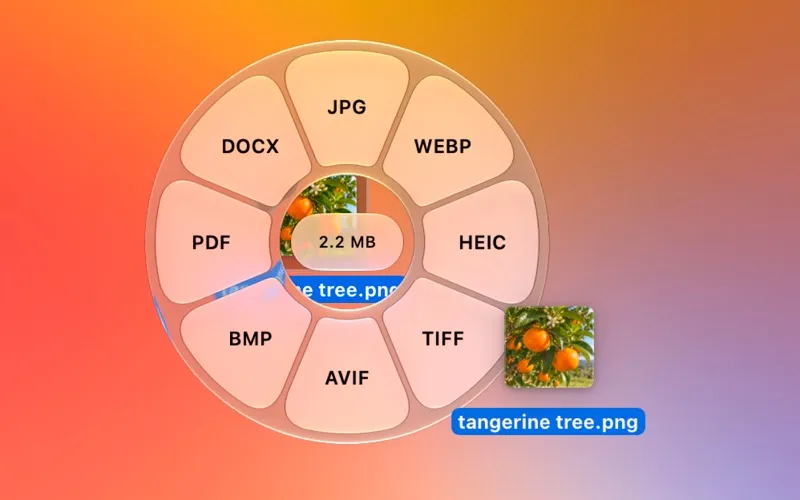
You can turn images, videos, audio, and documents into the formats you need directly from Finder. Hold Shift while dragging a file, choose an output format from the wheel around your pointer, and get a converted copy beside the original. You can process several compatible files together instead of repeating the same job individually.
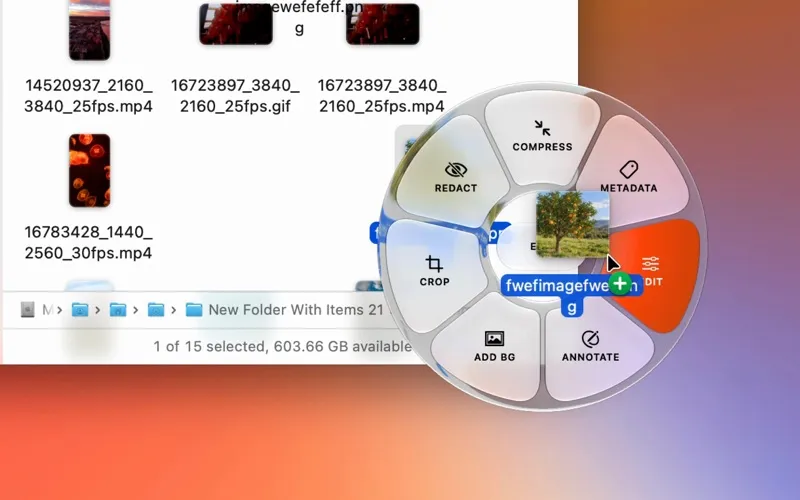
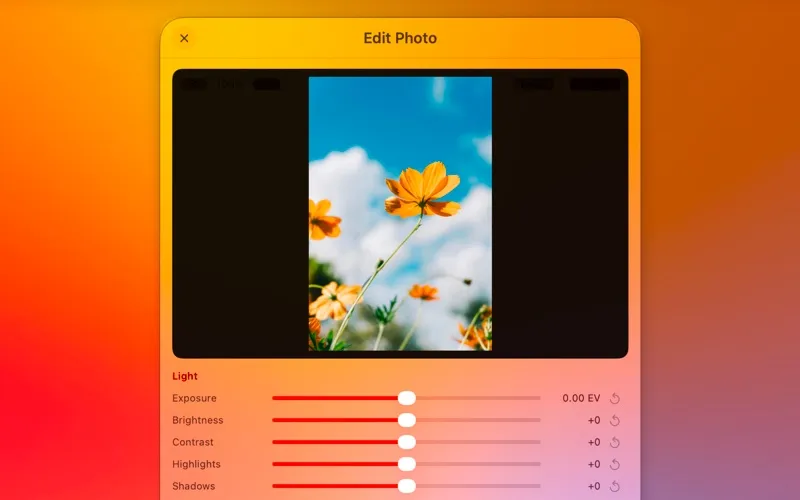
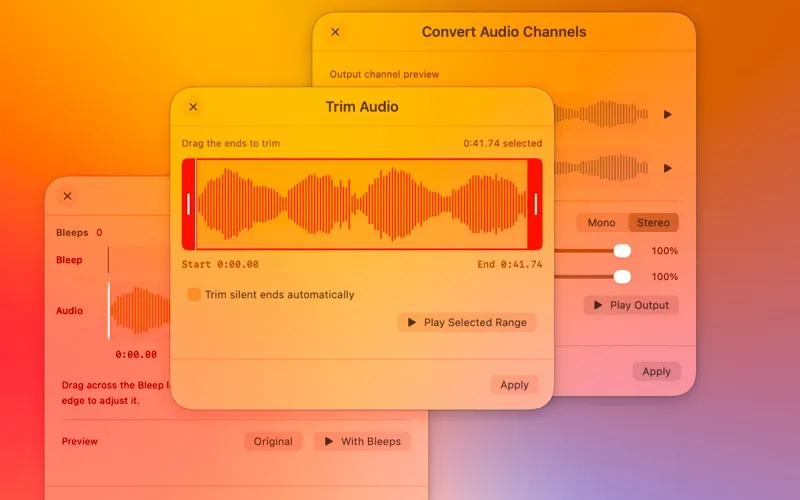
You also get ways to prepare files for sharing: compress them toward a specific size, trim video or audio, crop and redact photos, or combine and reorder PDF pages. Hold Option and Shift while dragging to see the tools available for your file type.
Your files stay on your Mac throughout processing, including private documents and photo metadata. You can inspect, edit, or remove metadata before sharing, and find the finished files in Finder when each job completes.
-
Convert from Finder
You get a converted copy beside your original by dragging a file onto your chosen output format.
-
Meet file size limits
You can compress images, video, audio, and PDFs, including targeting a specific file size.
-
Process files together
You can convert or process several compatible files in one batch rather than handling each separately.
-
Prepare files for sharing
You can trim clips, redact photos, reorganize PDFs, and remove metadata before sending files.
-
Keep processing local
You can work with sensitive files without uploading their contents or metadata.
Best for
- You regularly convert mixed file types in Finder
- You need smaller files for uploads or sharing
- You want basic file edits without uploading private material
Skip it if
You can skip it if you rarely convert or compress files and already have the editing tools you need.
Screenshots
From the developer
Tangerine converts files where you already are; no need for an extra window. Hold Shift while dragging a file in Finder and a wheel of output formats appears around your pointer. Drop the file on the format you want, and the converted copy is saved right beside the original.Read the full description
Alternatives to Tangerine
Other apps to convert video, audio & images. See all
 Permute
Convert audio, images, and videos
Setapp
98% · 4,352 ratings
Permute
Convert audio, images, and videos
Setapp
98% · 4,352 ratings
 SnapMotion
Capture snaps from your videos
Setapp
99% · 229 ratings
SnapMotion
Capture snaps from your videos
Setapp
99% · 229 ratings
 RAW to HEIC
Shrink RAW photos to HEIC by 70–90% and keep every detail and edit
Sold separately
RAW to HEIC
Shrink RAW photos to HEIC by 70–90% and keep every detail and edit
Sold separately
 1-Click Video Converter
Mac App Store
1-Click Video Converter
Mac App Store
 Audio Converter
One Click
Mac App Store
Audio Converter
One Click
Mac App Store
 AVI to Any Lite
Mac App Store
AVI to Any Lite
Mac App Store