
Timemator
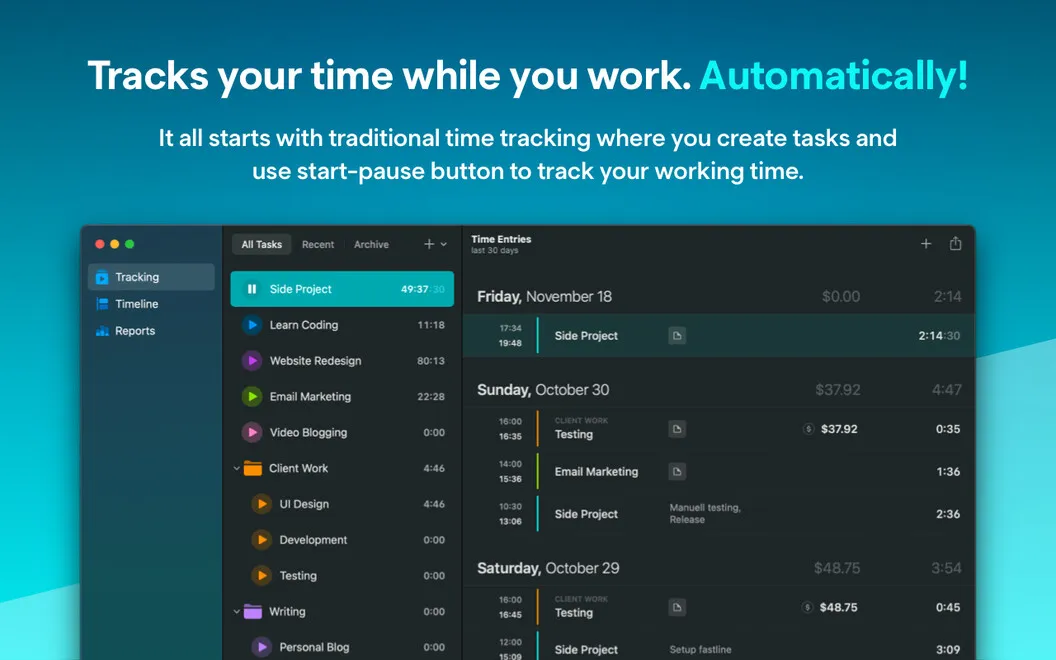
Tracks your time while you work. Automatically!
Timemator is a Mac time tracker for you if you need to measure project work, calculate billable hours, or understand how you spend your working day.
by Catforce Studio · 94% positive (703)
What you get
Know where your work hours go without constantly starting and stopping a timer.
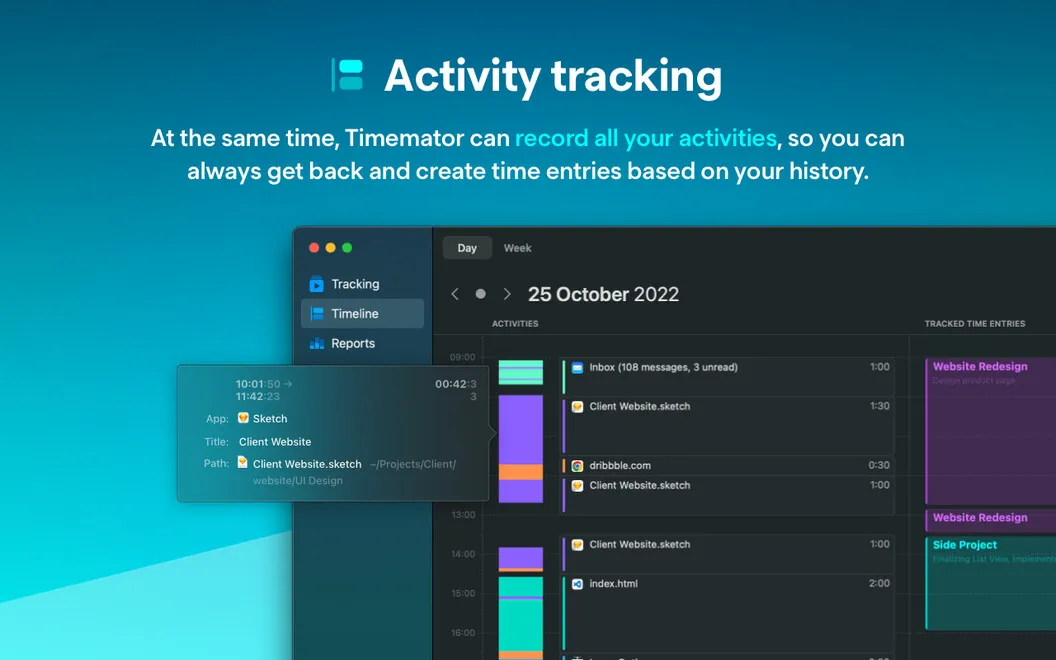
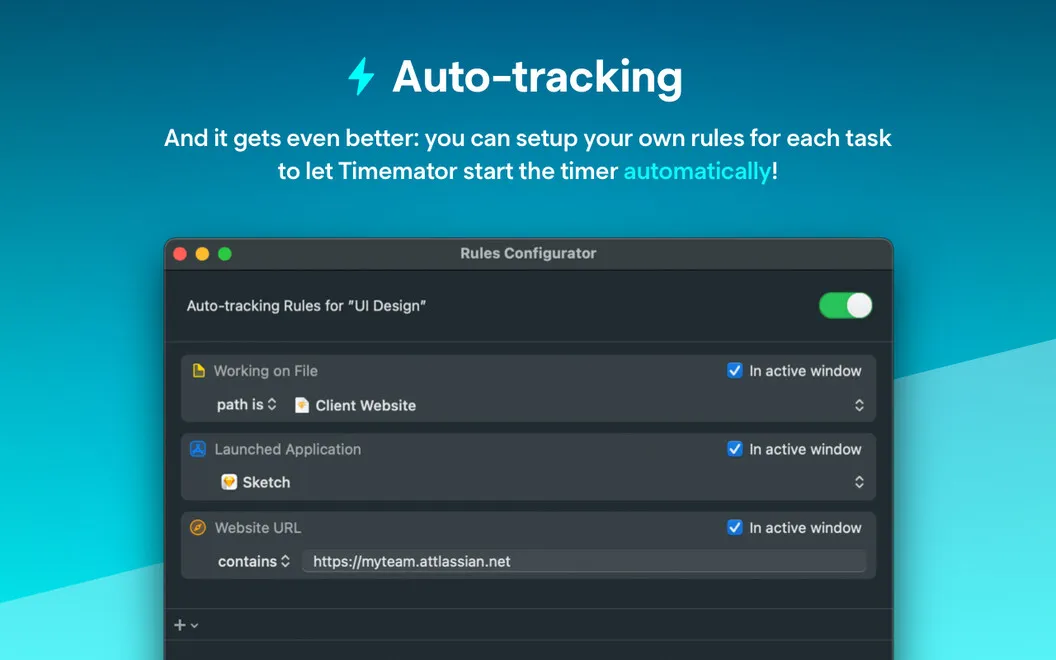
You get a record of your work on your Mac without having to remember every timer switch. Timemator collects your activity in a timeline, so you can review your day and assign recorded time to the right projects. You can also define rules around the apps and files you use, letting tracking start and stop automatically for that work.
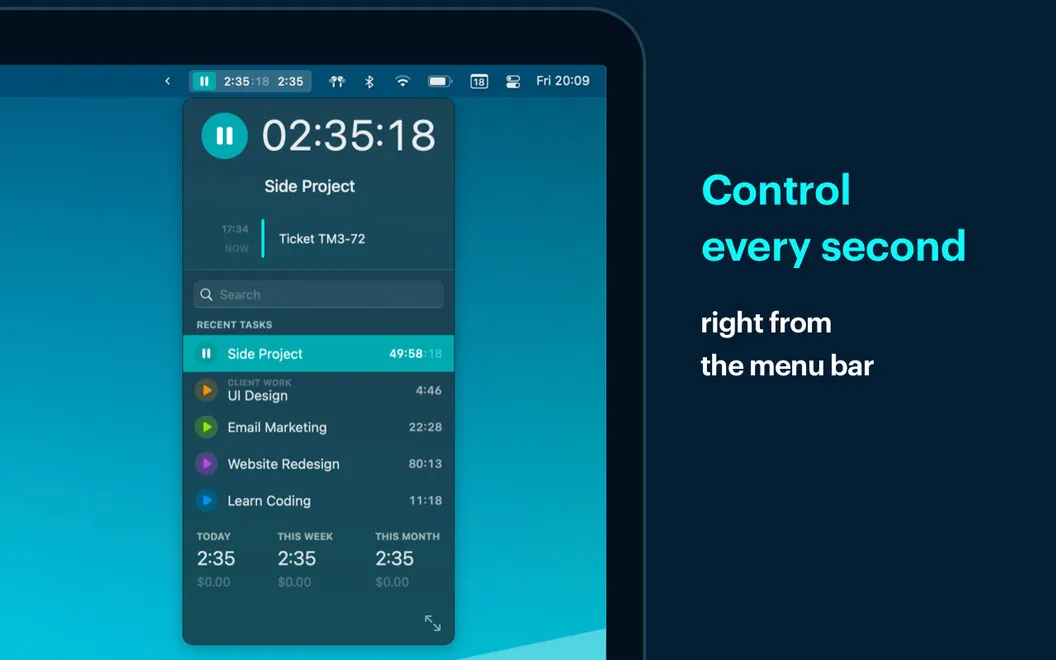
When you need more control, you can start or stop the timer yourself, edit entries, or add timing sessions. That gives you a way to correct your records rather than leave mistakes in your totals.
You can see how much time each project takes and, after adding a project’s hourly rate, how much that recorded work earns. Daily views and reports help you review recent activity and compare your pace over time, giving you a clearer basis for billing and understanding where your hours went.
-
Fewer forgotten timer switches
You can tie tracking to project apps and files, reducing how often you need to start and stop it yourself.
-
Recover your working day
You can review your activity timeline and assign recorded time to projects instead of reconstructing your hours from memory.
-
Know your billable totals
You can set an hourly rate for each project to see earnings based on the time you record.
-
Understand your pace
You can review daily activity and reports to see where time goes and whether your work gets faster over time.
Best for
- You freelance and bill by the hour
- You switch between several projects on your Mac
- You want to compare how long your work takes over time
Skip it if
You don't need it if you have no reason to record work hours, calculate billable time, or review how long tasks take.
Screenshots
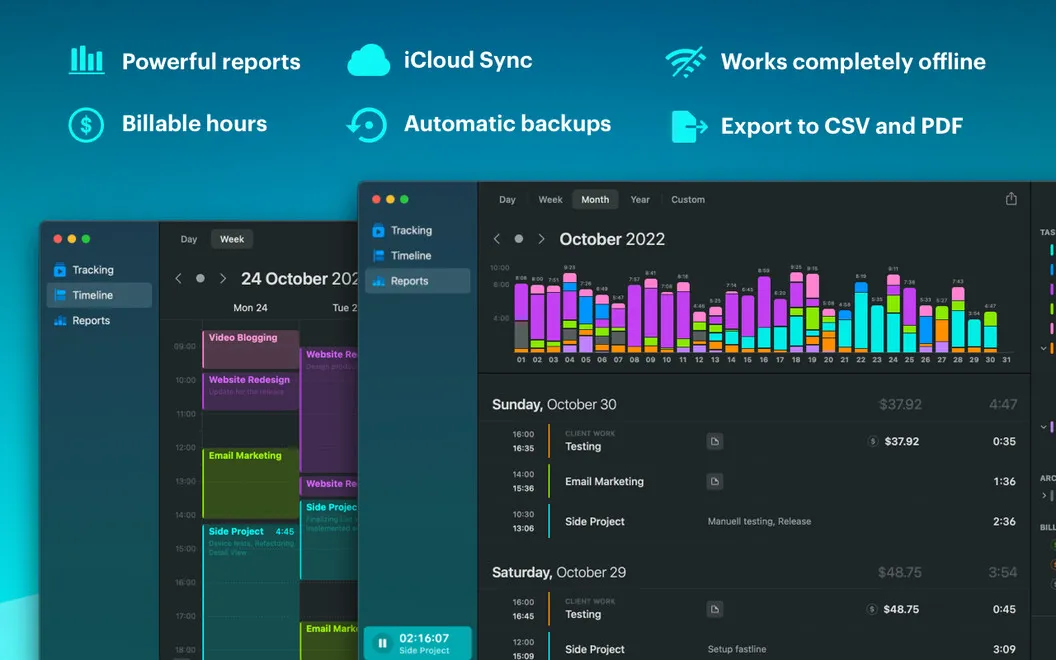
From the developer
A timer is a good companion for when you’re working on Mac, and want to know how much time you spend on particular projects. But only if the timer itself doesn’t eat your time requiring on/off switching. Timemator is a smart timer that works on its own, capturing and auto-tracking everything you do.Read the full description
Alternatives to Timemator
Other apps to track time & billable hours. See all
 Timing
Track time you spend in each app
Setapp
98% · 2,131 ratings
Timing
Track time you spend in each app
Setapp
98% · 2,131 ratings
 Daily
Track time easily
Setapp
91% · 200 ratings
Daily
Track time easily
Setapp
91% · 200 ratings
 TimeBill
Time tracker & invoicing app for Mac
Sold separately
TimeBill
Time tracker & invoicing app for Mac
Sold separately
 TinyStopwatch
Time it from the top
Sold separately
TinyStopwatch
Time it from the top
Sold separately
 Book Tracker
Bookshelf & TBR
Mac App Store
Book Tracker
Bookshelf & TBR
Mac App Store
 Focused Work
Work with timers
Setapp
85% · 96 ratings
Focused Work
Work with timers
Setapp
85% · 96 ratings