Webcam Effects
Webcam Effects lets you adjust your Mac webcam’s framing, lighting, and color for video calls, recordings, and streams.
by Terry Demco
What you get
You get better framing and more control over your webcam image.
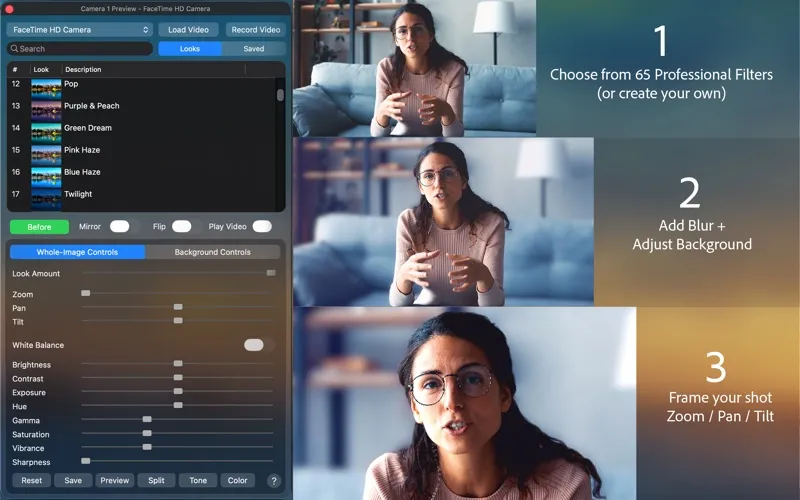
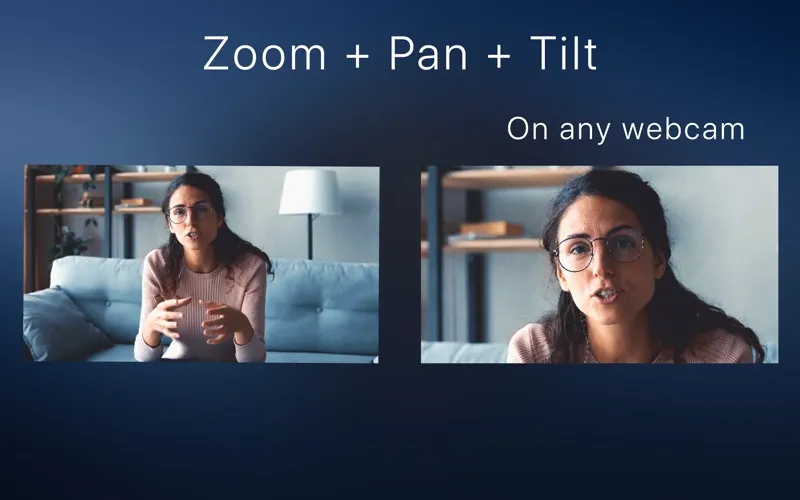
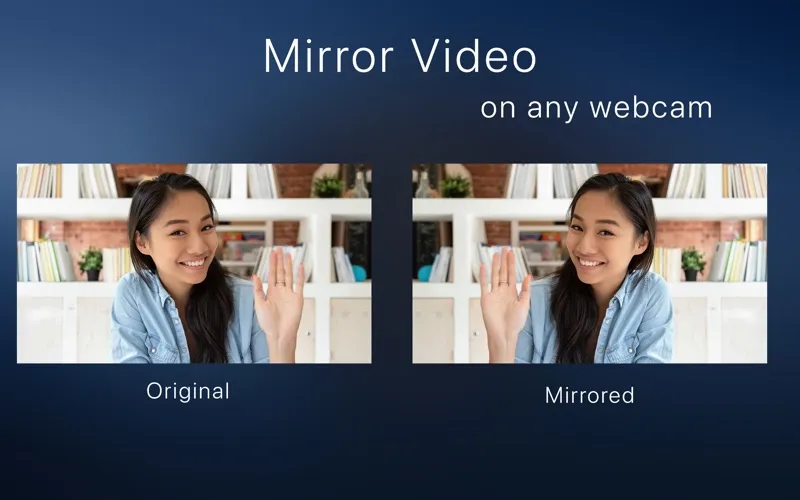
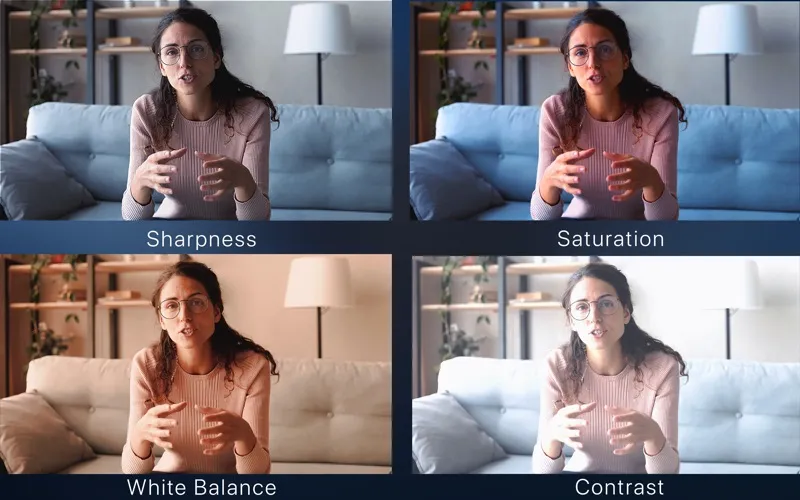
Webcam Effects gives you control over how you appear on camera. You can brighten a dark image, correct an unwanted color cast, or adjust contrast and sharpness. Digital zoom, pan, and tilt let you change your framing without physically moving your webcam.
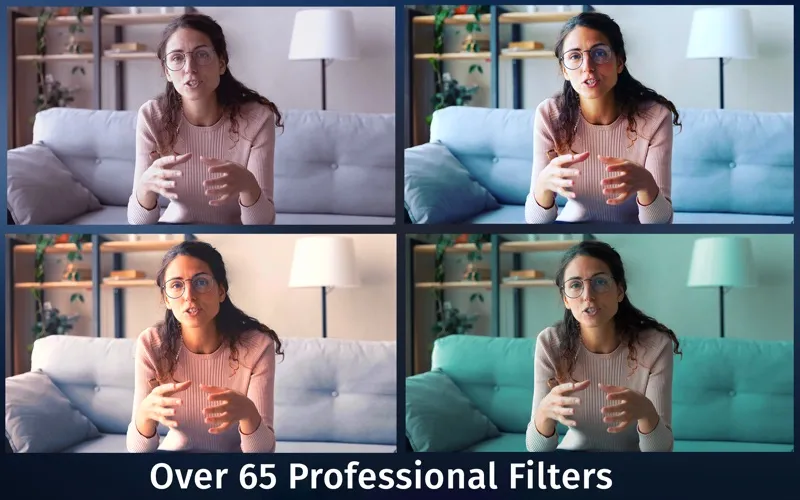
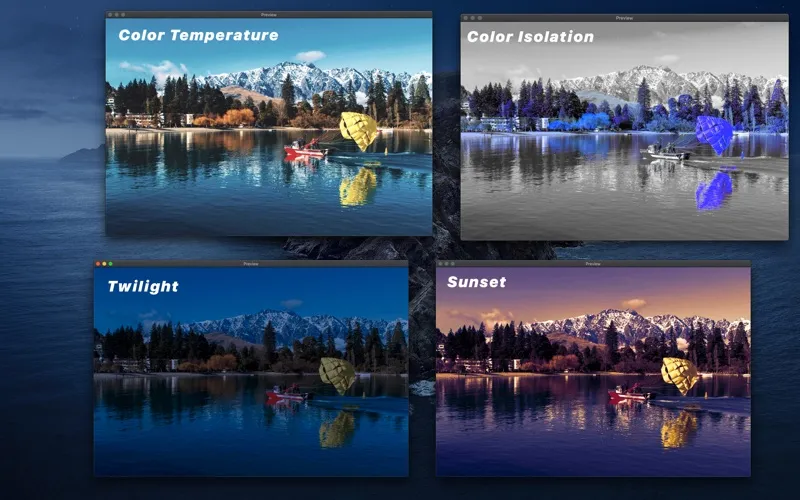
You can keep your appearance natural or create a more stylized look using over 65 customizable color presets, called LUTs. You can also import your own LUTs and fine-tune colors with curves and color wheels. Background blur, saturation, and color adjustments help you stand out from what’s behind you.
You can record with your adjustments applied or use your adjusted image in FaceTime and third-party recording and streaming apps. FaceTime and third-party app use require an in-app purchase, as do some other features. You can use built-in Mac cameras and other cameras supported by macOS.
-
Improve your on-camera lighting
You can adjust exposure, brightness, and white balance to make a dim or color-tinted webcam image look more natural.
-
Reframe without moving your camera
You can zoom in and shift your framing digitally rather than repositioning your webcam.
-
Stand out from your background
You can soften the background with blur or reduce its color intensity to create more separation.
-
Choose your on-camera look
You can apply customizable color presets or fine-tune colors for a natural or dramatic appearance.
Best for
- You want better framing and color for video calls
- You record webcam videos or stream
- You want to customize your on-camera appearance
Skip it if
You don’t need it if you’re happy with your webcam’s default image and your calling app’s existing adjustments.
Screenshots
From the developer
Create a professional image from your webcam. Adjust the image from your webcam to create dynamic, high-end looks. Digital Zoom, Pan and Tilt with any webcam. Control digital exposure, brightness, contrast, hue, sharpness, gamma, vibrance, white balance and more! Over 65 Built-in professional customizable LUTs.Read the full description
Alternatives to Webcam Effects
Other apps to prepare for video calls. See all
 In Your Face
Never be late to meetings again
Setapp
99% · 797 ratings
In Your Face
Never be late to meetings again
Setapp
99% · 797 ratings
 Hand Mirror
Check Mac camera in a click
Setapp
96% · 682 ratings
Hand Mirror
Check Mac camera in a click
Setapp
96% · 682 ratings
 CamLoop
Step away from any video call while a seamless loop keeps you on camera.
Setapp
CamLoop
Step away from any video call while a seamless loop keeps you on camera.
Setapp
 GoPro Webcam
Mac App Store
GoPro Webcam
Mac App Store
 Join Meetings for Desktop
Mac App Store
Join Meetings for Desktop
Mac App Store
 JustJoin for Zoom meetings
Mac App Store
JustJoin for Zoom meetings
Mac App Store