
WebP Converter.
With WebP Converter, you can prepare lighter website images and turn WebP files into PNGs on your Mac. It suits you if you regularly convert images in batches.
by Reiji Kobayashi
What you get
You get lighter web images without uploading your files.
You can turn JPG, PNG, HEIC and many other image formats into WebP to reduce image weight on your website or blog. When you need a PNG instead, you can convert WebP files back. Both conversions are free, with no batch limits: drop in images or whole folders, then start the conversion.
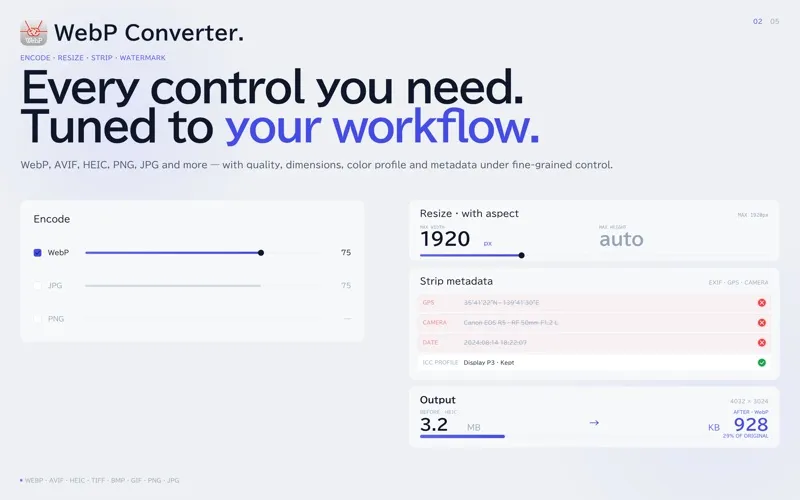
Your images stay on your Mac, so you don't need to upload them to an online service or create an account. You also get EXIF and GPS information removed by default, helping you avoid sharing embedded location details.
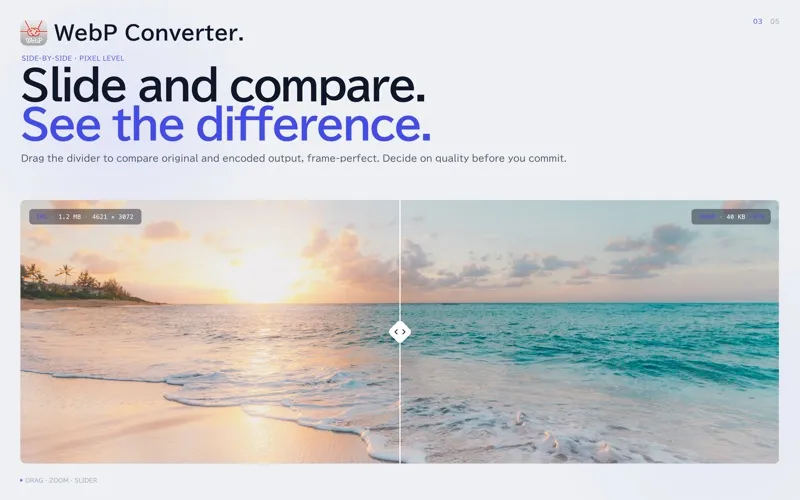
With paid Pro features, you can resize images without stretching them, compare output sizes in a before-and-after preview, and reuse saved settings. You can also rename batches, convert WebP to JPEG, or turn animated WebP files into GIFs.
-
Lighter website images
You can convert common image formats to WebP to reduce image weight and help your pages load faster.
-
Whole folders at once
You can convert unlimited batches to WebP or from WebP to PNG for free.
-
No image uploads
Your files stay on your Mac, and you don't need an account.
-
Less location data shared
You get EXIF and GPS metadata removed by default before sharing your converted images.
-
Consistent output with Pro
With paid Pro features, you can reuse conversion settings, resize proportionally, and rename files across a batch.
Best for
- You prepare images for a website or blog
- You regularly convert whole folders of images
- You prefer local conversion over uploading private images
Skip it if
You don't need this if you rarely convert images and your existing tools already handle the formats you use.
Screenshots
From the developer
Convert JPG, PNG, HEIC, GIF and more to WebP — and WebP back to PNG — in unlimited batches, for free. Make website and blog images lighter so pages load faster. Everything runs on your Mac: no uploads, no account, no ads.Read the full description
Alternatives to WebP Converter.
Other apps to convert video, audio & images. See all
 Permute
Convert audio, images, and videos
Setapp
98% · 4,352 ratings
Permute
Convert audio, images, and videos
Setapp
98% · 4,352 ratings
 SnapMotion
Capture snaps from your videos
Setapp
99% · 229 ratings
SnapMotion
Capture snaps from your videos
Setapp
99% · 229 ratings
 RAW to HEIC
Shrink RAW photos to HEIC by 70–90% and keep every detail and edit
Sold separately
RAW to HEIC
Shrink RAW photos to HEIC by 70–90% and keep every detail and edit
Sold separately
 1-Click Video Converter
Mac App Store
1-Click Video Converter
Mac App Store
 Audio Converter
One Click
Mac App Store
Audio Converter
One Click
Mac App Store
 AVI to Any Lite
Mac App Store
AVI to Any Lite
Mac App Store