WiFi Signal
Monitor and troubleshoot your Wi-Fi connection
WiFi Signal gives you menu-bar monitoring of your Mac’s wireless connection, helping you investigate weak signals, connection drops, and access-point changes.
by Intuitibits LLC · 93% positive (404)
What you get
You can see when your Wi-Fi weakens or changes access points.
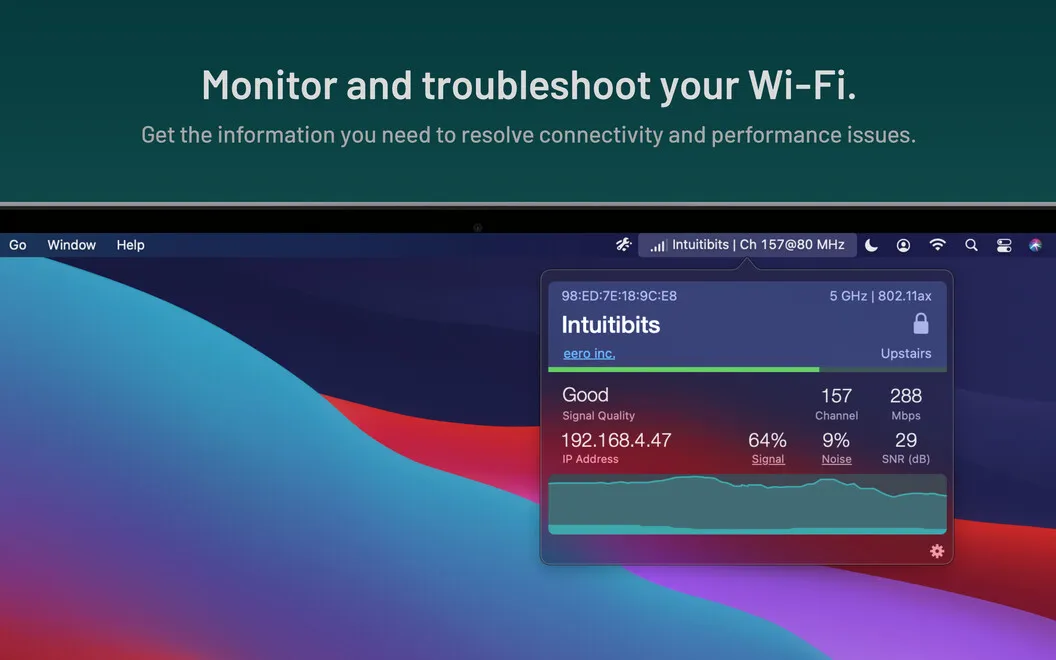
WiFi Signal helps you see what your Mac’s wireless connection is doing when connectivity becomes unreliable. You can check signal strength, noise, and data rate, then watch a live signal graph to see how conditions change over time. You get information to help investigate a problem rather than an automatic fix.
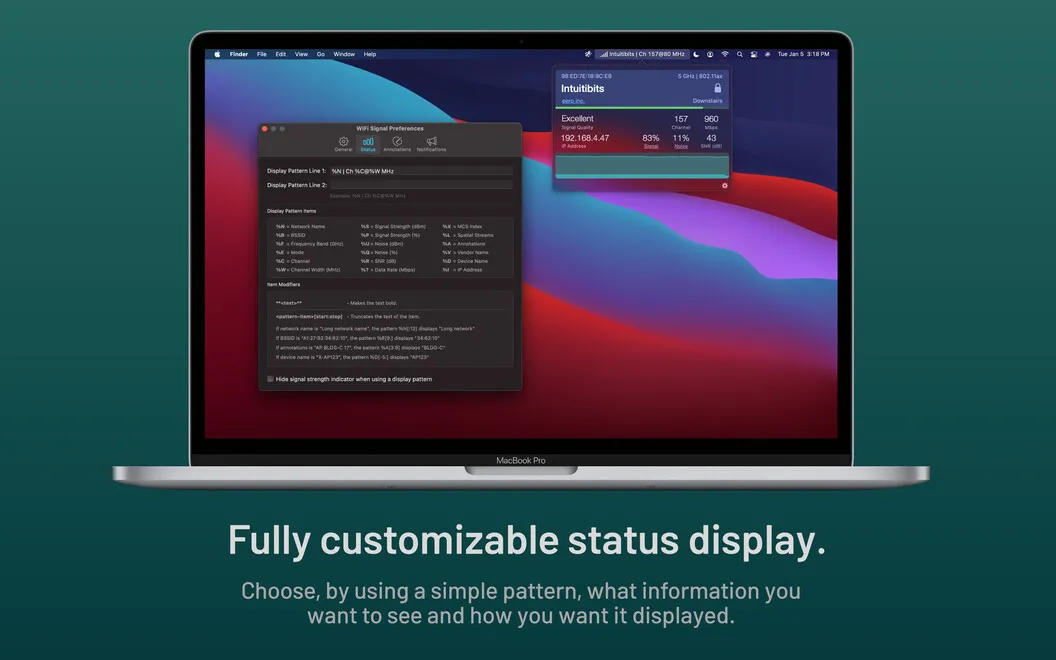
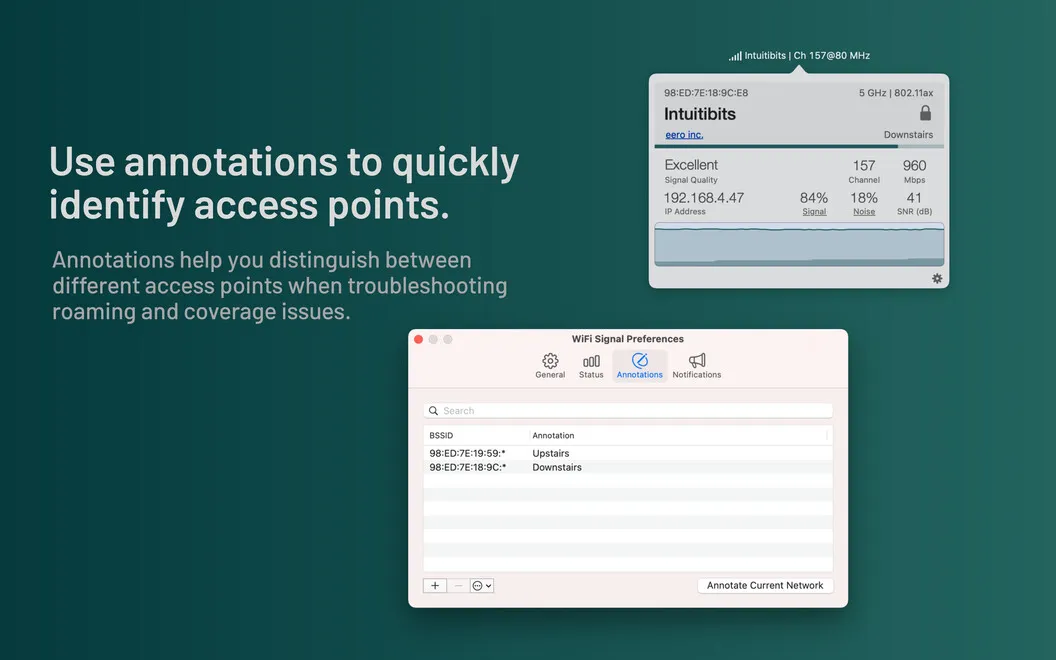
You can keep two connection readings visible in your menu bar, such as your IP address and BSSID, so you don’t need to open network settings to check them. If you move between access points, you can add custom labels that make it easier to recognize which one you’re using, such as the floor it serves.
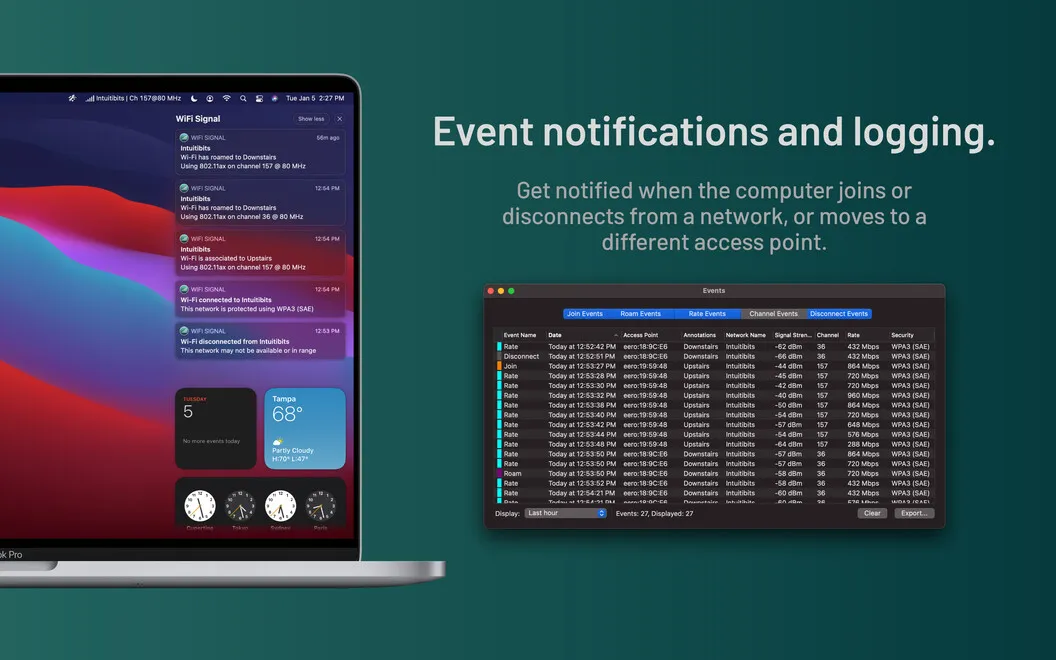
You can also receive alerts when you join or leave a network, switch access points, or cross your chosen thresholds for transmit rate and link quality. That gives you a way to notice connection changes without continually checking the graph.
-
Spot signal changes
You can watch a live graph to see whether your wireless signal stays steady or fluctuates.
-
Check connection details quickly
You can keep two readings, such as your IP address and BSSID, visible in your menu bar.
-
Notice deteriorating connections
You can get alerts when transmit rate or link quality falls below the thresholds you choose.
-
Recognize access points
You can label access points by location and get notified when your Mac switches between them.
Best for
- You’re investigating intermittent Wi-Fi drops or weak signals.
- You move between access points at home or work.
- You regularly need your IP address or BSSID.
Skip it if
You probably don’t need it if your Wi-Fi is reliable and you don’t need detailed connection readings or alerts.
Screenshots
From the developer
Monitor your Wi-Fi connection with ease using WiFi Signal app. This tiny but mighty tool can display the Wi-Fi info you need next to your Mac’s menu bar — from displaying your IP address or BSSID to data rate or signal strength. Monitor signal strength Stay on top of your connectivity and performance with WiFi Signal.Read the full description
Alternatives to WiFi Signal
Other apps to fix Wi-Fi & network problems. See all