WordPress Browser Extension
WordPress Browser Extension gives you Safari shortcuts for editing, managing, and checking WordPress sites, whether you publish content or maintain websites.
by WordPress Foundation
What you get
You can move from viewing a WordPress page to editing it faster.
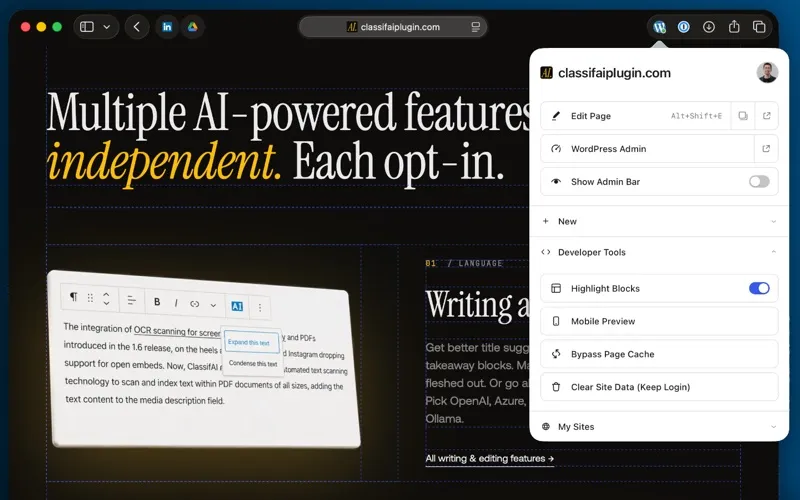
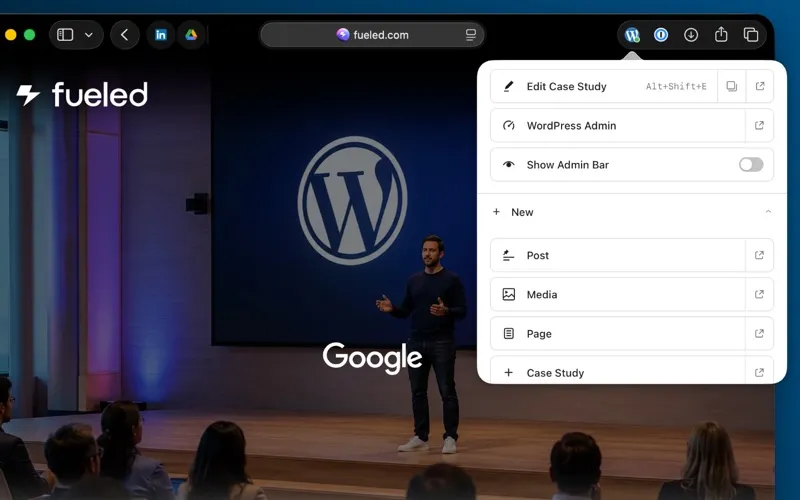
You can open the editor for the WordPress page you’re viewing without navigating through the dashboard first. A toolbar shortcut or keyboard command takes you there; on block themes, template-backed pages open in the Site Editor. You can also start new content or jump to a managed site’s dashboard from Safari.
When you’re checking your site’s appearance, you can hide the WordPress admin bar to see the page without it. You can save that choice per site or hide it by default. To investigate layout or loading issues, you can highlight block boundaries, open a mobile-sized preview, clear site data, or reload with cache busting.
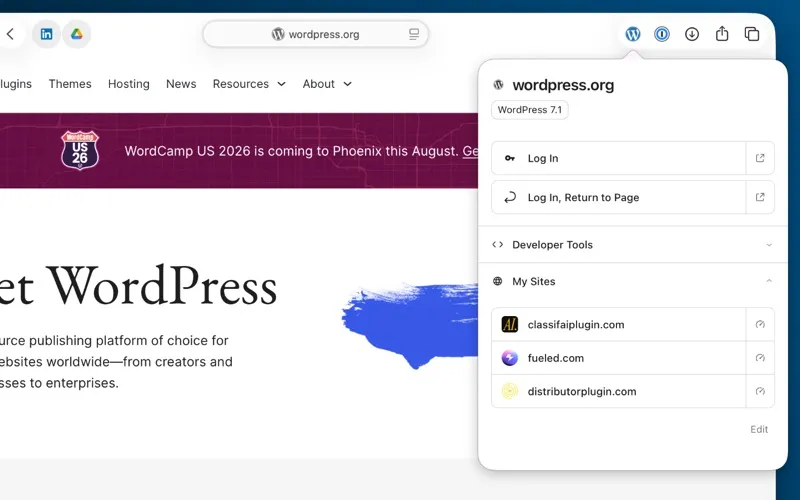
You also get a locally saved launcher for WordPress sites you sign in to, plus an indicator showing whether the current site uses WordPress and whether you’re signed in. Your activity isn’t sent to analytics or third-party services.
-
Edit what you’re viewing
You can jump from the current page to its editor using the toolbar or a keyboard shortcut.
-
Check pages without clutter
You can hide the admin bar per site or by default while reviewing your site’s appearance.
-
Investigate display issues
You can inspect block boundaries and check pages in a mobile-sized window.
-
Return to managed sites
You can reach remembered WordPress sites and their dashboards from a locally stored launcher.
Best for
- You publish or edit WordPress content in Safari
- You manage several WordPress sites
- You test WordPress layouts and page changes
Skip it if
You don’t need it if you only read WordPress sites and never edit, manage, or test them.
Screenshots
From the developer
The official WordPress Browser Extension detects WordPress sites and puts useful site-management shortcuts in your Safari toolbar. Keep pages clear of the WordPress admin bar when you want to see them the way visitors do, while keeping quick access to helpful editorial, developer, and testing tools.Read the full description
Alternatives to WordPress Browser Extension
Other apps to write & publish blog posts. See all