ChronoSync Express
Sync and back up folders
ChronoSync Express lets you back up and synchronize folders on your Mac, with scheduled tasks for keeping files current across multiple Macs and file servers.
by Econ Technologies, Inc. · 95% positive (458)
What you get
Keep your folders backed up and your files consistent across Macs.
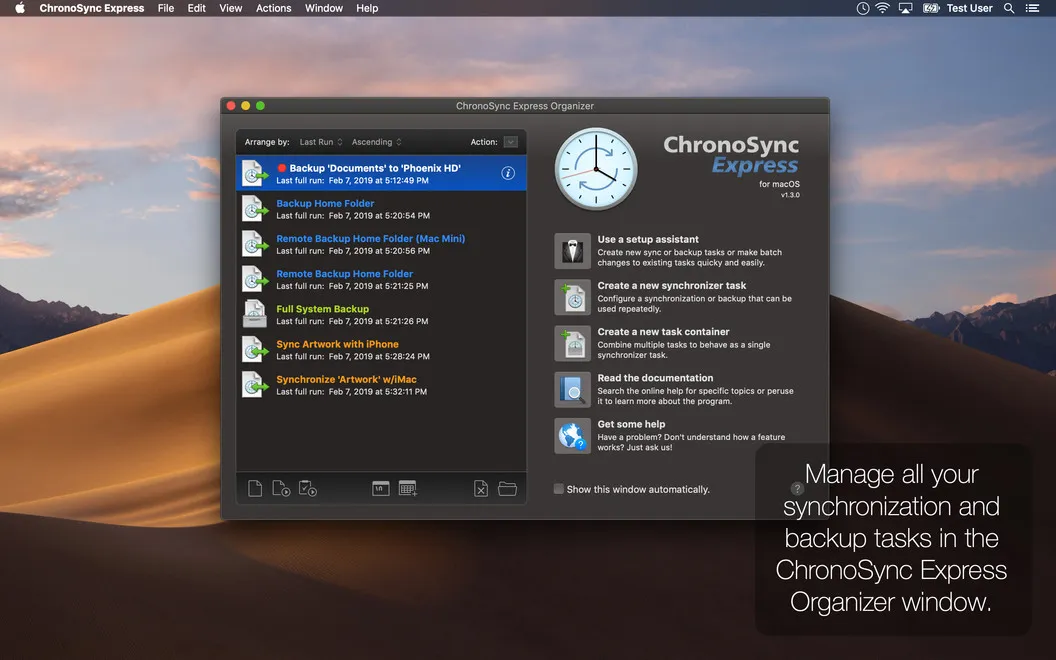
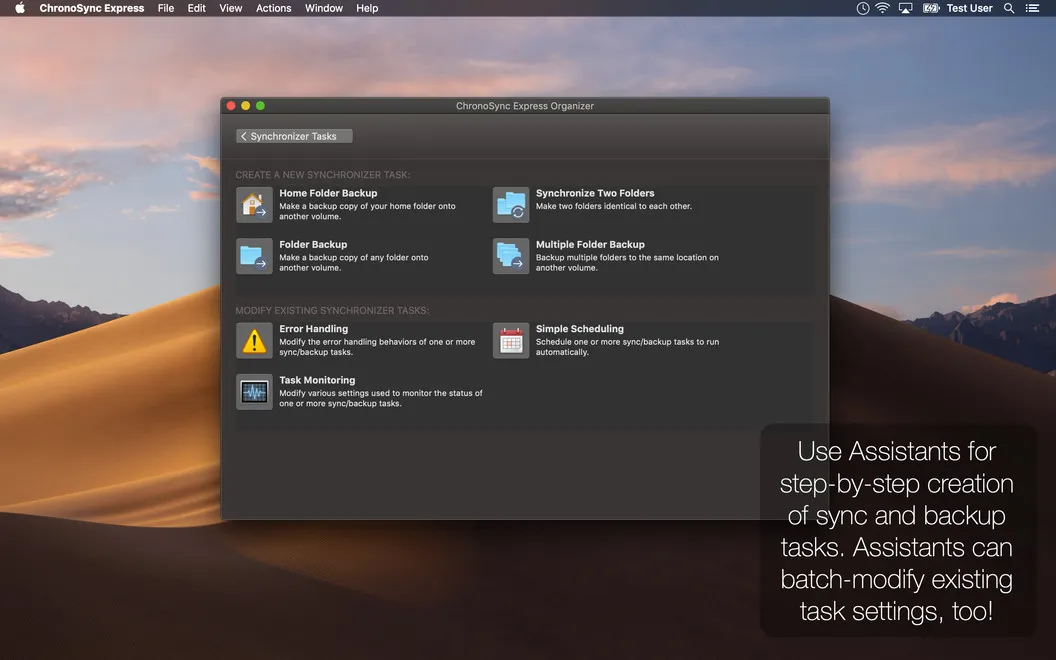
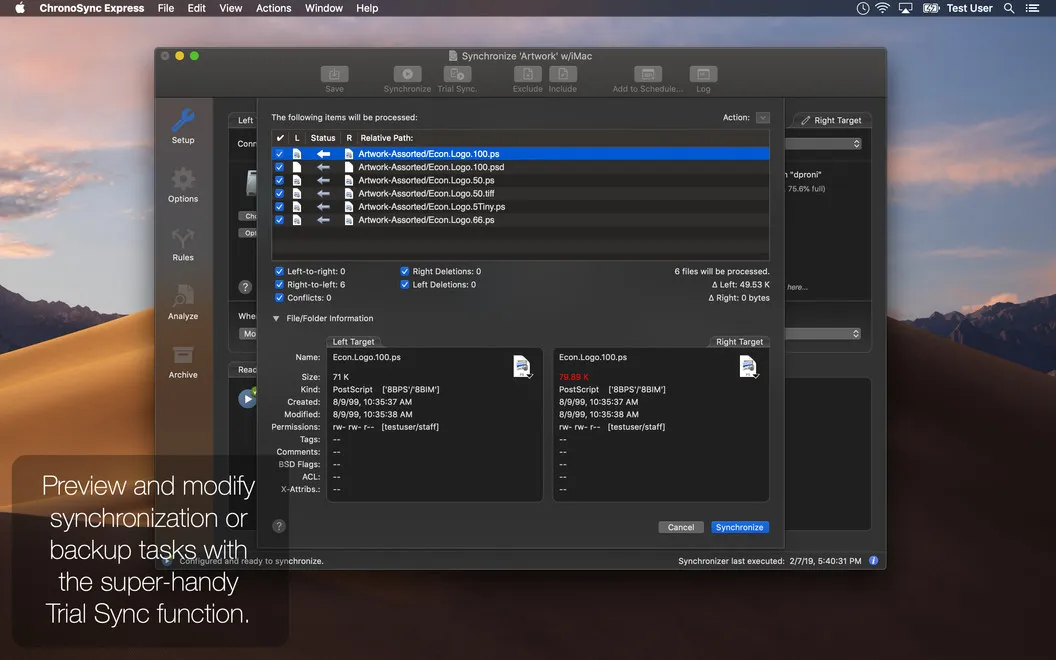
ChronoSync Express gives you a way to keep important folders backed up and matching across your Macs without repeatedly copying files yourself. You choose the files and folders to sync or back up, whether they contain work documents or personal data. You can also transfer them to file servers and save connection credentials for automatic reconnection.
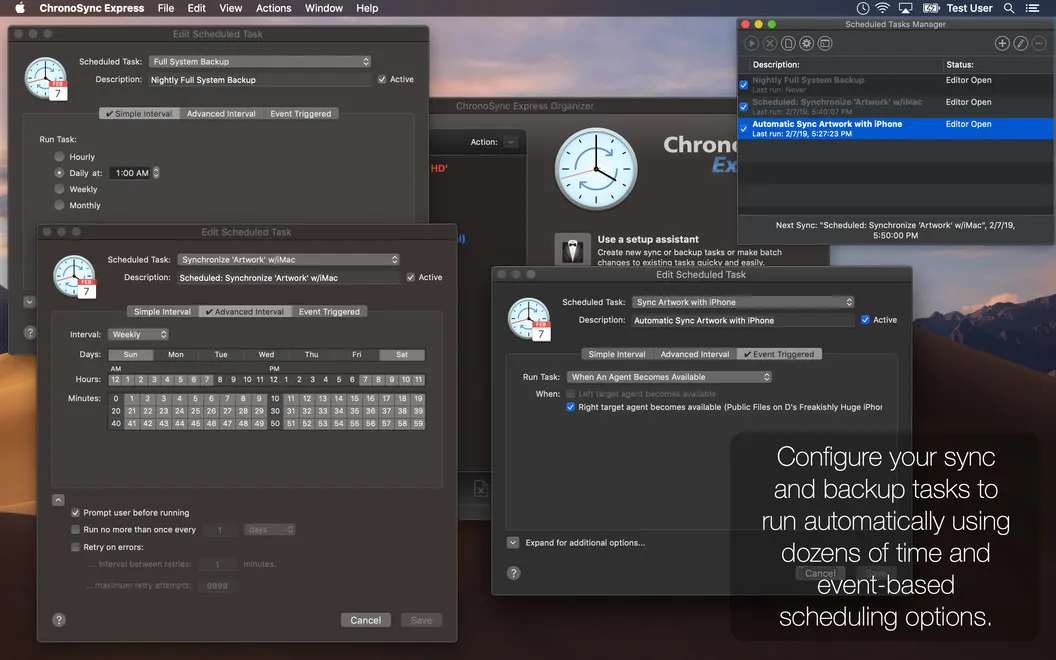
You can have routine jobs run daily, weekly, or monthly, or start tasks when a volume mounts or another computer joins your network. That means your backups and syncs can follow a regular schedule or respond when their destination becomes available. Email and system notifications let you keep track of activity when you’re away from your Mac.
If you also need files on an iPhone or iPad, you can access that device’s storage from your Mac after installing InterConneX on it. This gives you a route for transferring files between your Mac and those devices.
-
Keep folders in sync
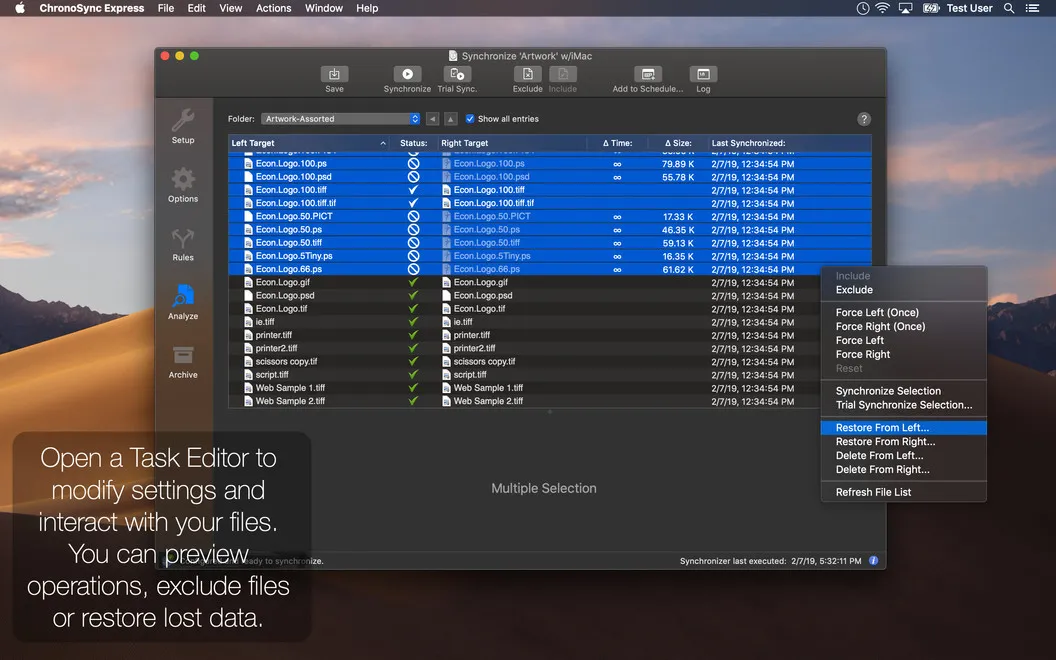
You can keep the contents of multiple folders consistent across your Macs instead of manually copying files between them.
-
Make backups routine
You can schedule backups daily, weekly, or monthly so you don’t have to start every task yourself.
-
Run when destinations appear
Your tasks can start when a volume mounts or a computer joins the network.
-
Stay informed while away
You can receive email and system notifications to track backup and sync activity without staying at your Mac.
-
Transfer iPhone and iPad files
You can access your iPhone or iPad storage from your Mac with InterConneX installed on the device.
Best for
- You work across multiple Macs and need matching folders.
- You want scheduled backups of selected files and folders.
- You regularly copy files to a file server.
Skip it if
You don’t need it if your existing backup and sync setup already keeps your folders current on the schedule you need.
Screenshots
From the developer
Do you find yourself thinking about the most suitable data sync app for Mac? Chronosync Express gives you peace of mind for the security of your files, office and personal data. This consistent application keeps your data safe and updated, no matter where you happen to be.Read the full description
Alternatives to ChronoSync Express
Other apps to back up & sync files. See all