Path Finder
Copy, delete, and sync files
Path Finder is a Mac file manager for when you need more control over moving, organizing, and syncing files across folders, disks, and cloud storage.
by COCOATECH · 92% positive (1,574)
What you get
Keep your files organized across folders, disks, and cloud storage.
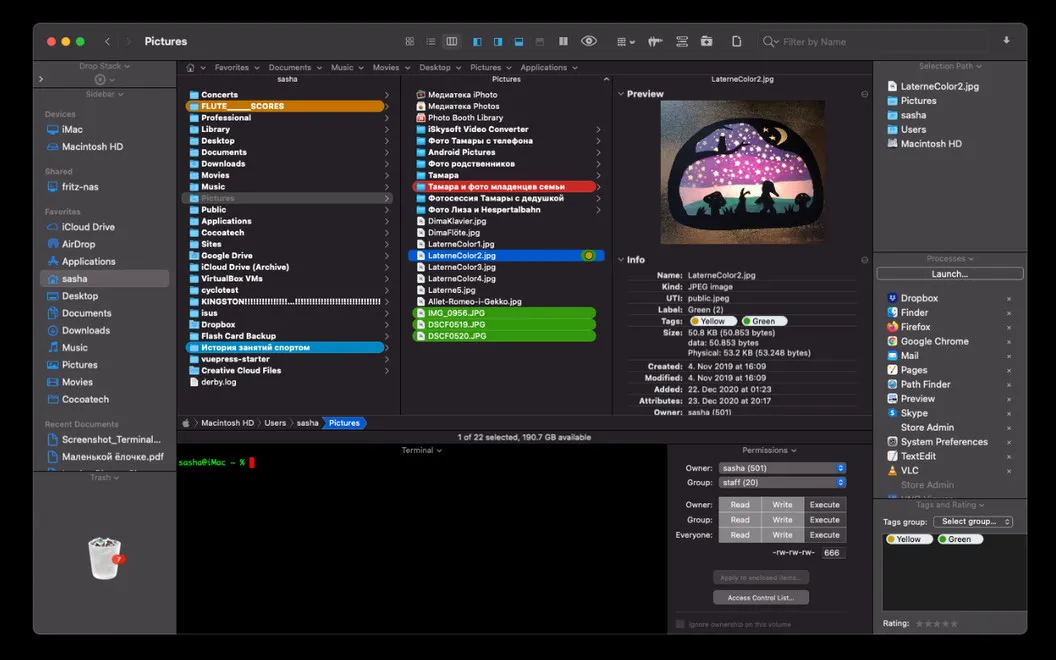
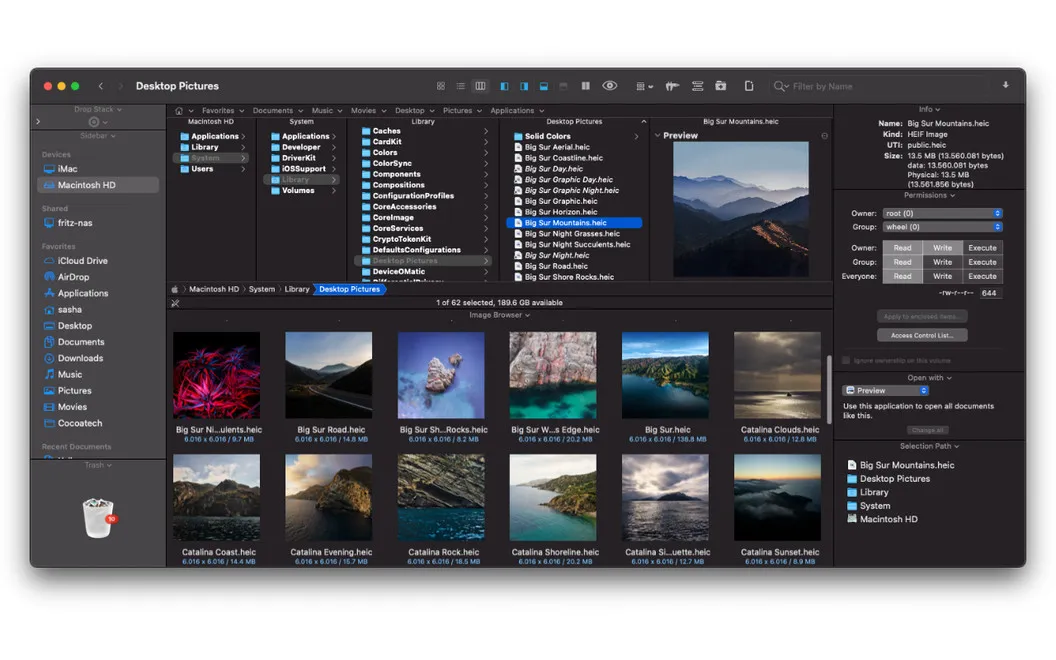
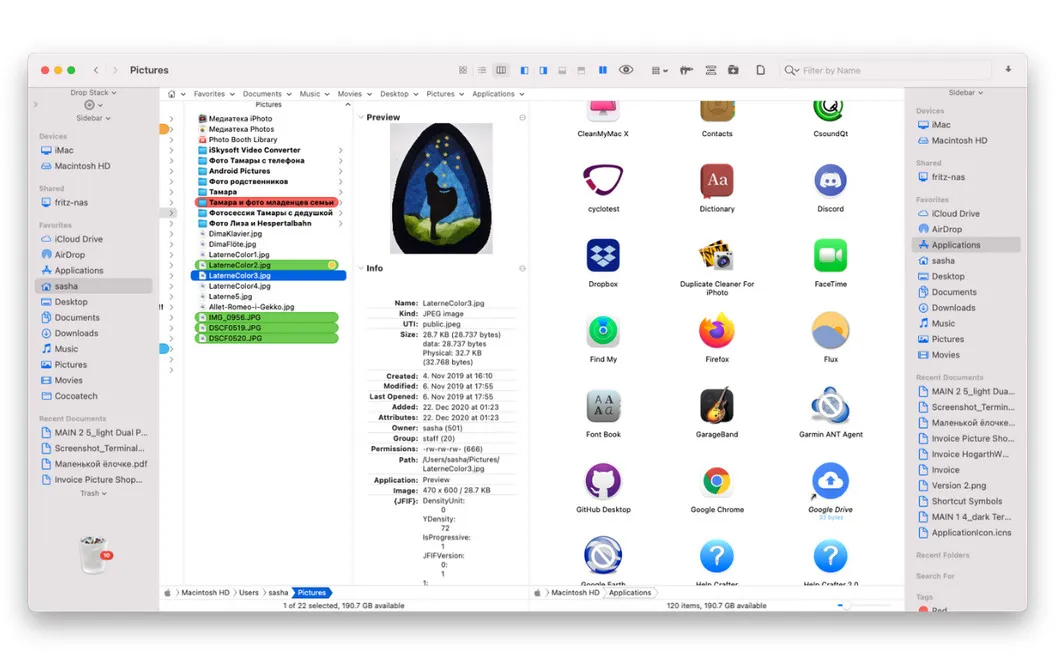
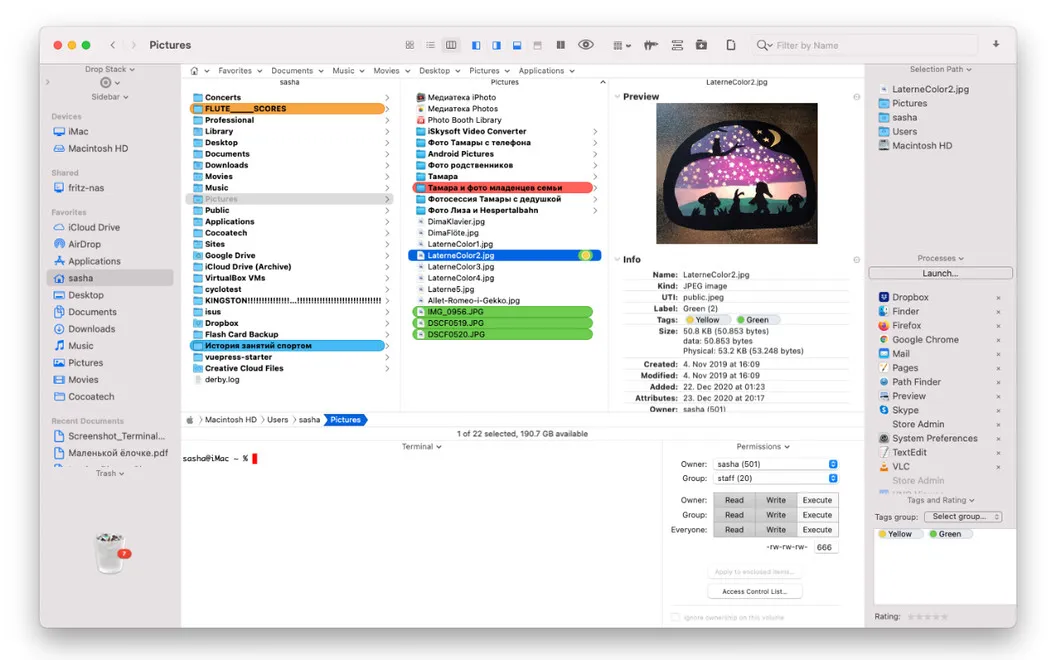
You get a workspace for handling files across multiple locations without constantly switching between Finder windows. View two folders or disks side by side, copy files in batches, and compare or sync folder contents across disks.
When you’re sorting a scattered collection, you can gather files in a temporary Drop Stack before deciding where to move them. You can also reveal hidden files and manage them alongside everything else, rather than leaving them out of your cleanup.
You can keep frequently used locations in the sidebar and choose which information and commands appear in your workspace. If your files live online, you can upload and organize them on services including Google Drive, Dropbox, Amazon S3, Backblaze, and SFTP/FTP servers.
-
Work across two locations
You can keep two folders or disks visible side by side while copying and organizing files.
-
Sort before you move
You can collect files in a temporary Drop Stack before moving them to their destination.
-
Keep folders in sync
You can compare folder contents across disks and sync them when you need matching copies.
-
Include hidden files
You can reveal and manage files that Finder normally keeps out of sight.
-
Organize files stored online
You can upload and arrange files across supported cloud storage services and SFTP/FTP servers.
Best for
- You regularly move files between folders and disks
- You need to gather scattered files before sorting them
- You manage files across local and cloud storage
Skip it if
You probably don’t need it if Finder already covers your occasional file moves and folder organization.
Screenshots
From the developer
When Finder is not enough, Cocoatech’s Path Finder will fill all the gaps for you. An advanced file manager for Mac, the app enables you to copy, delete, view, and sync heaps of files across different locations.Read the full description
Alternatives to Path Finder
Other apps to manage files beyond Finder. See all
 ForkLift
Manage files across servers
Setapp
96% · 2,303 ratings
ForkLift
Manage files across servers
Setapp
96% · 2,303 ratings
 Commander One
Two-pane file manager
Setapp
95% · 699 ratings
Commander One
Two-pane file manager
Setapp
95% · 699 ratings
 DCommander
Manage files in a dual-pane view
Setapp
83% · 157 ratings
DCommander
Manage files in a dual-pane view
Setapp
83% · 157 ratings
 Captain's Deck
Keyboard-first dual-pane file manager for local, remote, and cloud files
Sold separately
Captain's Deck
Keyboard-first dual-pane file manager for local, remote, and cloud files
Sold separately
 FinderCraft
Move, rename, compare, and organize files without leaving the Finder
Sold separately
FinderCraft
Move, rename, compare, and organize files without leaving the Finder
Sold separately
 SADFinder
The Finder Mac deserved
Sold separately
SADFinder
The Finder Mac deserved
Sold separately