
CrystalFetch ISO Downloader
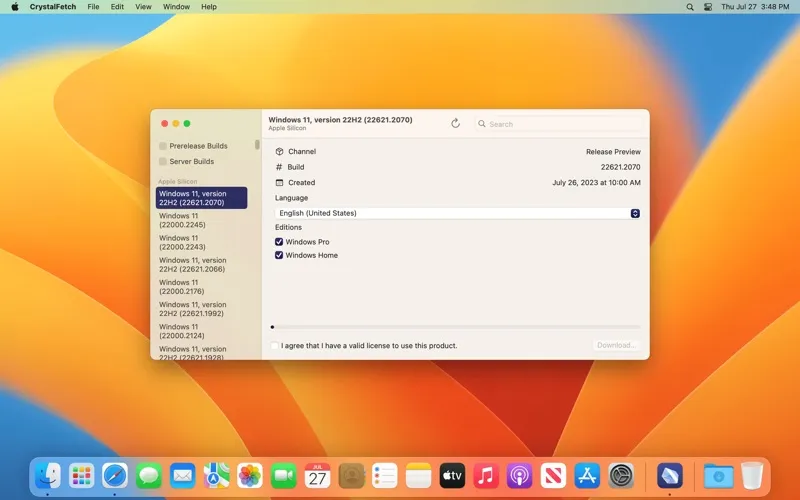
CrystalFetch ISO Downloader is a macOS app for creating Windows 11 installer ISO images when you need installation media for UTM or another virtual machine solution.
by Turing Software, LLC
What you get
Get a Windows 11 installer image for your virtual machine.
With CrystalFetch, you can create a Windows 11 installer ISO image on your Mac. You get the installation media you need when preparing to set up Windows in a virtual machine, rather than a Windows environment running inside CrystalFetch itself.
You can use the resulting ISO with UTM or other virtual machine solutions. If you’re preparing a Windows 11 virtual machine, CrystalFetch handles the installer-image part of that process; you’ll use your chosen VM software for the virtual machine itself.
You still need a valid Windows 11 license to install Windows. CrystalFetch is an independent app and is not affiliated with Microsoft.
-
Prepare your Windows installer
You can create a Windows 11 ISO image on your Mac for use as installation media.
-
Use it with UTM
You get an installer image you can use when setting up a Windows 11 virtual machine in UTM.
-
Choose another VM solution
You can also use your ISO with other virtual machine solutions, rather than being limited to UTM.
Best for
- You’re preparing a Windows 11 virtual machine in UTM
- You need Windows 11 installation media for another VM solution
Skip it if
You don’t need it if you already have a suitable Windows 11 installer ISO or aren’t planning to install Windows 11.
Screenshots
From the developer
CrystalFetch is a macOS application that creates Windows® 11 installer ISO images. It can be used with UTM virtual machines as well as other VM solutions. Note: CrystalFetch is not affiliated with Microsoft and a valid license is required to install Windows® 11.Read the full description
Alternatives to CrystalFetch ISO Downloader
Other apps to run & manage virtual machines. See all