VMware Remote Console
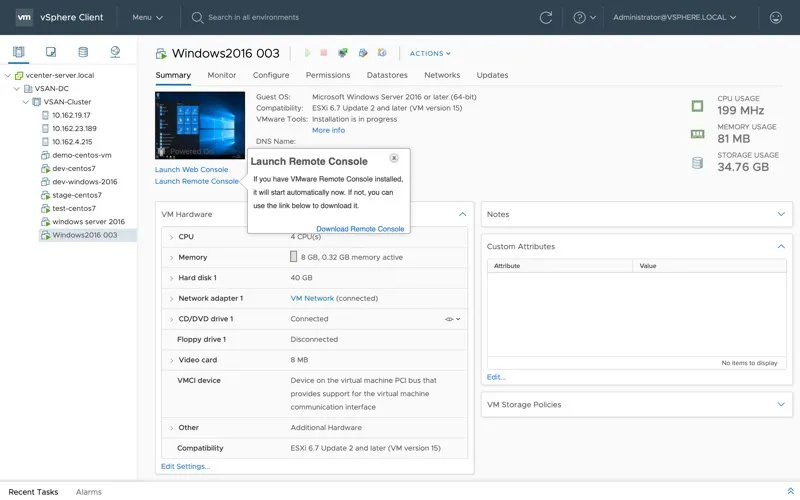
VMware Remote Console is a remote console client for VMware vSphere virtual machines, for you if you need to access guest systems and adjust their virtual hardware.
by VMware, Inc.
What you get
You can access vSphere virtual machines remotely and adjust their settings.
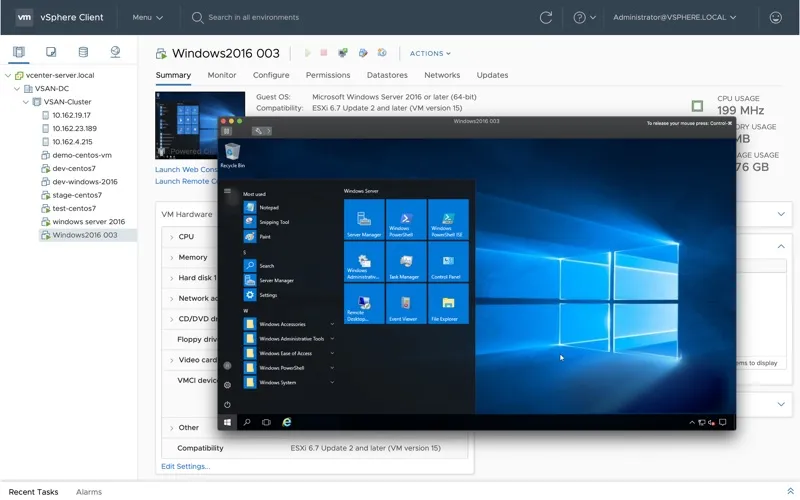
VMware Remote Console gives you remote access to virtual machines in VMware vSphere. You can view a machine’s console and work with its operating system settings from your remote client, so you don’t need to be at the system hosting the virtual machine to carry out those tasks.
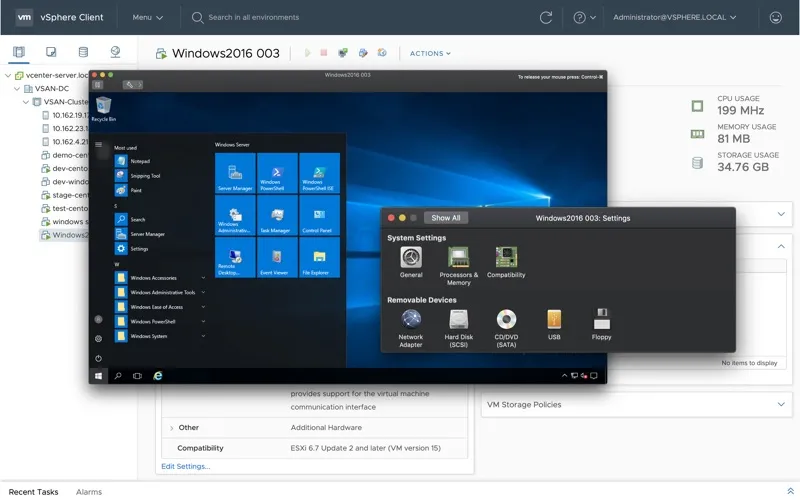
You can also change the virtual machine’s hardware configuration, including its assigned RAM, CPU cores, and disks. That lets you handle both guest operating system settings and virtual hardware adjustments through the same client. If you administer existing vSphere virtual machines, you get a way to check what their consoles show and make configuration changes remotely.
-
Reach your VM remotely
You can access a VMware vSphere virtual machine’s console from a remote client.
-
Adjust guest system settings
You can work with operating system settings through the virtual machine’s console.
-
Change virtual hardware
You can modify the RAM, CPU cores, and disks assigned to your virtual machine.
Best for
- You administer VMware vSphere virtual machines
- You need remote access to a guest operating system’s console
- You need to adjust an existing VM’s hardware settings
Skip it if
You don’t need it if you don’t work with VMware vSphere virtual machines.
Screenshots
From the developer
VMware Remote Console provides access to virtual machines from remote clients and performs console and device operations such as configuring operating system settings and monitoring the virtual machine console for VMware vSphere.Read the full description
Alternatives to VMware Remote Console
Other apps to run & manage virtual machines. See all