virtualOS VM
virtualOS VM lets you run additional macOS environments on your Apple Silicon Mac. It suits you if you need separate systems for testing or different workflows.
by Jahn Bertsch
What you get
Run separate macOS environments without needing another Mac.
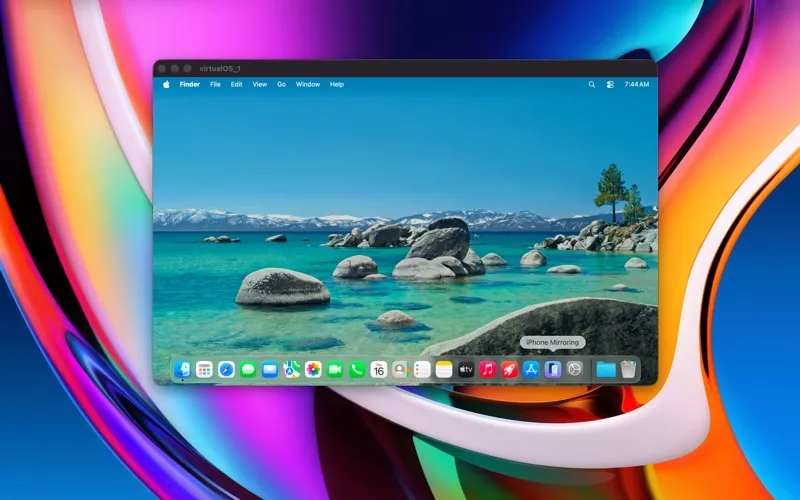
You get a separate macOS environment on your Apple Silicon Mac, giving you somewhere to try different setups without changing your main system. To get started, you can download the latest macOS restore image directly from Apple through the app, then complete the operating system setup.
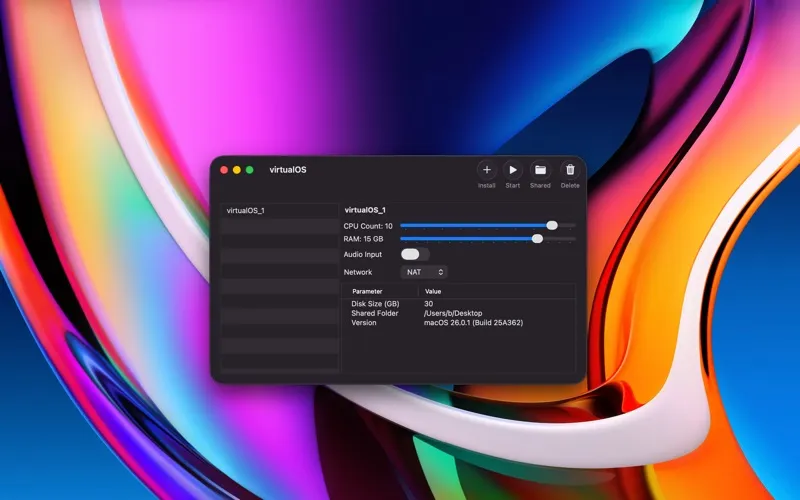
You can run several virtual machines at once and decide how much memory and how many CPU cores each receives. Shared folders let you exchange files with your main Mac, while network and audio input settings let you configure each environment. You can also keep VM files on an external USB disk and have a chosen machine start whenever you open virtualOS.
With macOS 27, you can save snapshots and return to earlier VM states, attach USB devices, and automate initial setup using details you enter when creating the VM. Disk images also occupy only their used space. The app is free and open source, with no in-app purchases needed for multiple VMs or CPU and memory controls.
-
Keep setups separate
You can try different macOS configurations in a virtual machine without changing your main system.
-
Run multiple environments
You can keep several VMs running at once and choose the CPU count and memory allocation for each.
-
Choose where VMs live
You can store your virtual machines on an external USB disk rather than keeping their files on your internal drive.
-
Return to earlier states
With macOS 27, you can create snapshots and revert your VM to a previous state.
-
Reduce repeated setup
With macOS 27, you can enter account details and settings when creating a VM so its initial setup happens automatically.
Best for
- You need a separate macOS setup for testing
- You work across several macOS virtual machines
- You want to keep VM files on an external USB disk
Skip it if
You do not need it if you have no use for a separate macOS environment on an Apple Silicon Mac.
Screenshots
From the developer
Run a virtual macOS machine on your Apple Silicon computer. On first start, the latest macOS restore image can be downloaded from Apple servers. After installation has finished, you can start using the virtual machine by performing the initial operating system (OS) setup.Read the full description
Alternatives to virtualOS VM
Other apps to run & manage virtual machines. See all