
DCommander
Manage files in a dual-pane view
DCommander is a dual-pane Mac file manager for you if you regularly move, rename, or organize files across folders, external storage, and remote servers.
by Devstorm SRL · 83% positive (157)
What you get
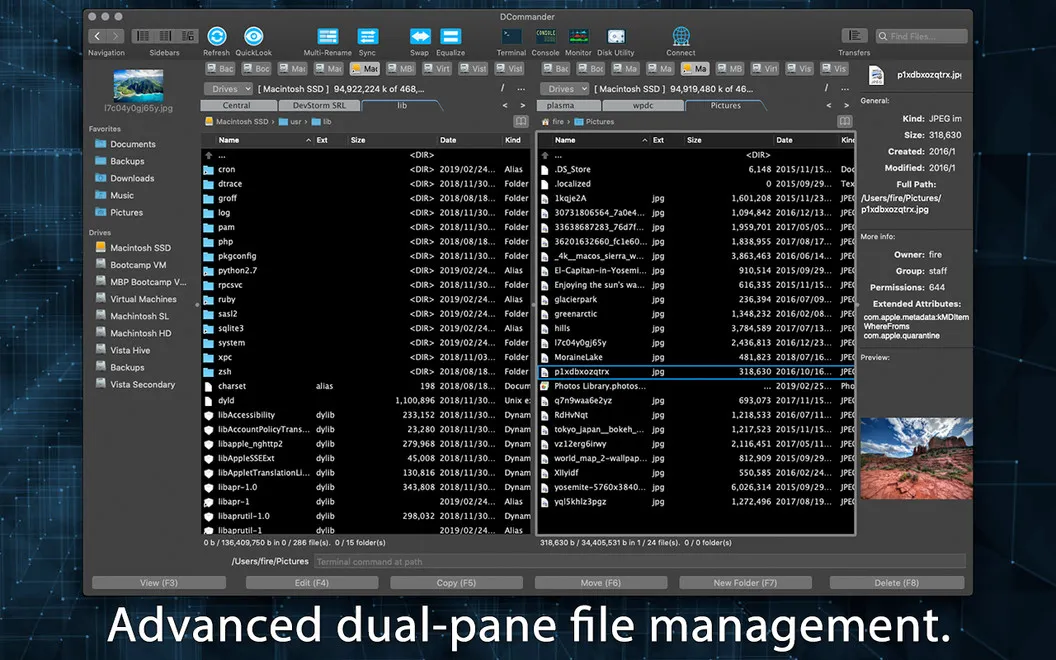
You can move and organize files with both locations in view.
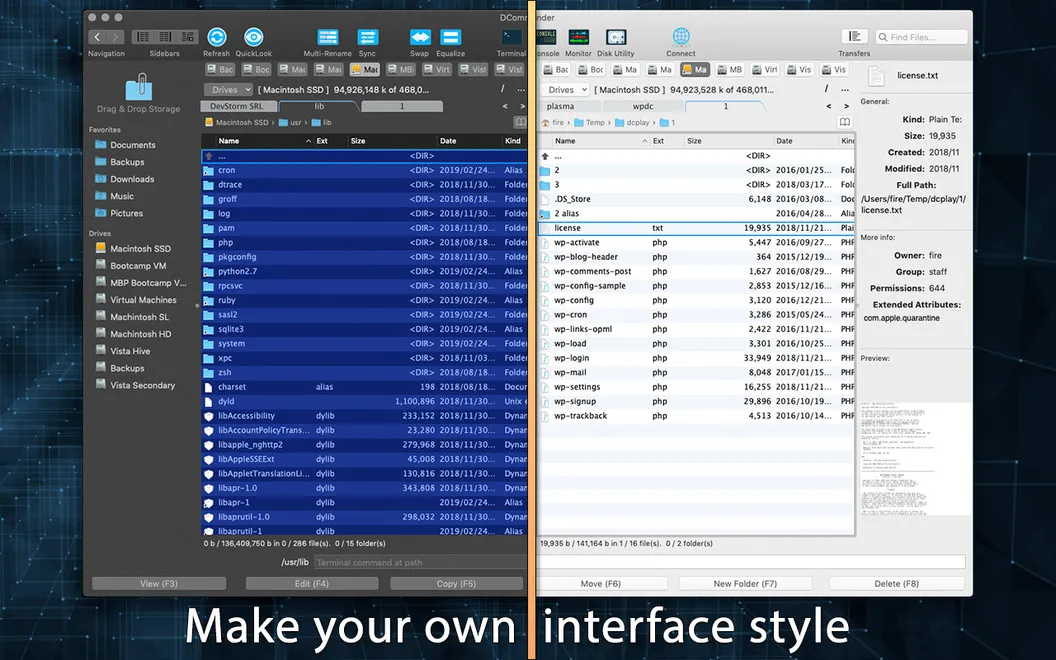
DCommander gives you a side-by-side view of two folders or storage locations, so you can see where your files are coming from and where they will go. You can copy or move files without repeatedly switching between windows, and use tabs to keep several locations available while you work.
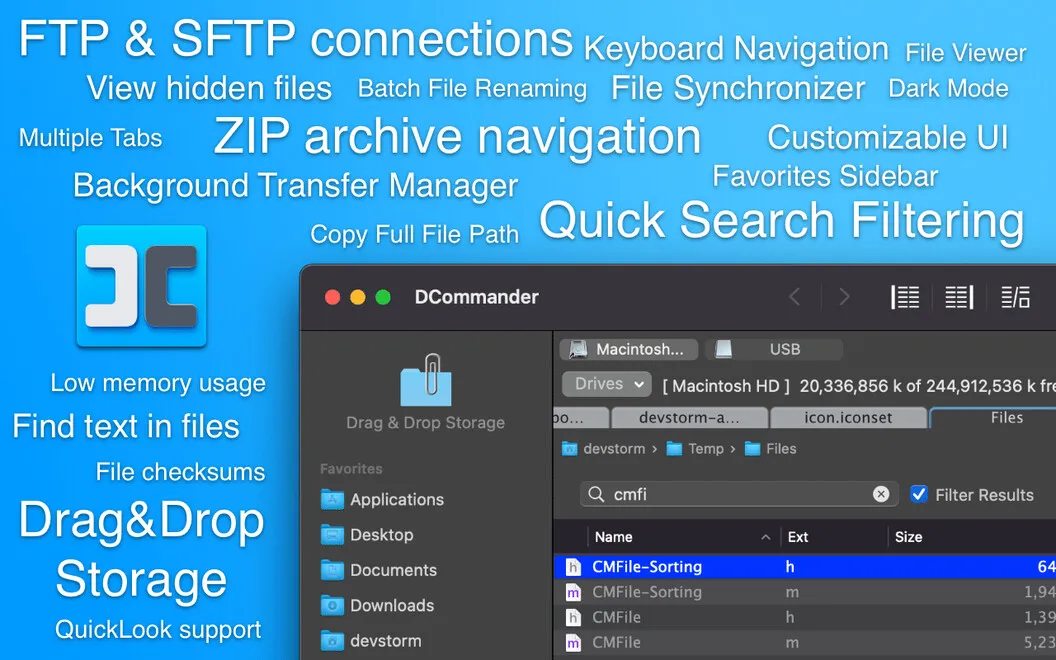
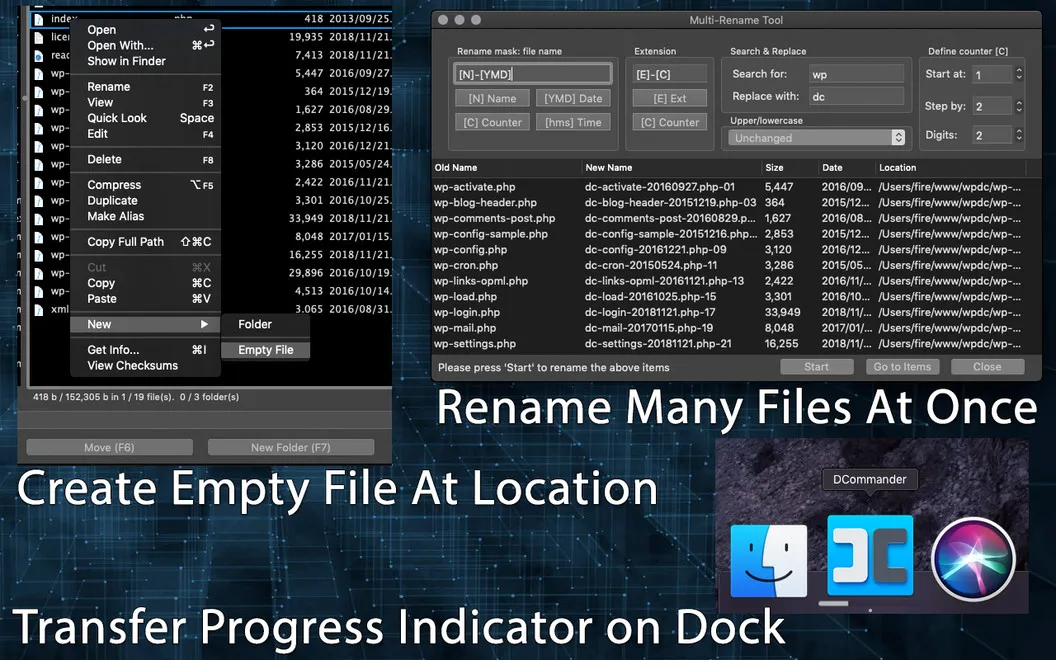
When you have a folder full of files to handle, you can rename them in batches instead of repeating the same steps individually. You can also create empty files and drag files between DCommander and other parts of your Mac. While transfers run in the background, you can check their progress and spot issues from the menu bar.
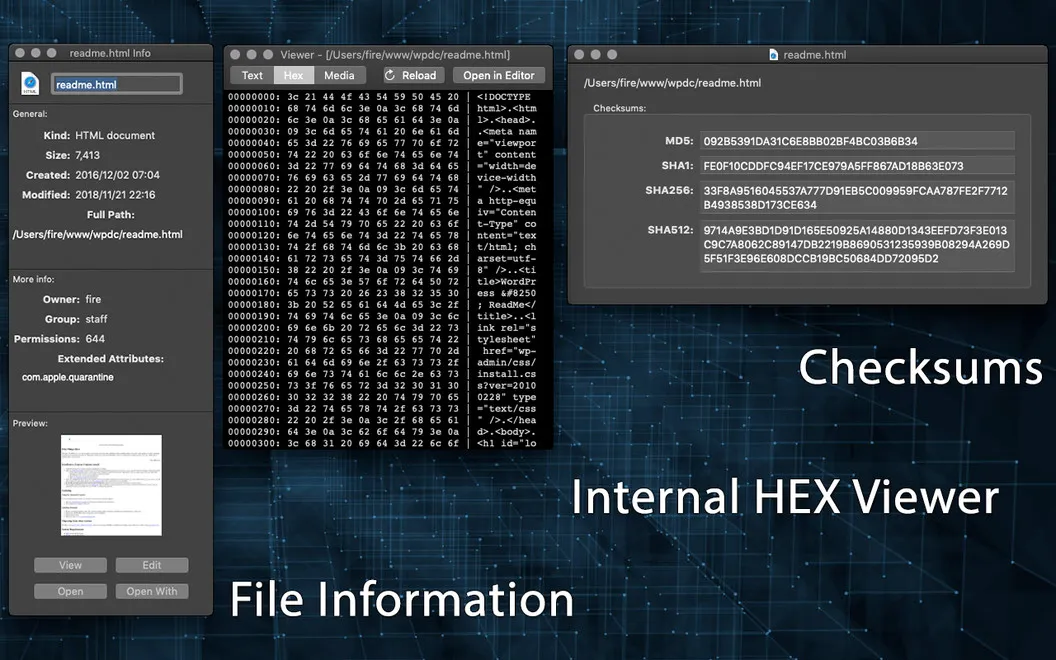
You can work with external storage and connect to remote locations through FTP or SCP, including previewing and opening remote files. If you need a closer look before moving something, detailed file information, checksums, and a HEX viewer help you inspect what you’re handling.
-
Keep both locations visible
You can see source and destination folders together, making it easier to follow where your files are going.
-
Reduce repetitive renaming
You can rename batches of files rather than change each name individually.
-
Follow transfers while working
You can check background transfer progress and notice issues from the menu bar.
-
Reach remote files
You can connect through FTP or SCP, then preview and open files stored remotely.
Best for
- You regularly move files between folders or storage locations.
- You need to rename many files at once.
- You work with files on FTP or SCP servers.
Skip it if
You probably don’t need it if Finder already covers your occasional file moves and renaming.
Screenshots
From the developer
DCommander is a straightforward file manager built to handle jobs of any size. Its dual-panel interface is the fastest way to copy files and keep track of both source files and destination files, reducing guesswork and ensuring the transparency of each operation.Read the full description
Alternatives to DCommander
Other apps to manage files beyond Finder. See all
 ForkLift
Manage files across servers
Setapp
96% · 2,303 ratings
ForkLift
Manage files across servers
Setapp
96% · 2,303 ratings
 Path Finder
Copy, delete, and sync files
Setapp
92% · 1,574 ratings
Path Finder
Copy, delete, and sync files
Setapp
92% · 1,574 ratings
 Commander One
Two-pane file manager
Setapp
95% · 699 ratings
Commander One
Two-pane file manager
Setapp
95% · 699 ratings
 Captain's Deck
Keyboard-first dual-pane file manager for local, remote, and cloud files
Sold separately
Captain's Deck
Keyboard-first dual-pane file manager for local, remote, and cloud files
Sold separately
 FinderCraft
Move, rename, compare, and organize files without leaving the Finder
Sold separately
FinderCraft
Move, rename, compare, and organize files without leaving the Finder
Sold separately
 SADFinder
The Finder Mac deserved
Sold separately
SADFinder
The Finder Mac deserved
Sold separately