DroiDrop-Android File Transfer
DroiDrop is a file-transfer app for you if you use a Mac and an Android phone or tablet and want to move files directly between them.
by 大靖 刘
What you get
Move your files between Mac and Android without uploading them to the cloud.
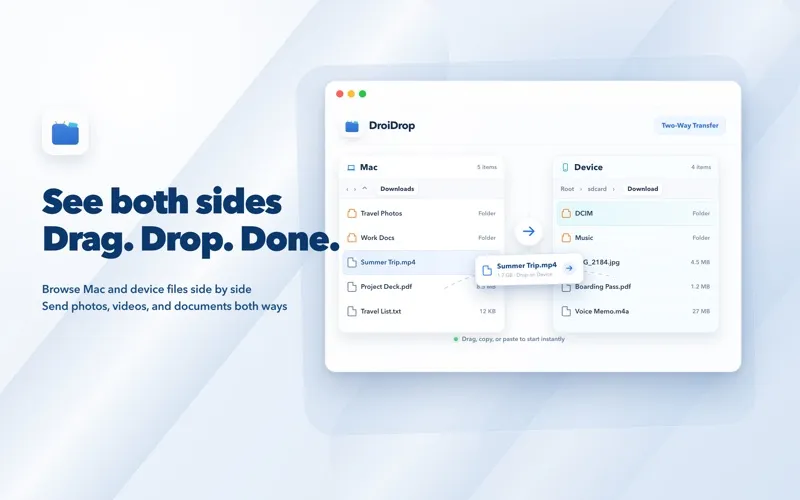
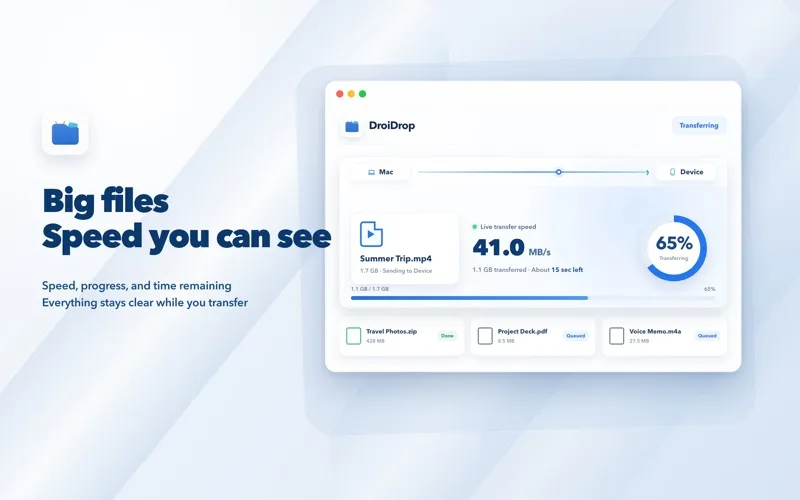
You can move files in either direction between your Mac and Android phone or tablet, with both devices’ folders visible side by side. Drag files across or use copy and paste, check transfer progress, and stop a transfer when needed. You can also browse Android folders, inspect files, and delete items you no longer want.
Your files travel only between the devices you connect, rather than through a developer-operated server. You don’t need an account, and you won’t encounter advertising, analytics, or tracking in the app.
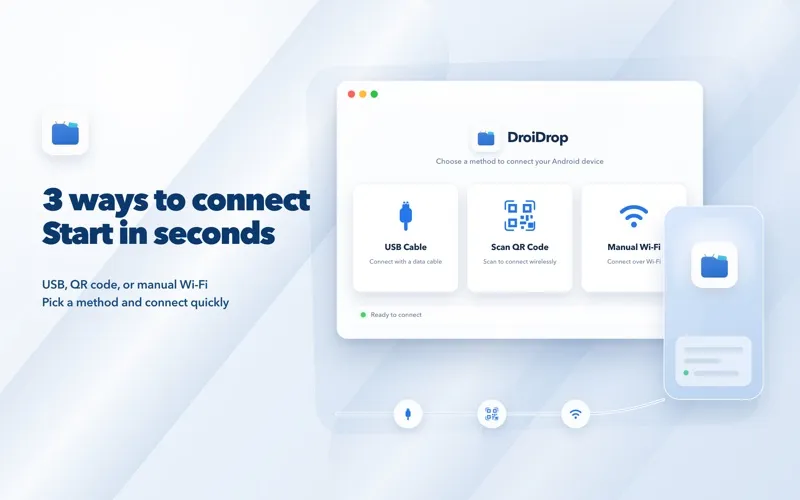
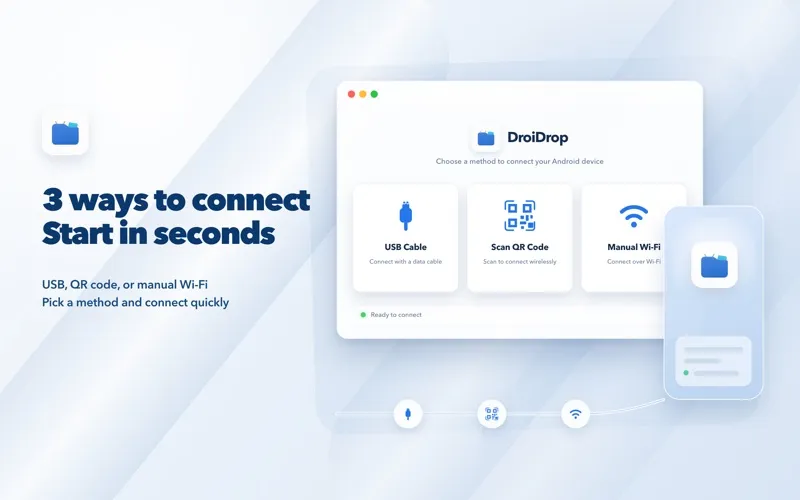
For your first connection, you’ll need a USB data cable and must enable Android Developer options and USB debugging. To transfer wirelessly, enable Wireless debugging and keep both devices on the same Wi-Fi network, then pair by QR code or enter an IP address and port. You get built-in connection and troubleshooting guidance if setup needs attention.
-
Move files both ways
You can copy files from Android to your Mac or send Mac files to your phone or tablet.
-
Keep transfers local
Your files stay between your connected devices, without a cloud upload or developer-operated relay server.
-
Clean up Android folders
You can browse your Android folders from your Mac, inspect files, and delete unwanted items.
-
Know where transfers stand
You can follow transfer progress and stop an active transfer when you need to.
Best for
- You regularly move files between a Mac and an Android device.
- You want local transfers without an account or cloud upload.
- You want to browse and clean up Android folders from your Mac.
Skip it if
You don’t need this if you never move files between Mac and Android or aren’t willing to enable Android debugging.
Screenshots
From the developer
DroiDrop is a file-transfer app built for Mac and Android. Connect an Android phone or tablet to see Mac files and Android files side by side. Browse folders, drag items across, or use copy and paste to transfer in either direction—without command-line setup or a cloud upload.Read the full description
Alternatives to DroiDrop-Android File Transfer
Other apps to move files between Mac and phone. See all
 AnyTrans for iOS
Move files between macOS and iOS
Setapp
76% · 562 ratings
AnyTrans for iOS
Move files between macOS and iOS
Setapp
76% · 562 ratings
 AnyDroid
Move files between Mac and Android
Setapp
85% · 213 ratings
AnyDroid
Move files between Mac and Android
Setapp
85% · 213 ratings
 DroidPort
Your Android on your Mac: messages, notifications, calls, files, clipboard
Sold separately
DroidPort
Your Android on your Mac: messages, notifications, calls, files, clipboard
Sold separately
 SmoothDroid
Move Android files by USB
Sold separately
SmoothDroid
Move Android files by USB
Sold separately
 MacDroid
Manager for Android
Mac App Store
MacDroid
Manager for Android
Mac App Store
 Photo Transfer App
Mac App Store
Photo Transfer App
Mac App Store