Flairy
Custom Folder Icons
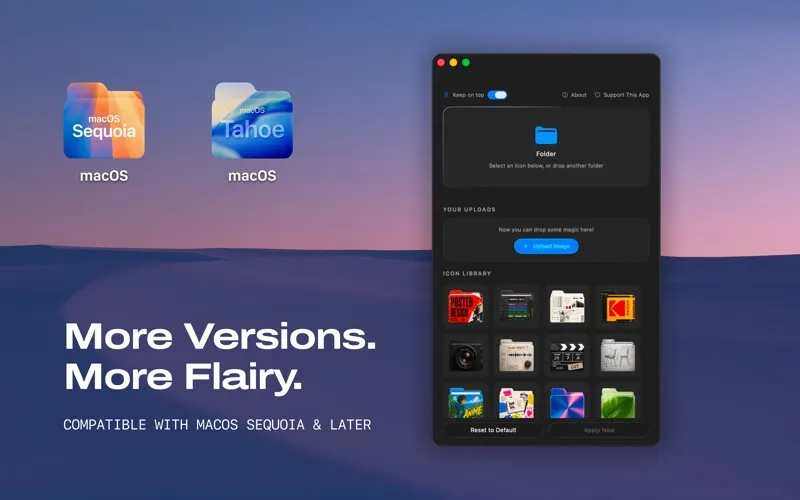
Flairy lets you give Mac folders custom icons, making them easier to tell apart by purpose. It’s for you if you want visual cues for your folders on macOS Sequoia or later.
by Sadek Elfezzani
What you get
Give your folders recognizable icons that reflect what you keep inside.
With Flairy, you can replace plain folder icons with images that help you recognize what each folder is for. If you keep separate folders for design work, video projects, finances, or games, you can give each one a visual cue instead of relying only on its name. Your folders become easier to tell apart at a glance.
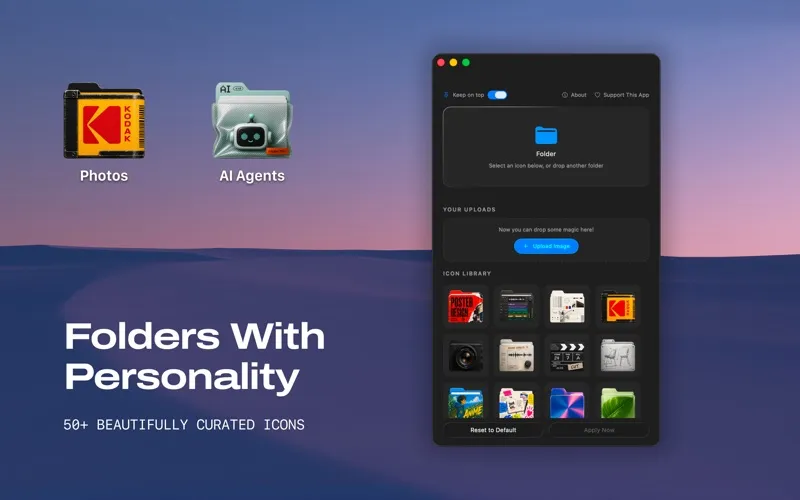
You choose a folder, browse a category, and apply an icon from a library of more than 50 options. You get ready-made choices across subjects including AI and data, so you don’t need to draw your own artwork to personalize your folders. The icons are designed for macOS, and you’ll need macOS Sequoia or later to use the app.
-
Recognize folders visually
You can distinguish folders by icons that represent their contents, rather than relying only on names.
-
Skip drawing your own
You get more than 50 ready-made icons covering subjects such as design, video, finance, data, and games.
-
Personalize with few steps
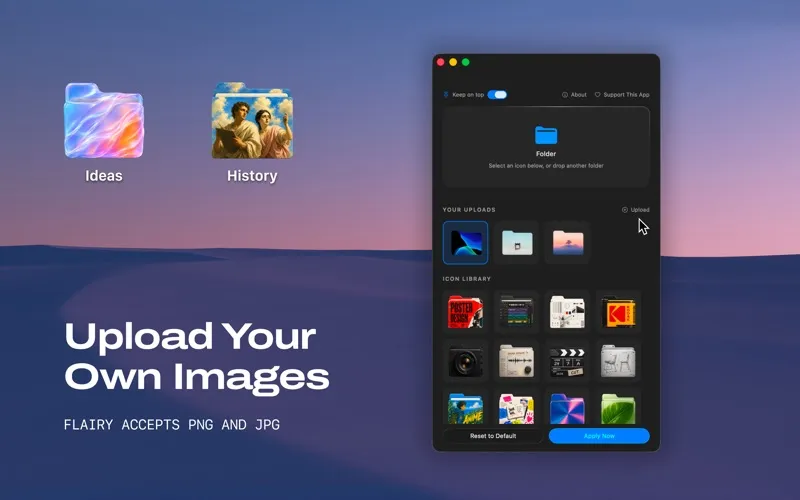
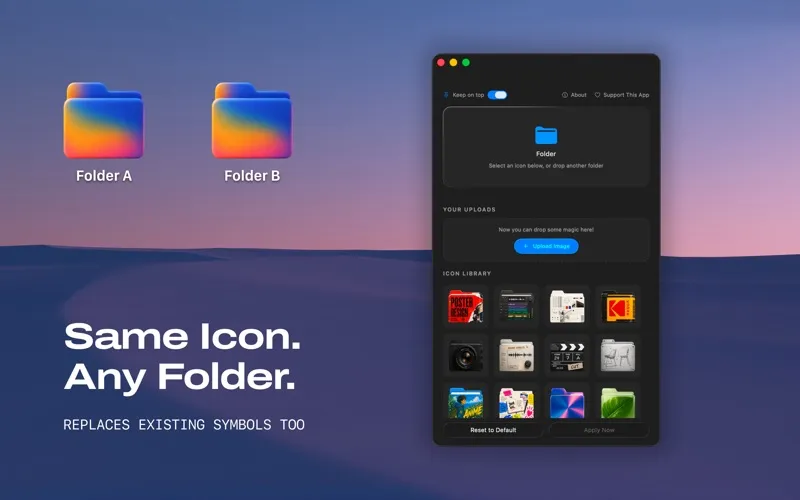
You select a folder, choose an icon from a category, and apply it.
Best for
- You keep folders for several kinds of work
- You prefer visual cues alongside folder names
- You want custom folder icons on macOS Sequoia or later
Skip it if
You don’t need it if standard folder icons suit you or your Mac runs an earlier version than macOS Sequoia.
Screenshots
From the developer
Flairy is a beautifully crafted app that lets you turn plain macOS folders into icons that actually mean something. Pick a category, choose an icon, and watch your folders come to life.Read the full description
Alternatives to Flairy
Other apps to customize how your Mac looks. See all
 24 Hour Wallpaper
100+ dynamic wallpapers
Setapp
97% · 1,409 ratings
24 Hour Wallpaper
100+ dynamic wallpapers
Setapp
97% · 1,409 ratings
 Magic Window Air
Try aerial screen savers
Setapp
96% · 495 ratings
Magic Window Air
Try aerial screen savers
Setapp
96% · 495 ratings
 Hingely
Your MacBook lid, in motion
Setapp
Hingely
Your MacBook lid, in motion
Setapp
 Desktop Composer
Customize & switch macOS looks
Setapp
95% · 37 ratings
Desktop Composer
Customize & switch macOS looks
Setapp
95% · 37 ratings
 Sticktop
Stickers that peel like vinyl
Sold separately
Sticktop
Stickers that peel like vinyl
Sold separately
 Tintd
Auto folder icons for your Mac
Sold separately
Tintd
Auto folder icons for your Mac
Sold separately