
Filepane
Do more with drag-and-drop
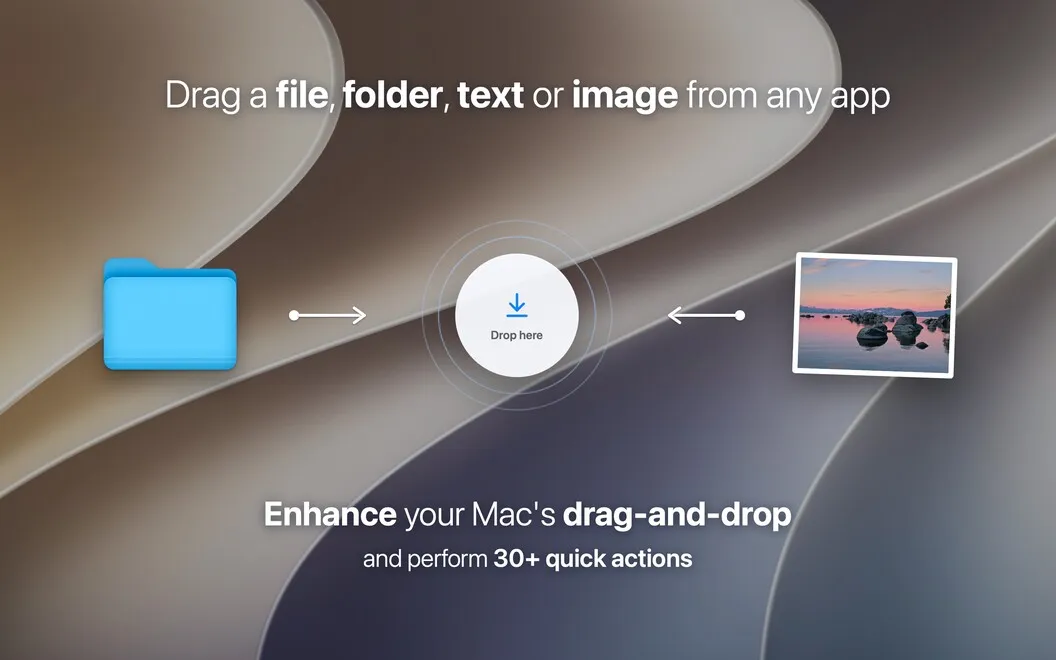
Filepane is a drag-and-drop utility for your Mac if you regularly need to move files, prepare images, work with PDFs, or save web content.
by MyMixApps · 100% positive (43)
What you get
You can handle everyday file tasks right where you drop them.
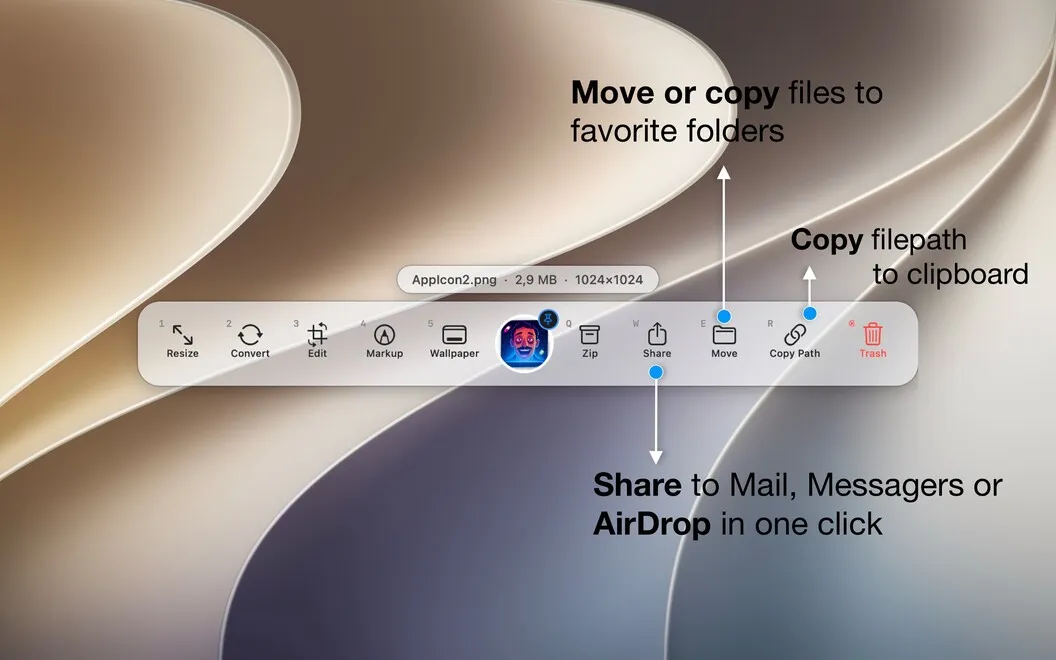
Filepane gives you a way to finish small file tasks without repeatedly opening Finder or separate editors. When you drag a file, a drop area appears near your cursor. Drop it there, and you can rename it, share it, zip it, or move it into a favorite folder with a click or key press.
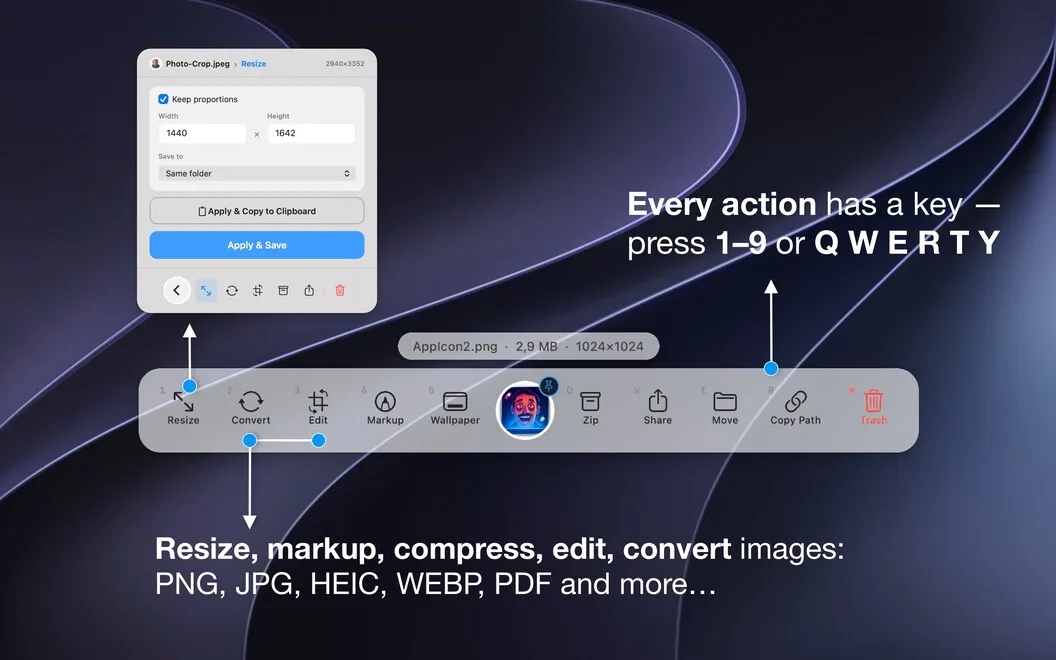
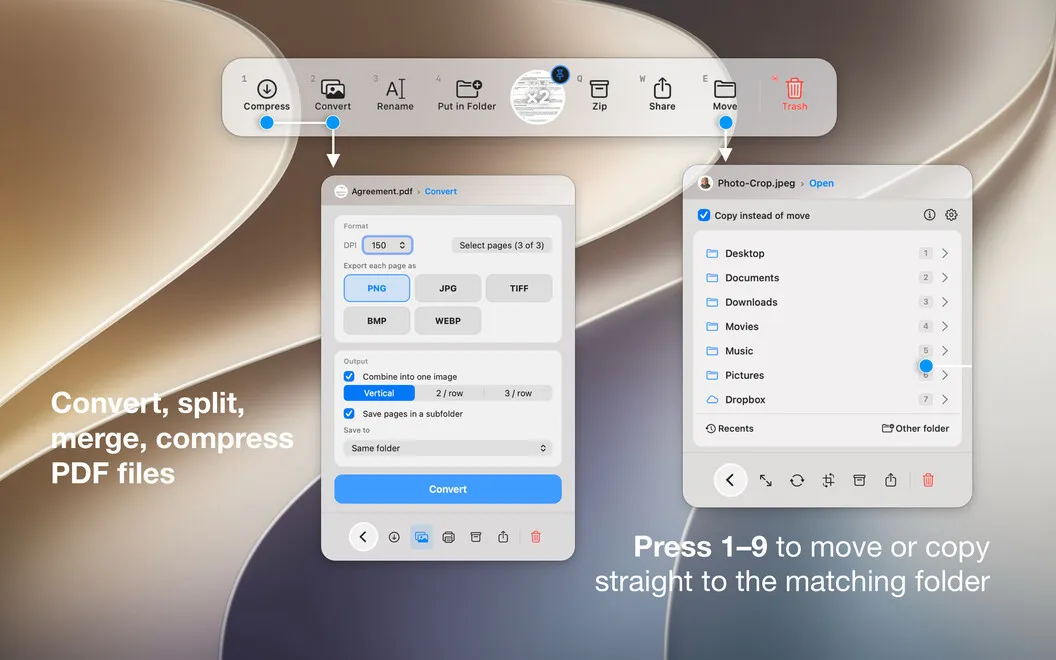
You can get images ready for use by resizing, cropping, converting, or marking them up. For documents, you can reduce PDF file sizes, combine images and PDFs into one document, rearrange pages, or print. These everyday adjustments stay close to the file you're already handling.
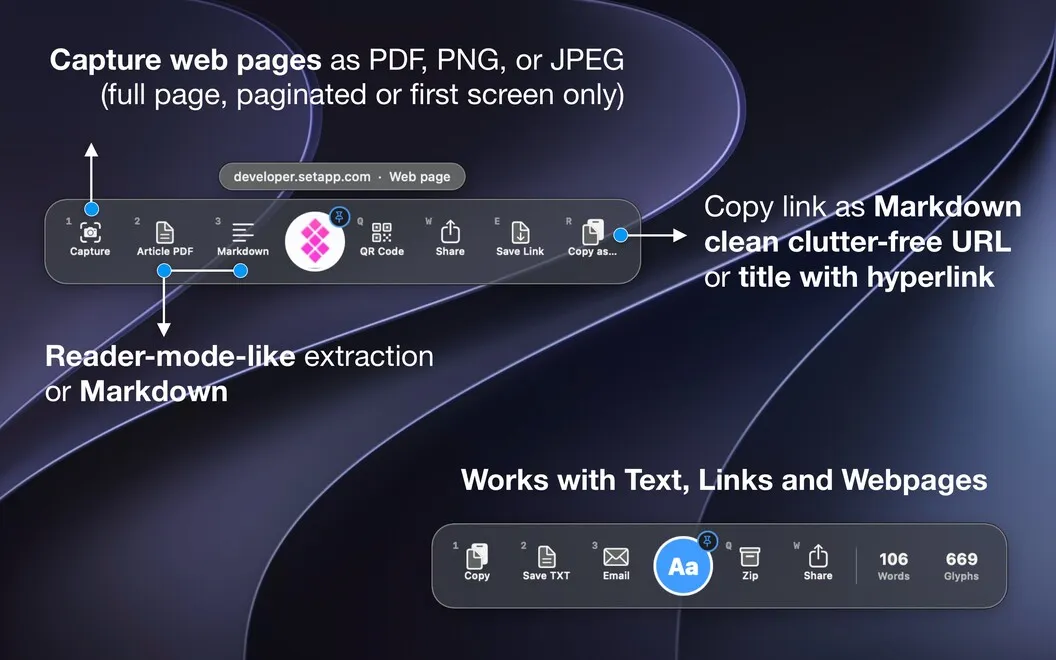
You can also turn a web link into something you can keep: a full-page PDF or image, an article-only PDF or Markdown file, or a downloaded file saved to your chosen folder. If you prefer the keyboard, you can bring up actions for clipboard content without dragging.
-
Put files where they belong
You can move or copy files into favorite folders without navigating through Finder each time.
-
Prepare images for use
You can resize, crop, convert, and mark up images without opening a separate image editor.
-
Get PDFs ready
You can compress PDFs, combine documents, reorder pages, and print from the same drop area.
-
Keep useful web content
You can save whole pages or just articles as local files, or download linked files to a chosen folder.
Best for
- You frequently move files between project folders
- You need quick image adjustments and PDF preparation
- You save web pages and articles for later
Skip it if
You probably don't need it if Finder and your existing image and PDF apps already cover your occasional file tasks.
Screenshots
From the developer
FilePane is a drag-and-drop utility for Mac that turns every drag into a command bar. Start dragging a file and a small drop area appears next to your cursor — drop it, and you get the actions that fit: resize or convert images, compress or merge PDFs, zip, rename, share or move to a favorite folder.Read the full description
Alternatives to Filepane
Other apps to access files faster. See all
 Yoink
Improve drag and drop
Setapp
99% · 1,957 ratings
Yoink
Improve drag and drop
Setapp
99% · 1,957 ratings
 Default Folder X
Access recent and favorite files
Setapp
97% · 1,202 ratings
Default Folder X
Access recent and favorite files
Setapp
97% · 1,202 ratings
 Dropzone
Complete everyday tasks faster
Setapp
99% · 1,201 ratings
Dropzone
Complete everyday tasks faster
Setapp
99% · 1,201 ratings
 Trickster
Quickly access recent files
Setapp
96% · 180 ratings
Trickster
Quickly access recent files
Setapp
96% · 180 ratings
 FilePop
Your files, one keystroke away
Sold separately
FilePop
Your files, one keystroke away
Sold separately
 NotchBox
Easier Drag & Drop
Mac App Store
NotchBox
Easier Drag & Drop
Mac App Store