
XnConvert
Image Converter
XnConvert is a free batch image converter for your Mac, suited to preparing product photos, converting iPhone pictures, or processing photography archives.
by pierre gougelet
What you get
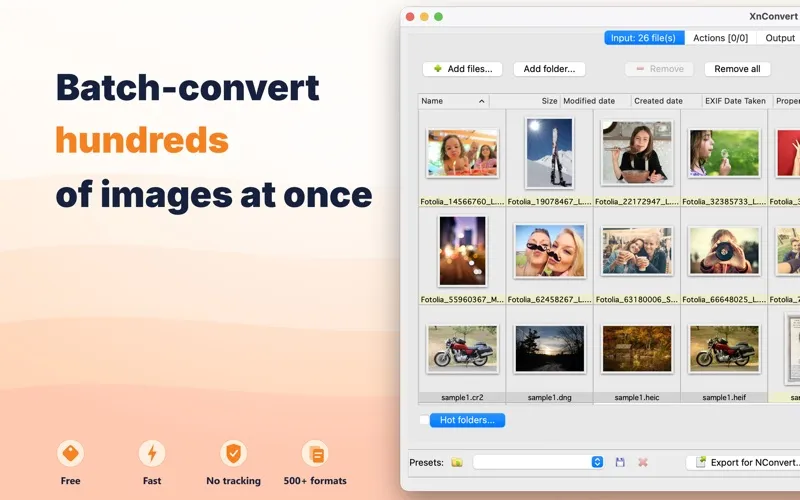
Get whole folders of images converted, resized, and ready to use.
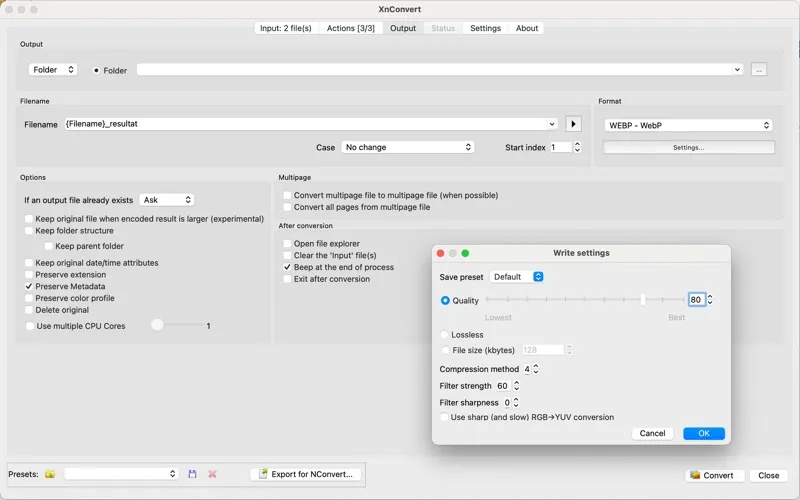
With XnConvert, you can turn a folder of mixed images into files with consistent formats, dimensions, and names, without editing each one separately. You choose the changes once, then apply them across your batch. That could mean converting iPhone HEIC photos to JPG, preparing WebP product images, or turning camera RAW files into TIFFs.
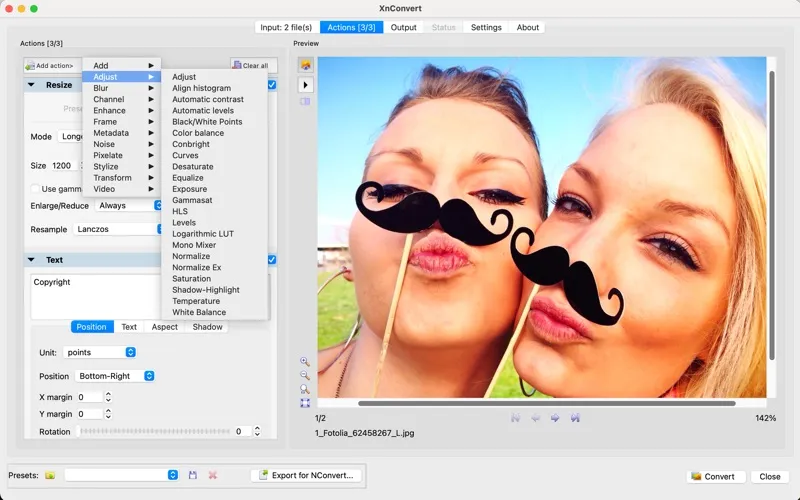
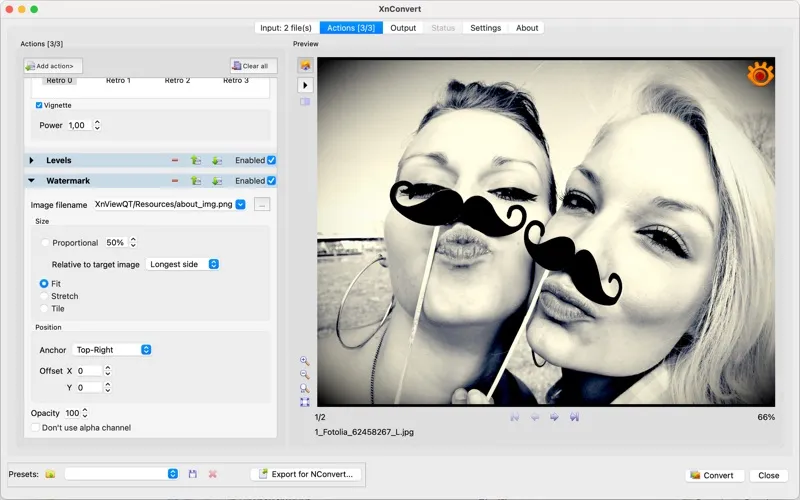
You can also crop, adjust brightness and color, sharpen, and add watermarks or captions to an entire set. Support for more than 500 input formats and over 80 output formats gives you options when another app won't accept your files. You can keep or remove EXIF data and read or update IPTC/XMP metadata as part of the job.
Your images stay on your Mac throughout processing. You don't need an account, and you can use the app for free without ads, subscriptions, or in-app purchases.
-
Finish batches with fewer steps
You can combine conversion, resizing, watermarking, and renaming instead of repeating each task for every image.
-
Use otherwise incompatible images
You can convert HEIC, RAW, OpenEXR, and other supported files into formats your destination accepts.
-
Make image sets consistent
You can give product shots or proofs matching dimensions, color adjustments, captions, and watermarks.
-
Control your photo metadata
You can preserve or strip EXIF data and update IPTC/XMP information while processing your images.
-
Keep processing private
You can work locally without uploading your photos, creating an account, or having your usage tracked.
Best for
- You need to convert many iPhone photos at once
- You prepare product images for a website or shop
- You process RAW photos or TIFF archives
Skip it if
You probably don't need it if you only make occasional, basic changes to individual photos in an editor you already use.
Screenshots
From the developer
Drag your photos in. Pick your formats and edits. Get hundreds of finished images back — in seconds. XnConvert is the free batch image converter for macOS. It opens and converts 500+ formats — including ones most apps can't even read — then resizes, edits, and renames every file in one pass. No ads. No account.Read the full description
Alternatives to XnConvert
Other apps to resize & convert images in bulk. See all
 Squash
Compress and resize images
Setapp
92% · 936 ratings
Squash
Compress and resize images
Setapp
92% · 936 ratings
 PhotoBulk
Watermark, Resize, Optimize, Rename and Convert multiple images on Mac
Setapp
96% · 445 ratings
PhotoBulk
Watermark, Resize, Optimize, Rename and Convert multiple images on Mac
Setapp
96% · 445 ratings
 Image Stack
Batch image processing, simplified
Sold separately
Image Stack
Batch image processing, simplified
Sold separately
 Filepane
Do more with drag-and-drop
Setapp
100% · 43 ratings
Filepane
Do more with drag-and-drop
Setapp
100% · 43 ratings
 IconJar
Organize your icon sets
Setapp
98% · 434 ratings
IconJar
Organize your icon sets
Setapp
98% · 434 ratings
 FreeScaler
Mac App Store
FreeScaler
Mac App Store