Say No to Notch
Say No to Notch lets you move your MacBook’s menu bar below the camera notch, giving you an uninterrupted row for menus. It’s for you if the notch gets in your way.
by Honghao Zhang
What you get
You get a full-width menu bar below your MacBook’s notch.
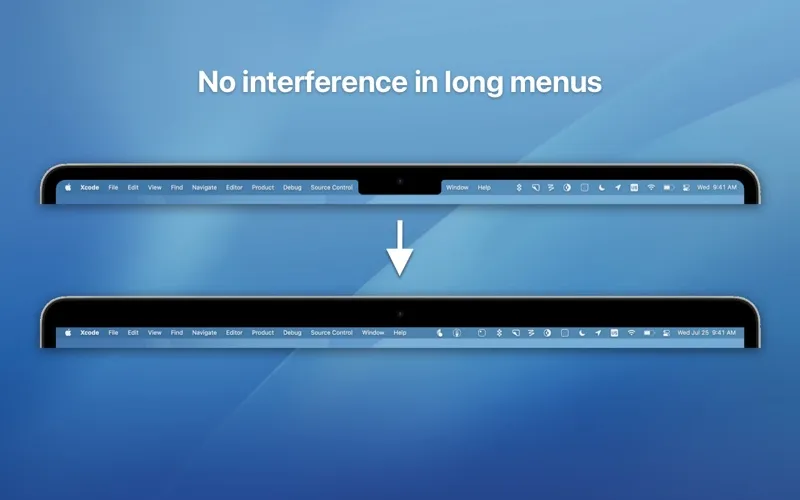
Say No to Notch gives you a menu bar that runs across your screen without the camera notch interrupting it. You move the bar below the notch rather than changing the physical camera housing. If you use professional apps with lots of menus, you can keep more of those menu items visible and accessible.
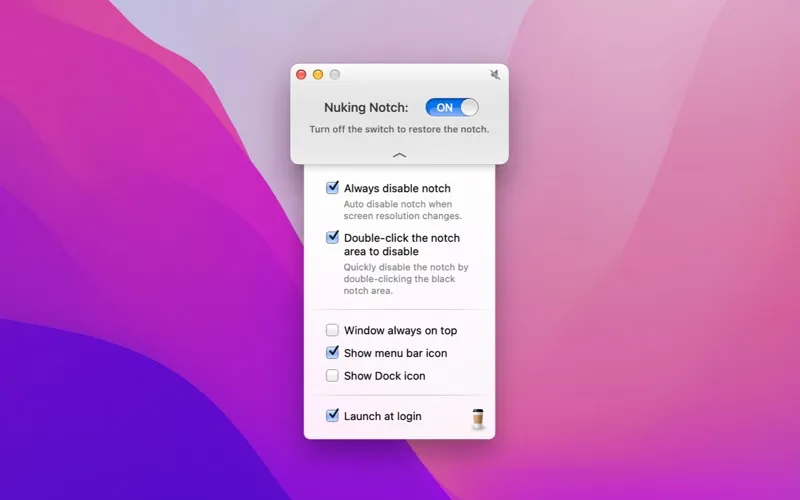
You can switch the layout from the app’s menu bar icon, or double-click the notch area to enable the notch-free layout. If you want to control it through your own workflows, you can use Shortcuts, AppleScript, or deeplinks instead of switching it manually.
You can use it on MacBook Air models from 2022 onward and 14-inch or 16-inch MacBook Pro models with a notch. The app is free to use, with an optional tip if you want to support its developer.
-
An uninterrupted menu bar
You get an edge-to-edge row of menus below the camera notch.
-
More menus in view
You can keep long lists of app menus visible instead of having the notch interrupt them.
-
Quick layout changes
You can toggle the layout from the menu bar icon or enable it by double-clicking the notch area.
-
Control through your workflows
You can automate layout changes using Shortcuts, AppleScript, or deeplinks.
Best for
- You use professional apps with long menu lists
- You want an uninterrupted menu bar on a notched MacBook
- You want to automate your notch layout
Skip it if
You don’t need it if your Mac has no notch or your current menu bar layout already works for you.
Screenshots
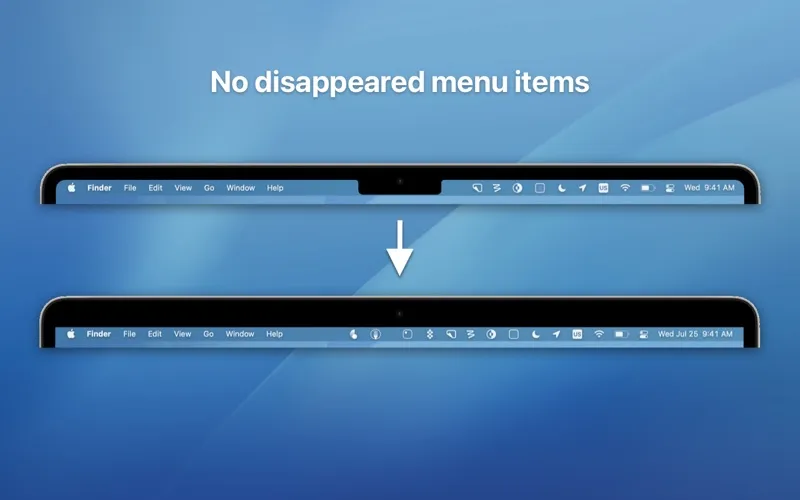
From the developer
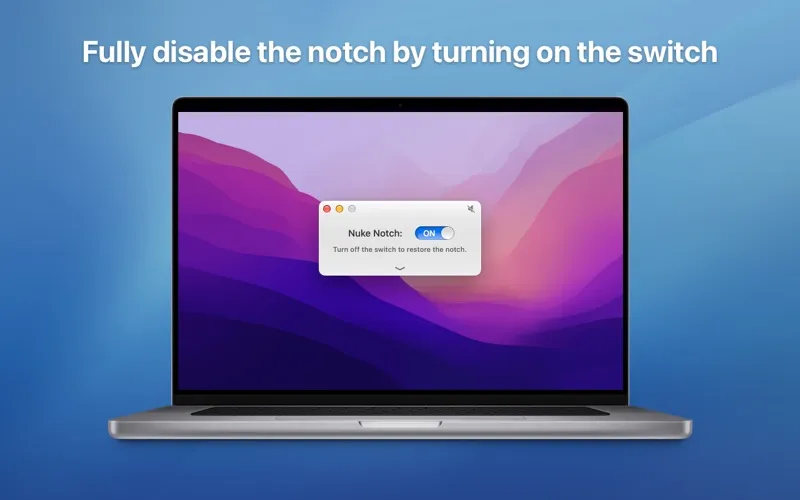
Say No to Notch is an application that can fully disable the notch* that present on the MacBook Air (2022 and later) and MacBook Pro 14″ and 16″ models. Just turn on the switch and enjoy the "notchless" all-new MacBooks. The app will push down the menu bar below the "notch".Read the full description
Alternatives to Say No to Notch
Other apps to use the MacBook notch. See all
 MacNotch
Notch utility for Mac
Setapp
98% · 41 ratings
MacNotch
Notch utility for Mac
Setapp
98% · 41 ratings
 Isle
AI usage limits, music and a Mac that stays awake with the lid closed
Sold separately
Isle
AI usage limits, music and a Mac that stays awake with the lid closed
Sold separately
 NotchVinyl
Notch Music Widget
Mac App Store
NotchVinyl
Notch Music Widget
Mac App Store
 Bartender
Clean up and superpower your menu bar
Setapp
97% · 15,789 ratings
Bartender
Clean up and superpower your menu bar
Setapp
97% · 15,789 ratings
 Hand Mirror
Check Mac camera in a click
Setapp
96% · 682 ratings
Hand Mirror
Check Mac camera in a click
Setapp
96% · 682 ratings
 Notchie
Read scripts from your notch
Setapp
93% · 40 ratings
Notchie
Read scripts from your notch
Setapp
93% · 40 ratings