Lickable Menu Bar
Lickable Menu Bar lets you give your Mac’s menu bar a classic appearance. It’s for you if you prefer the styles of older macOS versions.
by Honghao Zhang
What you get
Give your Mac’s menu bar a look from an earlier macOS era.
You get a choice of three classic looks for your Mac’s menu bar, so you can bring back an appearance you remember from an older version of macOS. Lickable Menu Bar focuses on this specific visual change.
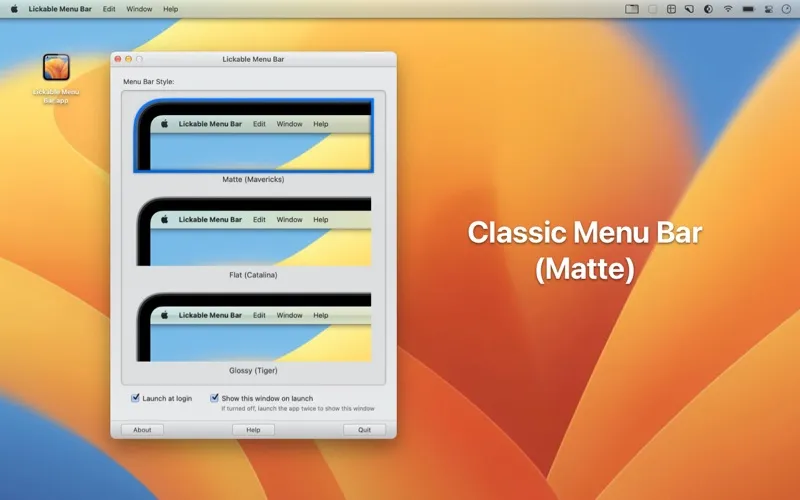
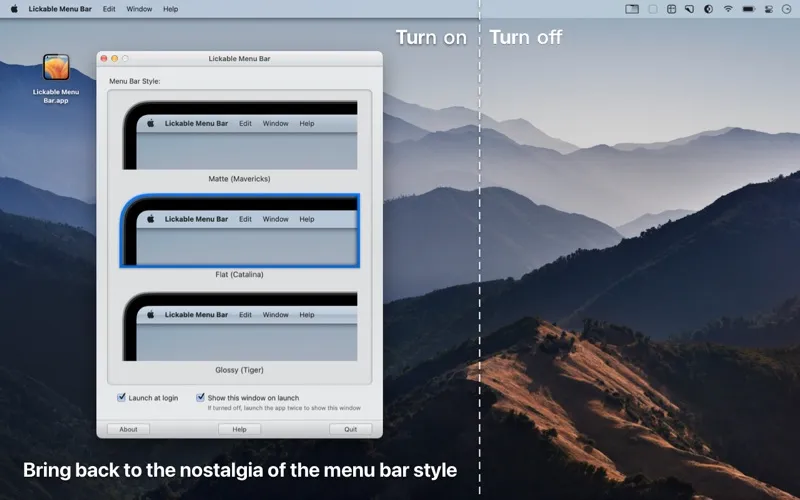
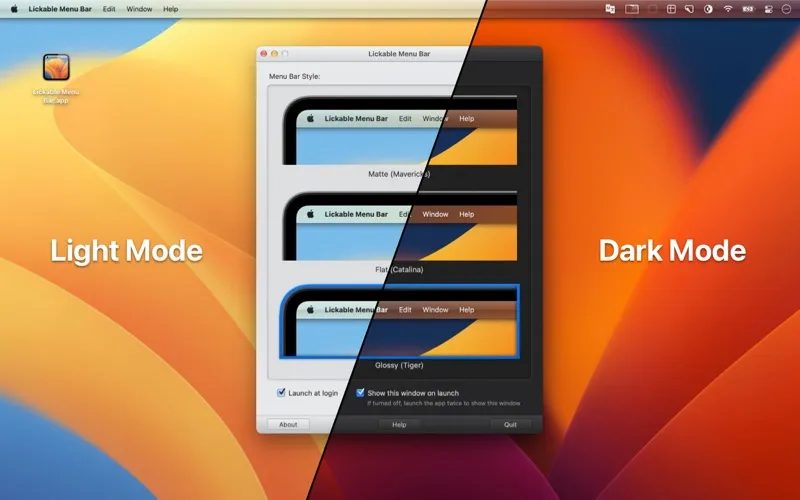
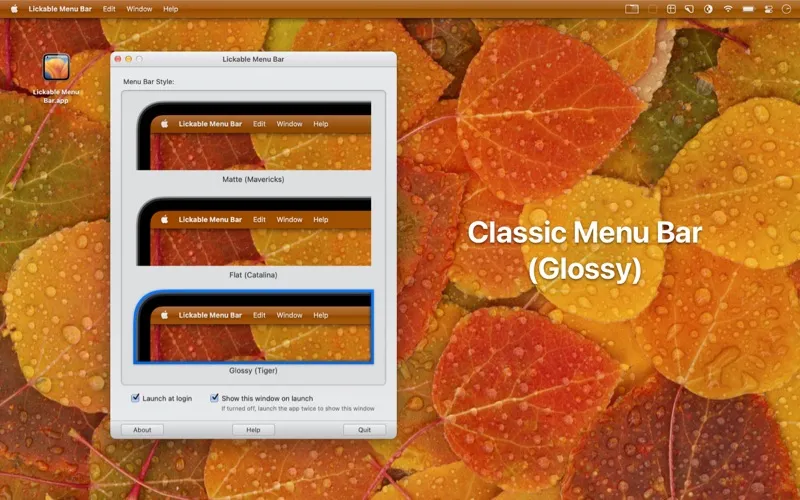
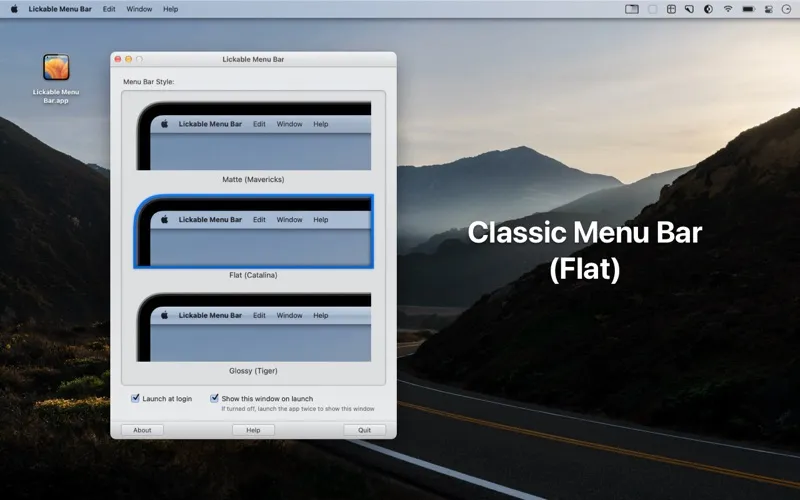
You can choose Matte for a look reminiscent of OS X Mavericks, Flat for an appearance similar to macOS Catalina, or Glossy for the style associated with Mac OS X Tiger. Your choice determines which of those three looks your menu bar takes on.
You pick a predefined style rather than design one yourself. If you miss a particular era of Mac design, you can choose the option closest to it.
-
Revisit the Mavericks look
You can give your menu bar a matte appearance reminiscent of OS X Mavericks.
-
Choose a flatter appearance
You can use the Flat style for a menu bar look similar to macOS Catalina.
-
Bring back Tiger gloss
You can choose Glossy to give your menu bar a look inspired by Mac OS X Tiger.
Best for
- You miss the menu bar appearance of older macOS versions
- You want a choice of preset menu bar styles
Skip it if
You don’t need it if you’re happy with your current menu bar appearance.
Screenshots
From the developer
Introducing Lickable Menu Bar - the app that brings back classic menu bar styles to your Mac. If you miss the beautiful menu bars of previous macOS versions, this is the app for you.Read the full description
Alternatives to Lickable Menu Bar
Other apps to customize how your Mac looks. See all
 24 Hour Wallpaper
100+ dynamic wallpapers
Setapp
97% · 1,409 ratings
24 Hour Wallpaper
100+ dynamic wallpapers
Setapp
97% · 1,409 ratings
 Magic Window Air
Try aerial screen savers
Setapp
96% · 495 ratings
Magic Window Air
Try aerial screen savers
Setapp
96% · 495 ratings
 Hingely
Your MacBook lid, in motion
Setapp
Hingely
Your MacBook lid, in motion
Setapp
 Desktop Composer
Customize & switch macOS looks
Setapp
95% · 37 ratings
Desktop Composer
Customize & switch macOS looks
Setapp
95% · 37 ratings
 Sticktop
Stickers that peel like vinyl
Sold separately
Sticktop
Stickers that peel like vinyl
Sold separately
 Tintd
Auto folder icons for your Mac
Sold separately
Tintd
Auto folder icons for your Mac
Sold separately