PeekBar
Rescue your hidden menu bar
PeekBar is a menu bar manager for when you can't reach icons hidden behind your MacBook's notch. You can also use it on a Mac without a notch.
by Florian Steller
What you get
You can reach menu bar icons hidden behind your MacBook's notch.
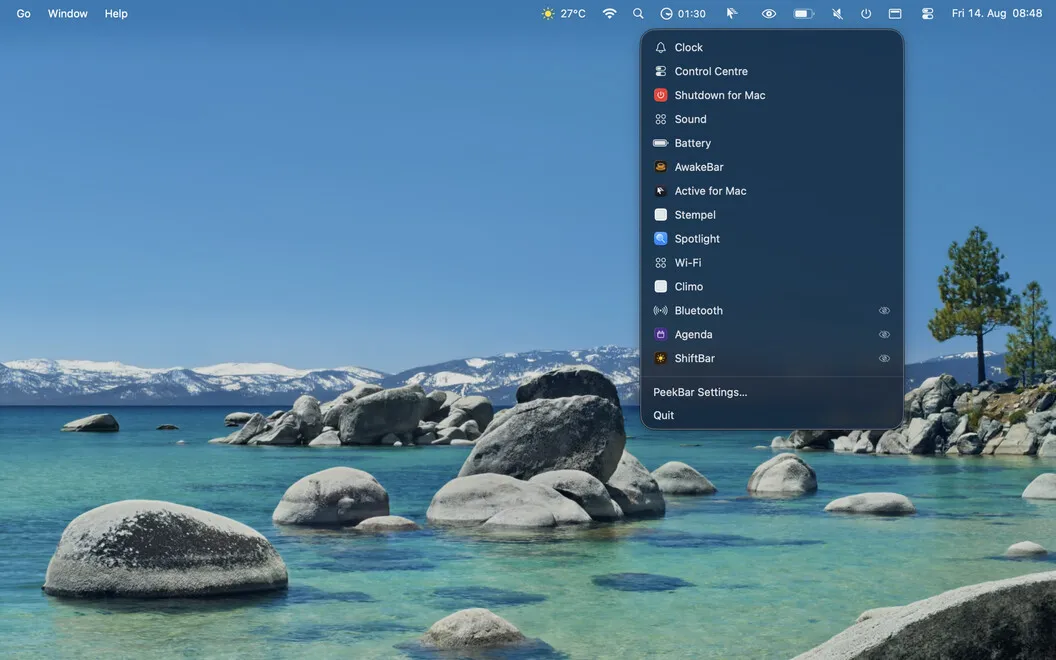
When your menu bar gets crowded, you can bring hidden icons back within reach. PeekBar opens a floating panel below your MacBook's notch, where you can click an icon to open that app's actual menu. You get the same controls you would by clicking the icon directly in the menu bar.
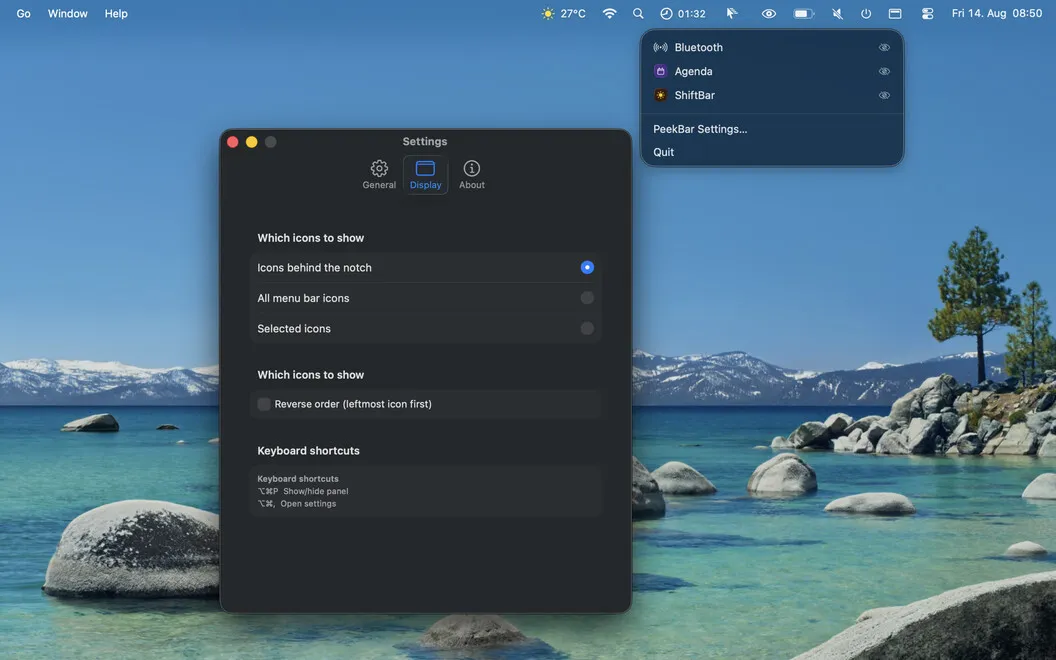
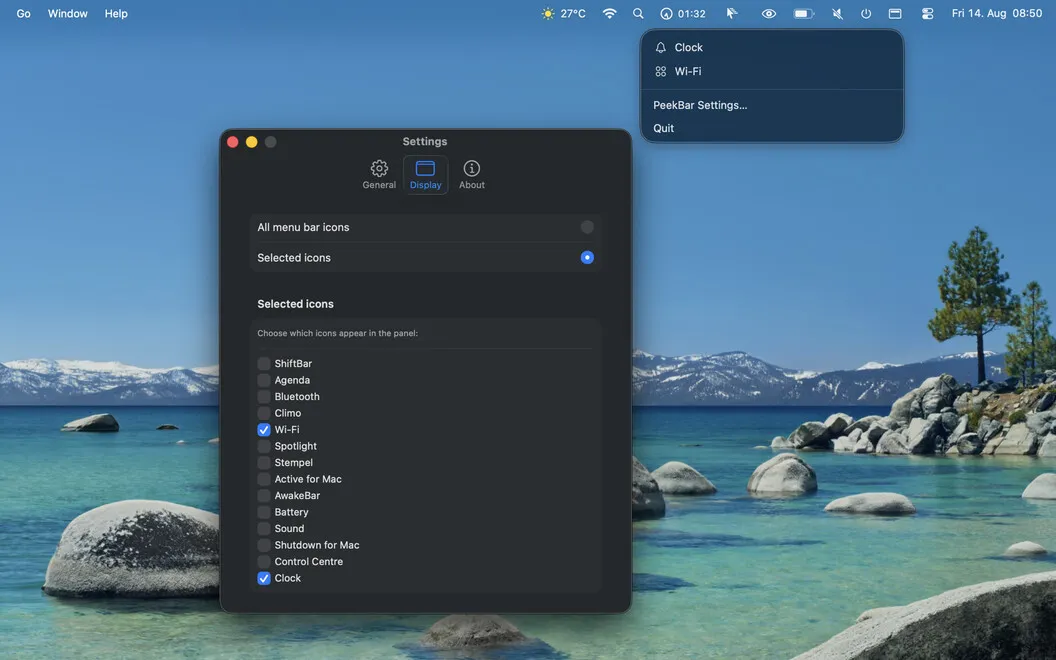
You choose what appears in the panel: only icons covered by the notch, every menu bar icon, or a selection you pick yourself. You can toggle the panel with ⌥⌘P and open settings with ⌥⌘, rather than navigating through menus.
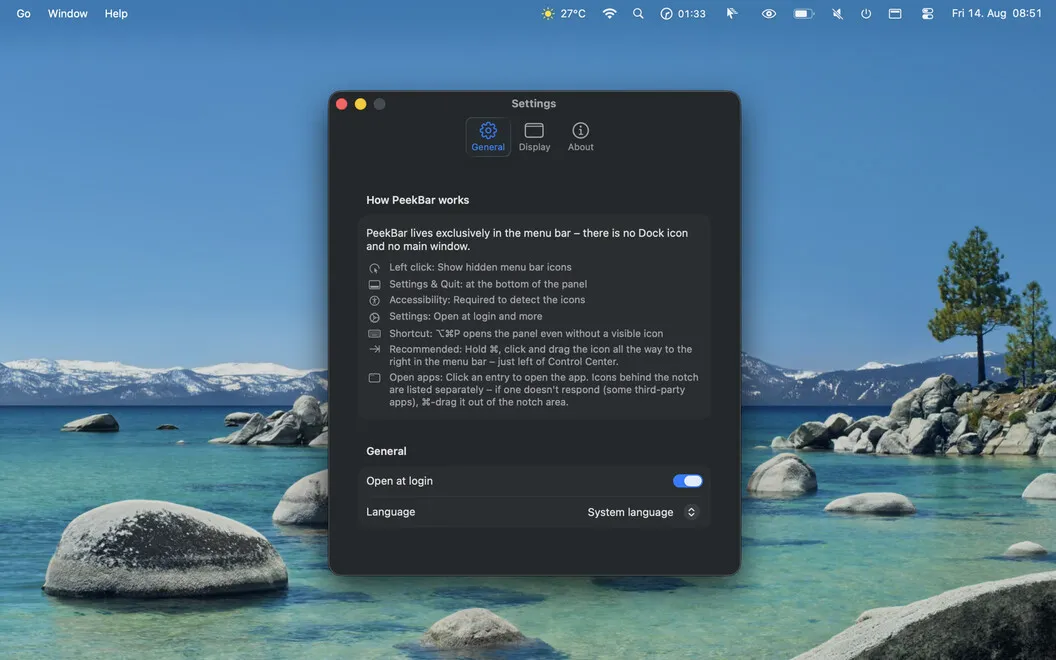
You can have PeekBar start when you sign in, without adding a Dock icon or a main window to your workspace. It also works without a notch. After you grant permission to read and interact with menu bar icons, everything stays on your Mac: the app works offline and collects no data.
-
Reach hidden controls
You can access icons covered by the notch from a floating panel below it.
-
Use the actual menus
You open each app's real menu, with the same controls available from its menu bar icon.
-
Choose your panel contents
You can show notch-hidden icons, all menu bar icons, or just your own selection.
-
Open it by keyboard
You can toggle the panel with ⌥⌘P and jump to settings with ⌥⌘,.
-
Keep your data local
You can use PeekBar entirely offline, with no data collection or transmission.
Best for
- You have menu bar icons hidden behind your MacBook's notch
- You want a panel containing your chosen menu bar icons
- You prefer keyboard access to your menu bar panel
Skip it if
You don't need it if all your menu bar icons are already accessible and you don't want a separate panel.
Screenshots
From the developer
PeekBar is a menu bar manager for MacBooks with a notch. When your menu bar fills up and icons slip behind the camera cutout, PeekBar brings them back — one click opens a floating panel right below the notch with every hidden icon.Read the full description
Alternatives to PeekBar
Other apps to tidy up your menu bar. See all
 Bartender
Clean up and superpower your menu bar
Setapp
97% · 15,789 ratings
Bartender
Clean up and superpower your menu bar
Setapp
97% · 15,789 ratings
 One Switch
Access macOS features fast
Setapp
98% · 2,026 ratings
One Switch
Access macOS features fast
Setapp
98% · 2,026 ratings
 MistBar
Tidy menu bar, built-in tools
Sold separately
MistBar
Tidy menu bar, built-in tools
Sold separately
 SaneBar
Private menu bar control
Sold separately
SaneBar
Private menu bar control
Sold separately
 Hidden Bar
Mac App Store
Hidden Bar
Mac App Store
 MenubarX
Browse the web from menu bar
Setapp
94% · 272 ratings
MenubarX
Browse the web from menu bar
Setapp
94% · 272 ratings