
OpenIn
Open links in select browsers
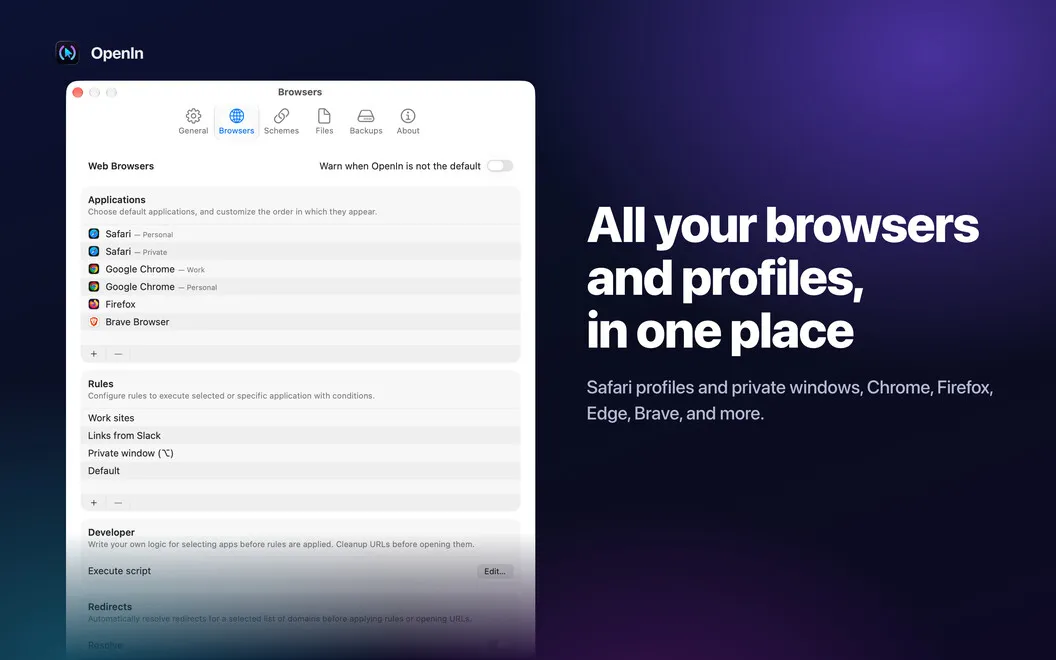
OpenIn lets you choose which browsers and apps open links, emails, and files on your Mac. It suits you if you regularly switch between several browsers or apps.
by Loshadki, LLC · 97% positive (1,124)
What you get
You get links and files opening in the apps you choose.
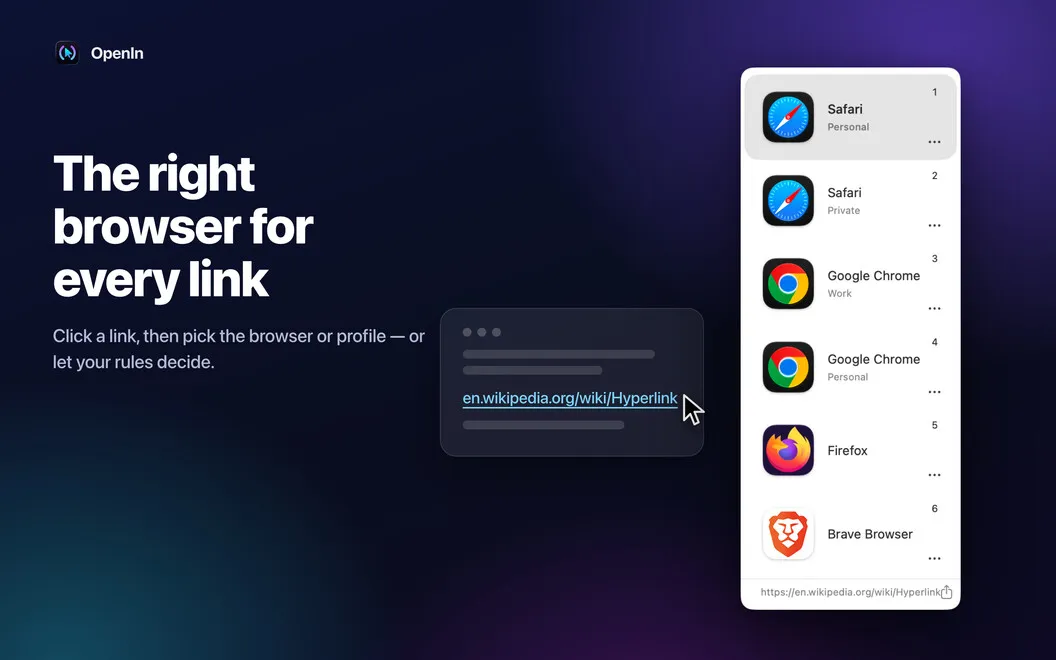
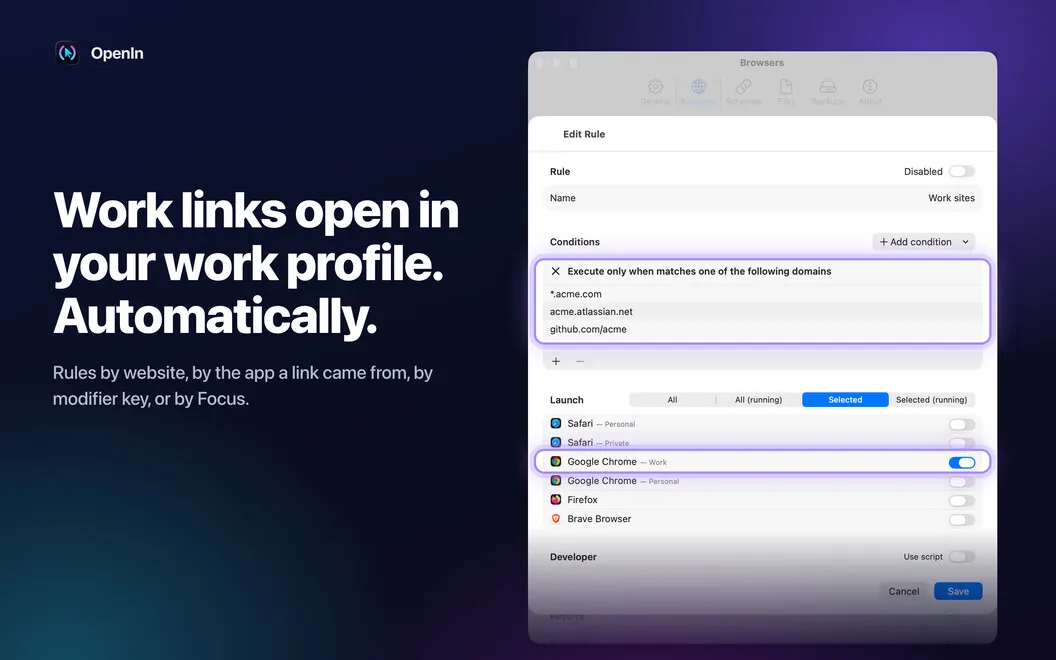
OpenIn gives you control over where a click takes you. Instead of sending every web link to one default browser, you can choose from a browser picker or set rules for particular domains. You can also send Zoom links straight to Zoom, reducing the need to move links between apps yourself.
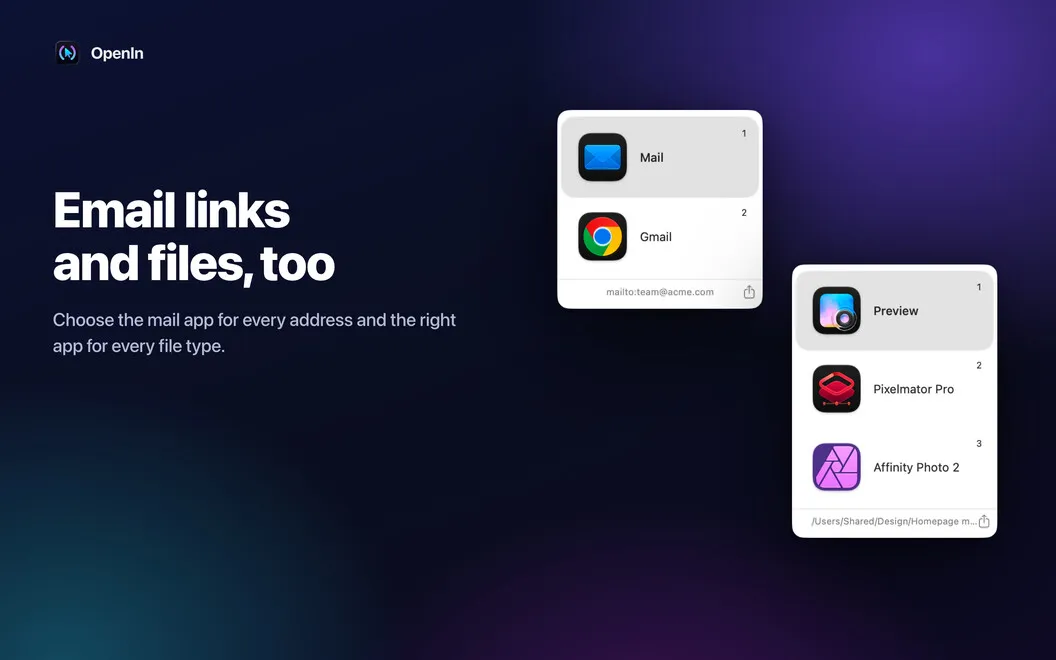
When you click an email address, you can choose from a shortlist of mail apps or browser-based options such as Gmail. You decide which choices appear and put your preferred ones first, so you don't have to sift through options you never use.
You get similar control over files: choose which apps appear for particular file extensions and reorder them to suit your work. You can even have a chosen app open a file's parent folder rather than the file itself. Keyboard selection helps you make those choices without reaching for the mouse.
-
Use the right browser
You can route specific domains to a chosen browser or pick a browser when you click a link.
-
Choose where emails start
You can open email links in your preferred mail app or Gmail, with your usual choices listed first.
-
Open files your way
You can choose different app lists for different file extensions instead of relying on one default.
-
Go straight to Zoom
You can have Zoom links open directly in Zoom rather than sending them through a browser.
Best for
- You regularly switch between browsers
- You use multiple email apps or Gmail
- You open the same file types in different apps
Skip it if
You don't need it if one default browser, mail app, and app per file type already suit your workflow.
Screenshots
From the developer
Always open Zoom links in Zoom, emails in Gmail or any other app of your choice, etc. OpenIn helps cleverly customize selector lists for links, emails, and files to streamline your workflow. Optimized for Apple Silicon Macs. Supports TouchBar and quick selection with Keyboard.Read the full description
Alternatives to OpenIn
Other apps to choose which app opens what. See all