
Swish
Set up quick trackpad actions
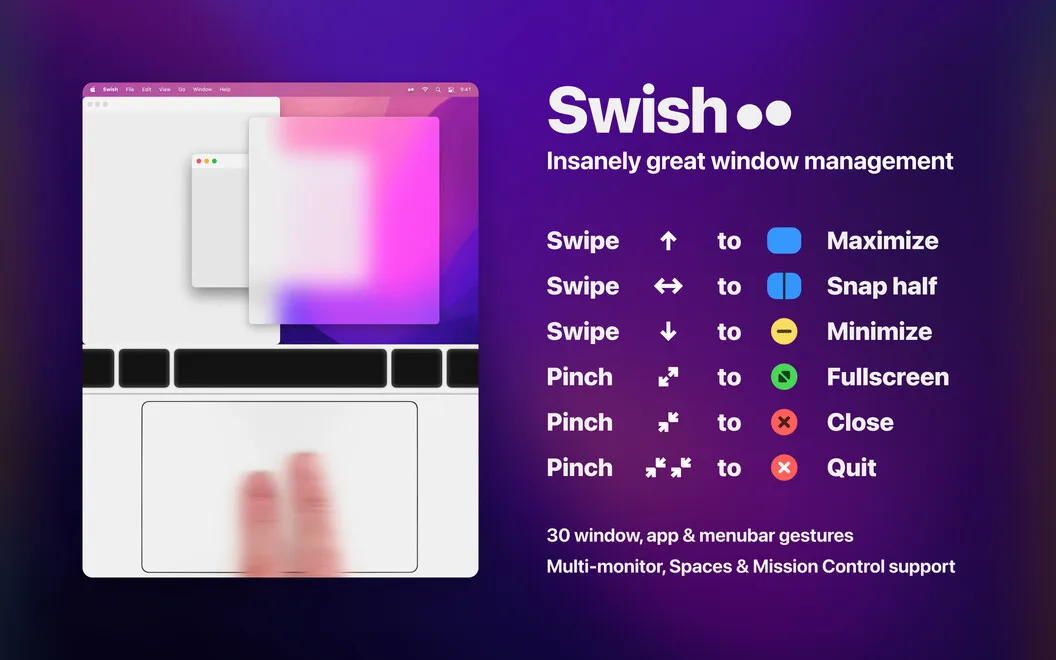
Swish lets you arrange and control Mac windows with gestures, whether you use a trackpad or Magic Mouse. It suits you if you frequently rearrange apps or work across multiple screens.
by Christian Renninger · 97% positive (1,040)
What you get
Arrange your windows with gestures instead of dragging and resizing.
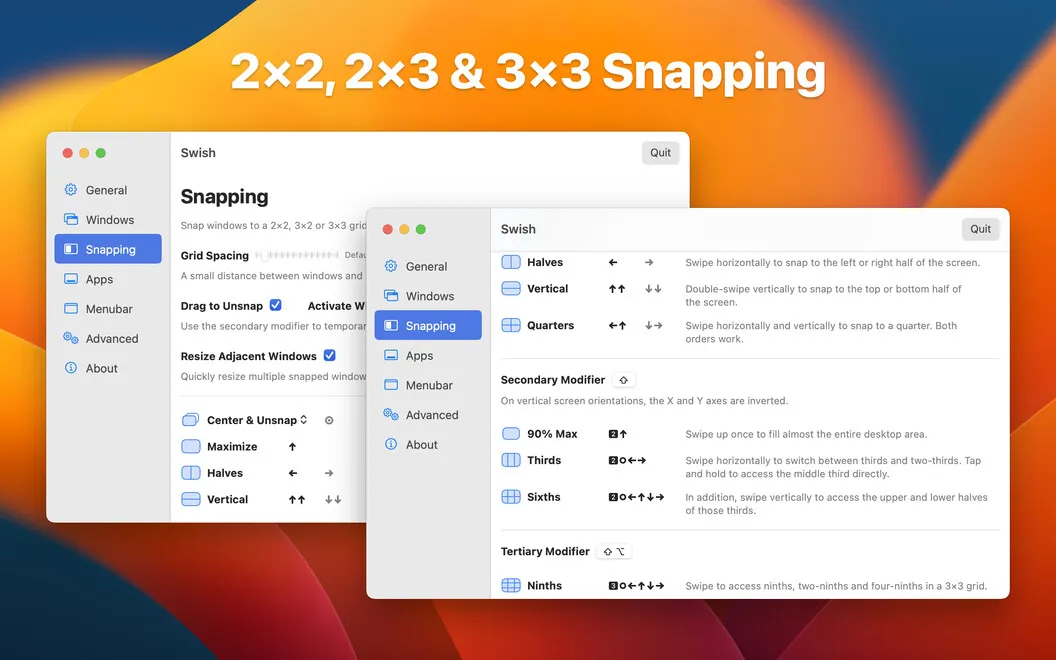
Swish gives you a quicker way to put windows where you need them, without repeatedly dragging edges or hunting for window buttons. You can snap two or more windows into an aligned grid, keeping your apps visible side by side rather than overlapping.
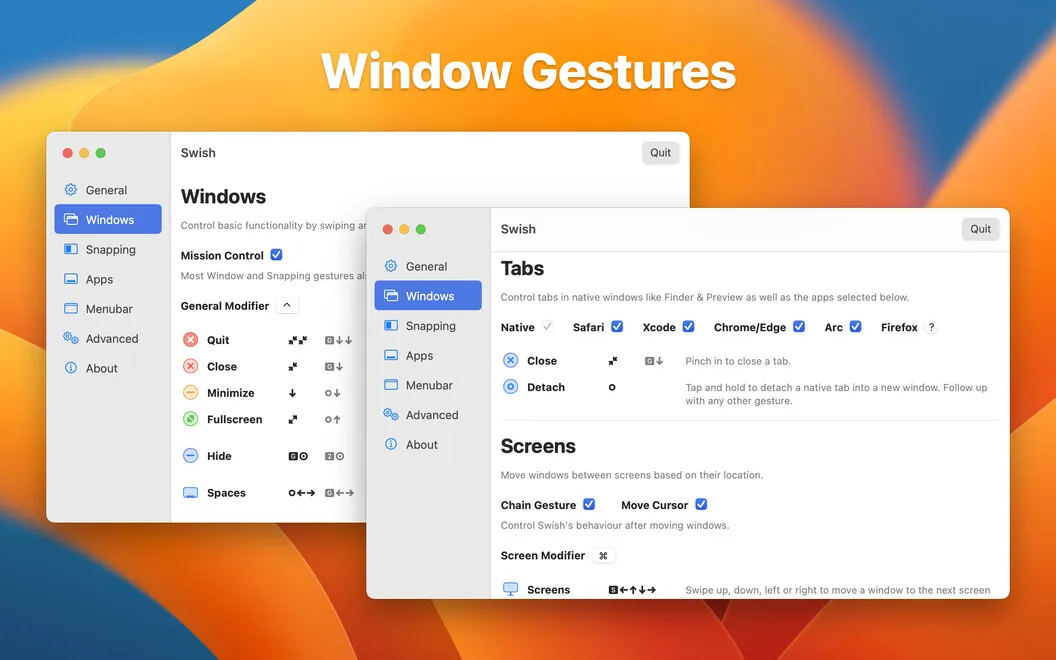
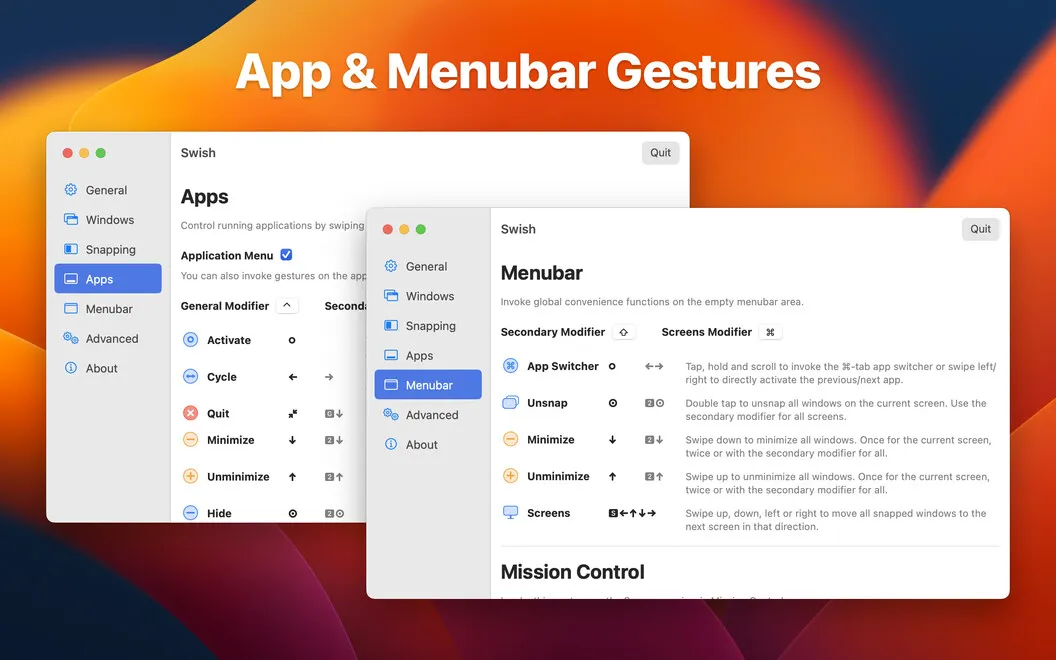
With two-finger trackpad gestures, you can minimize windows, enter fullscreen, hide windows, or quit apps. For example, you can swipe down and right to position a window in the lower-right corner. You can also move windows between screens and workspaces, reducing the manual rearranging involved in a multi-monitor setup.
You can adjust the gesture preferences to suit how you work. If you use a Magic Mouse, you get the same controls except tap and hold, so you don't need a trackpad to handle most window actions this way.
-
Keep windows side by side
You can align multiple windows in a grid without manually adjusting each edge.
-
Spend less time dragging
You can position, minimize, hide, or expand windows with gestures instead of reaching for buttons.
-
Move work between screens
You can send windows across monitors and workspaces with directional swipes.
-
Keep using your preferred device
You can use a trackpad or access most of the same controls with a Magic Mouse.
Best for
- You regularly compare documents or apps side by side.
- You move windows between multiple monitors.
- You prefer trackpad gestures to dragging window edges.
Skip it if
You probably don't need Swish if you rarely rearrange windows or are satisfied with your Mac's built-in window controls.
Screenshots

From the developer
Swish is a gesture-based windows controller that expands the abilities of your trackpad. Manage windows and applications, using intuitive two-finger moves across a multi-screen setup. Swipe, pinch, tap, and hold to make the most out of your trackpad. It’s like your Mac finally feels complete.Read the full description
Alternatives to Swish
Other apps to manage windows & spaces. See all
 Supercharge
 your Mac
Setapp
100% · 842 ratings
Supercharge
Supercharge your Mac
Setapp
100% · 842 ratings
 Mosaic
Automatically organize windows
Setapp
92% · 2,600 ratings
Mosaic
Automatically organize windows
Setapp
92% · 2,600 ratings
 Lasso
Manage windows on macOS
Setapp
98% · 176 ratings
Lasso
Manage windows on macOS
Setapp
98% · 176 ratings
 Slidepad
Keep most used apps at hand
Setapp
92% · 520 ratings
Slidepad
Keep most used apps at hand
Setapp
92% · 520 ratings
 Mission Control Plus
Close windows from Mission Control
Setapp
97% · 1,077 ratings
Mission Control Plus
Close windows from Mission Control
Setapp
97% · 1,077 ratings
 Contain
Bring your Mac windows together in tabs
Sold separately
Contain
Bring your Mac windows together in tabs
Sold separately