Translate
Translate Text
Translate is a Mac menu-bar translator for you if you want quick text translations and can supply your own Google Cloud Translation or Gemini API key.
by 裕涛 兰
What you get
You get text translations from your Mac’s menu bar, ready to paste.
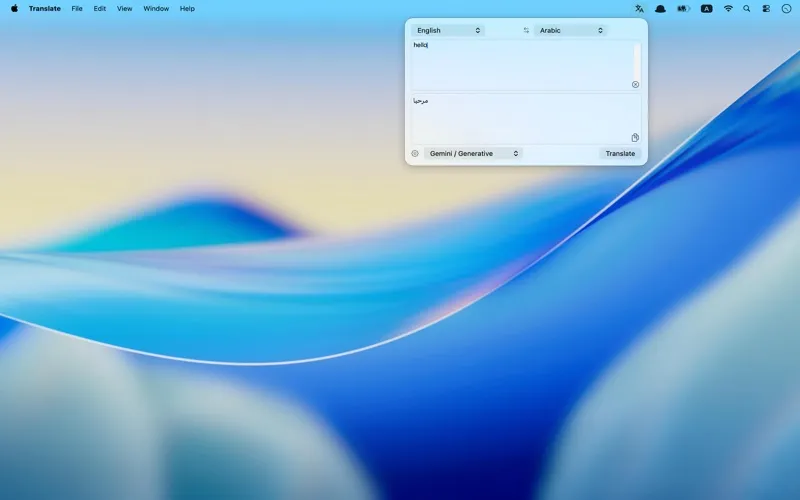
You can translate text in a compact menu-bar panel without keeping a separate window on your desktop. Type or paste what you need translated, then let the app detect the source language or choose it yourself. You select the target language, and optional automatic copying puts the result on your clipboard for pasting elsewhere.
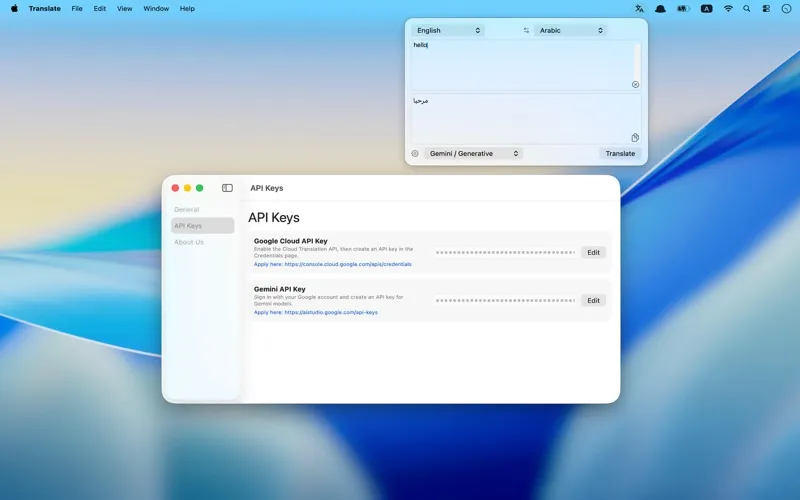
You use your own Google Cloud Translation or Gemini API key, so you need to obtain one before translating. You don’t need an account with the app, but your chosen translation service determines the quality, usage limits, and billing.
Your API keys stay in macOS Keychain, and your translation requests go directly from your Mac to the service you configure. Neither your keys nor your translation text is uploaded to the app developer’s servers; your text still goes to the selected provider for processing.
-
Translate without desktop clutter
You can type or paste text into a compact menu-bar panel rather than keep a separate translation window open.
-
Paste results sooner
You can automatically copy translated text to your clipboard, ready to paste wherever you need it.
-
Skip source-language selection
You can let the app detect the original language or select it yourself when needed.
-
Avoid developer-server routing
Your requests go directly to your configured provider, while your API keys remain stored locally in macOS Keychain.
Best for
- You regularly translate text while working on your Mac
- You already have a Google Cloud Translation or Gemini API key
- You want translated text ready to paste into other apps
Skip it if
You don’t need this if your existing translator is sufficient or you don’t want to obtain and manage a third-party API key.
Screenshots
From the developer
Translate is a lightweight macOS menu‑bar translator designed for fast, private translations from your desktop. Click the menu‑bar icon to open a compact translation popover, paste or type text, and get translated results instantly. Key features: Menu‑bar popover for one‑click access without cluttering your desktop.Read the full description
Alternatives to Translate
Other apps to translate text & speech. See all