USB Connection Information
Stop guessing. Start knowing.
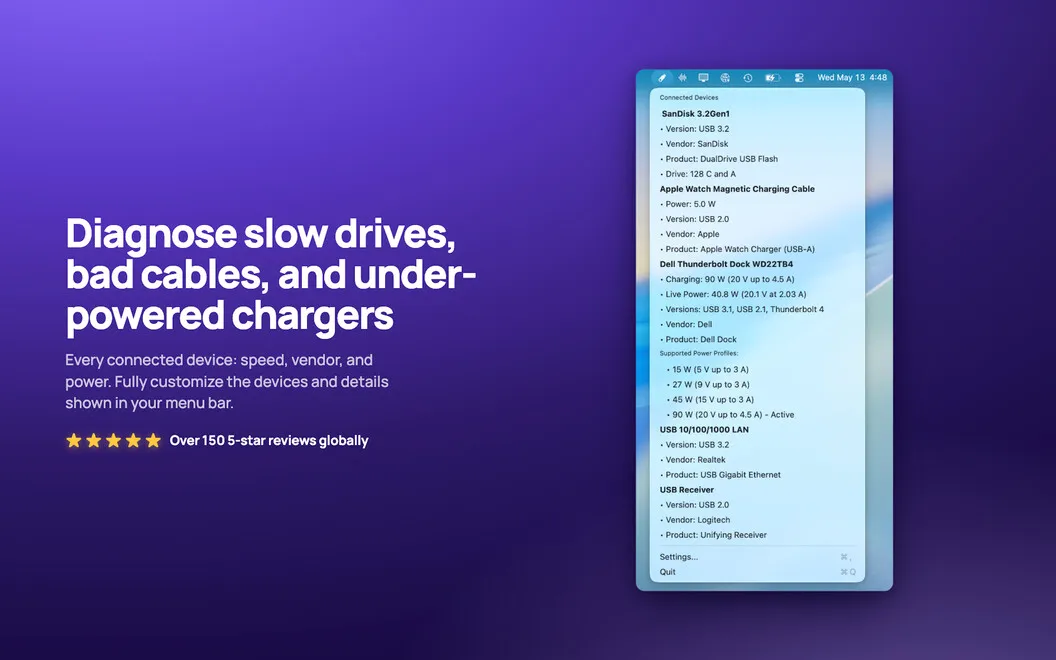
USB Connection Information helps you check USB and Thunderbolt connections on your Mac, with negotiated speeds, charging details, and drive identification when you need to troubleshoot cables, docks, or peripherals.
by Daniel Gauthier
What you get
Know how your devices connect and how much power they draw.
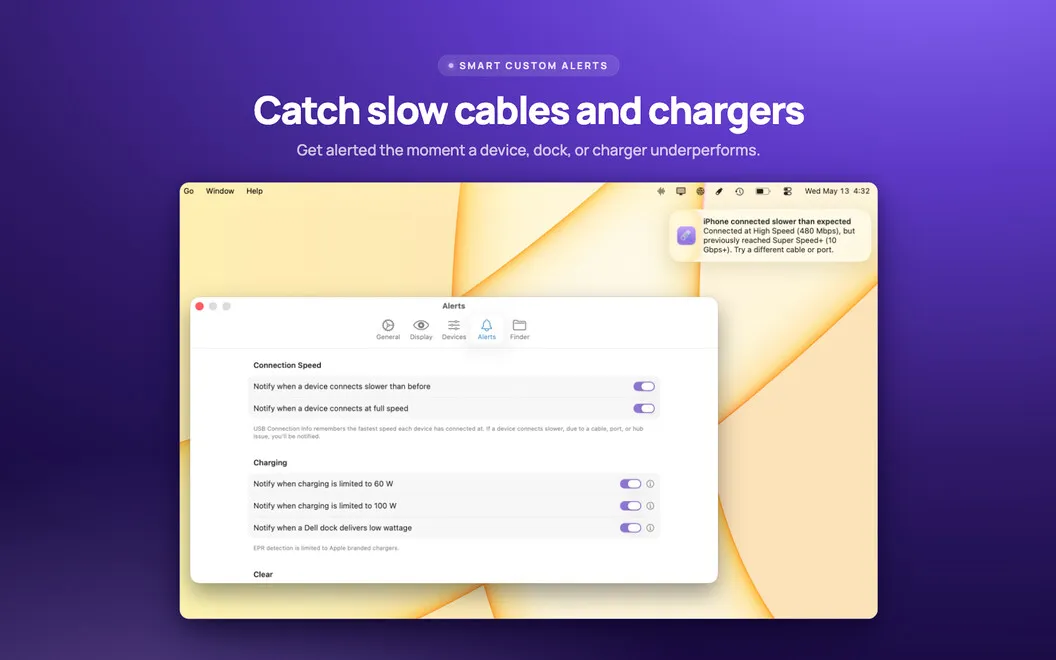
You can check whether your USB and Thunderbolt devices are connecting at the speed you expect. USB Connection Information shows each connection’s negotiated speed—not a file-transfer benchmark—so you can spot when a supposedly fast cable or dock is connecting at a slower standard. You also get an alert when a device connects more slowly than expected.
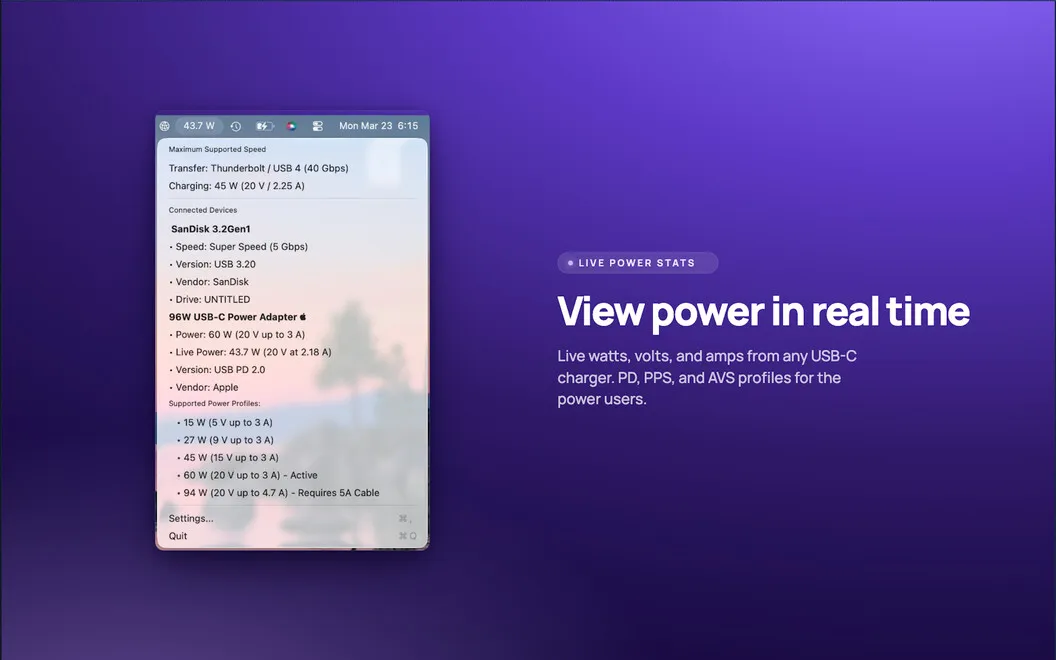
You can see your MacBook charger’s live wattage and voltage, along with its Power Delivery version and supported power profiles. Device power readings help you understand what your connected hardware is drawing.
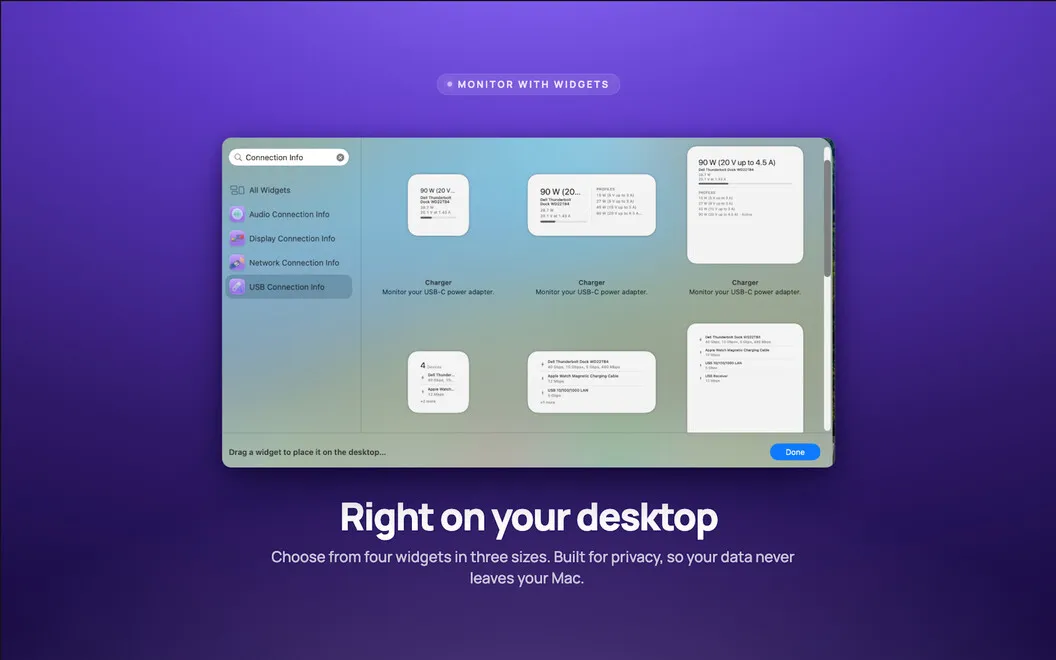
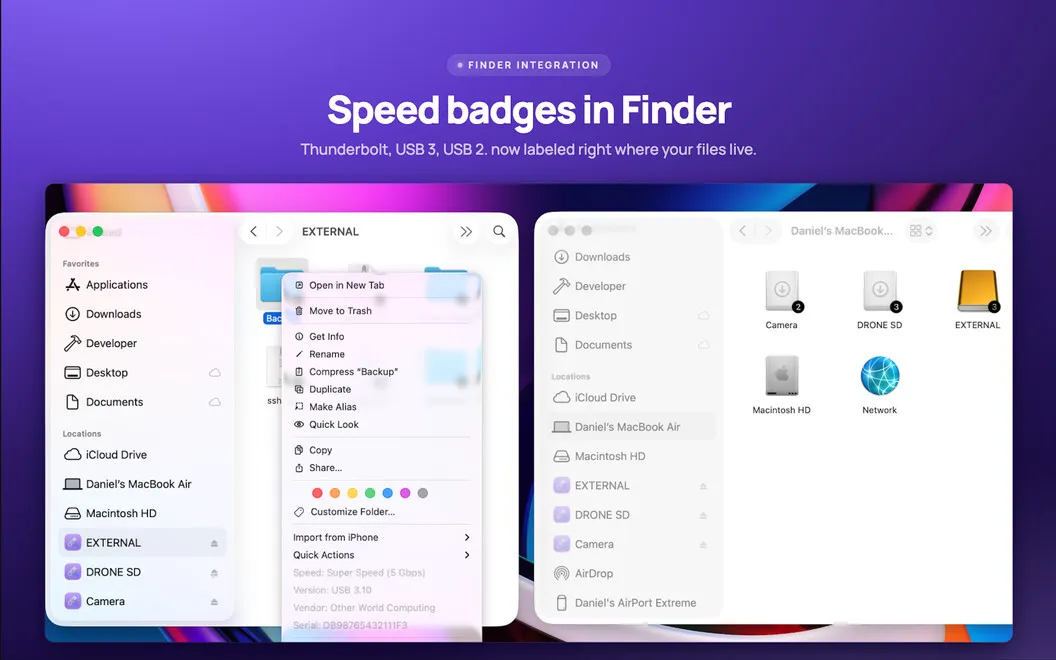
When several drives are attached, you can match them to their devices and see connection speeds on their Finder icons. You can keep the readings you need in your menu bar or desktop widgets, and right-click a drive for device details.
-
Spot slower connections
You can compare negotiated connection speeds with your expectations and investigate a cable or dock when a device connects more slowly.
-
Check live charging
You can see charger wattage, voltage, and supported power profiles, plus the power your connected devices draw.
-
Identify attached drives
You can match Finder drives to connected devices and check their connection speeds directly on drive icons.
-
Keep readings visible
You can follow connection details from your menu bar or desktop widgets without repeatedly opening the app.
Best for
- You troubleshoot USB cables and Thunderbolt docks
- You work with several external drives
- You want to check MacBook charging details
Skip it if
You probably don't need it if you rarely connect peripherals and have no reason to check connection speeds or charging details.
Screenshots
From the developer
USB Connection Information — USB and Thunderbolt monitor for Mac. It sits in your menu bar and shows the real negotiated speed of every connected device, so you'll know the moment a "10Gbps" cable is actually crawling along at USB 2.0.Read the full description
Alternatives to USB Connection Information
Other apps to work with external drives. See all
 iBoysoft NTFS for Mac
Read/write to NTFS drives
Setapp
87% · 772 ratings
iBoysoft NTFS for Mac
Read/write to NTFS drives
Setapp
87% · 772 ratings
 iLove NTFS
Mac App Store
iLove NTFS
Mac App Store
 EaseUS Data Recovery Wizard
Mac App Store
EaseUS Data Recovery Wizard
Mac App Store
 DiskMap
Visual disk map for Mac. Find what's eating your storage in seconds.
Sold separately
DiskMap
Visual disk map for Mac. Find what's eating your storage in seconds.
Sold separately
 Path Finder
Copy, delete, and sync files
Setapp
92% · 1,574 ratings
Path Finder
Copy, delete, and sync files
Setapp
92% · 1,574 ratings