
VoxelWall
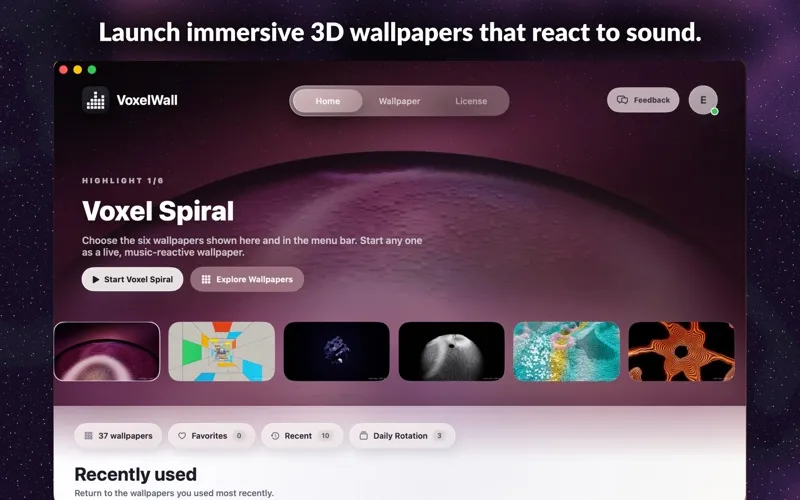
VoxelWall is a live wallpaper app for your Mac, giving you real-time 3D scenes and sound-responsive visuals instead of a static desktop background.
by Sai Sagn Lain Pan
What you get
Give your Mac desktop moving scenery that responds to sound.
With VoxelWall, you can replace your still desktop background with a real-time 3D scene or atmospheric environment. You get moving scenery while you work, create, or relax, with audio-reactive visuals that respond to sound.
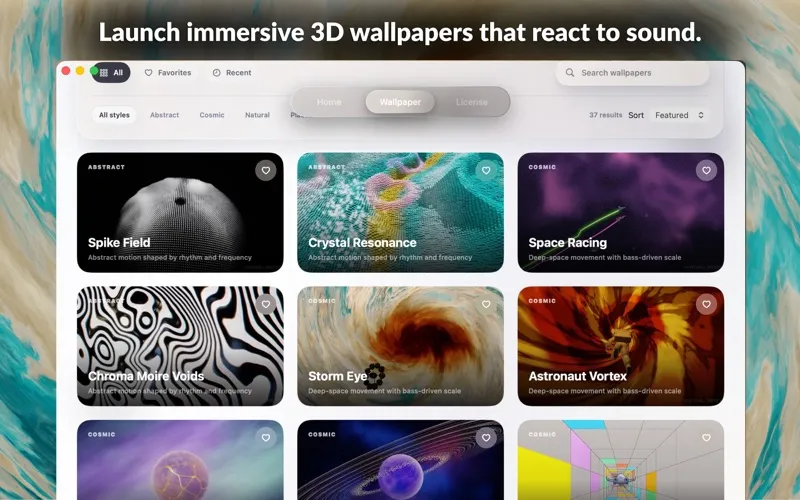
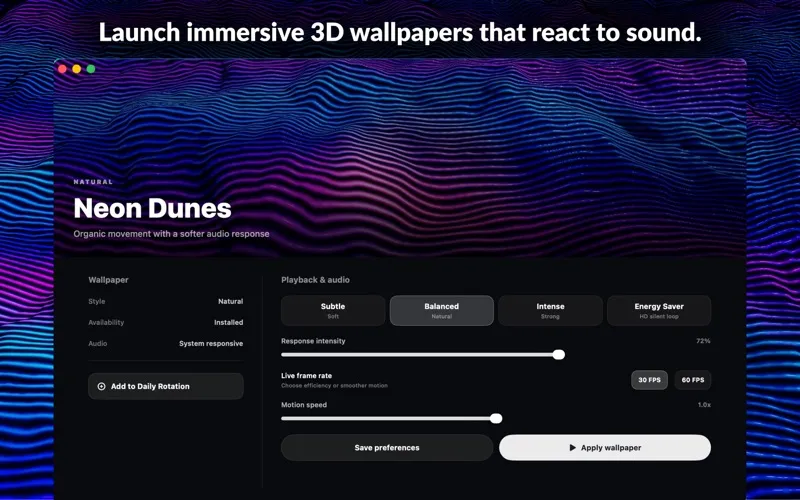
You can start with the included preview wallpapers, then download more scenes from a growing collection when you want a different backdrop. If you prefer a quieter option, you can use the Energy Saver video mode rather than a real-time 3D scene.
Your chosen visuals run while your Mac is unlocked; once you lock it, the normal macOS lock screen takes over. You pay once, and you can restore your purchase through the app’s purchase restoration option.
-
A moving desktop
You can replace a static wallpaper with real-time 3D scenery or an atmospheric environment.
-
Visuals that follow sound
You can choose audio-reactive visuals to make your desktop respond to sound.
-
Start without downloading scenes
You can try the included preview wallpapers before downloading additional scene resources.
-
A quieter viewing option
You can switch to the Energy Saver video mode when you prefer an alternative to real-time 3D.
Best for
- You want a moving background instead of a still wallpaper
- You enjoy desktop visuals that react to sound
- You like changing your desktop’s atmosphere
Skip it if
You do not need it if you prefer a static wallpaper or want visuals for the macOS lock screen.
Screenshots
From the developer
VoxelWall brings immersive, real-time visual scenes to your Mac desktop. Explore a growing collection of 3D wallpapers, atmospheric environments, and audio-reactive visuals. Choose a scene, make it your desktop experience, and let it respond to sound while you work, create, or relax.Read the full description
Alternatives to VoxelWall
Other apps to customize how your Mac looks. See all
 24 Hour Wallpaper
100+ dynamic wallpapers
Setapp
97% · 1,409 ratings
24 Hour Wallpaper
100+ dynamic wallpapers
Setapp
97% · 1,409 ratings
 Magic Window Air
Try aerial screen savers
Setapp
96% · 495 ratings
Magic Window Air
Try aerial screen savers
Setapp
96% · 495 ratings
 Hingely
Your MacBook lid, in motion
Setapp
Hingely
Your MacBook lid, in motion
Setapp
 Desktop Composer
Customize & switch macOS looks
Setapp
95% · 37 ratings
Desktop Composer
Customize & switch macOS looks
Setapp
95% · 37 ratings
 Sticktop
Stickers that peel like vinyl
Sold separately
Sticktop
Stickers that peel like vinyl
Sold separately
 Tintd
Auto folder icons for your Mac
Sold separately
Tintd
Auto folder icons for your Mac
Sold separately