
WinPin
Windows that stay put
WinPin is a Mac window manager for you if you switch display setups, juggle many windows, or want separate arrangements for different tasks.
by Jeff Shumate
What you get
You get your window layout back without rearranging everything.
You spend less time putting windows back after reconnecting a monitor or waking your Mac. WinPin remembers each window’s size, position, and display, with separate layouts for different display setups. Your desk arrangement and laptop-only layout can stay distinct.
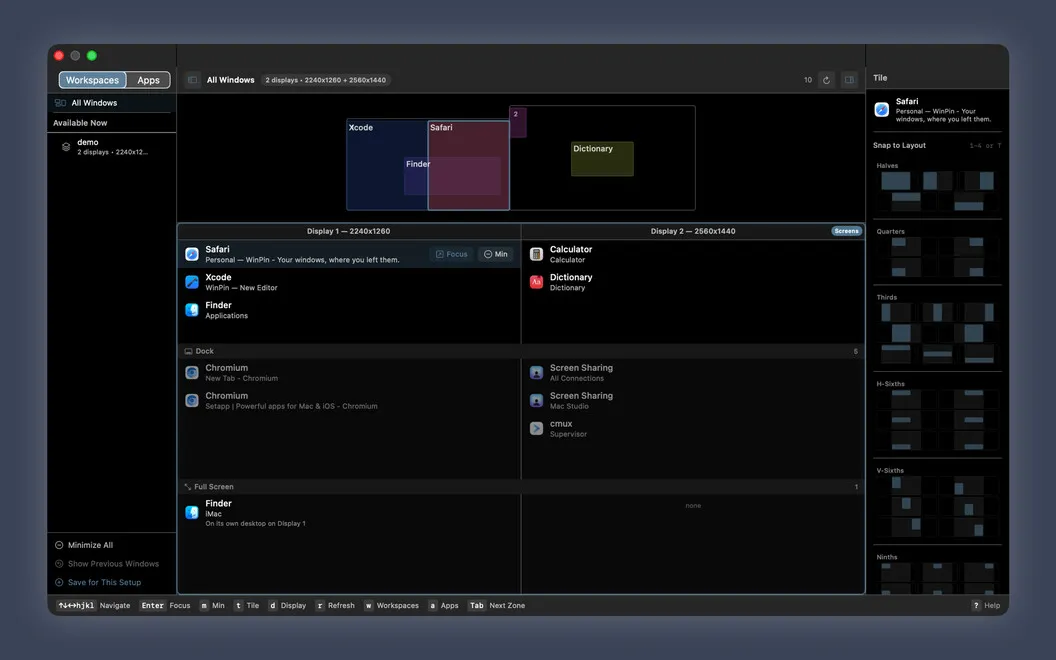
You can divide your screen into halves, thirds, or smaller sections to keep several windows visible without manually sizing each one. When windows are scattered across displays, you can review them together, move them between screens, or gather one app’s windows onto a single display.
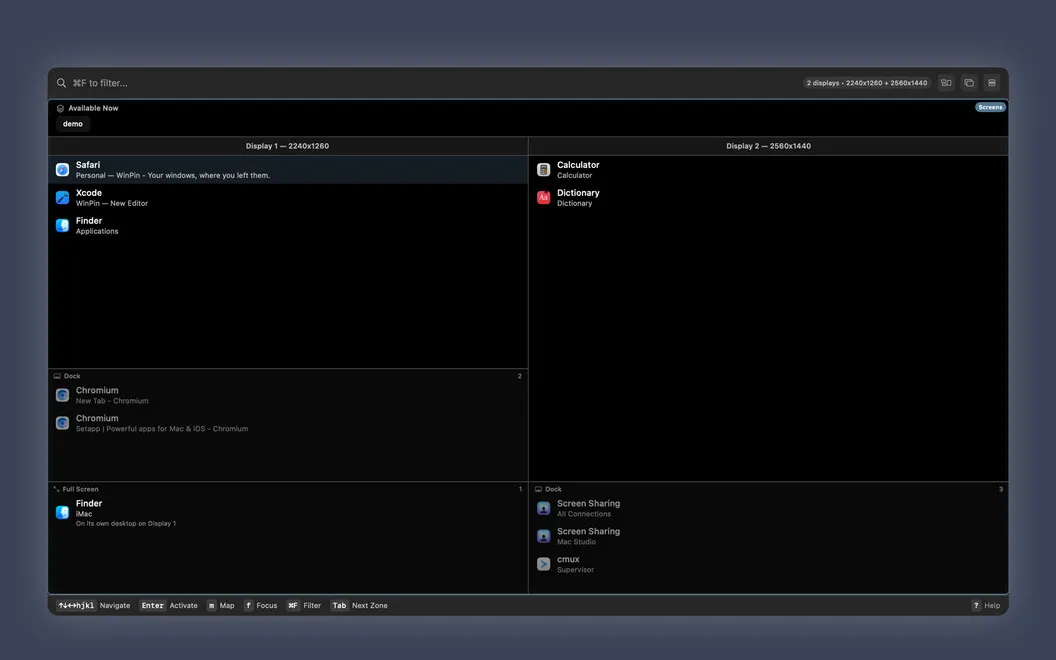
For focused work, you can save a task’s windows as a workspace and recall them with one key while putting the others away. You can bring those other windows back when needed, or simply dim everything around your active window. When you need a particular window, typing part of its name lets you jump to it.
-
Stop rebuilding your layout
You get windows back in their remembered positions after waking your Mac or reconnecting a monitor.
-
Keep windows neatly arranged
You can fit windows into halves, thirds, and smaller divisions instead of resizing each one by hand.
-
Keep one task visible
You can recall a saved workspace while putting other windows away, or dim everything except your active window.
-
Find the window you need
You can jump to a window by typing part of its name, even when you only remember a fragment.
Best for
- You regularly dock and undock your Mac
- You juggle windows across multiple displays
- You want separate window arrangements for different tasks
Skip it if
You probably don't need it if you keep only a few windows open and rarely rearrange them or change display setups.
Screenshots

From the developer
WinPin is a window manager for Mac that remembers where your windows belong. Reconnect a monitor, wake your Mac, or change your setup, and WinPin puts every window back. Tile windows into tidy layouts, save workspaces for focused work, and jump between windows in seconds. No dragging, no rebuilding your setup.Read the full description
Alternatives to WinPin
Other apps to manage windows & spaces. See all
 Supercharge
 your Mac
Setapp
100% · 842 ratings
Supercharge
Supercharge your Mac
Setapp
100% · 842 ratings
 Mosaic
Automatically organize windows
Setapp
92% · 2,600 ratings
Mosaic
Automatically organize windows
Setapp
92% · 2,600 ratings
 Swish
Set up quick trackpad actions
Setapp
97% · 1,040 ratings
Swish
Set up quick trackpad actions
Setapp
97% · 1,040 ratings
 Lasso
Manage windows on macOS
Setapp
98% · 176 ratings
Lasso
Manage windows on macOS
Setapp
98% · 176 ratings
 Slidepad
Keep most used apps at hand
Setapp
92% · 520 ratings
Slidepad
Keep most used apps at hand
Setapp
92% · 520 ratings
 Mission Control Plus
Close windows from Mission Control
Setapp
97% · 1,077 ratings
Mission Control Plus
Close windows from Mission Control
Setapp
97% · 1,077 ratings