Antinote
Take notes and do calculations
Antinote is a temporary notepad for when you need to jot something down, work out a calculation, copy text from an image, or time a work session.
by Johnson Ci Yu Fung · 99% positive (273)
What you get
You can capture passing thoughts and work out numbers in one place.
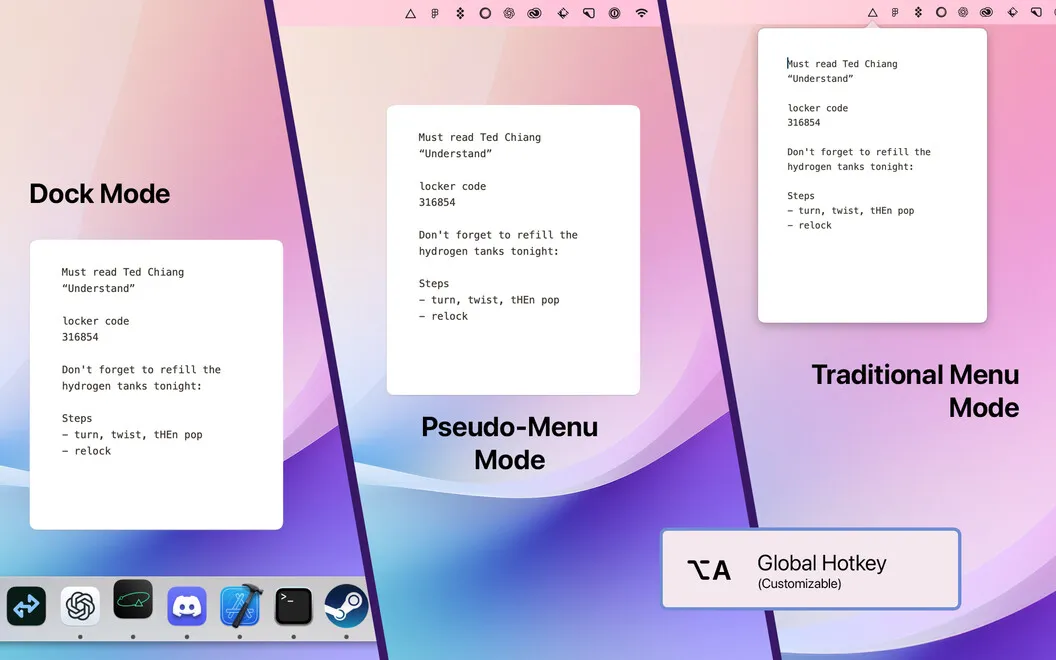
You get a place for the notes and numbers you need while doing something else. Press Option + A to open Antinote and jot down a thought during a webinar or keep a few details handy. When you paste text, formatting and indentation are removed, so you can work with plain text rather than clean up copied styling.
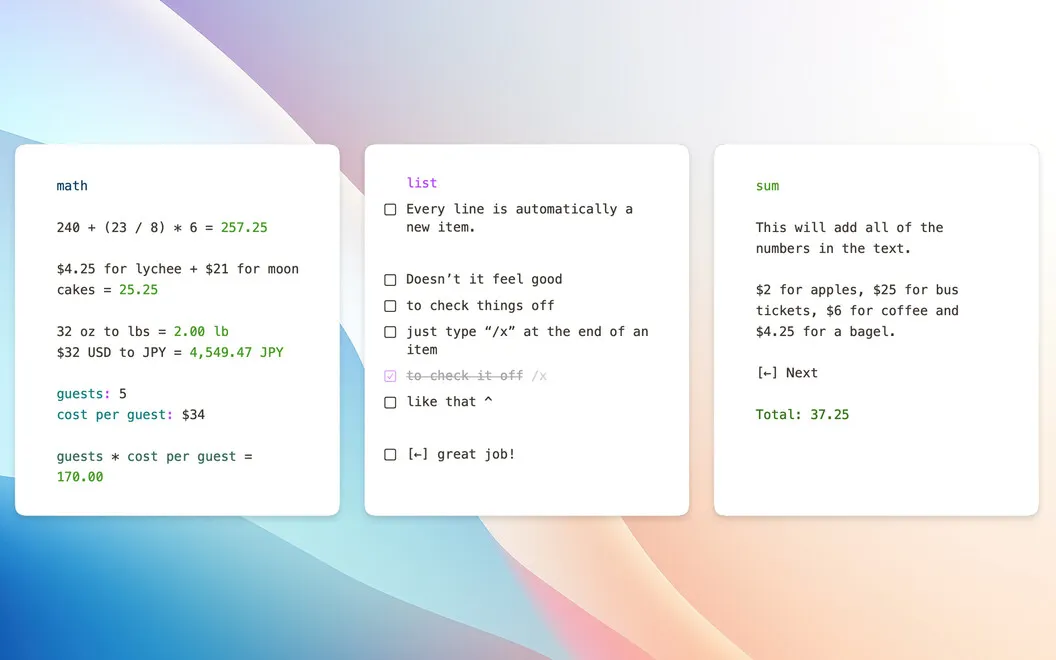
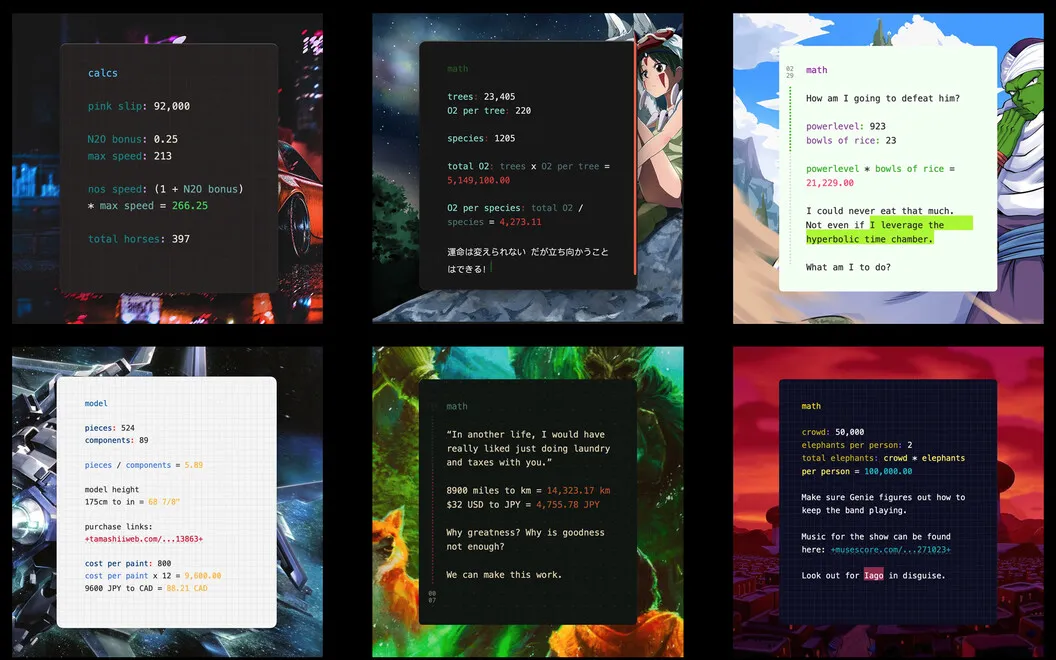
You can work out expenses alongside your notes and convert distances, weights, currencies, and cryptocurrencies as you type. That gives you room to keep the context of a calculation with the numbers, rather than separating your notes from your arithmetic.
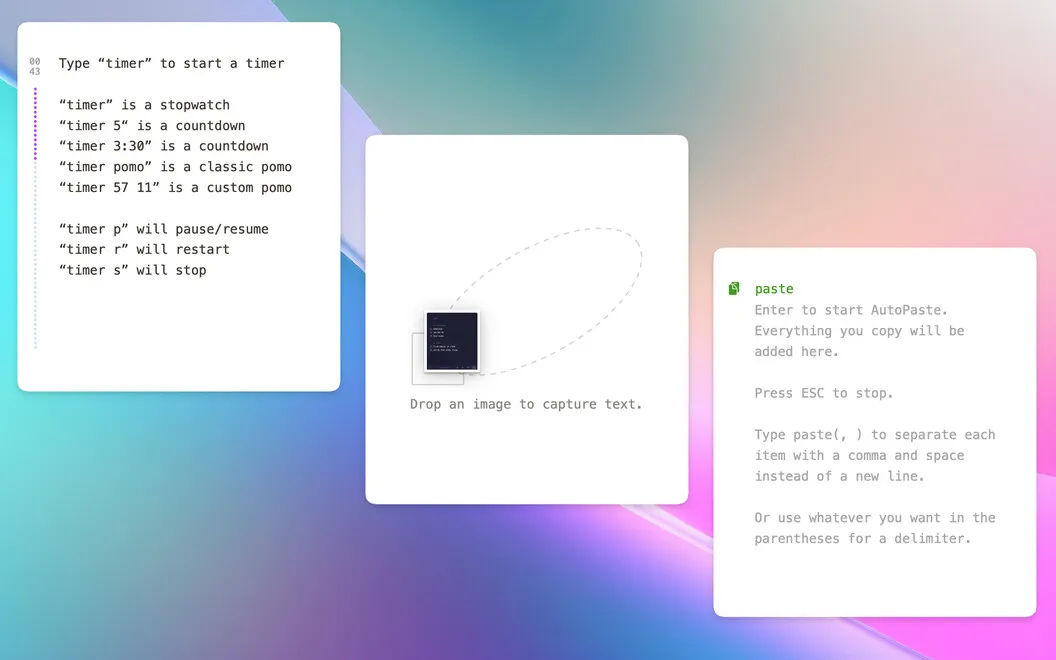
When the words you need are stuck in a screenshot or another image, you can drag it into Antinote and extract the text for copying. You can also start a countdown, stopwatch, or Pomodoro timer by typing on a new line, keeping short work sessions in the same place as your scratch notes.
-
Capture thoughts mid-task
You can open a temporary note with Option + A without first navigating to a notebook.
-
Keep calculations in context
You can work out numbers and convert units or currencies alongside the notes that explain them.
-
Reuse text from images
You can extract words from a screenshot or image instead of typing them out again.
-
Avoid pasted formatting
You get plain text when pasting, without the source formatting or indentation.
-
Time a work session
You can start a countdown, stopwatch, or Pomodoro timer by typing into your note.
Best for
- You need scratch notes while watching webinars or working.
- You regularly calculate amounts or convert units while taking notes.
- You need to copy text from screenshots.
Skip it if
You probably don't need it if your existing notepad and calculator already cover your occasional scratch work.
Screenshots
From the developer
Antinote is the perfect blend of temporary notes, quick calculations, and light text manipulation. Need to capture a quick note while listening to a webinar? No problem. Want to set a Pomodoro timer? Done. Need a quick currency conversion? Antinote handles it all.Read the full description
Alternatives to Antinote
Other apps to capture quick notes. See all