
BetterTouchTool
Save time with custom actions
BetterTouchTool lets you tailor your Mac’s controls and automate routine actions. It’s for you if you want custom shortcuts, gestures, and window layouts suited to how you work.
by folivora.AI GmbH · 98% positive (3,322)
What you get
Get routine Mac actions done with shortcuts and gestures you choose.
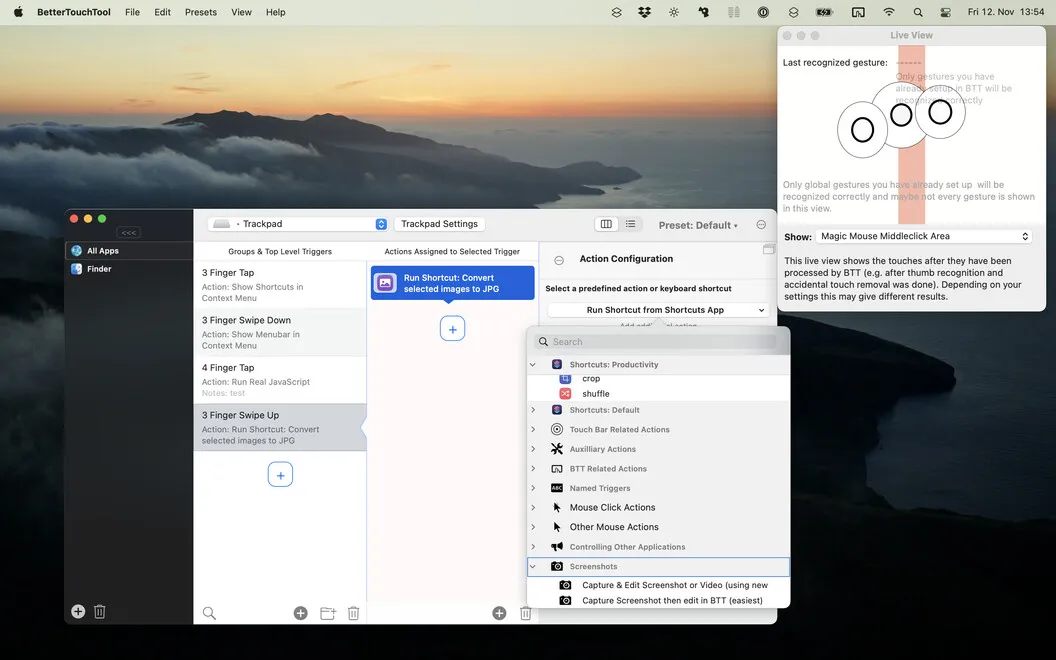
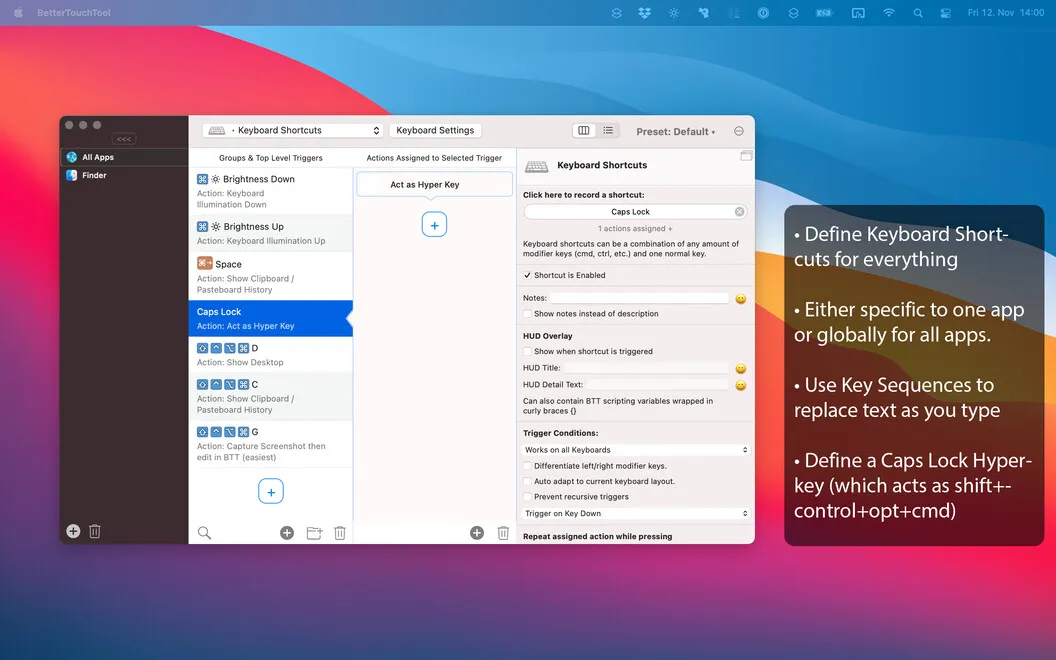
You can replace repeated clicks and menu trips with keyboard shortcuts, mouse movements, or trackpad gestures you define. BetterTouchTool lets you assign actions to your preferred input device and decide where each shortcut works. You can give the same shortcut different jobs in different apps, or disable it where it would get in your way.
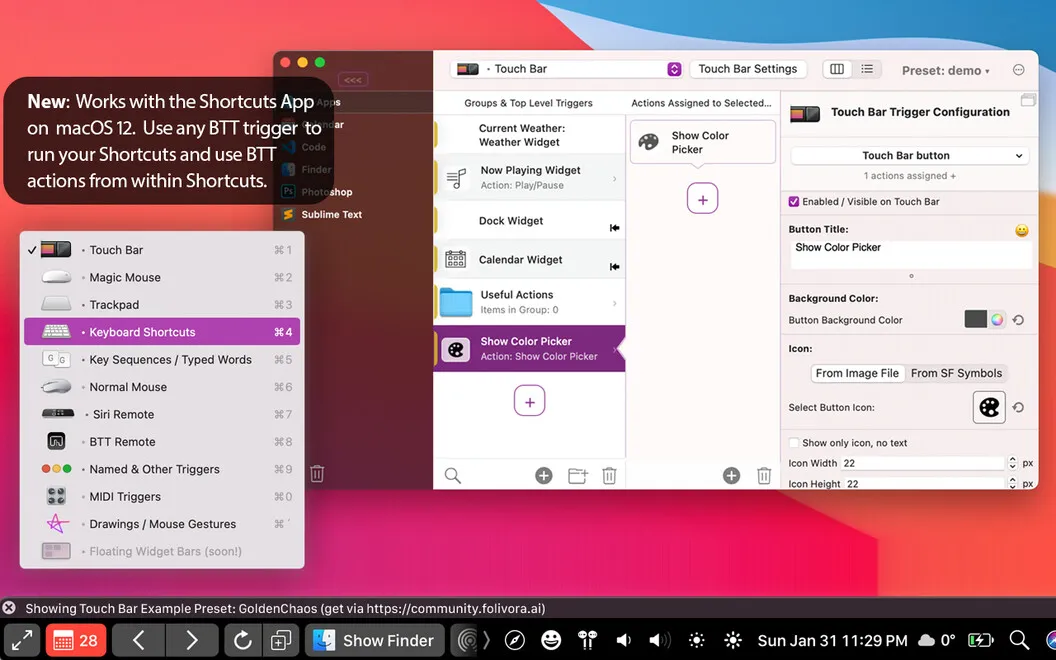
You can also arrange windows into custom layouts, snap them into place, and move them without repeatedly dragging them by hand. If your Mac has a Touch Bar, you can replace its controls with buttons and widgets that match your daily tasks.
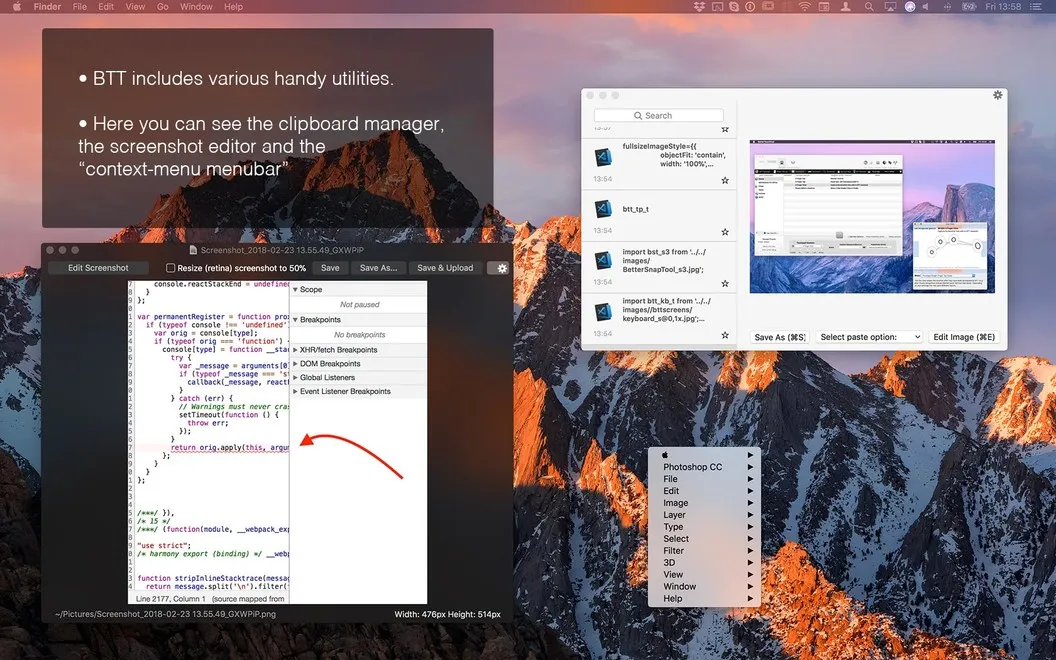
Beyond shortcuts, you can keep multiple copied items available and capture screenshots with adjustments as you go. For more specialized workflows, you can use scripting to build your own Touch Bar widgets.
-
Fewer repeated steps
You can turn routine actions into shortcuts or gestures instead of working through menus each time.
-
Controls that fit each app
You can assign different actions to the same shortcut depending on which app you’re using.
-
Less window rearranging
You can snap and move windows into custom layouts instead of positioning each one by hand.
-
Your preferred input
You can trigger actions from your keyboard, mouse, trackpad, or other supported controls.
-
More copied items available
You can keep multiple copied items in the clipboard manager rather than relying on a single clipboard entry.
Best for
- You repeat the same actions across several Mac apps
- You want app-specific keyboard or trackpad controls
- You regularly rearrange windows into a preferred layout
Skip it if
You probably don’t need it if your Mac’s built-in shortcuts and window controls already cover your routine.
Screenshots
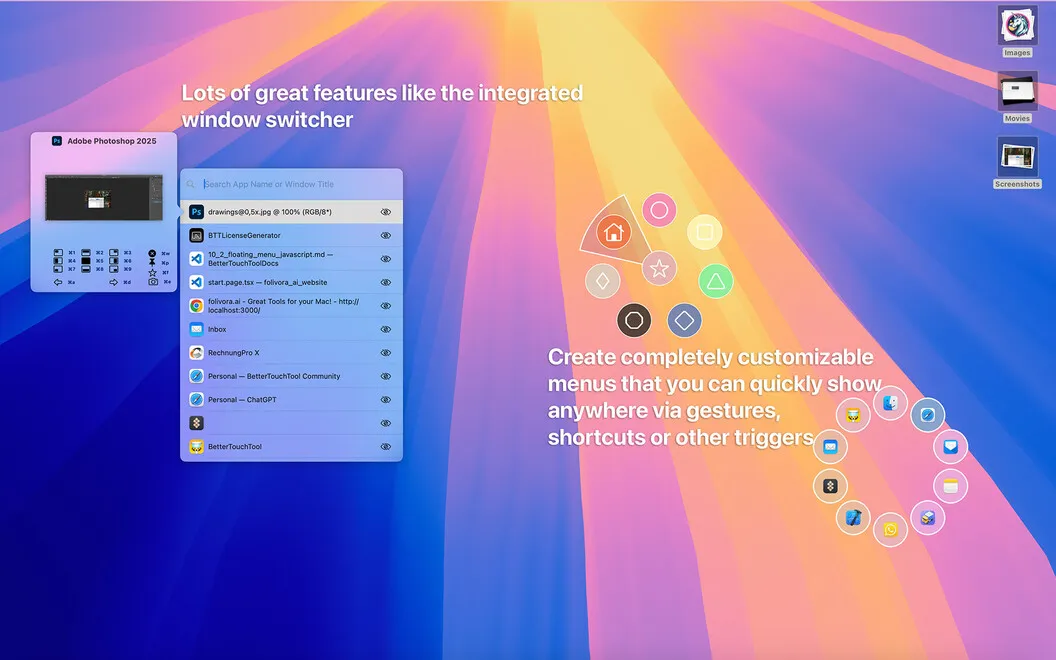
From the developer
BetterTouchTool helps you completely customize and configure how you enter information into your Mac. Think keyboard shortcuts, mouse gestures, Touch Bar widgets, remote triggers, and more.Read the full description
Alternatives to BetterTouchTool
Other apps to automate with shortcuts & gestures. See all
 PopClip
Use instant text actions
Setapp
98% · 1,359 ratings
PopClip
Use instant text actions
Setapp
98% · 1,359 ratings
 KeyCue
Work faster with shortcuts
Setapp
90% · 164 ratings
KeyCue
Work faster with shortcuts
Setapp
90% · 164 ratings
 Paletro
Access app menu commands
Setapp
98% · 474 ratings
Paletro
Access app menu commands
Setapp
98% · 474 ratings
 Keysmith
Create a shortcut for any action
Setapp
95% · 491 ratings
Keysmith
Create a shortcut for any action
Setapp
95% · 491 ratings
 iBoysoft MagicMenu
Expand your Mac’s right click
Setapp
88% · 422 ratings
iBoysoft MagicMenu
Expand your Mac’s right click
Setapp
88% · 422 ratings
 Pie Menu
Access app actions in a click
Setapp
82% · 115 ratings
Pie Menu
Access app actions in a click
Setapp
82% · 115 ratings