
Keysmith
Create a shortcut for any action
Keysmith lets you turn repeated clicks and typing into keyboard shortcuts on your Mac. It suits you if you regularly repeat the same steps in apps or websites.
by Otto Labs, LLC · 95% positive (491)
What you get
You can replace repeated clicks and typing with a keyboard shortcut.
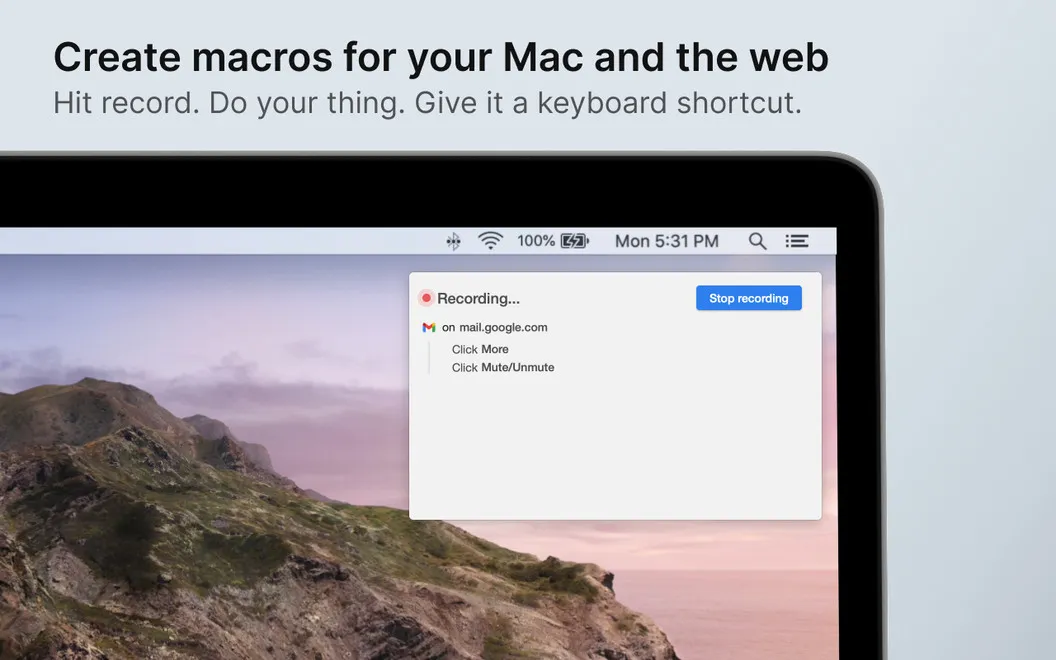
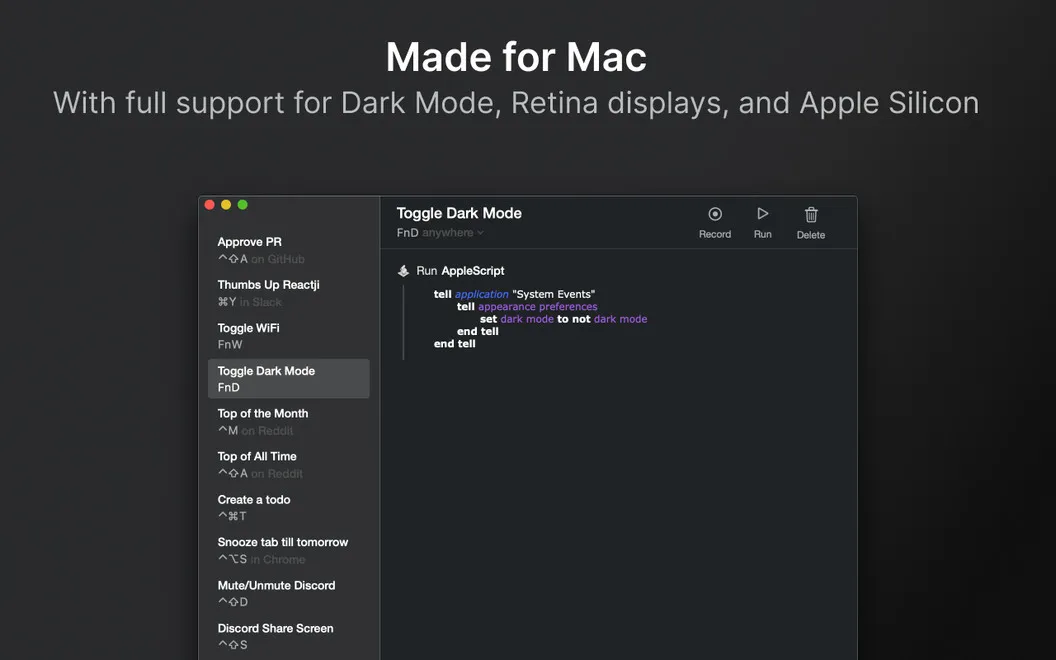
Keysmith gives you a shorter way to do the tasks you repeat on your Mac. You record yourself clicking and typing through a task, then assign the recorded steps to a hotkey. You can adjust those steps afterward rather than recording everything again.
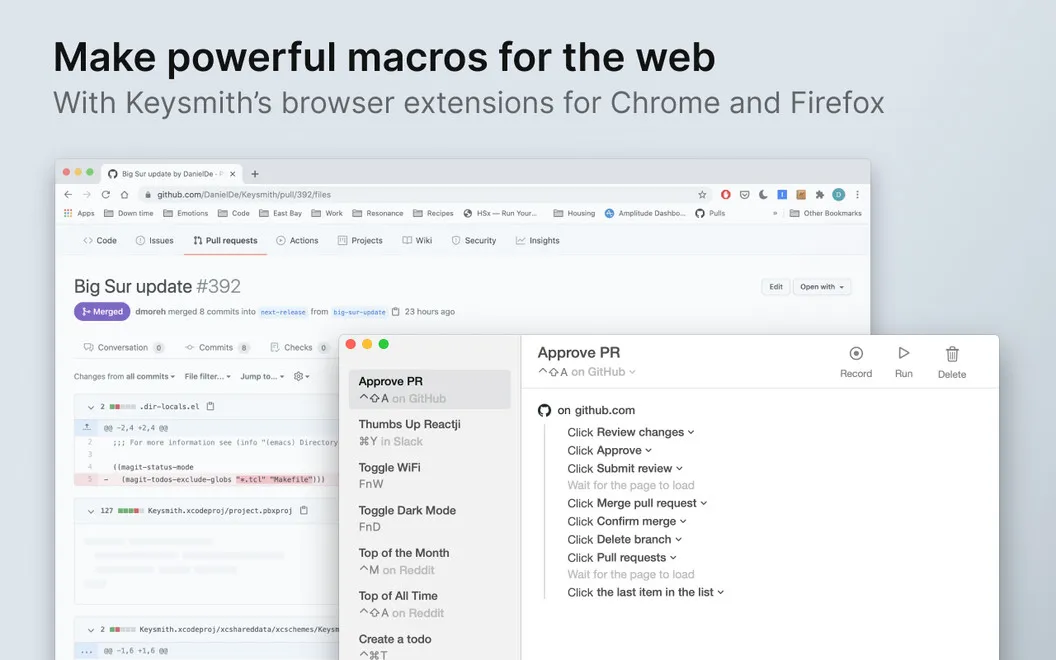
You can make shortcuts available everywhere or limit them to a particular app or website. That means you can create quick actions for starting a GitHub pull request, formatting selected text in Google Docs, or adding a specific emoji reaction in Slack. For web actions, you use a Chrome or Firefox extension.
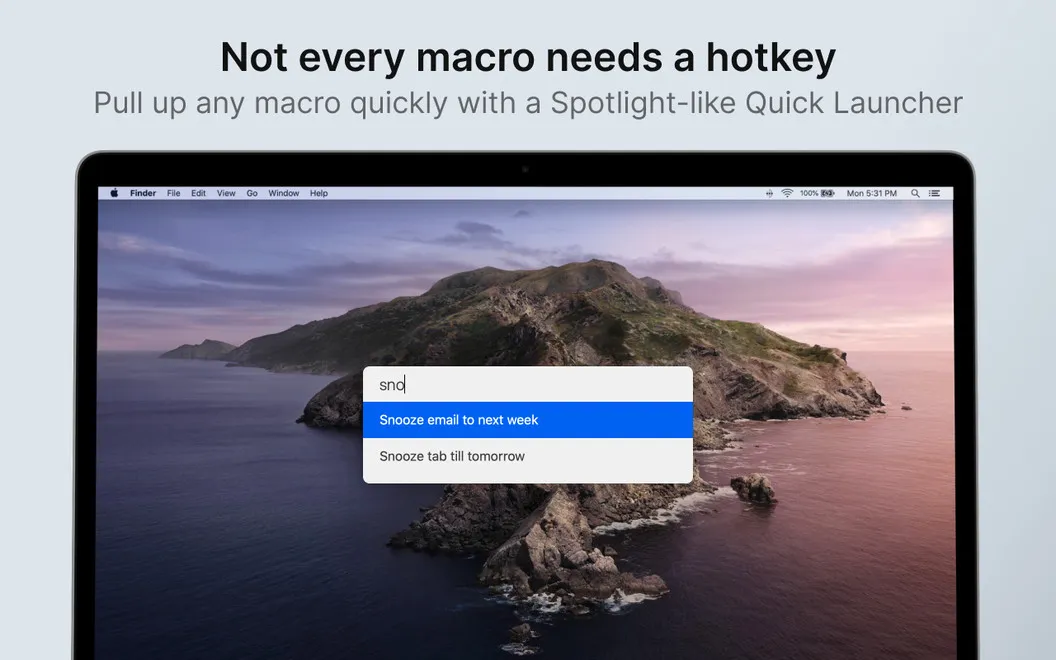
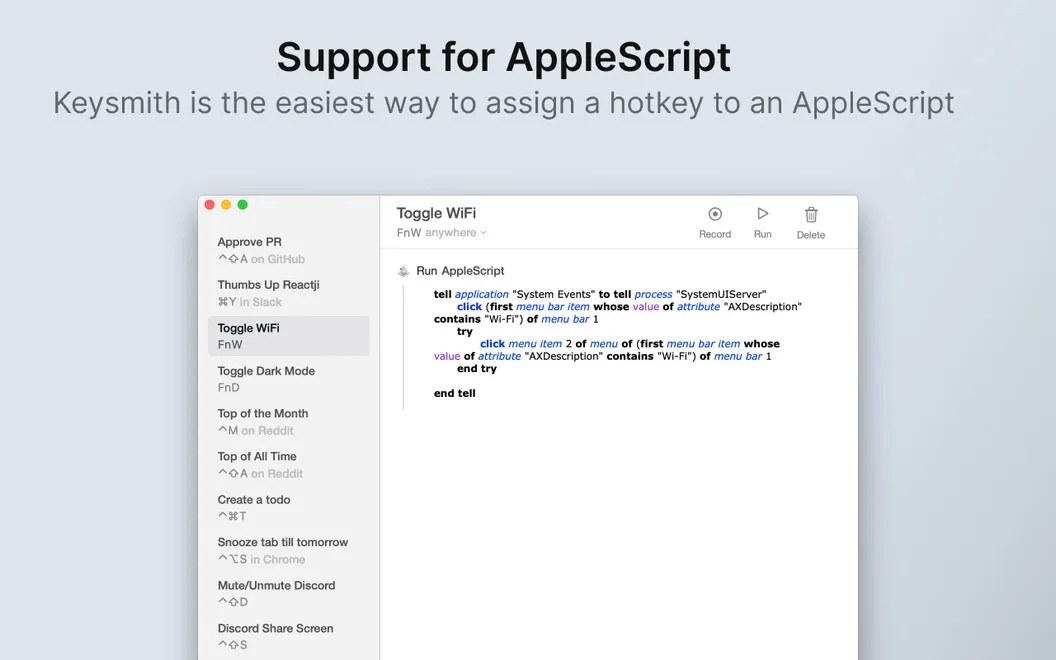
You don't have to memorize every shortcut: you can search your recorded actions by name and run them from a Spotlight-style search bar. If your workflow needs scripting, you can also include custom AppleScript in your actions or trigger them with AppleScript.
-
Repeat tasks with fewer steps
You can replay a recorded sequence of clicks and typing with one hotkey.
-
Keep shortcuts context-specific
You can limit a hotkey to the app or website where you need it, or make it available everywhere.
-
Remember names, not key combinations
You can find and run recorded actions by name instead of memorizing every hotkey.
-
Refine your recorded actions
You can edit recorded steps and add custom AppleScript when your task needs more control.
Best for
- You repeat the same clicks and typing throughout the day
- You want keyboard shortcuts for tasks in Mac apps and websites
- You regularly perform repetitive actions in Slack, GitHub, or Google Docs
Skip it if
You probably don't need it if your tasks rarely repeat or your existing keyboard shortcuts already cover them.
Screenshots
From the developer
Do you know how to tell the difference between a Mac ‘power’ user and a regular user? Power users keep their hands on the keyboard. Keysmith records your typing and clicking and helps you create effective macros that work specifically for you.Read the full description
Alternatives to Keysmith
Other apps to automate with shortcuts & gestures. See all
 BetterTouchTool
Save time with custom actions
Setapp
98% · 3,322 ratings
BetterTouchTool
Save time with custom actions
Setapp
98% · 3,322 ratings
 PopClip
Use instant text actions
Setapp
98% · 1,359 ratings
PopClip
Use instant text actions
Setapp
98% · 1,359 ratings
 KeyCue
Work faster with shortcuts
Setapp
90% · 164 ratings
KeyCue
Work faster with shortcuts
Setapp
90% · 164 ratings
 Paletro
Access app menu commands
Setapp
98% · 474 ratings
Paletro
Access app menu commands
Setapp
98% · 474 ratings
 iBoysoft MagicMenu
Expand your Mac’s right click
Setapp
88% · 422 ratings
iBoysoft MagicMenu
Expand your Mac’s right click
Setapp
88% · 422 ratings
 Pie Menu
Access app actions in a click
Setapp
82% · 115 ratings
Pie Menu
Access app actions in a click
Setapp
82% · 115 ratings