
iBoysoft MagicMenu
Expand your Mac’s right click
iBoysoft MagicMenu lets you customize your Mac’s right-click menu, so you can create and move files or open frequently used apps from the same place.
by iBoysoft · 88% positive (422)
What you get
You can handle everyday file tasks directly from your right-click menu.
With iBoysoft MagicMenu, you can put everyday file actions in your Mac’s right-click menu instead of relying on drag-and-drop or opening other locations. You choose which shortcuts to add, keeping the actions you use within reach when you’re working with files.
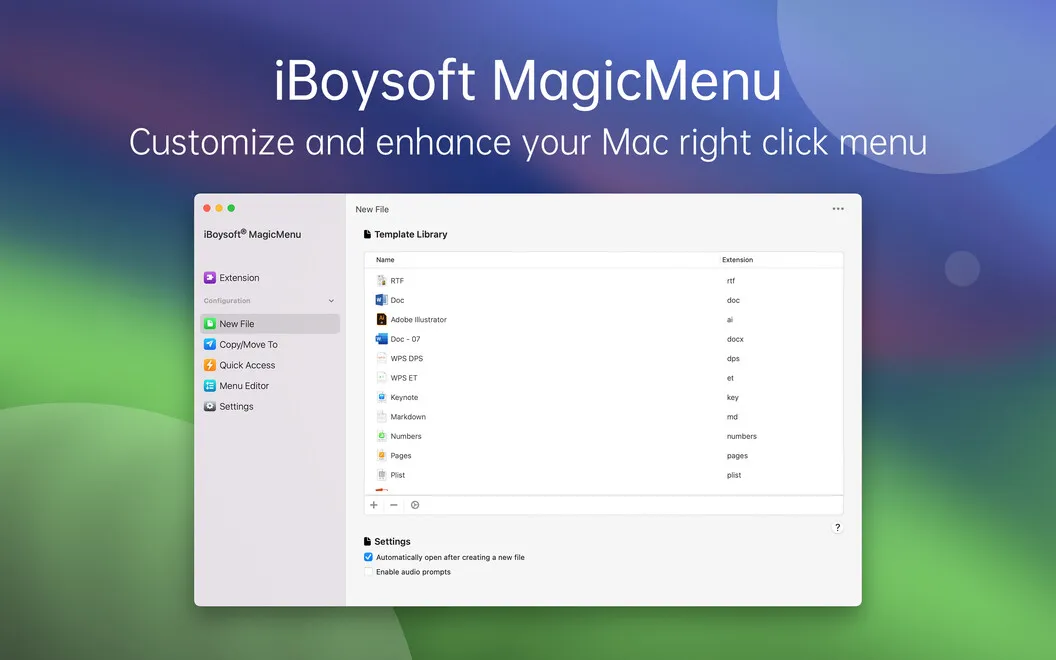
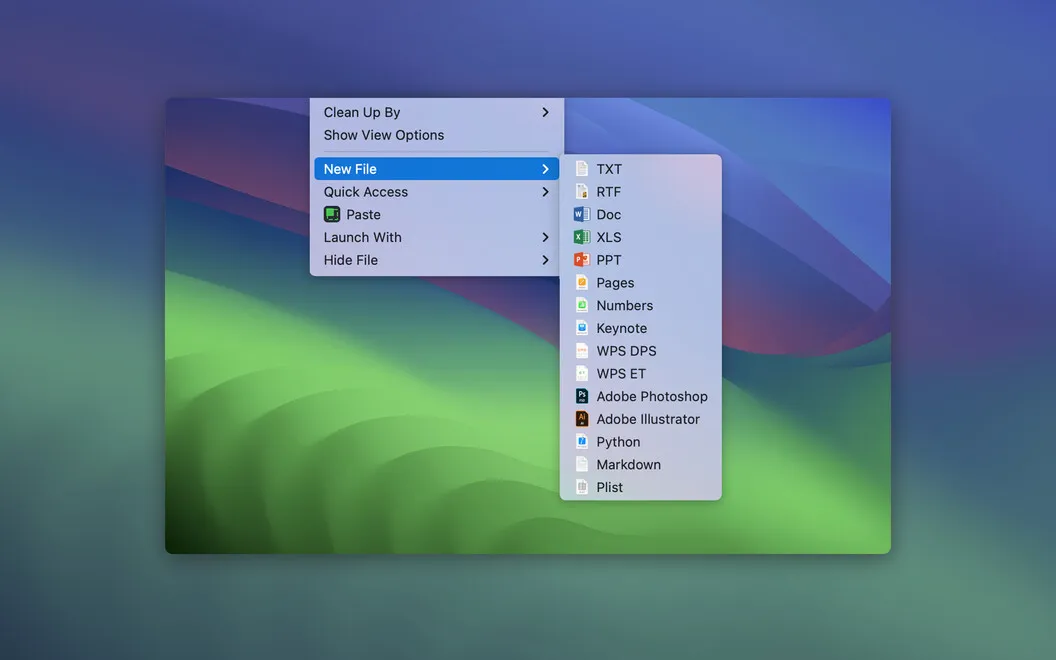
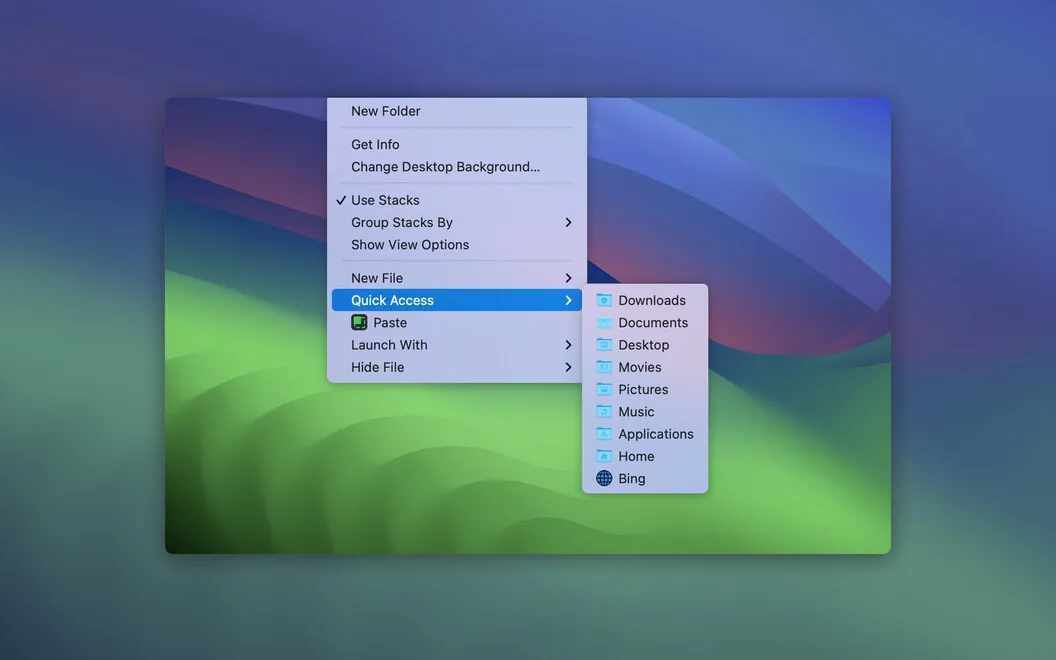
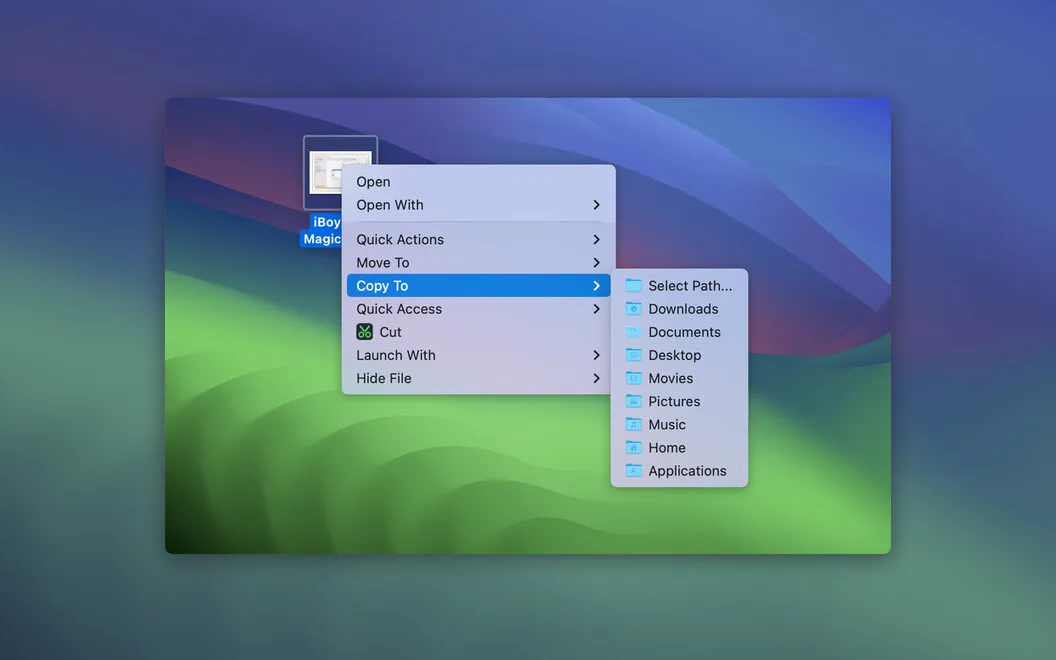
You can create a new file by right-clicking an empty area of a folder or your desktop. Supported formats include TXT, PDF, DOCX, XLSX, PAGES, and KEY. When you need to file something away, you can move it to a chosen folder or send a copy elsewhere while leaving the original in place. You can add your usual destination folders to the menu for repeated use.
You can also open frequently used apps and webpages from your customized menu. That gives you another way to reach your tools without going through Finder or Launchpad.
-
Create files in place
You can start a new file directly in a folder or on your desktop through the right-click menu.
-
Move without dragging
You can send a file to your chosen folder without dragging it between locations.
-
Copy without losing originals
You can copy files to folders you add to the menu while keeping the source files where they are.
-
Reach your usual tools
You can open apps and webpages you’ve added to your right-click menu without visiting Finder or Launchpad.
Best for
- You frequently move or copy files to the same folders
- You want to create documents directly in their destination folder
- You prefer right-click shortcuts for opening your usual apps
Skip it if
You don’t need it if Finder’s standard menu, drag-and-drop, and your current app launcher already cover your routine.
Screenshots
From the developer
Turn your right click into a superpower with iBoysoft MagicMenu! The app helps you add extra functionality to your quickest workflow shortcut — the right click (or two-finger click if you prefer the touchpad). Enjoy even more functionality on your Mac by adding helpful shortcuts to your right-click menu.Read the full description
Alternatives to iBoysoft MagicMenu
Other apps to automate with shortcuts & gestures. See all
 BetterTouchTool
Save time with custom actions
Setapp
98% · 3,322 ratings
BetterTouchTool
Save time with custom actions
Setapp
98% · 3,322 ratings
 PopClip
Use instant text actions
Setapp
98% · 1,359 ratings
PopClip
Use instant text actions
Setapp
98% · 1,359 ratings
 KeyCue
Work faster with shortcuts
Setapp
90% · 164 ratings
KeyCue
Work faster with shortcuts
Setapp
90% · 164 ratings
 Paletro
Access app menu commands
Setapp
98% · 474 ratings
Paletro
Access app menu commands
Setapp
98% · 474 ratings
 Keysmith
Create a shortcut for any action
Setapp
95% · 491 ratings
Keysmith
Create a shortcut for any action
Setapp
95% · 491 ratings
 Pie Menu
Access app actions in a click
Setapp
82% · 115 ratings
Pie Menu
Access app actions in a click
Setapp
82% · 115 ratings