Calendars
Track tasks, events, and plans
Calendars brings your appointments and to-dos into one schedule, helping you plan across multiple accounts and set aside time for tasks.
by Calendars - Readdle Technologies Limited · 85% positive (373)
What you get
See your commitments together and give your to-dos time on your calendar.
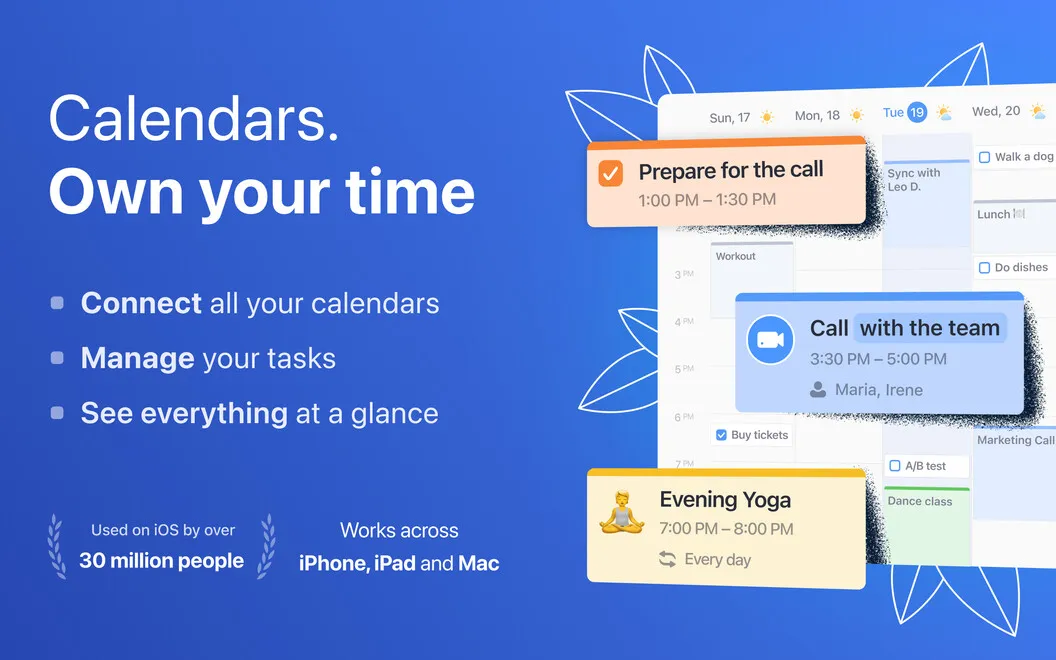
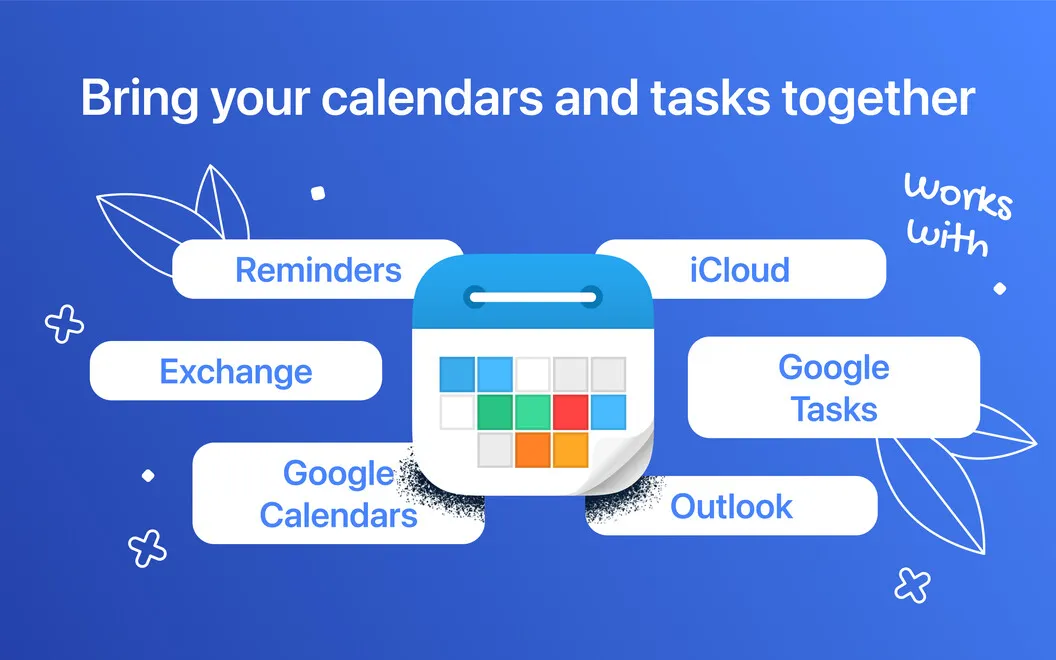
You get a combined view of your Google, iCloud, and Outlook calendars, so you can plan your day without checking each account separately. Custom colors help you distinguish work, personal plans, and priorities, while up to five reminders per event give you several chances to remember an appointment.
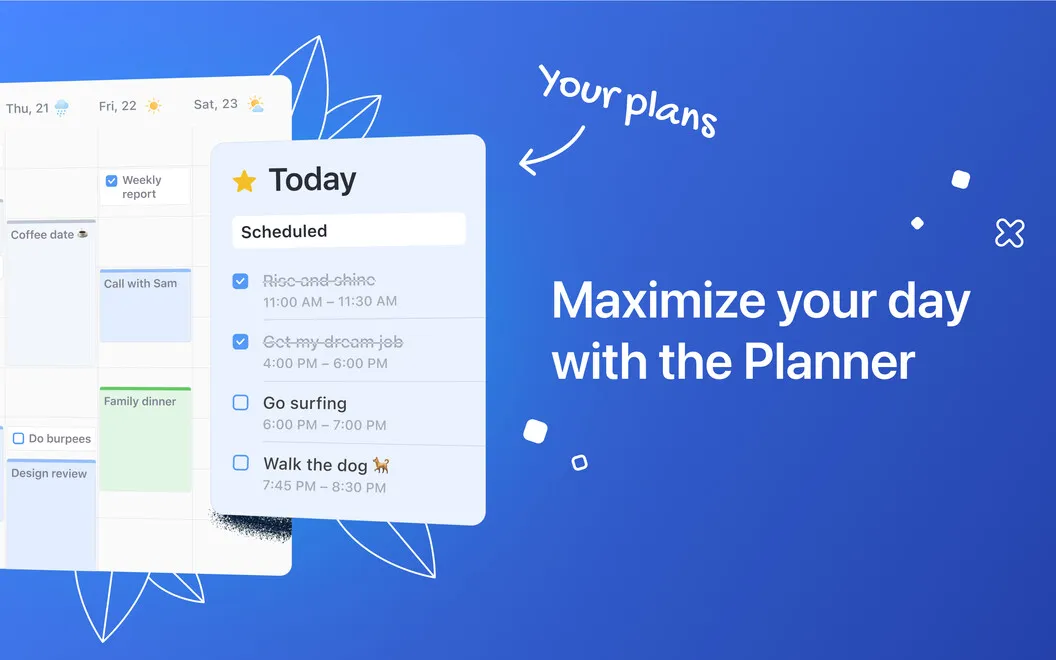
Your tasks can sit alongside your meetings instead of staying in a separate list. You can sync Reminders and Google Tasks, estimate how long a task will take, and drag it onto your calendar to reserve time for it. That makes it easier to see what you can fit around existing commitments.
You also spend less time entering familiar plans. Type an event in everyday language to have its details recognized, or reuse a template for activities you schedule often. When arranging meetings, you can send invitations, check colleagues’ schedules, and book conference rooms.
-
See your whole schedule
You can view Google, iCloud, and Outlook commitments together rather than checking separate calendars.
-
Reserve time for tasks
You can bring in Reminders and Google Tasks, estimate their duration, and drag them into your schedule.
-
Enter plans with less typing
You can describe an event in everyday language or reuse a template for plans you make often.
-
Get several appointment reminders
You can set up to five reminders for an event, giving yourself more than one prompt before it starts.
-
Coordinate meeting arrangements
You can check colleagues’ schedules, send invitations, and book conference rooms when organizing a meeting.
Best for
- You juggle work and personal calendars across multiple accounts
- You want to schedule time for your to-do list
- You frequently arrange similar events or meetings
Skip it if
You probably don’t need it if one basic calendar already covers your appointments and you don’t want to schedule tasks alongside them.
Screenshots
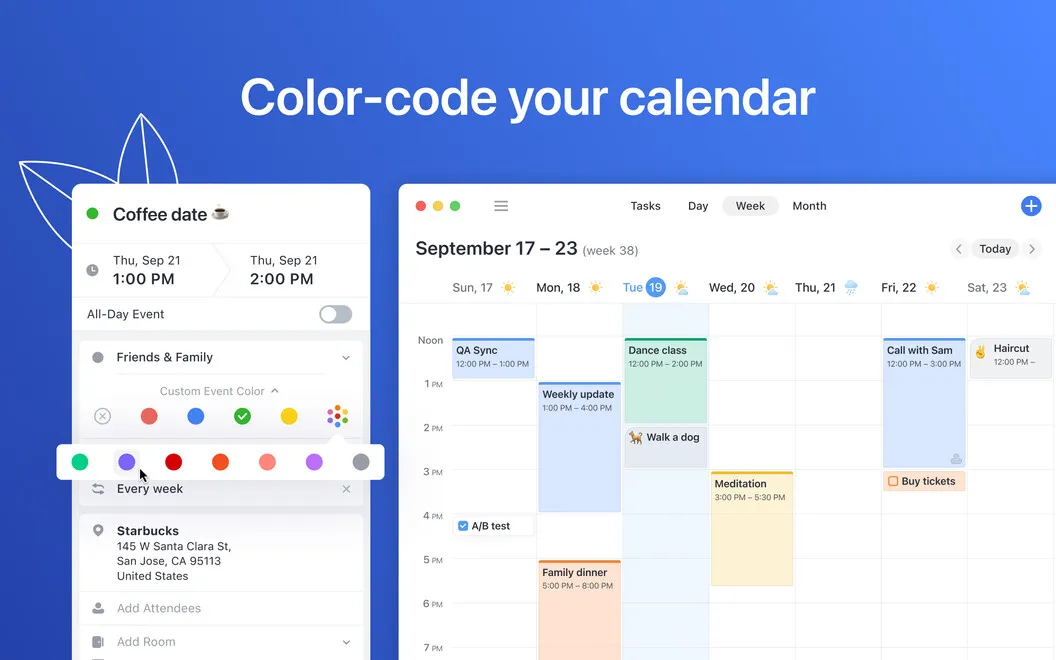

From the developer
Manage your engagements and to-do list with Calendars, an app that helps you truly own your time. Connect multiple calendars and enjoy an integrated view of all of your time commitments. Manage your schedule Plan your day, week, and month easily by syncing multiple accounts (Google, iCloud, Outlook).Read the full description
Alternatives to Calendars
Other apps to manage your calendar. See all
 BusyCal
Sync your tasks with calendar
Setapp
96% · 2,120 ratings
BusyCal
Sync your tasks with calendar
Setapp
96% · 2,120 ratings
 Dato
Stay on top of your schedule
Setapp
99% · 875 ratings
Dato
Stay on top of your schedule
Setapp
99% · 875 ratings
 hora Calendar
Google Calendar, made for Mac
Setapp
88% · 24 ratings
hora Calendar
Google Calendar, made for Mac
Setapp
88% · 24 ratings
 WallCal
Pin clear calendar to desktop
Setapp
89% · 207 ratings
WallCal
Pin clear calendar to desktop
Setapp
89% · 207 ratings
 Chunk
Time-block your whole day
Sold separately
Chunk
Time-block your whole day
Sold separately
 Calendar for Google Calendar
Mac App Store
Calendar for Google Calendar
Mac App Store