
Chunk
Time-block your whole day
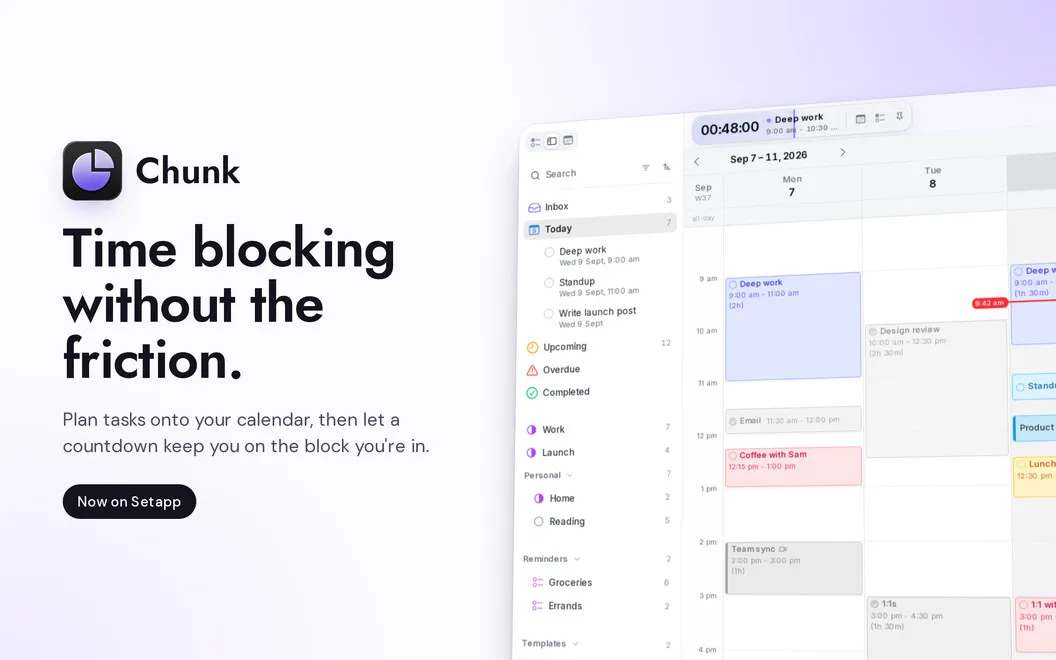
Chunk is a menu-bar time blocker for Mac that helps you turn tasks, meetings, and breaks into a daily schedule alongside your existing calendars.
by Dudley Spence
What you get
Give your tasks a place in your day, alongside your meetings.
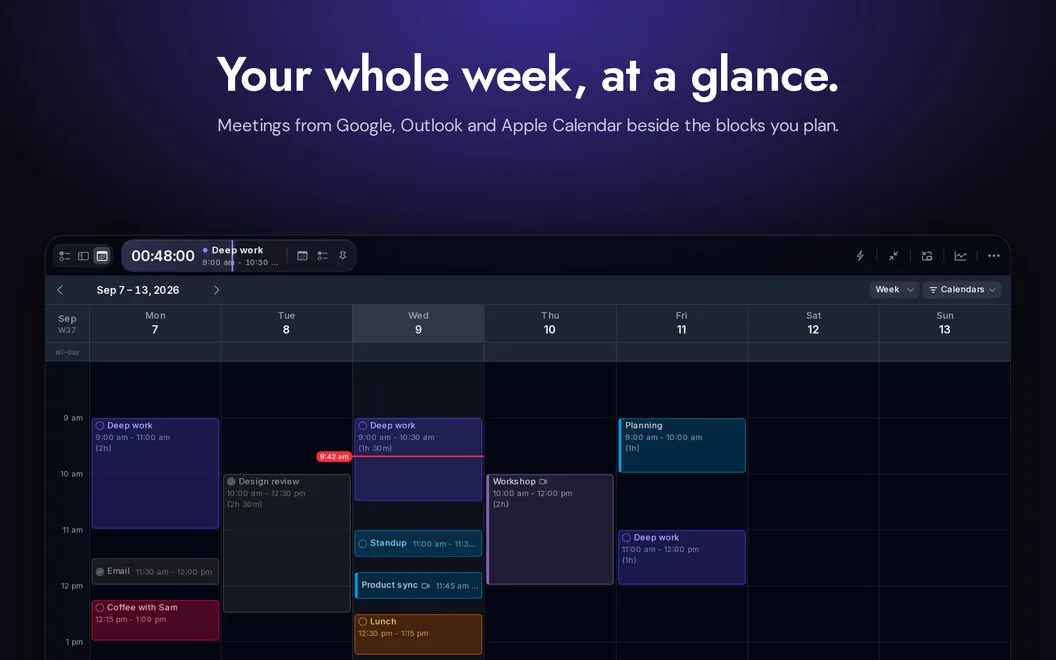
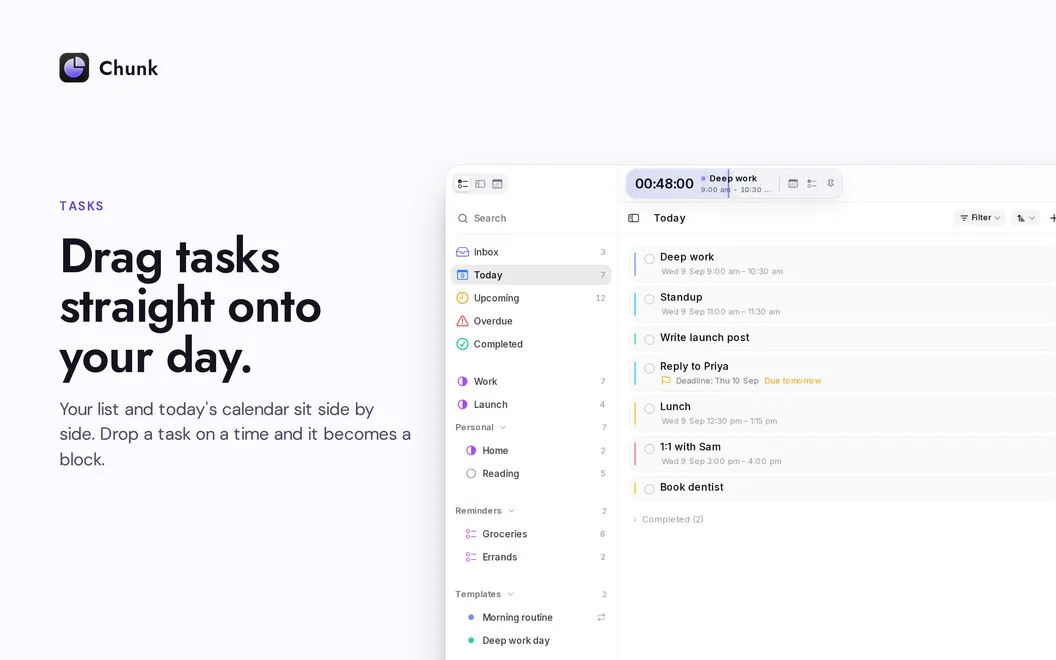
With Chunk, you can turn a task list into a plan for when you’ll actually do the work. Drag tasks from Apple Reminders onto a 24-hour timeline, then adjust their length to make room for meetings, focused work, and breaks. Your Google, Outlook, and Apple Calendar events appear alongside those blocks, and calendar changes sync both ways.
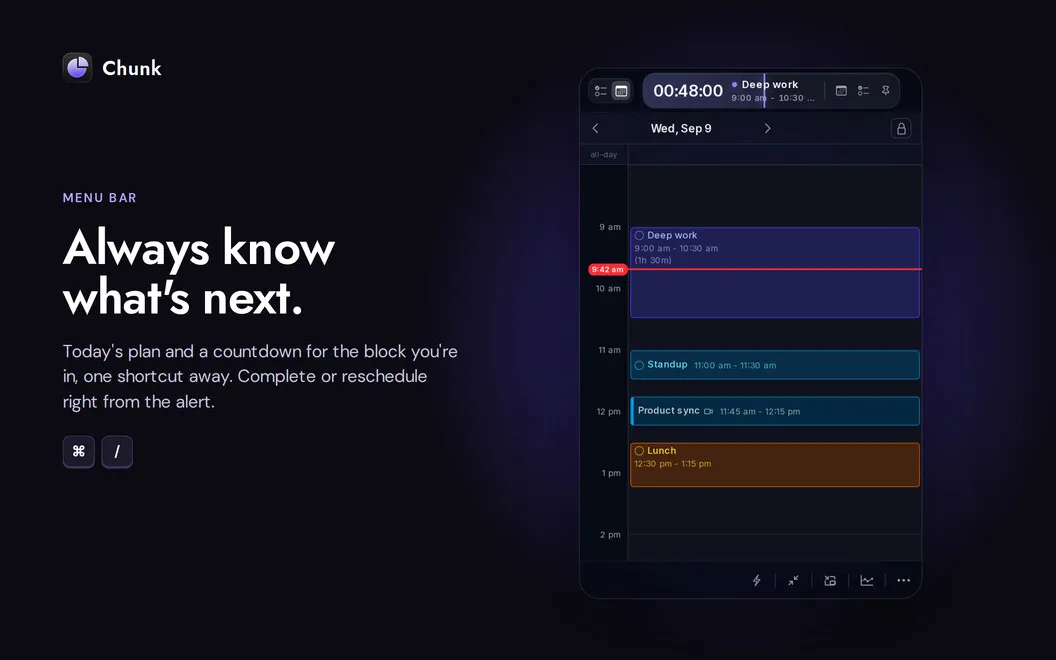
You can see how much time remains in your current block from the menu bar, without opening your schedule. When plans change, bring up the panel over your current app—even in fullscreen—and move things around without switching away.
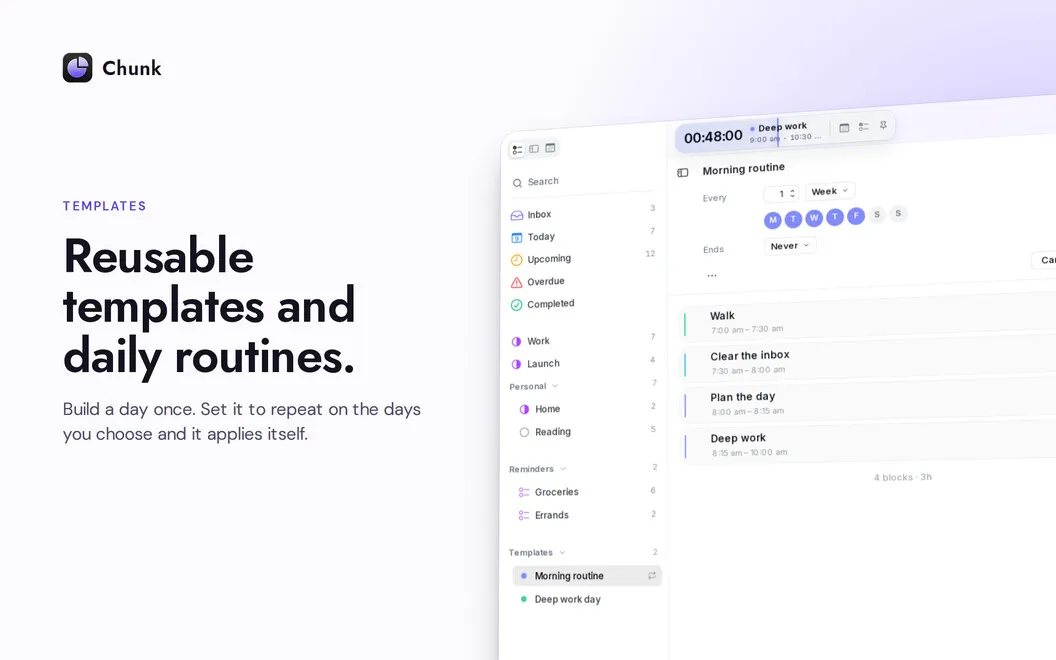
For recurring routines, you can save a typical day and have it applied automatically on chosen weekdays. You can also connect Claude to draft or rearrange your schedule using natural-language requests.
-
Turn tasks into scheduled work
Drag your Apple Reminders onto your day so you know when you plan to tackle each task.
-
Keep calendars in agreement
See your Google, Outlook, and Apple Calendar events together, with changes synced back to their source.
-
Know your remaining time
Check the menu-bar countdown to see how long you have left in your current block.
-
Reuse your usual routine
Have saved day templates fill selected weekdays automatically instead of rebuilding the same schedule.
Best for
- You want to schedule tasks around existing meetings
- You use Apple Reminders but need time set aside for each task
- You follow recurring weekday routines
Skip it if
You probably don’t need Chunk if your calendar already covers your planning needs and you prefer an unscheduled task list.
Screenshots
From the developer
Chunk is a menu-bar time blocker for Mac. Hit Cmd+/ and a translucent panel slides in, ready for colour-coded blocks. Drag meetings, deep work, and the afternoon coffee onto a 24-hour timeline, and the menu bar counts down the time left in your current block.Read the full description
Alternatives to Chunk
Other apps to manage your calendar. See all
 BusyCal
Sync your tasks with calendar
Setapp
96% · 2,120 ratings
BusyCal
Sync your tasks with calendar
Setapp
96% · 2,120 ratings
 Dato
Stay on top of your schedule
Setapp
99% · 875 ratings
Dato
Stay on top of your schedule
Setapp
99% · 875 ratings
 Calendars
Track tasks, events, and plans
Setapp
85% · 373 ratings
Calendars
Track tasks, events, and plans
Setapp
85% · 373 ratings
 hora Calendar
Google Calendar, made for Mac
Setapp
88% · 24 ratings
hora Calendar
Google Calendar, made for Mac
Setapp
88% · 24 ratings
 WallCal
Pin clear calendar to desktop
Setapp
89% · 207 ratings
WallCal
Pin clear calendar to desktop
Setapp
89% · 207 ratings
 Calendar for Google Calendar
Mac App Store
Calendar for Google Calendar
Mac App Store