Device Demo
Record iPhone & iPad on Mac
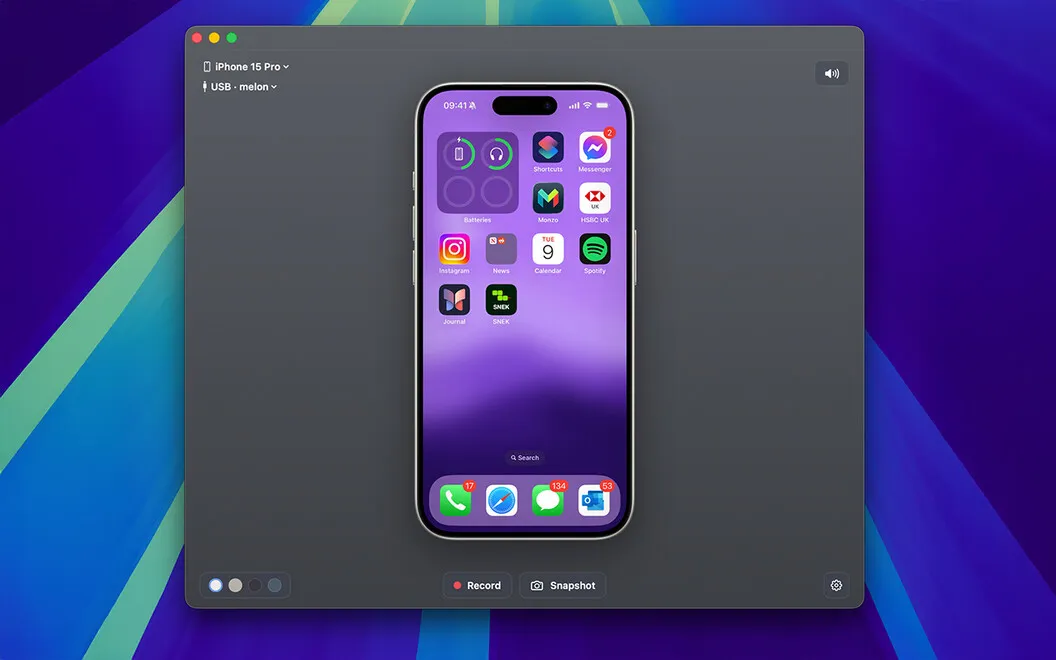
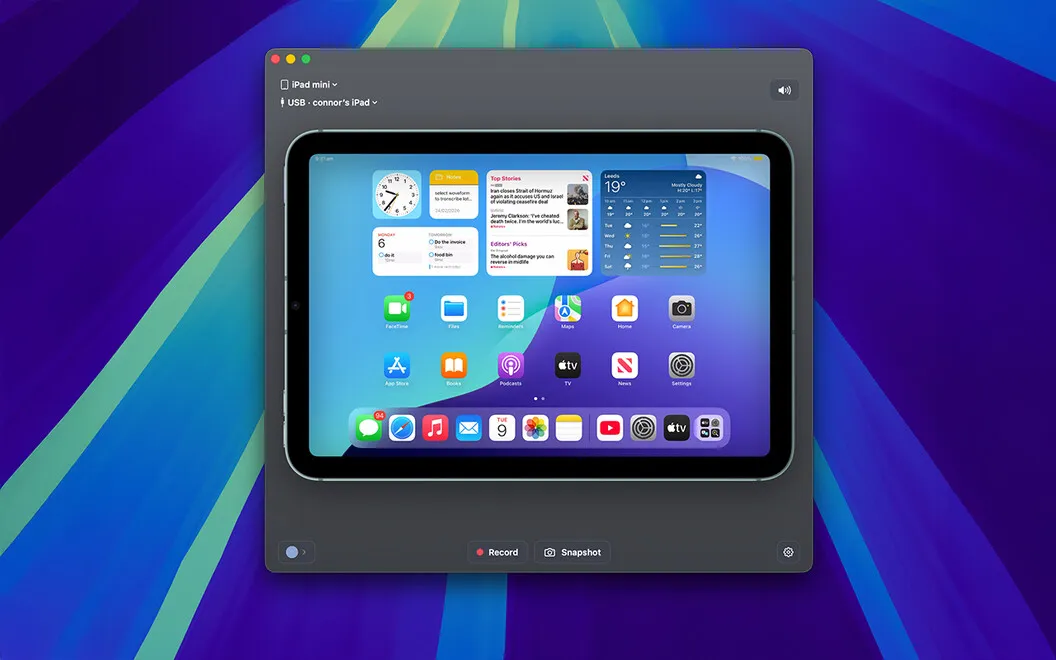
Device Demo lets you record iPhone and iPad screens on your Mac, giving you framed videos and screenshots for product demos, websites, and presentations.
by Connor Appleson
What you get
Turn your iPhone or iPad screen into presentation-ready videos and screenshots.
You get recordings and screenshots of your iPhone or iPad directly on your Mac, using a wireless connection or USB cable. Capture video at up to 4K with synchronized audio, or save pixel-perfect screenshots to show exactly what’s on your device.
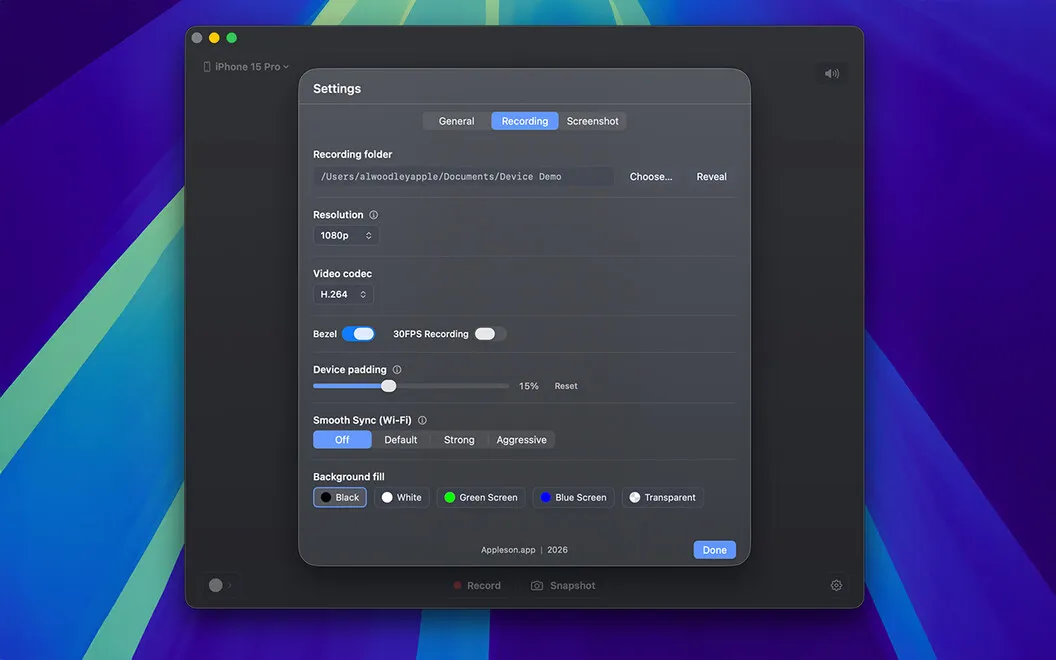
You can surround your footage with a realistic frame matching the device you recorded, without adding that frame in a separate editor. Transparent video exports let you place the framed recording onto a website layout or presentation without a background rectangle getting in the way.
You also choose portrait or landscape orientation, resolution, frame rate, and codec, including ProRes. Your recordings stay on your Mac, with all processing handled locally, and you can send videos and screenshots to separate output folders.
-
Show your app clearly
You can capture up to 4K video with synchronized audio or pixel-perfect screenshots of your iPhone or iPad.
-
Skip manual device framing
You get footage inside a realistic frame matching your device, without adding the bezel in another editor.
-
Fit footage into layouts
You can export transparent mockup videos to place your device recording over website designs or presentation backgrounds.
-
Keep recordings on your Mac
Your captures are processed locally and saved where you choose, without being uploaded elsewhere.
Best for
- You need iPhone or iPad product demo footage
- You’re preparing device visuals for a website or pitch deck
- You want to capture mobile screens without cloud processing
Skip it if
You don’t need to capture an iPhone or iPad screen on your Mac.
Screenshots
From the developer
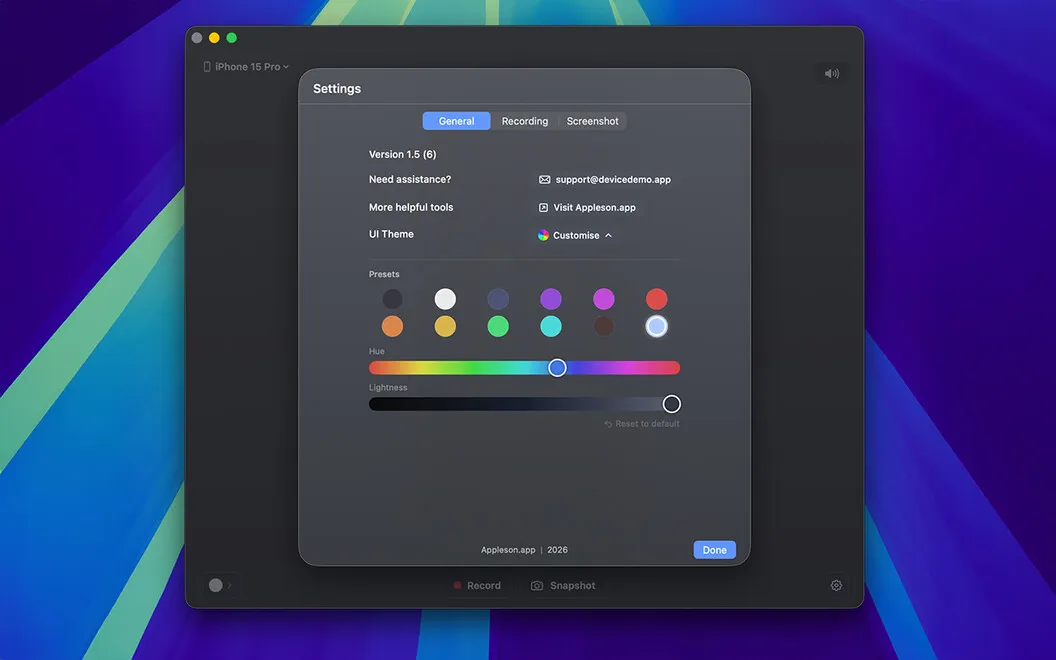
Device Demo turns your Mac into a studio for your iPhone or iPad screen. Connect wirelessly or with a USB cable, then record in crisp 4K or capture pixel-perfect screenshots. Wrap any recording in a realistic device frame, so your footage looks keynote-ready without a second of editing.Read the full description
Alternatives to Device Demo
Other apps to record your screen. See all
 Boom
Record and present like a pro
Setapp
83% · 217 ratings
Boom
Record and present like a pro
Setapp
83% · 217 ratings
 Capto
Create screen recordings
Setapp
86% · 1,047 ratings
Capto
Create screen recordings
Setapp
86% · 1,047 ratings
 FocuSee
Record screen and polish video
Setapp
92% · 181 ratings
FocuSee
Record screen and polish video
Setapp
92% · 181 ratings
 iShowU
Record screen on Mac
Setapp
78% · 124 ratings
iShowU
Record screen on Mac
Setapp
78% · 124 ratings
 Hustl
Create timelapses of your screen
Setapp
84% · 103 ratings
Hustl
Create timelapses of your screen
Setapp
84% · 103 ratings
 CueClip
Record freely. Publish fast
Sold separately
CueClip
Record freely. Publish fast
Sold separately