FocuSee
Record screen and polish video
FocuSee is a screen recorder and video editor for when you need to explain a workflow, demonstrate a product, or create narrated lessons.
by iMobie · 92% positive (181)
What you get
Turn your screen recordings into clear, narrated videos with less manual editing.
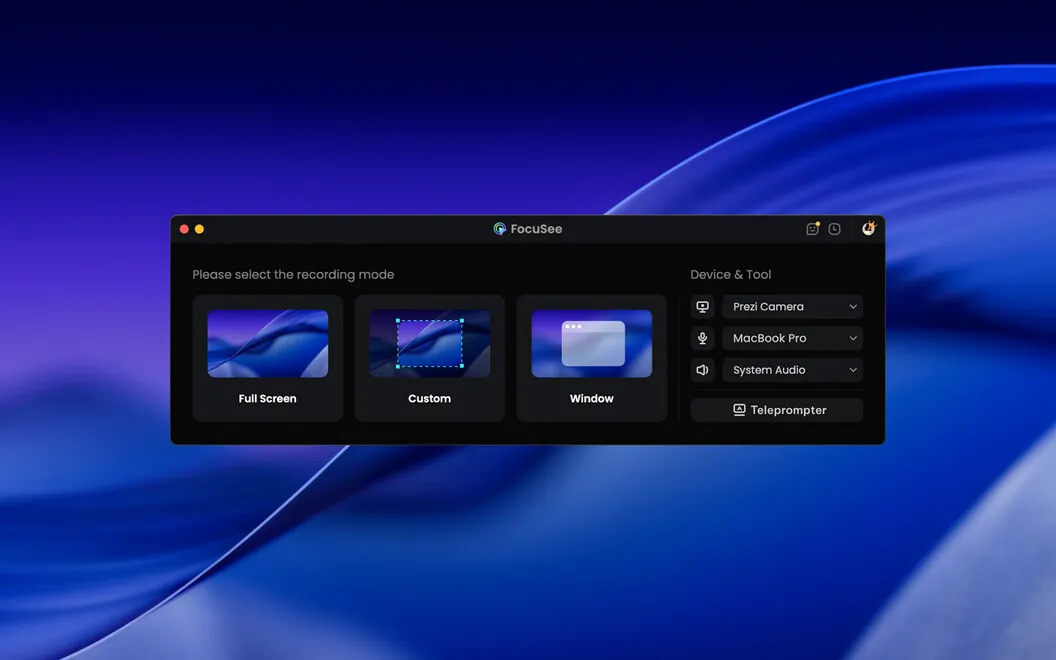
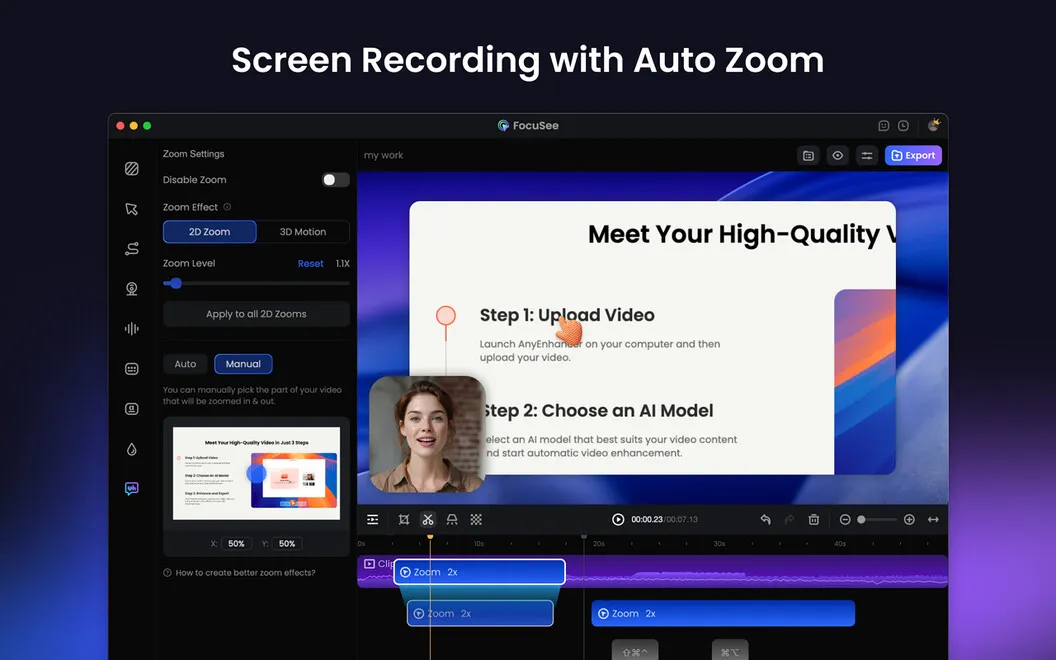
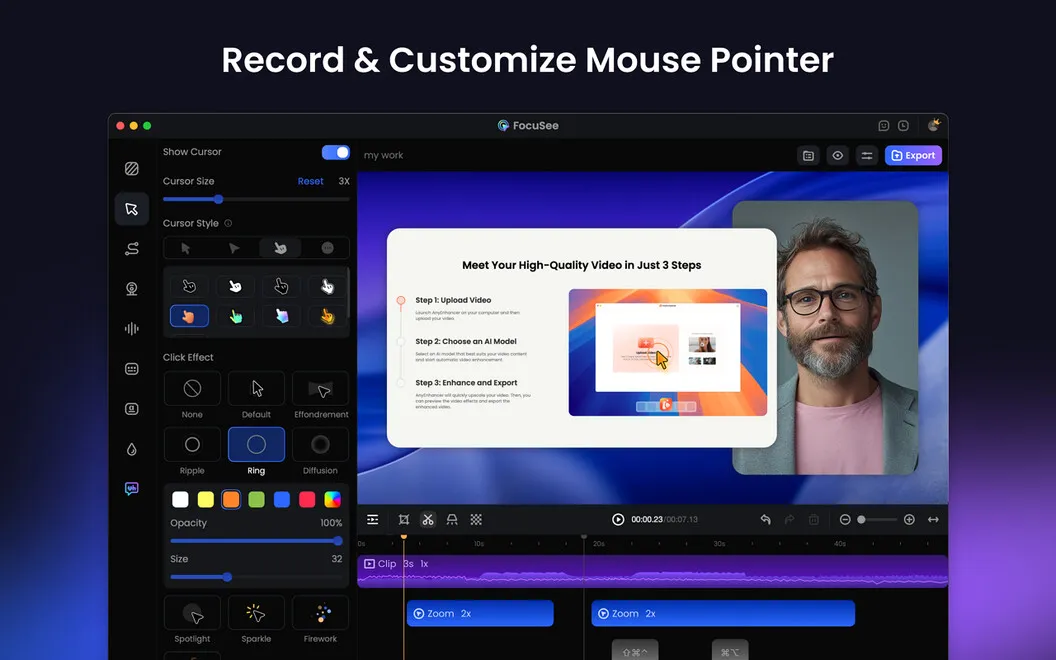
You can capture your screen, webcam, and voice together, so your viewers see both what you’re doing and your explanation. Record your whole screen, one window, or a selected area. Automatic zooms and cursor highlights help viewers follow your actions without you adding every emphasis by hand.
You can cut unwanted footage, speed up slower sections, and add backgrounds to give your recordings a consistent look. Save your preferred settings as presets so you don’t have to repeat the same adjustments for each video.
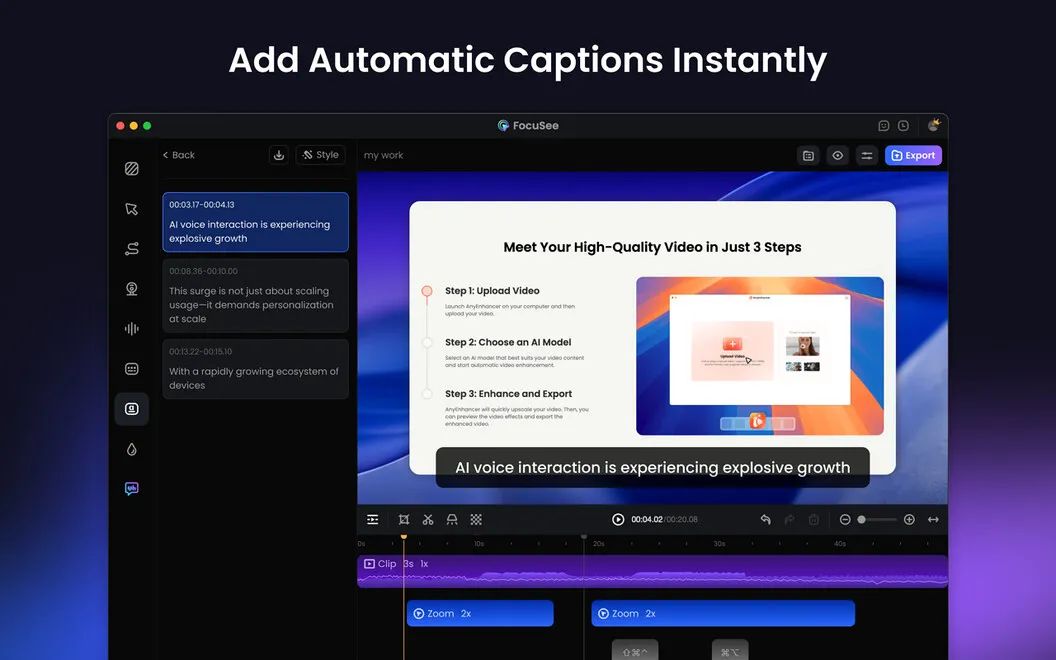
When you’re narrating, you can follow a scrolling script to stay on track, then reduce background noise and add captions to make your explanation easier to follow. When you’re done, export in HD through 4K, resize for different platforms, or send viewers a shareable link.
-
Explain while you demonstrate
You can record your screen, webcam, and voice together rather than assembling separate recordings.
-
Keep viewers oriented
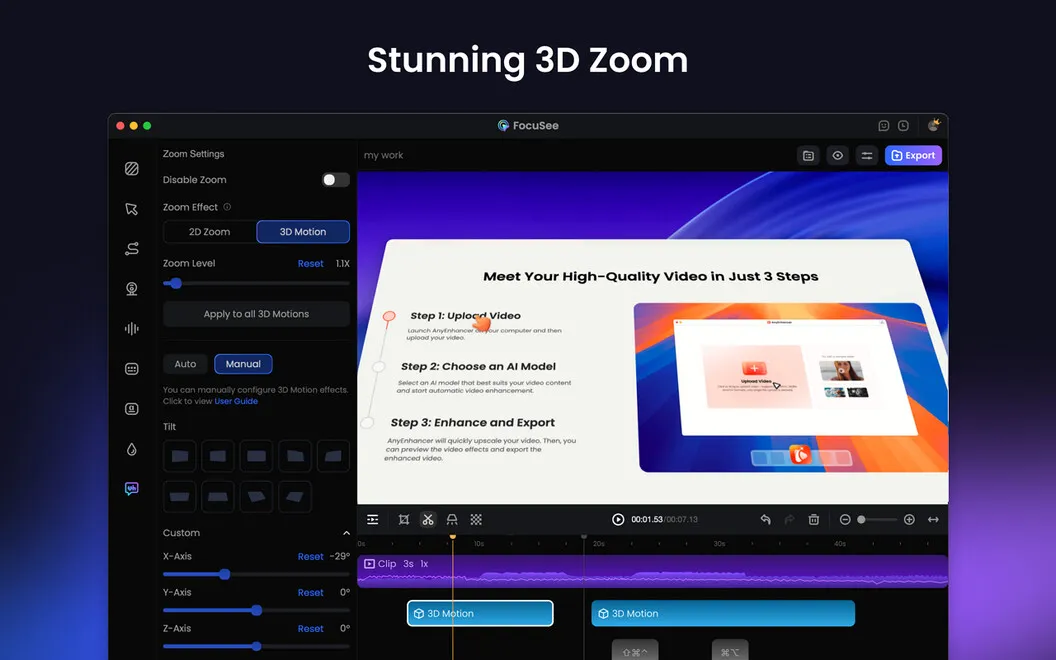
Your cursor movements get automatic zooms and highlights, helping viewers see where to look.
-
Cut repetitive editing
You can trim pauses, adjust the pace, and reuse saved settings across recordings.
-
Make narration easier
You can follow a scrolling script, reduce background noise, and add captions so viewers can follow your explanation.
-
Prepare videos for sharing
You can resize recordings for different platforms, export up to 4K, or share a link.
Best for
- You’re teaching a software workflow
- You’re demonstrating a product to customers
- You’re creating narrated lessons or social videos
Skip it if
You don’t need it if you only want an occasional raw screen capture without narration or editing.
Screenshots
From the developer
With Setapp, you get the FocuSee Standard version. Editing videos for tutorials, demos, or social media can take hours. FocuSee simplifies the process by automatically adding zooms, cursor highlights, backgrounds, and overlays to make your videos look polished.Read the full description
Alternatives to FocuSee
Other apps to record your screen. See all
 Boom
Record and present like a pro
Setapp
83% · 217 ratings
Boom
Record and present like a pro
Setapp
83% · 217 ratings
 Capto
Create screen recordings
Setapp
86% · 1,047 ratings
Capto
Create screen recordings
Setapp
86% · 1,047 ratings
 iShowU
Record screen on Mac
Setapp
78% · 124 ratings
iShowU
Record screen on Mac
Setapp
78% · 124 ratings
 Hustl
Create timelapses of your screen
Setapp
84% · 103 ratings
Hustl
Create timelapses of your screen
Setapp
84% · 103 ratings
 CueClip
Record freely. Publish fast
Sold separately
CueClip
Record freely. Publish fast
Sold separately
 Device Demo
Record iPhone & iPad on Mac
Sold separately
Device Demo
Record iPhone & iPad on Mac
Sold separately