DSLR Assistant
DSLR Assistant lets you shoot with a supported Canon camera connected to your Mac. It suits photographers who want larger previews, remote camera control, and automated shooting sequences.
by Alexander Khripunov
What you get
You can check and adjust your shots directly from your Mac.
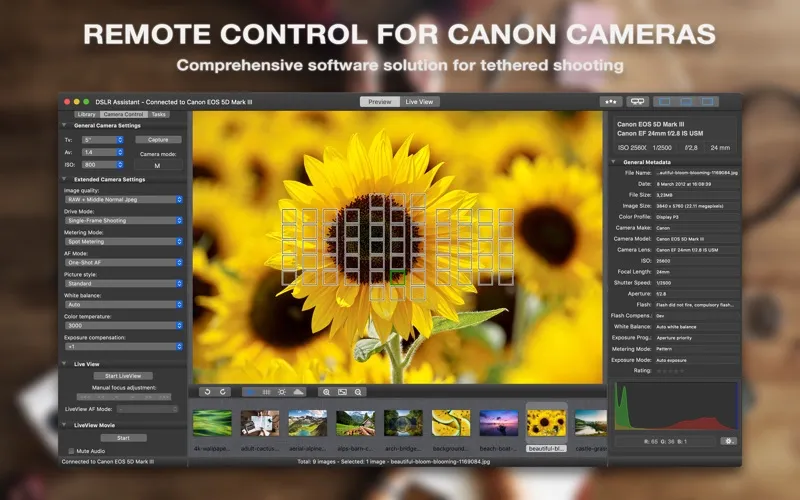
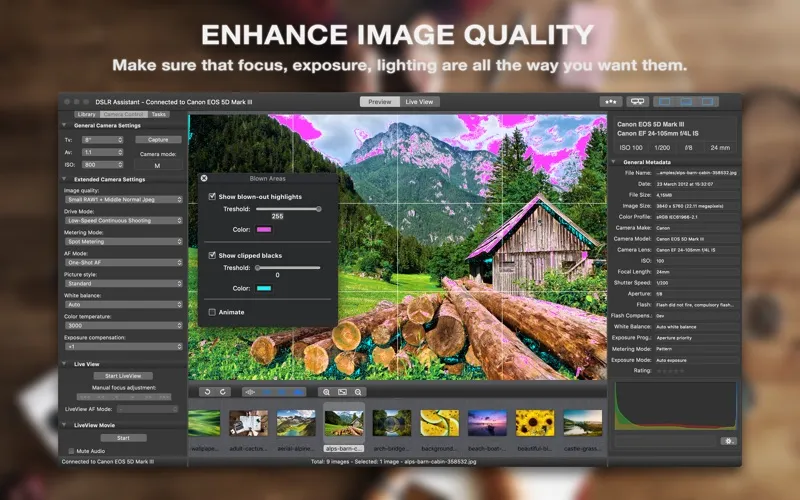
With DSLR Assistant, you can operate a supported Canon camera from your Mac and judge your shots on a larger screen. You can change exposure settings, adjust focus, and release the shutter without reaching for the camera. Live view helps you frame the shot, while instant previews let you inspect focus and spot overexposed or underexposed areas before continuing. You can also show results to a client or model during the shoot.
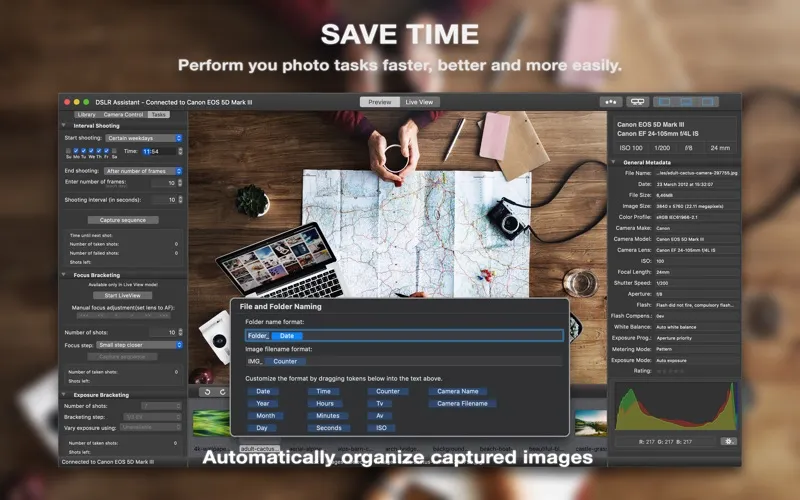
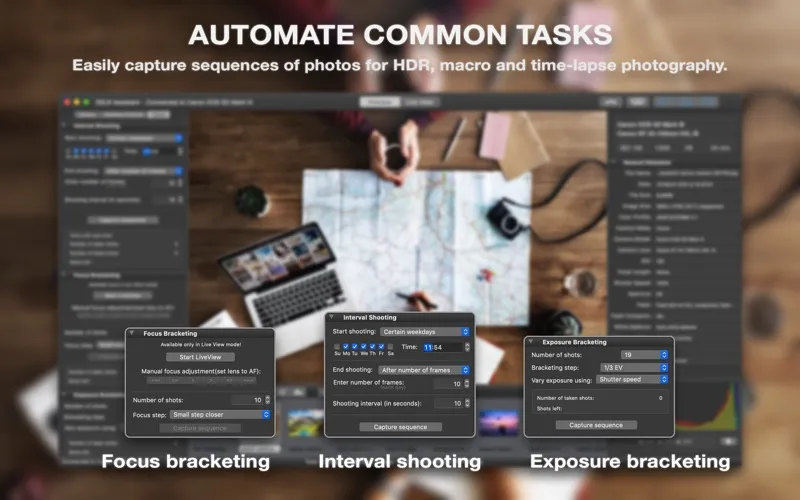
Your captured photos transfer automatically to your Mac, where you can keep them organized with file and folder naming tokens and rate the results. For repeated shots, you can schedule time-lapse sequences or capture exposure-bracketed sets for HDR work. For macro photography, you can capture a series with changing focus positions for later depth-of-field work. You can also set exposures longer than 30 seconds for long-exposure photography.
-
Catch problems while shooting
You can inspect large previews, focus points, and exposure warnings before moving on to the next shot.
-
Adjust without touching the camera
You can change aperture, shutter speed, ISO, and lens focus from your Mac.
-
Keep captured photos organized
Your photos transfer automatically to your Mac, where you can name files and folders using tokens and rate your shots.
-
Repeat shots automatically
You can schedule interval shooting and capture sequences with changing exposure or focus settings.
Best for
- You shoot tethered with a supported Canon camera
- You need client feedback during a photo session
- You capture macro, HDR, or time-lapse sequences
Skip it if
You don't need it if you only organize existing photos or your camera isn't among the supported Canon models.
Screenshots
From the developer
Operate a Canon camera tethered to a Mac, efficiently capture digital images, automatically perform various photo tasks and maintain the high quality of images throughout your workflow. WHY SHOOT TETHERED? • Save Time. Perform you photo tasks faster, better and more easily. Reduce the amount of post processing workflow.Read the full description
Alternatives to DSLR Assistant
Other apps to organize photo libraries. See all