
OptiCull
Fast Photo Culling
OptiCull helps you narrow a photoshoot down to the shots worth keeping. It’s for photographers who need to compare similar images before editing.
by BookMyShoot Technologies Private Limited
What you get
You get a shorter photo selection ready for editing.
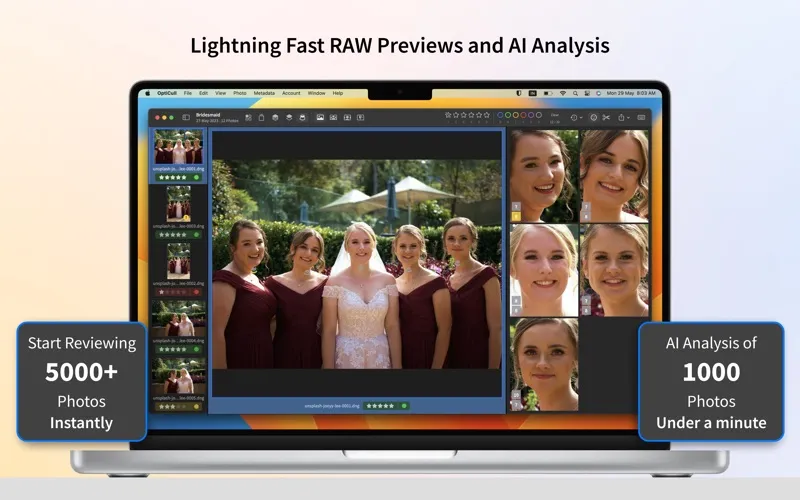
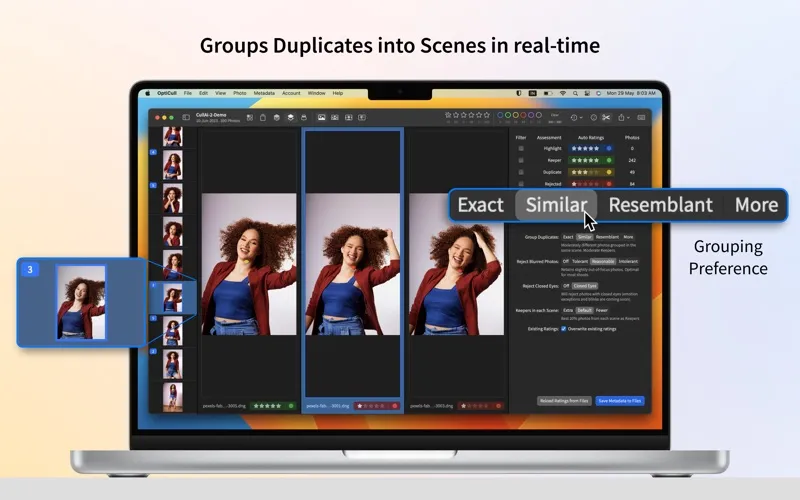
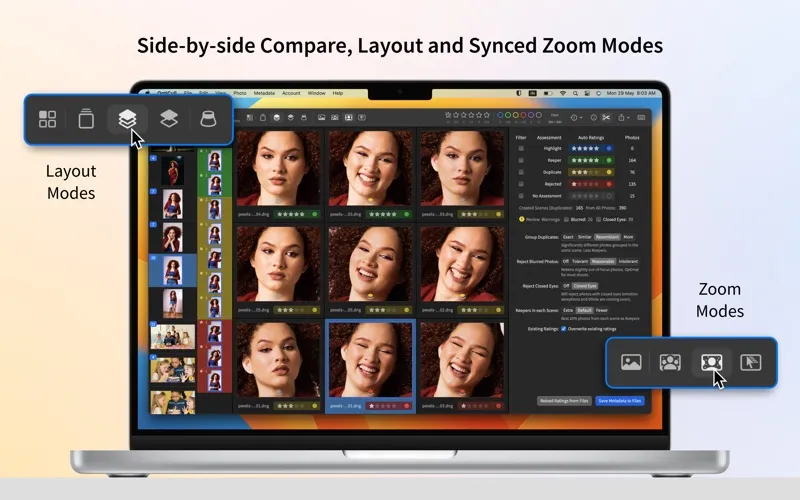
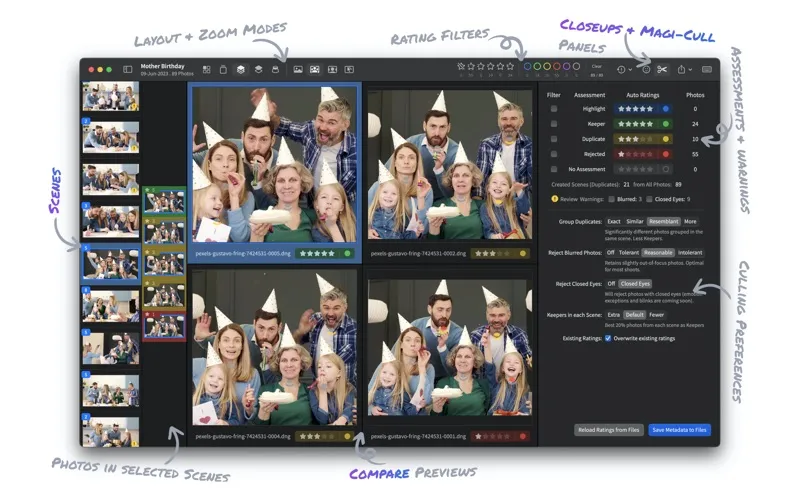
OptiCull helps you turn a shoot full of near-identical photos into a smaller set of keepers. You can review similar shots together, compare them side by side, and zoom into the same face or detail across several images to decide which deserves your attention.
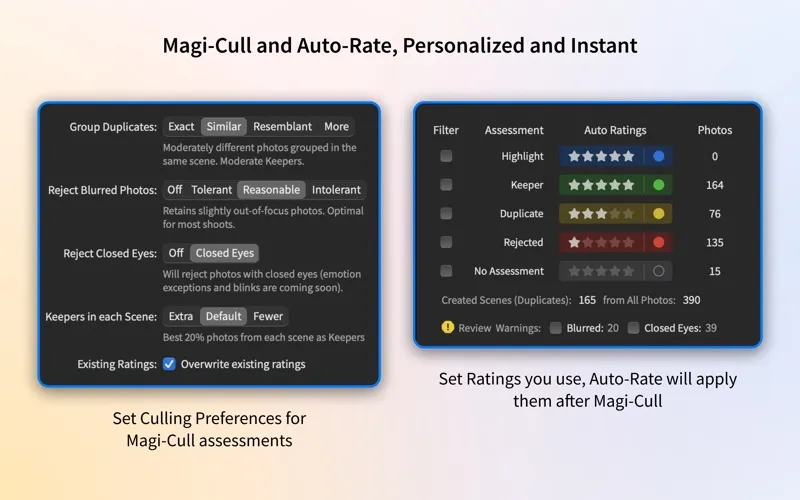
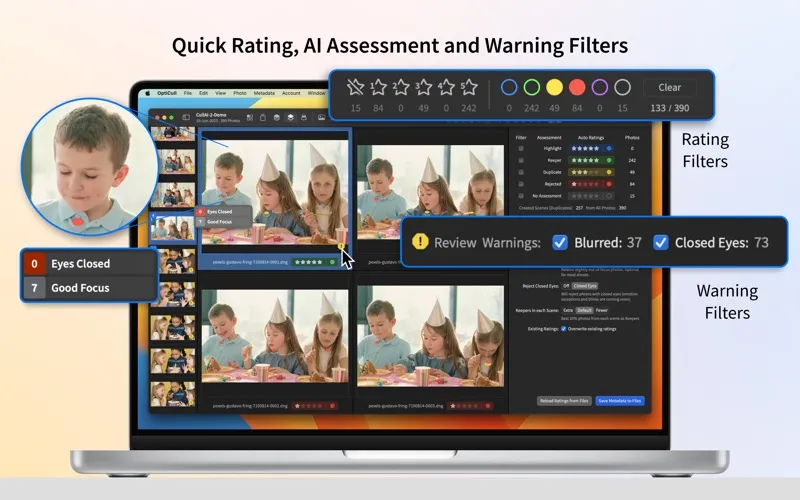
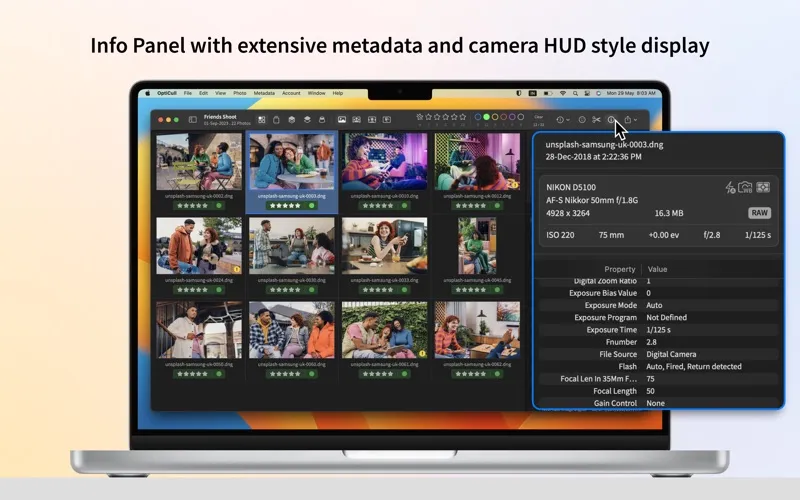
If you want help choosing, Pro’s automated culling can reject blurry or blinking subjects using thresholds you set, suggest keepers from each scene, and apply your preferred star ratings. You can check focus and eye warnings and override assessments when your judgment differs. After the included 14-day Pro trial, you can continue manual culling in Free Mode.
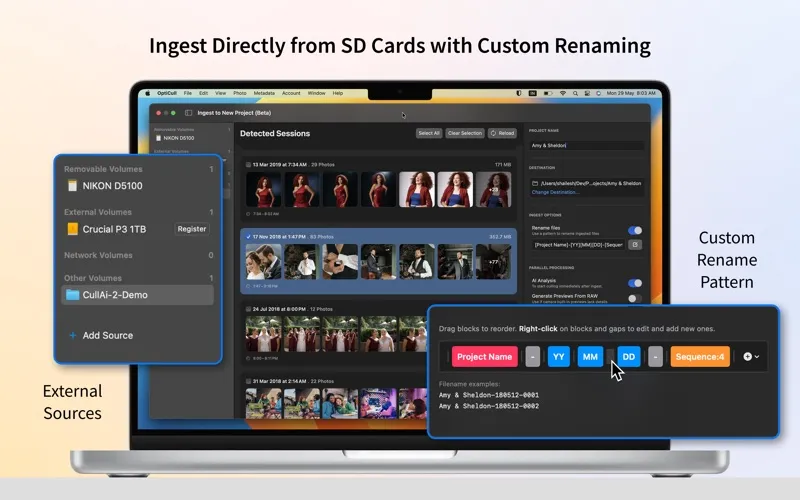
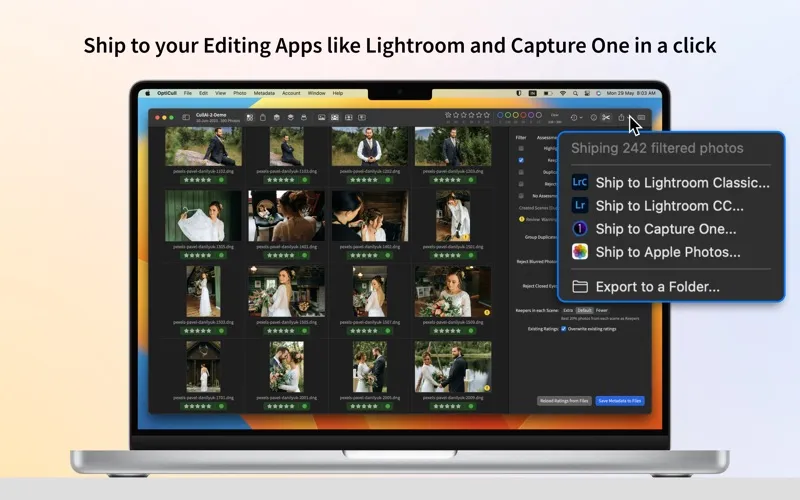
You can also copy photos from an SD card, rename them during import, and start reviewing while processing continues. Once you’ve chosen your shots, you can send them to an editor such as Lightroom or Capture One. Your images and AI processing stay on your Mac.
-
Choose between similar shots
You can compare matching faces and details across photos without repeatedly zooming and repositioning each image.
-
Catch missed expressions
You can check blur and blink warnings before sending your selection to an editor.
-
Reduce repetitive sorting
With Pro, you can get suggested keepers and automatic star ratings based on your preferences.
-
Start with organized filenames
You can rename photos as you copy them from your card, rather than sorting out filenames afterward.
-
Keep shoots private
You can review photos with on-device AI without uploading your images to external servers.
Best for
- You return from shoots with many similar frames
- You need to check faces before choosing keepers
- You want a selection ready for Lightroom or Capture One
Skip it if
You probably don’t need it if you rarely compare multiple shots or want an app to edit the photos themselves.
Screenshots
From the developer
OptiCull is the ultimate photo culling app for lightning-fast automated and manual culling. It intelligently groups duplicates into scenes, flags blurry/blinking faces, and automatically selects the best keepers based on your preferences.Read the full description
Alternatives to OptiCull
Other apps to organize photo libraries. See all