
Godspeed
Manage tasks faster
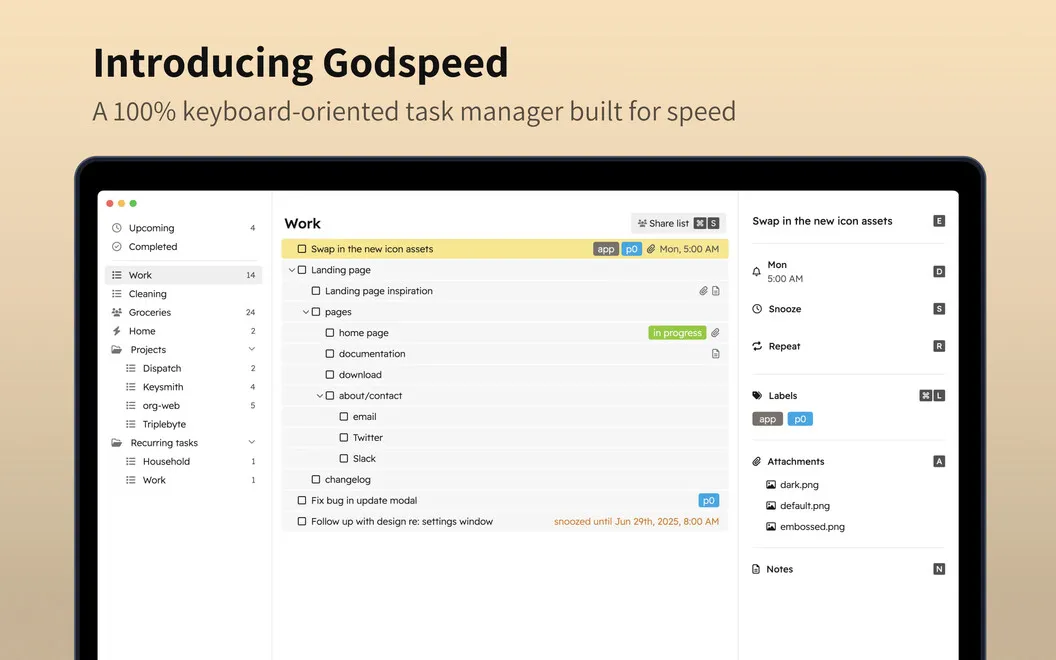
Godspeed is a keyboard-driven task manager for you if you prefer typing to clicking when capturing to-dos, setting deadlines, and organizing personal or shared work.
by Otto Labs, LLC · 97% positive (198)
What you get
You spend less time entering tasks and keeping lists up to date.
Godspeed gives you a way to capture and update to-dos without reaching for the mouse for most actions. You can open Quick Entry with a global shortcut, jot down a task, and fill in the details later. If a task arrives by email, you can forward it to the dedicated address for your list.
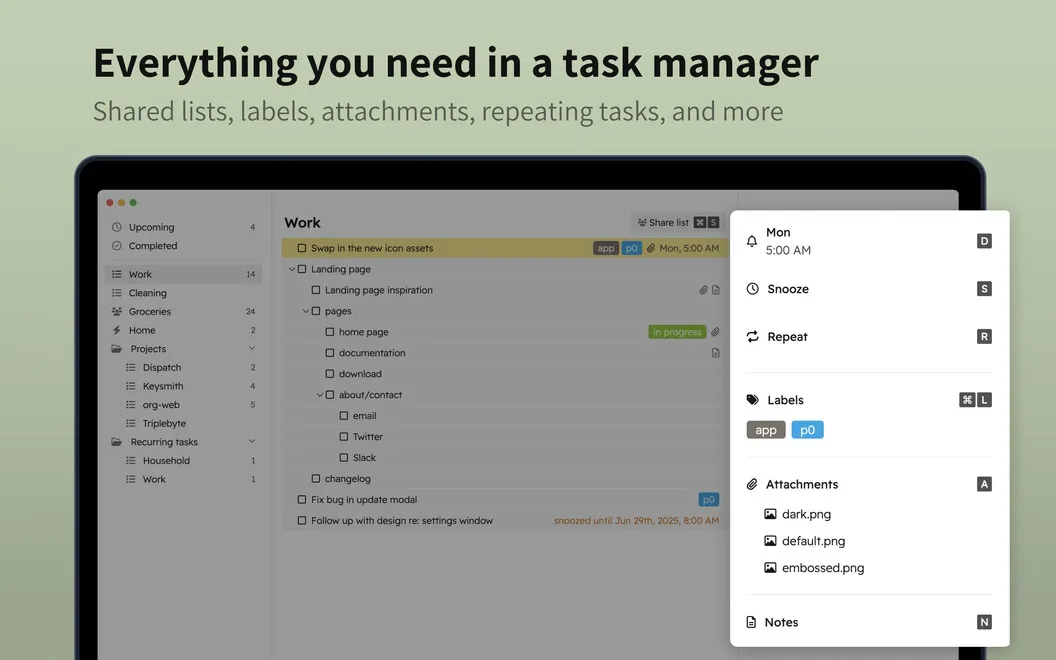
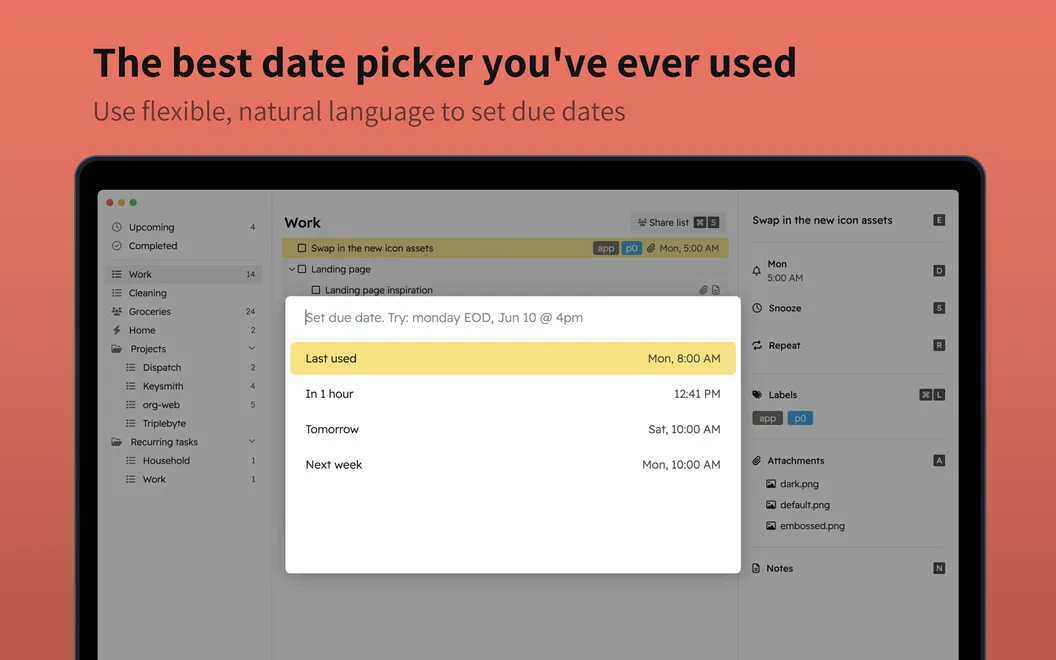
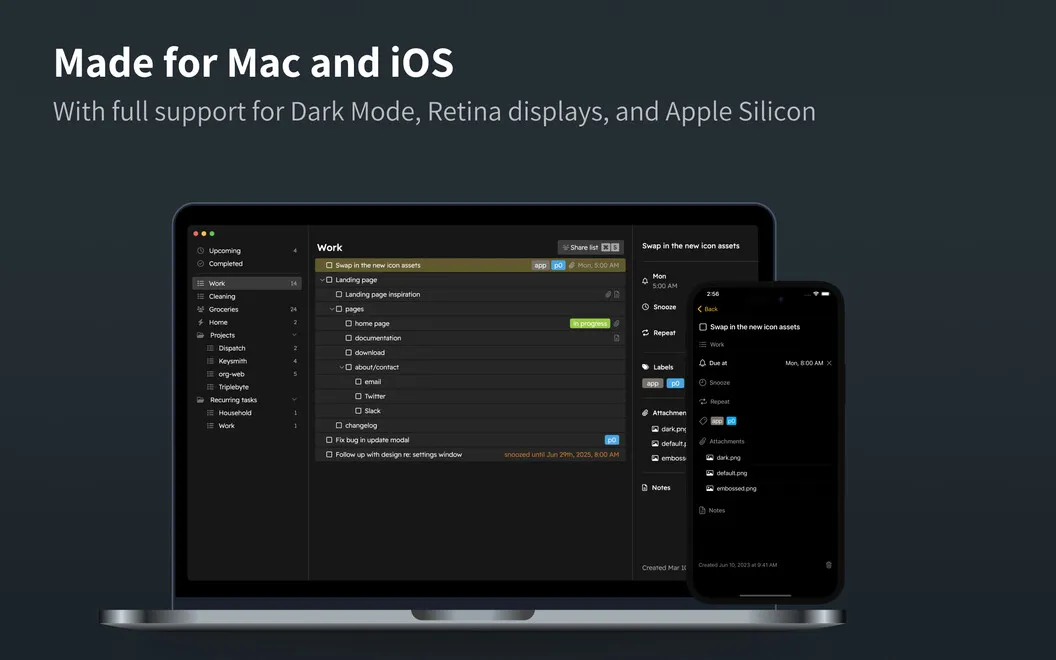
You can type due dates in everyday language instead of navigating a calendar, set repeating tasks, and snooze work you’re not ready to tackle. Notes, attachments, and links stay with each task, so you have the supporting information alongside the work it belongs to.
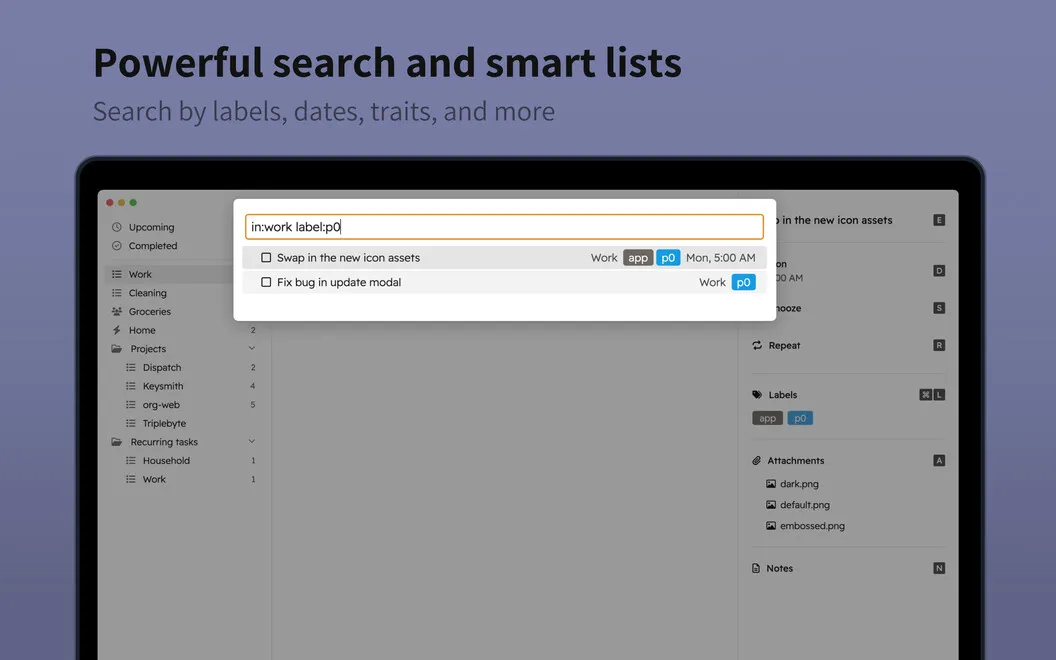
For larger lists, you can nest tasks into smaller steps and use labels to narrow down what you see. When you share a list with family or teammates, you see each other’s changes in real time rather than maintaining separate copies.
-
Capture tasks with fewer interruptions
You can use a global shortcut to jot down a to-do now and add details later.
-
Set dates by typing
You can enter deadlines in everyday language, repeat regular tasks, and snooze work until later.
-
Keep task details together
You can attach notes, files, and links to a task instead of keeping its context in separate places.
-
Break work into steps
You can nest related tasks and filter by labels to see a smaller, relevant set of to-dos.
-
Keep shared lists current
You can work on the same list with others and see their updates in real time.
Best for
- You prefer keyboard shortcuts for everyday task management.
- You manage recurring work with supporting notes and files.
- You coordinate shared to-dos with family or teammates.
Skip it if
You probably don’t need it if a basic checklist already covers your needs and you rarely use keyboard shortcuts or shared lists.
Screenshots
From the developer
If you want to jump onto a clean, trimmed task tracking system that saves you time not only on planning but on adding the tasks themselves, Godspeed is the perfect solution. The app allows you to use a wide variety of handy hotkeys to complete quick actions with your to-dos and save time when adding and editing tasks.Read the full description
Alternatives to Godspeed
Other apps to manage to-dos & tasks. See all
 NotePlan
One space for all your work
Setapp
97% · 1,478 ratings
NotePlan
One space for all your work
Setapp
97% · 1,478 ratings
 2Do
Capture anywhere. Plan in seconds. Find anything. Sync your way. AI ready.
Setapp
93% · 410 ratings
2Do
Capture anywhere. Plan in seconds. Find anything. Sync your way. AI ready.
Setapp
93% · 410 ratings
 GoodTask
Sync to-dos with reminders
Setapp
94% · 397 ratings
GoodTask
Sync to-dos with reminders
Setapp
94% · 397 ratings
 TaskPaper
Plain-text task management
Setapp
98% · 305 ratings
TaskPaper
Plain-text task management
Setapp
98% · 305 ratings
 ByDesign
Organize your work and life
Setapp
84% · 146 ratings
ByDesign
Organize your work and life
Setapp
84% · 146 ratings
 Taskheat
Learn to prioritize tasks
Setapp
76% · 314 ratings
Taskheat
Learn to prioritize tasks
Setapp
76% · 314 ratings