
Gramola
An album shelf at your screen edge that drives Apple Music or Spotify
Gramola gives you a screen-edge music browser for Mac if you use Apple Music or Spotify and want to choose what plays without opening a full-size player.
by Gabriel López Santana
What you get
Choose your next album or track without opening a full-size music player.
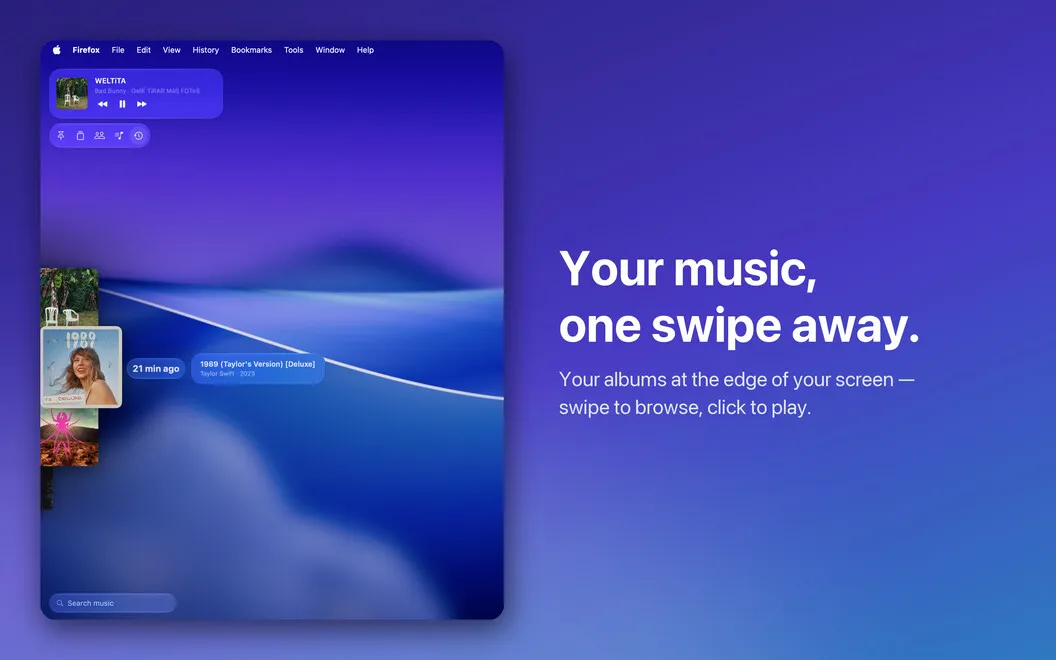
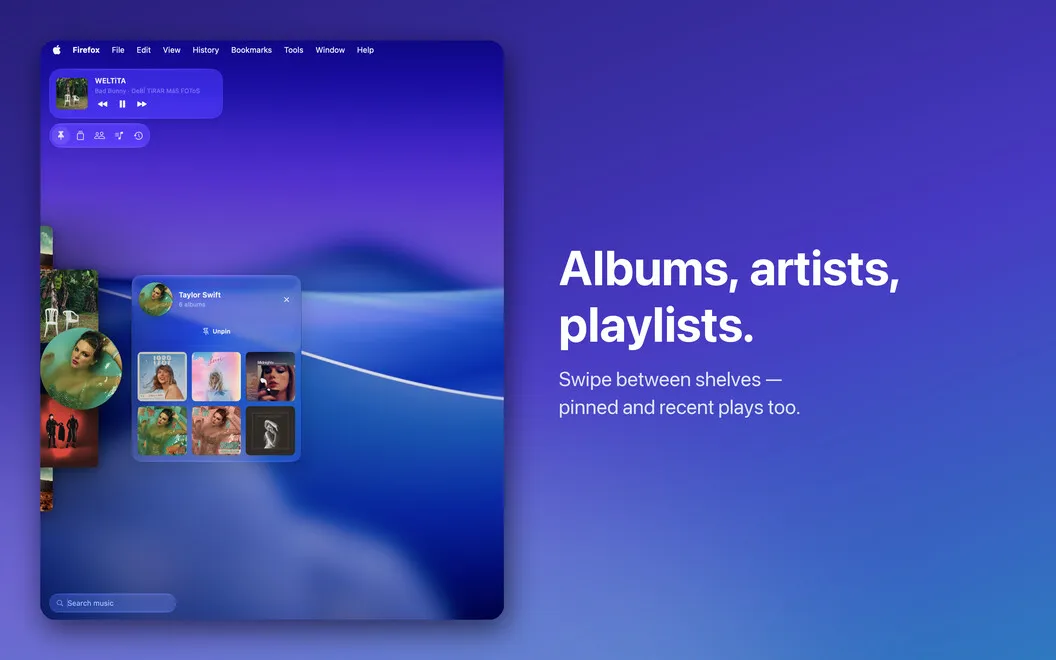
With Gramola, you can pick your next listen from the edge of your Mac’s screen. Move your pointer to the left, right, or bottom edge to reveal your music, then swipe through album covers, artists, and playlists. You can browse visually when you don’t have a particular song in mind, and the dock disappears when you move away.
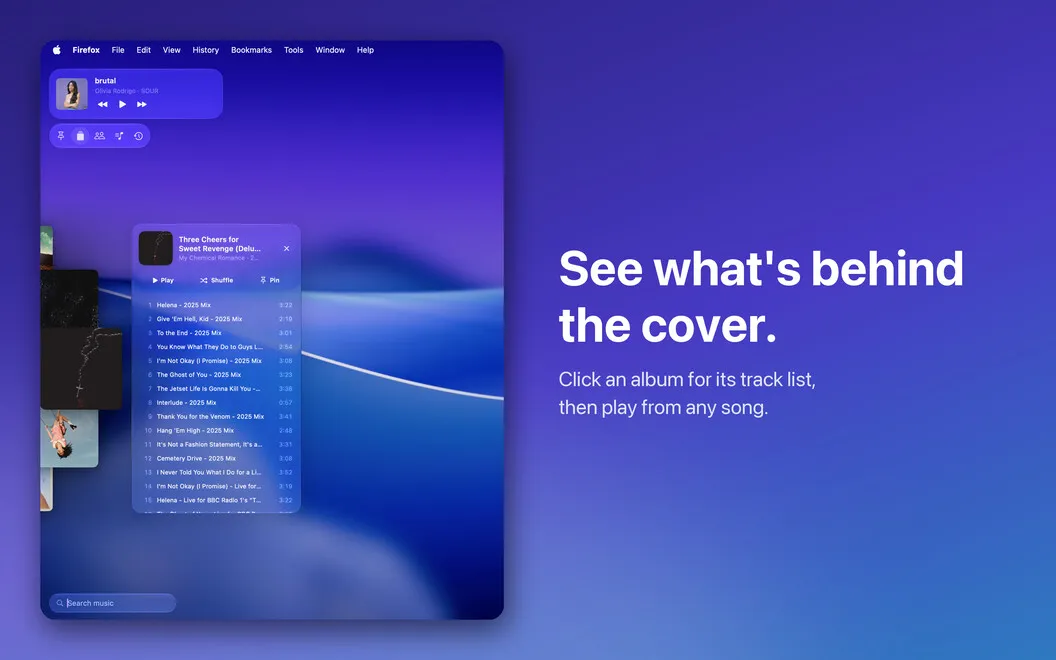
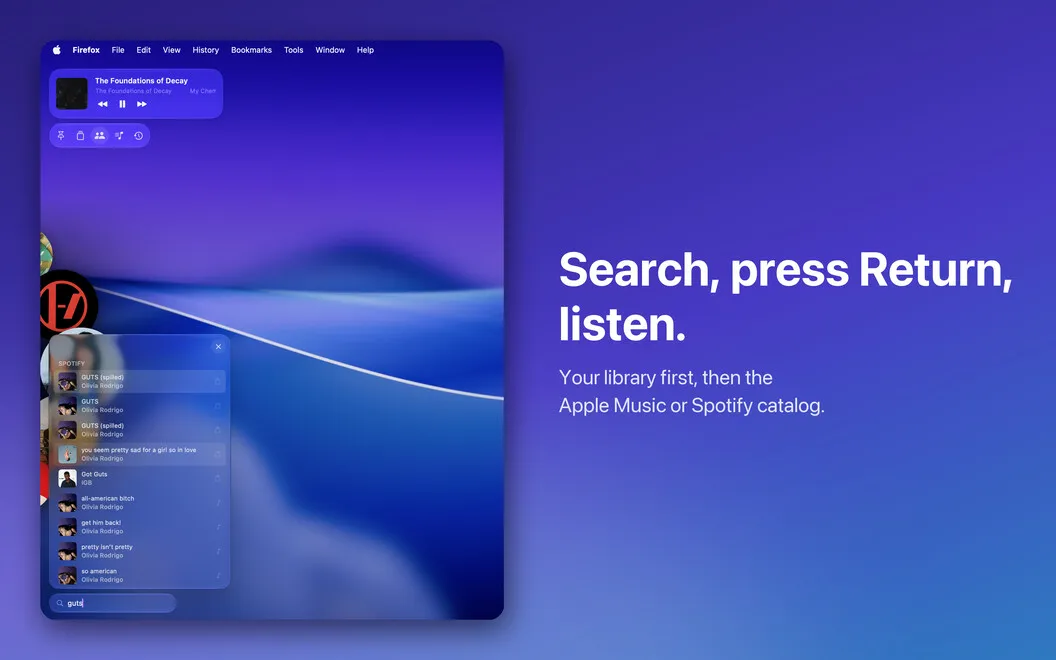
When you know what you want, use a keyboard shortcut and type to search. You’ll see matches from your library first, followed by results from the Apple Music or Spotify catalog. Open an album or playlist to see its tracks and choose exactly where to start.
You keep Apple Music or Spotify as your player: Gramola tells it what to play, including local tracks. You get another way to reach your music, not a replacement playback app.
-
Choose by cover
You can swipe through album artwork to find something to play without searching by name.
-
Find a specific song
You can summon search with a shortcut and find music in your library or the Apple Music or Spotify catalog.
-
Reach individual tracks
You can open an album or playlist’s track list and start with the song you want.
-
Keep your desktop clear
You can reveal your music at a screen edge and let the dock disappear when you move away.
Best for
- You use Apple Music or Spotify while working
- You prefer browsing album artwork to lists
- You want keyboard access to music search
Skip it if
You don’t need it if you want a standalone music player or are happy browsing directly in Apple Music or Spotify.
Screenshots
From the developer
Gramola — Music dock for Mac. Your album art, artists, and playlists form a CoverFlow-inspired carousel at the edge of your screen. Swipe to browse, then control Apple Music or Spotify without opening a full-size player. Or summon it with a shortcut and type to search—like Spotlight for your music, only prettier.Read the full description
Alternatives to Gramola
Other apps to control music from anywhere. See all
 Echo
Remembers every song, podcast and video you play, across your apps and browser.
Sold separately
Echo
Remembers every song, podcast and video you play, across your apps and browser.
Sold separately
 NowPlayingWidget
Music controls, always close
Sold separately
NowPlayingWidget
Music controls, always close
Sold separately
 SmashTunes
Your music, always in view
Sold separately
SmashTunes
Your music, always in view
Sold separately
 Menu Bar Controller for Sonos
Mac App Store
Menu Bar Controller for Sonos
Mac App Store
 Menu Bar Controller Lite
Mac App Store
Menu Bar Controller Lite
Mac App Store
 MiniPlay for Spotify & iTunes
Mac App Store
MiniPlay for Spotify & iTunes
Mac App Store