
MiniPlay for Spotify & iTunes
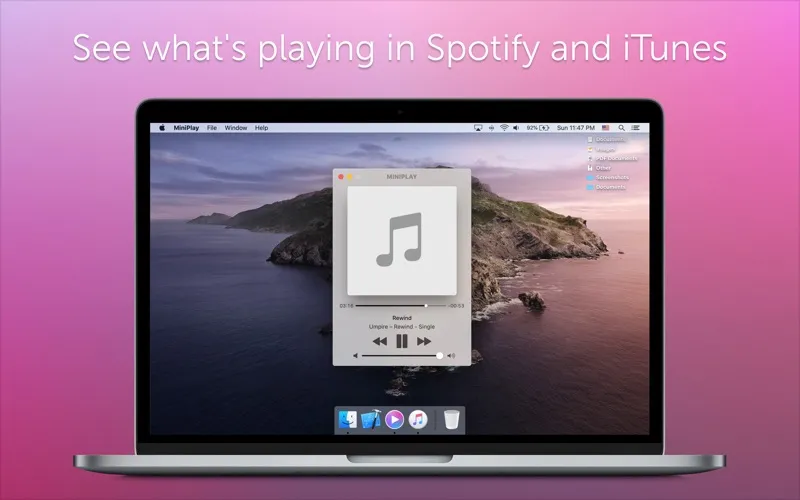
MiniPlay is a compact music controller for you if you listen through Spotify or iTunes and want to check what's playing without switching back to your music app.
by Iryna Stas
What you get
You can check and control your music without switching apps.
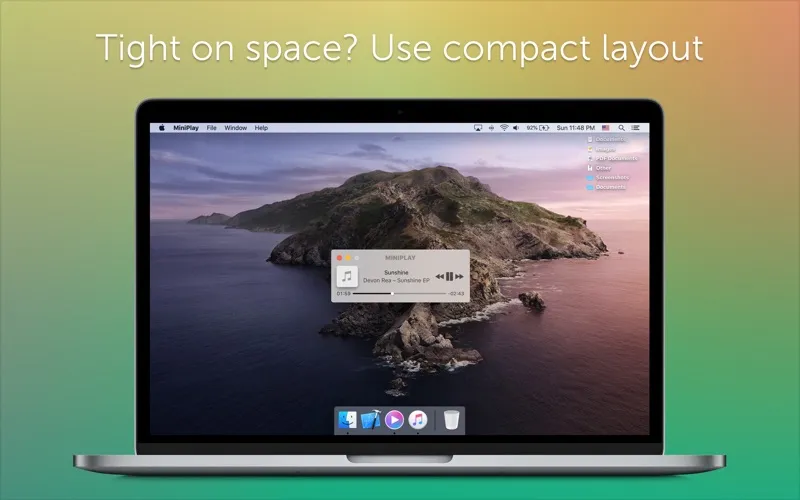
MiniPlay gives you a small place to see what's playing and control your music without returning to Spotify or iTunes. If you listen while working in other apps, you can adjust playback and volume without bringing your music app to the front each time.
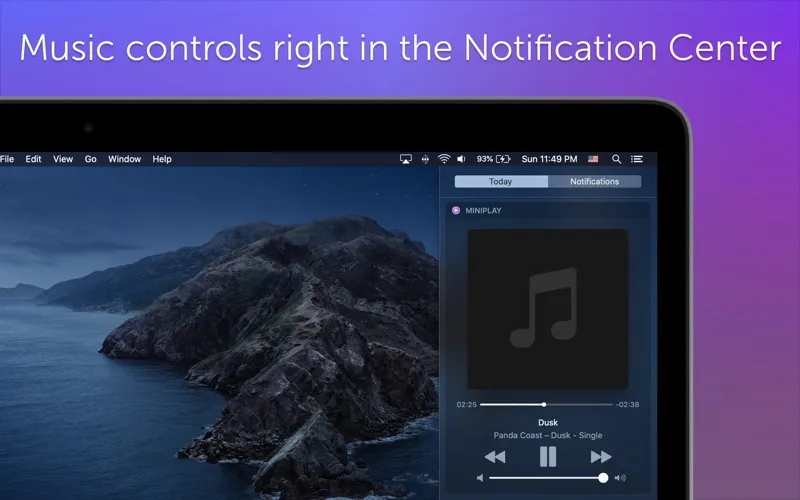
You can also check the current track in Notification Center, so identifying what you're hearing doesn't require opening the player. When you want a closer look at the visual side of an album, you can preview its artwork at full size rather than rely on a small thumbnail.
You get these controls alongside support for Apple Music and Beats 1. The main benefit is fewer trips back to your music app for everyday listening adjustments, while your existing app remains where you play your music.
-
Switch apps less
You can control playback without returning to Spotify or iTunes each time.
-
Adjust your listening volume
You can change the sound volume from MiniPlay while your music continues in its usual app.
-
Identify the current track
You can see what's playing in Notification Center without opening your music player.
-
See album art clearly
You can preview full-sized album artwork instead of viewing only a small thumbnail.
Best for
- You listen to Spotify or iTunes while working in other apps
- You want to check the current track in Notification Center
- You enjoy viewing album artwork at full size
Skip it if
You don't need it if you're happy checking tracks and adjusting playback directly in your music app.
Screenshots
From the developer
MiniPlay shows you what's currently playing in your favorite music app. There's no more need to switch between Spotify and iTunes.Read the full description
Alternatives to MiniPlay for Spotify & iTunes
Other apps to control music from anywhere. See all
 Echo
Remembers every song, podcast and video you play, across your apps and browser.
Sold separately
Echo
Remembers every song, podcast and video you play, across your apps and browser.
Sold separately
 Gramola
An album shelf at your screen edge that drives Apple Music or Spotify
Sold separately
Gramola
An album shelf at your screen edge that drives Apple Music or Spotify
Sold separately
 NowPlayingWidget
Music controls, always close
Sold separately
NowPlayingWidget
Music controls, always close
Sold separately
 SmashTunes
Your music, always in view
Sold separately
SmashTunes
Your music, always in view
Sold separately
 Menu Bar Controller for Sonos
Mac App Store
Menu Bar Controller for Sonos
Mac App Store
 Menu Bar Controller Lite
Mac App Store
Menu Bar Controller Lite
Mac App Store