
Mirror Input
Any device. Any app. Live
Mirror Input lets you bring Apple device screens into Mac video apps wirelessly. It’s for you if you demonstrate apps, teach from an iPad, or present multiple devices.
by Connor Appleson
What you get
Show your Apple device screens in calls and recordings without cables.
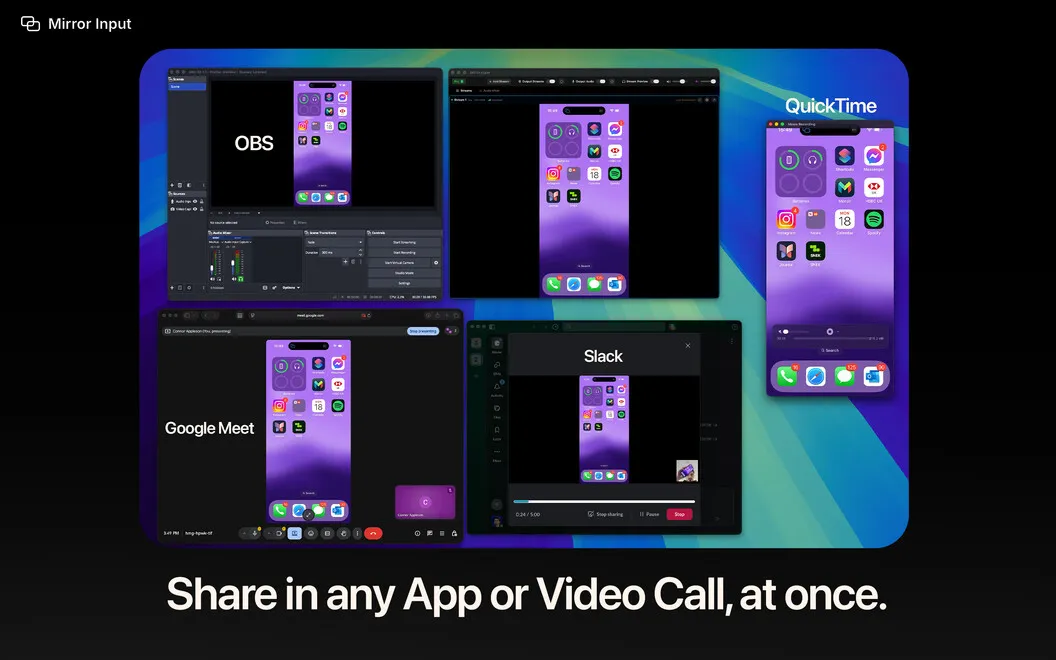
You can show your iPhone, iPad, Vision Pro, or another Mac inside Zoom, Teams, OBS, FaceTime, and other apps with a camera picker. Mirror Input uses Apple’s built-in Screen Mirroring, so you don’t need cables, capture cards, or extra software on the sending device. You can select a device feed as your camera or share it as a window.
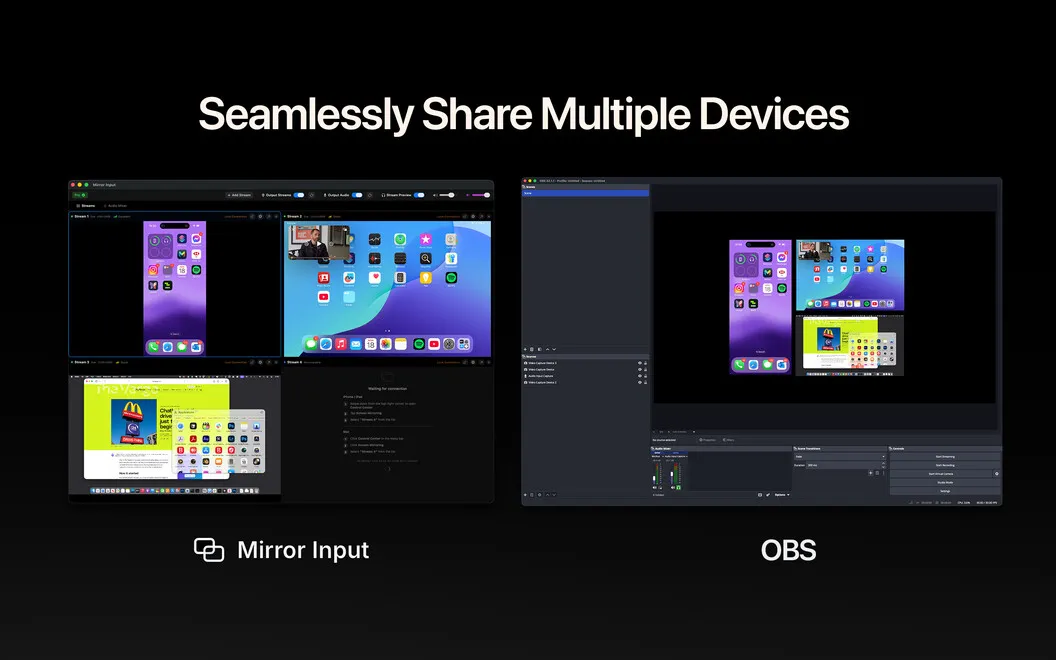
You can demonstrate an iPhone app with its touch interactions mirrored, use your iPad as a teaching whiteboard, or bring up to six devices into a presentation. Keep a reference screen floating above your other apps while you explain, and crop, rotate, or resize each feed to show what matters.
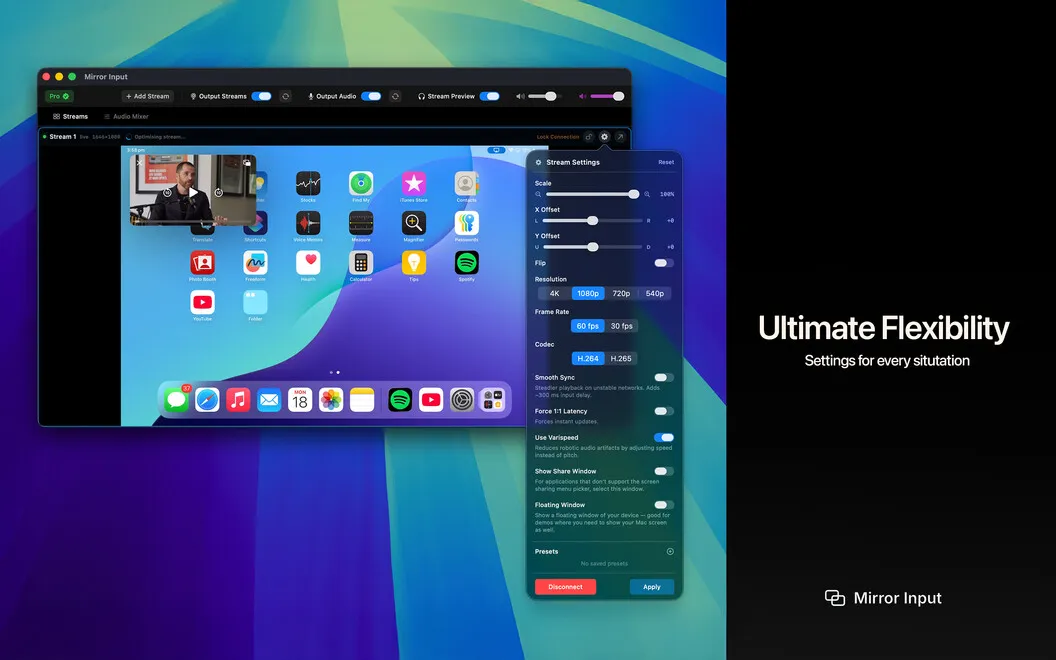
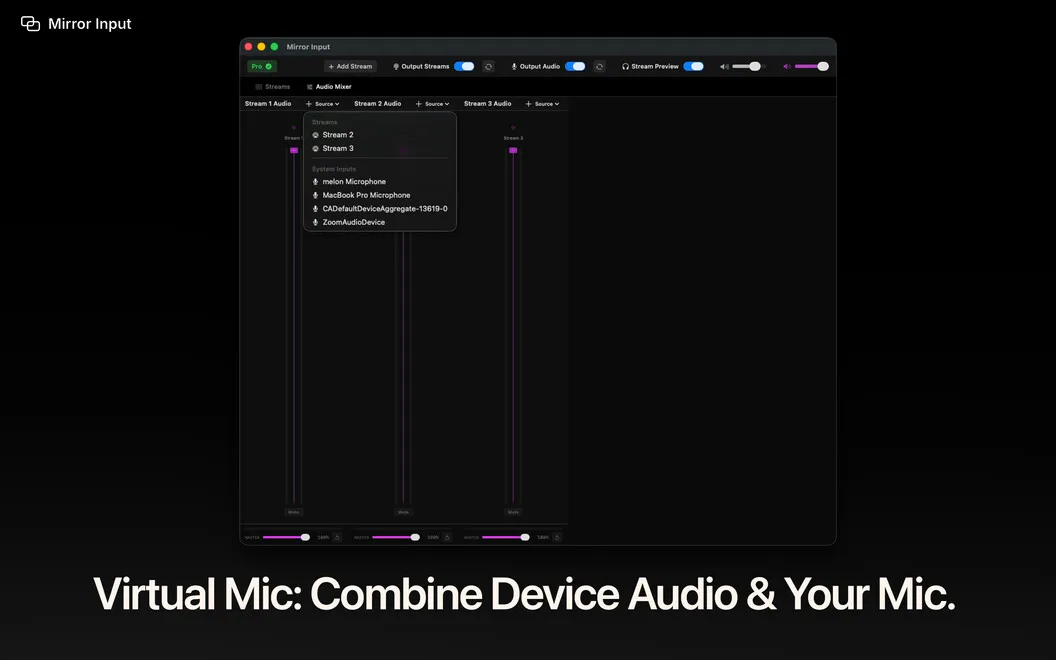
For narrated demos, you can combine device sound and your microphone into one virtual microphone input. Streams support up to 4K at 60 fps, with audio-video synchronization to handle dropped frames. Saved presets let you reuse your setup between calls.
-
Show devices without cables
You can bring Apple device screens into your video apps without installing software on the sending device.
-
Explain across multiple screens
You can present up to six device feeds from one Mac for multi-device demos or lessons.
-
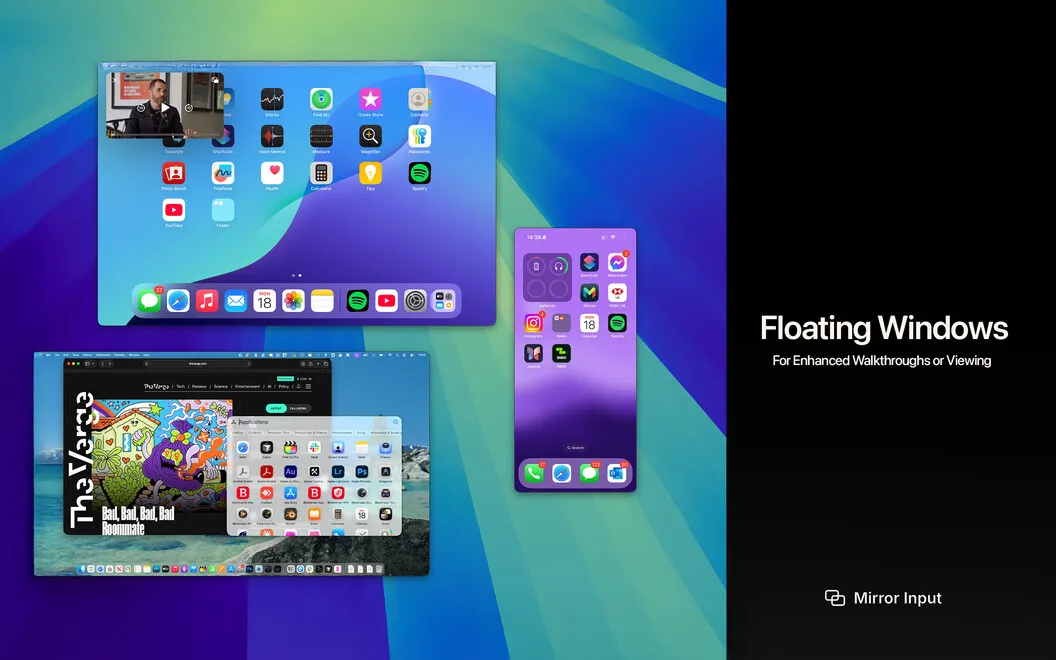
Keep references in sight
You can pin a device stream above your apps and keep it visible as you move between Spaces.
-
Share narration and device sound
You can send your microphone and device audio together through a virtual microphone your video app can select.
-
Reuse your presentation setup
You can save your cropping, rotation, and other stream adjustments as presets for later calls.
Best for
- You demonstrate iPhone apps in calls or recordings
- You teach using an iPad as a whiteboard
- You present several Apple devices from one Mac
Skip it if
You don’t need it if sharing your Mac’s own screen already covers your presentations and calls.
Screenshots
From the developer
Mirror Input — Turn your iPhone, iPad, Vision Pro, or another Mac into a real camera source in Zoom, Teams, OBS, FaceTime, and any app with a camera picker — or share any stream as a window straight from your video app's screen-share picker.Read the full description
Alternatives to Mirror Input
Other apps to create tutorials & product demos. See all
 KeyPulse
Show keystrokes, shortcuts and clicks on screen without revealing your text.
Sold separately
KeyPulse
Show keystrokes, shortcuts and clicks on screen without revealing your text.
Sold separately
 KeyStruck
Make every shortcut visible
Sold separately
KeyStruck
Make every shortcut visible
Sold separately
 ShowRunner
Demos that run themselves
Sold separately
ShowRunner
Demos that run themselves
Sold separately
 Boom
Record and present like a pro
Setapp
83% · 217 ratings
Boom
Record and present like a pro
Setapp
83% · 217 ratings
 Presentify
Give better presentations
Setapp
95% · 445 ratings
Presentify
Give better presentations
Setapp
95% · 445 ratings
 FocuSee
Record screen and polish video
Setapp
92% · 181 ratings
FocuSee
Record screen and polish video
Setapp
92% · 181 ratings