
Auto Clicker
Tapper
Auto Clicker (Tapper) lets you repeat clicks on your Mac without repeatedly pressing a mouse button, with accessibility support for people managing strain, joint pain, or limited motor control.
by Marcus Gunn
What you get
You can repeat clicks without repeatedly pressing your mouse.
You get a way to reduce repeated mouse presses when clicking is uncomfortable or difficult. Auto Clicker (Tapper) performs clicks at an interval you choose, from 100 milliseconds to hours. If you manage repetitive strain, arthritis, tremors, or limited fine motor control, this can reduce the manual effort needed to interact with your Mac.
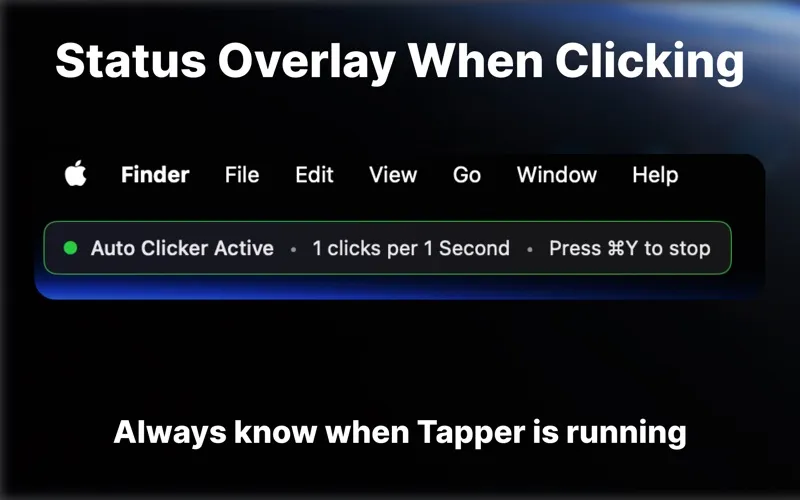
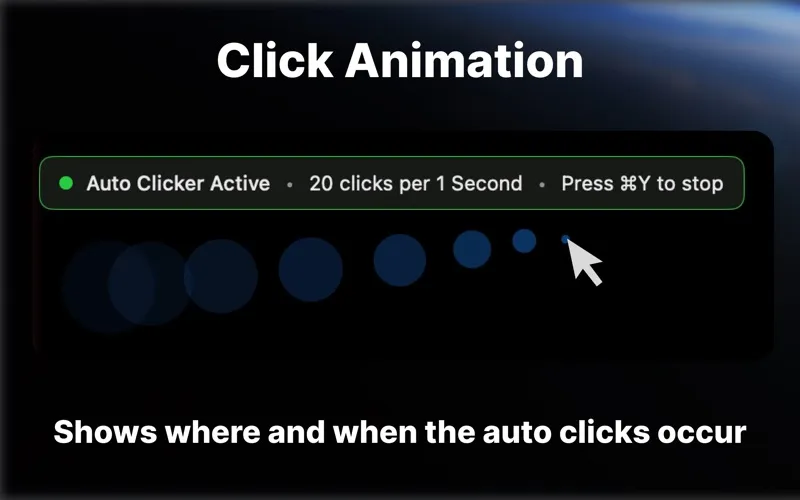
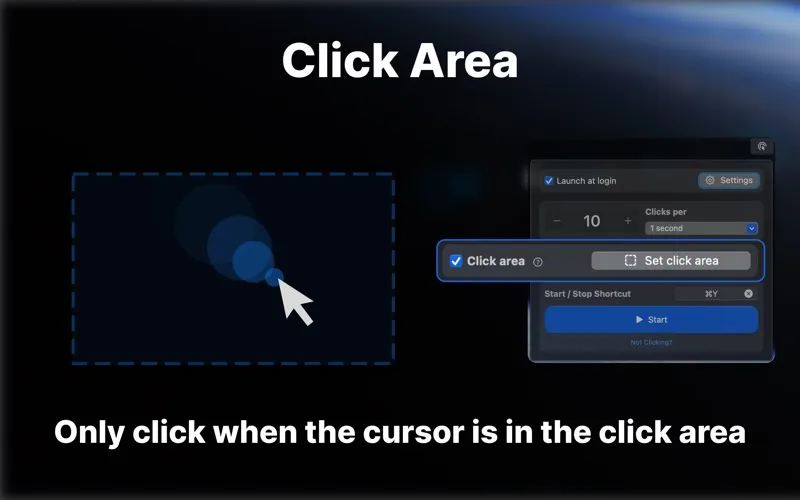
You can start and stop clicking with a global keyboard shortcut—Command+Y by default—or set a shortcut that suits you. Click animations and a status overlay help you see when clicking is active. You can use it across all your displays and access it from your menu bar.
Before you begin, you need to grant Accessibility permission in System Settings. You control the clicks it performs; it does not automate unrelated content. Use it for permitted accessibility assistance, not on services that prohibit auto clickers.
-
Fewer repeated mouse presses
You can let configured clicks repeat instead of pressing your mouse button each time.
-
A pace that suits you
You can set the interval between clicks anywhere from 100 milliseconds to hours.
-
Keyboard control
You can start or stop clicking with Command+Y, or choose your own global shortcut.
-
Visible clicking status
You can check click animations and the status overlay to see when clicking is active.
Best for
- You want fewer mouse presses while managing repetitive strain or joint pain
- You find repeated clicking difficult because of tremors or limited motor control
- You need assistive clicking across multiple displays
Skip it if
You do not need repeated clicks, or you intend to use it on a service that prohibits auto clickers.
Screenshots


From the developer
Tapper is an accessibility-focused auto clicker for macOS that helps reduce repetitive strain and support users with motor impairments. It provides an easy way to trigger clicks without repeated manual actions, helping make device interaction easier and more accessible.Read the full description
Alternatives to Auto Clicker
Other apps to automate with shortcuts & gestures. See all
 BetterTouchTool
Save time with custom actions
Setapp
98% · 3,322 ratings
BetterTouchTool
Save time with custom actions
Setapp
98% · 3,322 ratings
 PopClip
Use instant text actions
Setapp
98% · 1,359 ratings
PopClip
Use instant text actions
Setapp
98% · 1,359 ratings
 KeyCue
Work faster with shortcuts
Setapp
90% · 164 ratings
KeyCue
Work faster with shortcuts
Setapp
90% · 164 ratings
 Paletro
Access app menu commands
Setapp
98% · 474 ratings
Paletro
Access app menu commands
Setapp
98% · 474 ratings
 Keysmith
Create a shortcut for any action
Setapp
95% · 491 ratings
Keysmith
Create a shortcut for any action
Setapp
95% · 491 ratings
 iBoysoft MagicMenu
Expand your Mac’s right click
Setapp
88% · 422 ratings
iBoysoft MagicMenu
Expand your Mac’s right click
Setapp
88% · 422 ratings