
Default Folder X
Access recent and favorite files
Default Folder X helps you open and save files on your Mac with less folder navigation, especially if you regularly switch between projects or saving locations.
by St. Clair Software · 97% positive (1,202)
What you get
Get to the right folder whenever you open or save a file.
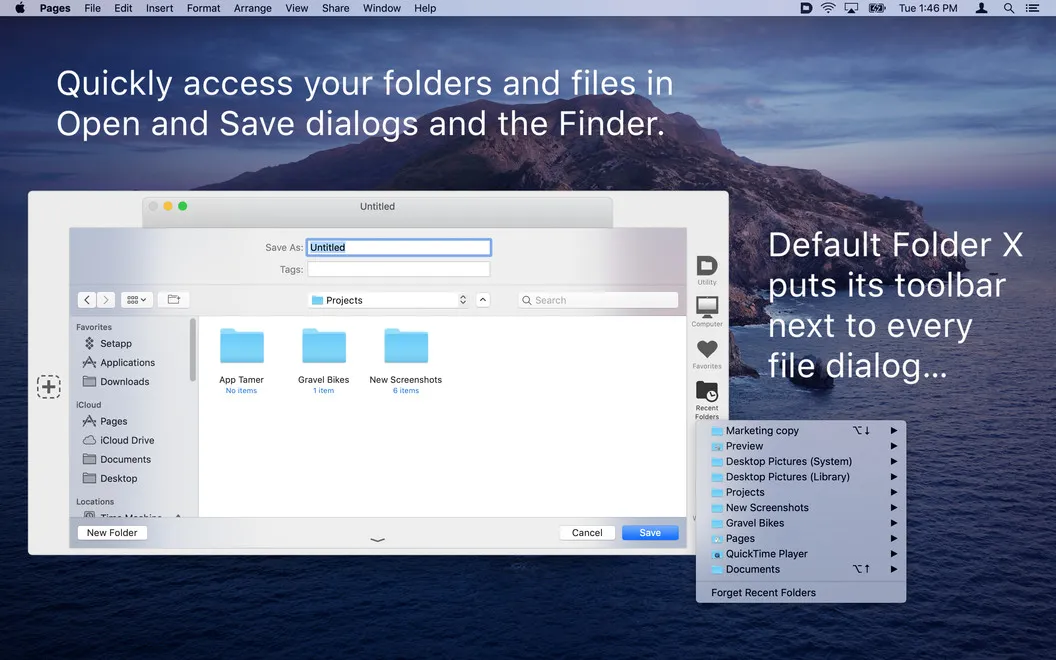
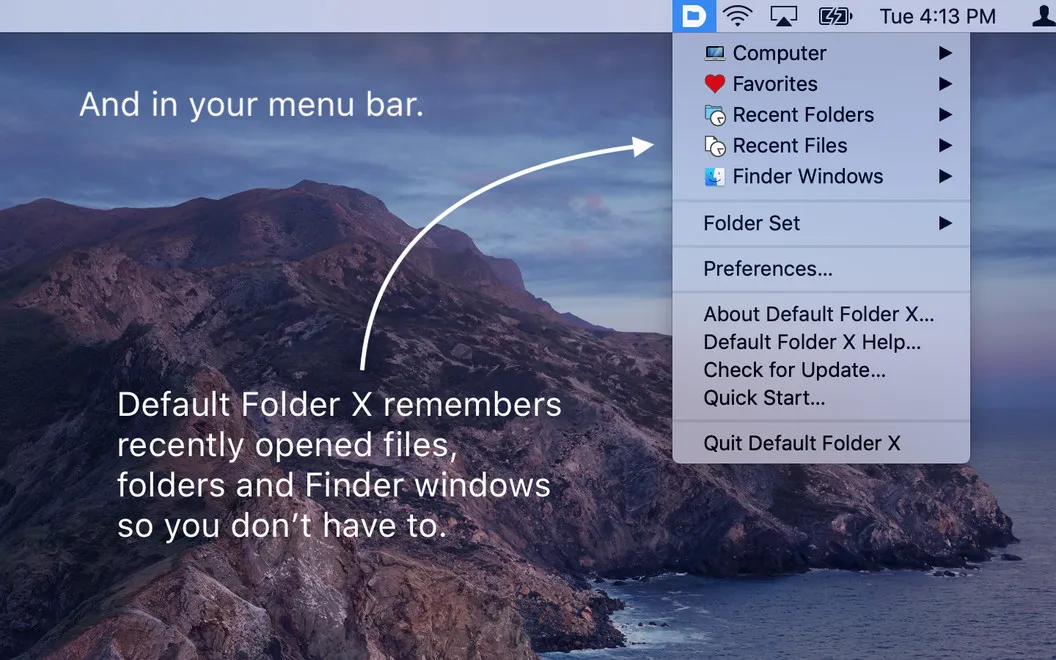
Default Folder X gives you shorter routes to your files from your Mac’s Open and Save dialogs. You can jump to recent or favorite folders, return to recently used files, or save into a folder you already have open in Finder. That means less retracing the same folder paths when you switch between projects.
You can also handle small filing tasks without leaving the dialog. Preview a file before choosing it, rename something unclear, or move a file to a better location. Add tags, labels, keywords, and comments while the file is in front of you, rather than leaving that work for later.
For routines you repeat, you can assign a default folder to each app and customize keyboard shortcuts for common destinations and actions. You spend less time choosing where to start and can return to the folders you use regularly.
-
Skip repeated folder browsing
You can reach recent, favorite, and open Finder folders directly while opening or saving files.
-
Start in the right place
You can give each app a default folder so repeated saves begin in your preferred location.
-
Tidy files as you go
You can rename, move, delete, or tag files without leaving the Open or Save dialog.
-
Check before you open
You can preview files in the dialog to help choose the one you need.
Best for
- You switch between several project folders throughout the day.
- You repeatedly save files to the same destinations from different apps.
- You want to handle small filing tasks while opening or saving.
Skip it if
You probably do not need it if you rarely navigate between folders and your Mac’s standard Open and Save dialogs already meet your needs.
Screenshots
From the developer
Default Folder X expands Open and Save dialogs on Mac by complementing them with an extra toolbar. Get quick access to lots of missing options: Copy and move files across preferred folders; preview, rename, customize, or jump back to recently used files in a flash. Default Folder X streamlines it all.Read the full description
Alternatives to Default Folder X
Other apps to access files faster. See all
 Yoink
Improve drag and drop
Setapp
99% · 1,957 ratings
Yoink
Improve drag and drop
Setapp
99% · 1,957 ratings
 Dropzone
Complete everyday tasks faster
Setapp
99% · 1,201 ratings
Dropzone
Complete everyday tasks faster
Setapp
99% · 1,201 ratings
 Filepane
Do more with drag-and-drop
Setapp
100% · 43 ratings
Filepane
Do more with drag-and-drop
Setapp
100% · 43 ratings
 Trickster
Quickly access recent files
Setapp
96% · 180 ratings
Trickster
Quickly access recent files
Setapp
96% · 180 ratings
 FilePop
Your files, one keystroke away
Sold separately
FilePop
Your files, one keystroke away
Sold separately
 NotchBox
Easier Drag & Drop
Mac App Store
NotchBox
Easier Drag & Drop
Mac App Store