
FilePop
Your files, one keystroke away
FilePop is a menu bar file browser for your Mac, suited to you if you frequently need files while working in other apps.
by Benjamin Dansby
What you get
Get the file you need without switching to Finder.
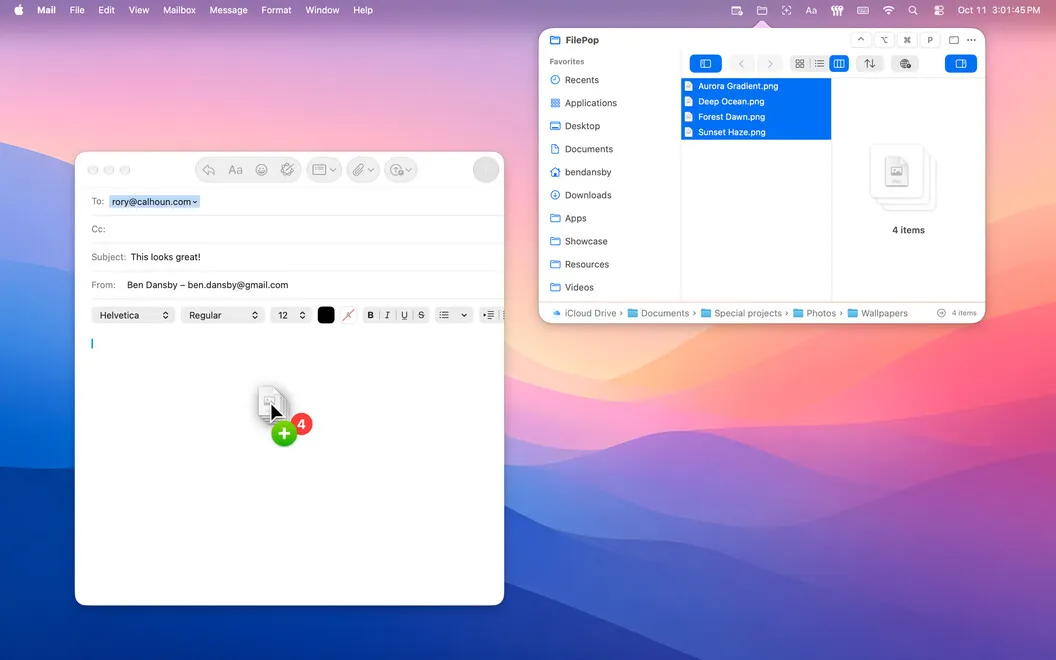
FilePop gives you a way to reach your files while keeping your current work in view. Press a global keyboard shortcut to bring up a file browser over your app, then drag the file you need into Mail, Slack, Figma, or another app. You can attach a document or add an asset without first switching to a Finder window.
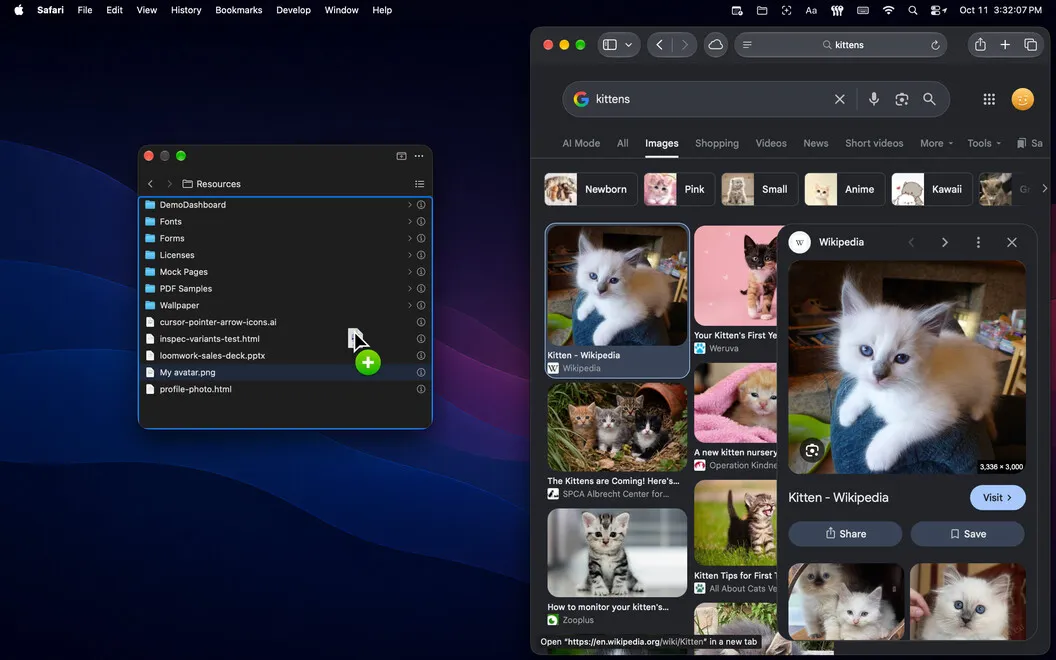
When you know where to look, you can use a compact, single-column browser. When you need to explore nested folders, you can expand it to three columns. While dragging a file, hover over a folder to open it and continue deeper without dropping the file and starting again.
You can also drag a file into FilePop to navigate to its location. If you work in Terminal, you can open the same browser from the command line rather than reaching for a separate Finder window.
-
Keep your work in view
You can bring up your files over your current app with a keyboard shortcut, avoiding a detour through Finder.
-
Put files where needed
You can drag documents and assets directly into Mail, Slack, Figma, or other apps.
-
Navigate without restarting your drag
You can hover over folders to open them while holding a file, then continue to your destination.
-
Browse from Terminal
You can call up the file browser from the command line when your work is already there.
Best for
- You frequently attach files to emails or messages
- You drag assets into design apps
- You want a file browser within reach while using Terminal
Skip it if
You probably don't need it if opening Finder already gets you to your files comfortably.
Screenshots
From the developer
FilePop is a fast, native file browser that lives in your Mac's menu bar. A global hotkey pops it open over whatever you're doing, so you can grab a file and get straight back to work. Expand it into a full three-column browser when you're exploring, or keep it collapsed to a single column for quick grabs.Read the full description
Alternatives to FilePop
Other apps to access files faster. See all
 Yoink
Improve drag and drop
Setapp
99% · 1,957 ratings
Yoink
Improve drag and drop
Setapp
99% · 1,957 ratings
 Default Folder X
Access recent and favorite files
Setapp
97% · 1,202 ratings
Default Folder X
Access recent and favorite files
Setapp
97% · 1,202 ratings
 Dropzone
Complete everyday tasks faster
Setapp
99% · 1,201 ratings
Dropzone
Complete everyday tasks faster
Setapp
99% · 1,201 ratings
 Filepane
Do more with drag-and-drop
Setapp
100% · 43 ratings
Filepane
Do more with drag-and-drop
Setapp
100% · 43 ratings
 Trickster
Quickly access recent files
Setapp
96% · 180 ratings
Trickster
Quickly access recent files
Setapp
96% · 180 ratings
 NotchBox
Easier Drag & Drop
Mac App Store
NotchBox
Easier Drag & Drop
Mac App Store