
Dropzone
Complete everyday tasks faster
Dropzone gives you menu-bar shortcuts for moving, sharing, and staging files on your Mac. It suits you if you repeat the same file tasks or frequently open the same apps.
by Aptonic · 99% positive (1,201)
What you get
You can handle routine file tasks without repeatedly navigating folders and menus.
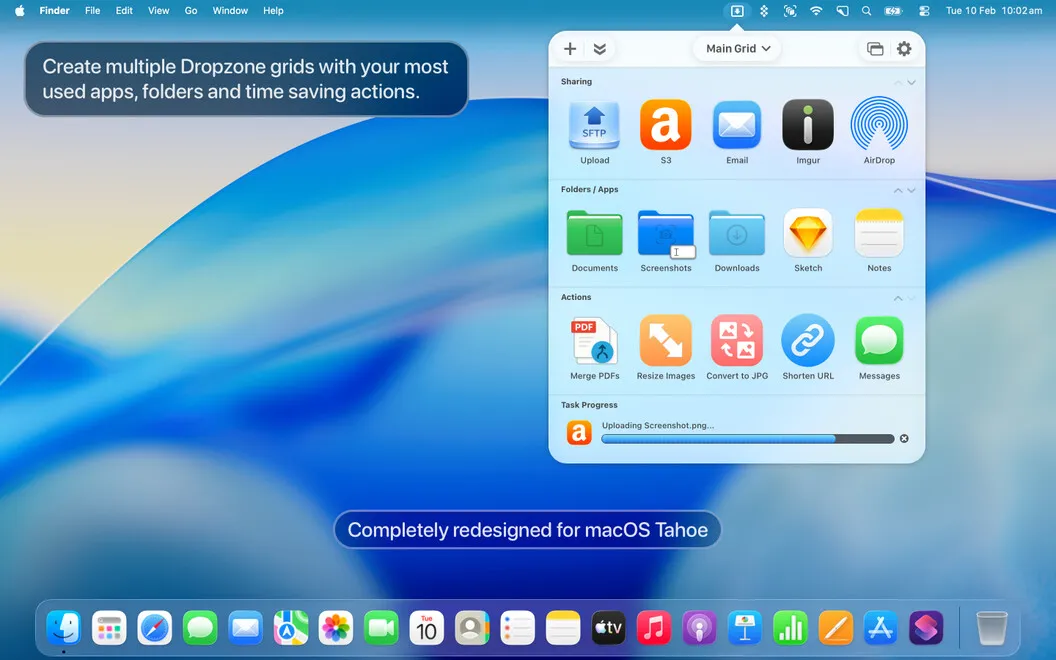
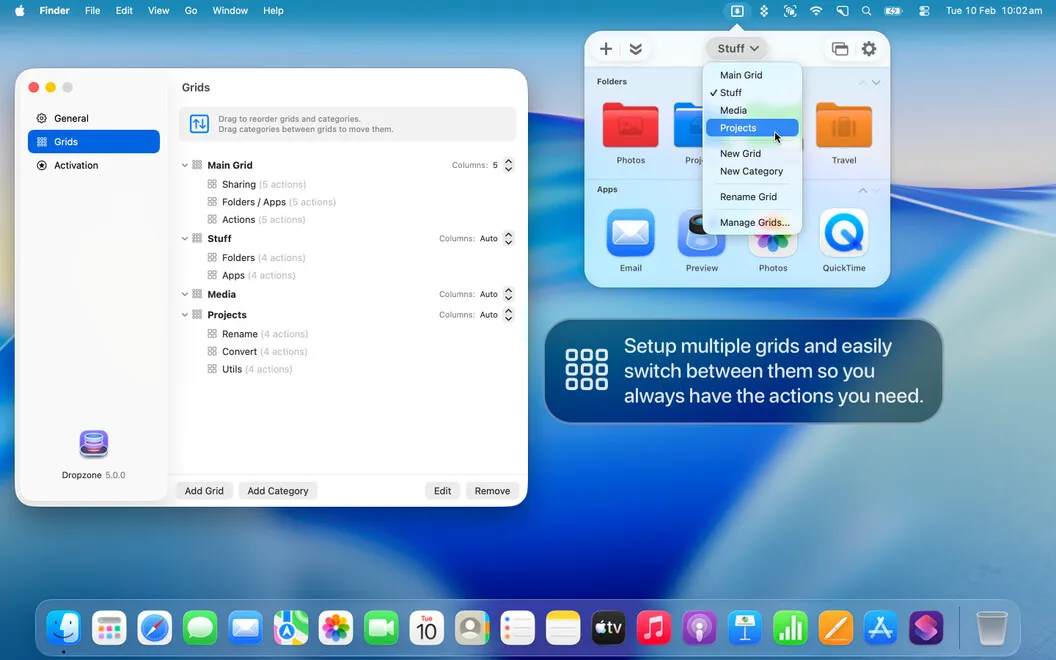
Dropzone gives you a place in your Mac’s menu bar to handle recurring file tasks. You set up shortcuts for the folders, apps, and actions you use, then drop files onto them to move, copy, compress, or upload them. You can process several files together instead of repeating the same steps for each one.
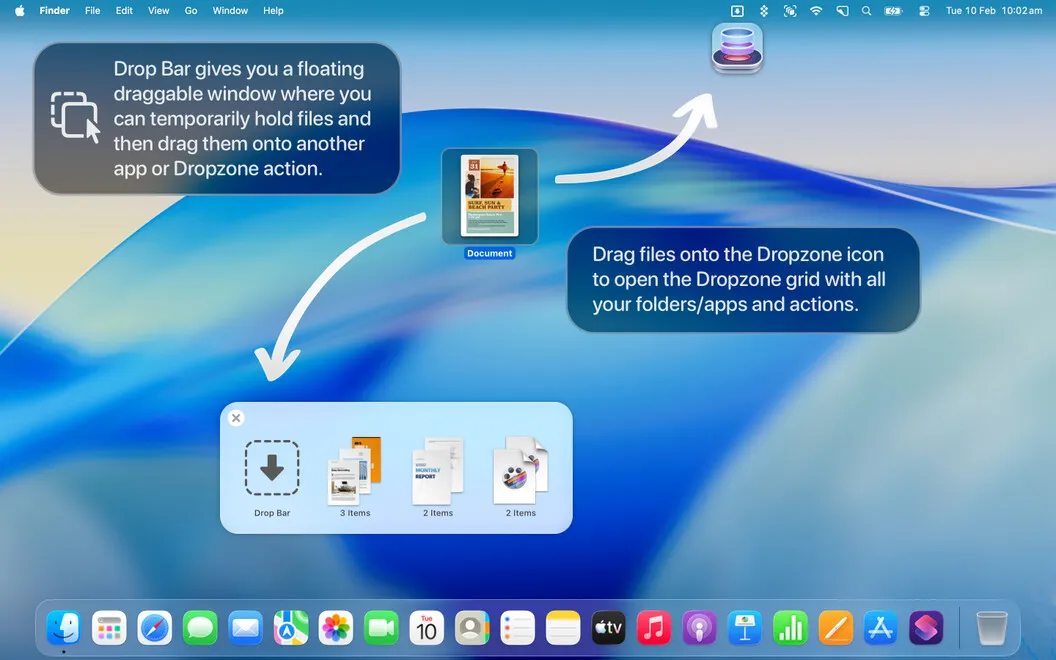
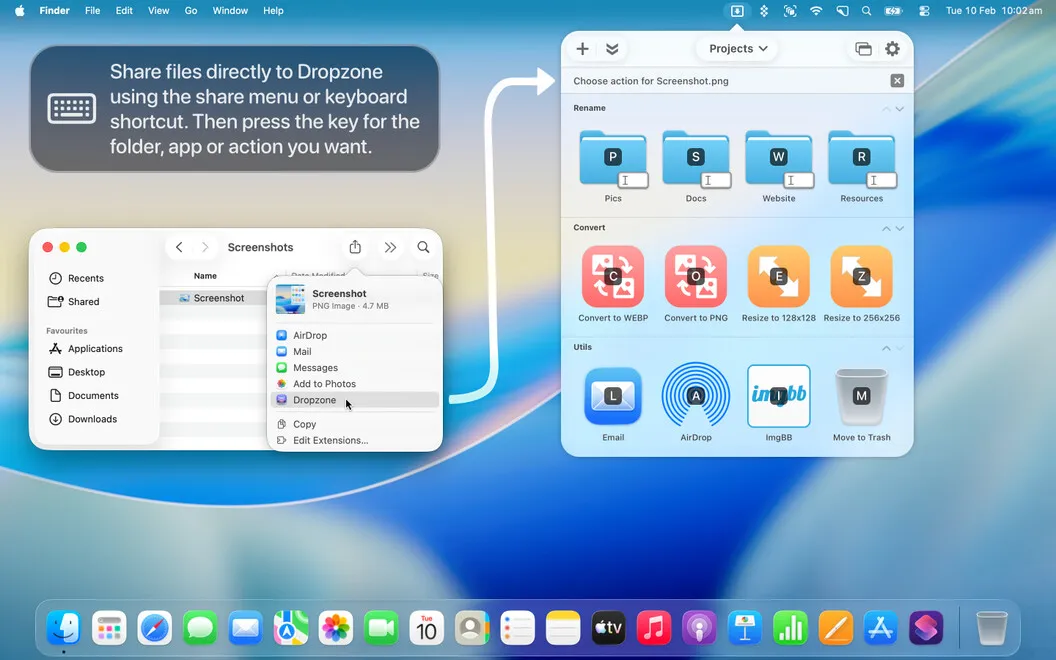
When you’re gathering documents from different locations, you can leave them in a holding area until you need them. That means less digging through folders as you assemble your work. You can also open favorite apps from the same grid and assign hotkeys to actions you use often.
For more specific routines, you can create or modify actions with Ruby or Python. While tasks run, you can check their progress in the grid and receive notifications when they finish, so you know when your files are ready.
-
Repeat fewer file-handling steps
You can move, copy, compress, or upload multiple files by dropping them onto a saved action.
-
Keep working files handy
You can gather files from different folders in a holding area and return to them when you’re ready.
-
Reach favorite apps sooner
You can open frequently used apps from your menu-bar grid rather than searching through the Dock or Launchpad.
-
Adapt actions to your routine
You can assign hotkeys and write Ruby or Python actions for tasks that standard shortcuts don’t cover.
-
Know when work finishes
You can follow task progress in the grid and receive a notification when an action completes.
Best for
- You repeatedly move or upload batches of files
- You assemble documents using files from several folders
- You want custom scripted actions close at hand
Skip it if
You probably don’t need it if you rarely repeat file tasks and Finder already gives you quick enough access.
Screenshots
From the developer
Dropzone brings everyday productivity shortcuts to your Mac, removing the friction of standard operating systems. Set up your frequently used tasks in the Dropzone interface, then simply drag and drop files into the shortcut icons to perform any saved actions.Read the full description
Alternatives to Dropzone
Other apps to access files faster. See all
 Yoink
Improve drag and drop
Setapp
99% · 1,957 ratings
Yoink
Improve drag and drop
Setapp
99% · 1,957 ratings
 Default Folder X
Access recent and favorite files
Setapp
97% · 1,202 ratings
Default Folder X
Access recent and favorite files
Setapp
97% · 1,202 ratings
 Filepane
Do more with drag-and-drop
Setapp
100% · 43 ratings
Filepane
Do more with drag-and-drop
Setapp
100% · 43 ratings
 Trickster
Quickly access recent files
Setapp
96% · 180 ratings
Trickster
Quickly access recent files
Setapp
96% · 180 ratings
 FilePop
Your files, one keystroke away
Sold separately
FilePop
Your files, one keystroke away
Sold separately
 NotchBox
Easier Drag & Drop
Mac App Store
NotchBox
Easier Drag & Drop
Mac App Store