Hush
Blur or dim everything except the window you need, for calls, demos and focus
Hush is a Mac screen-focus app that lets you blur or dim visual clutter while you work, share your screen, or demonstrate an app.
by Poteam Lab Ltd
What you get
Keep your audience and yourself focused on the window that matters.
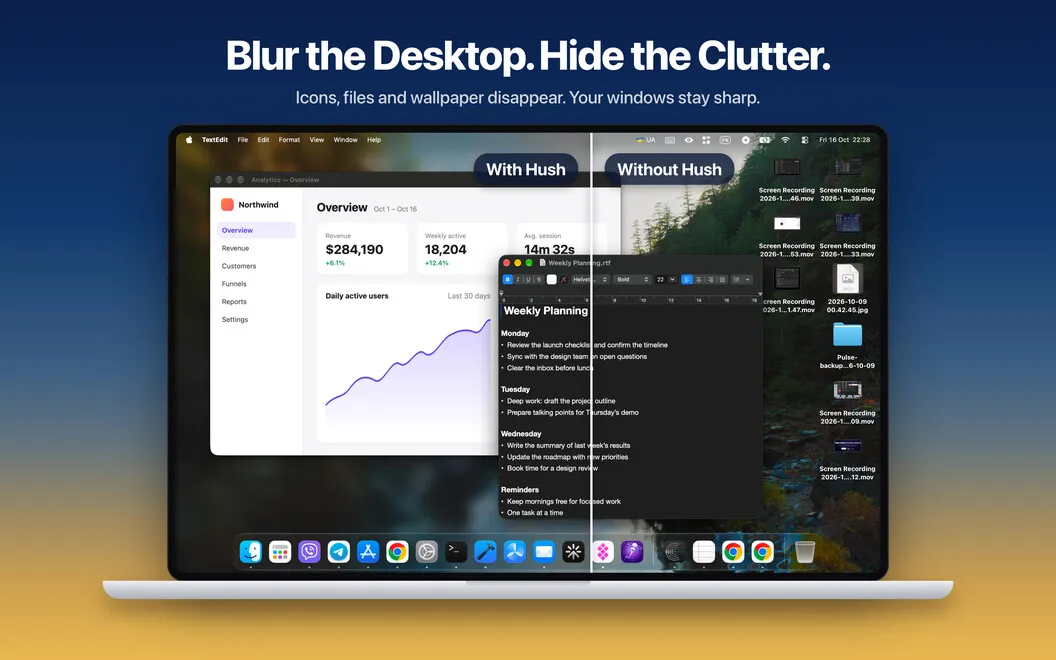
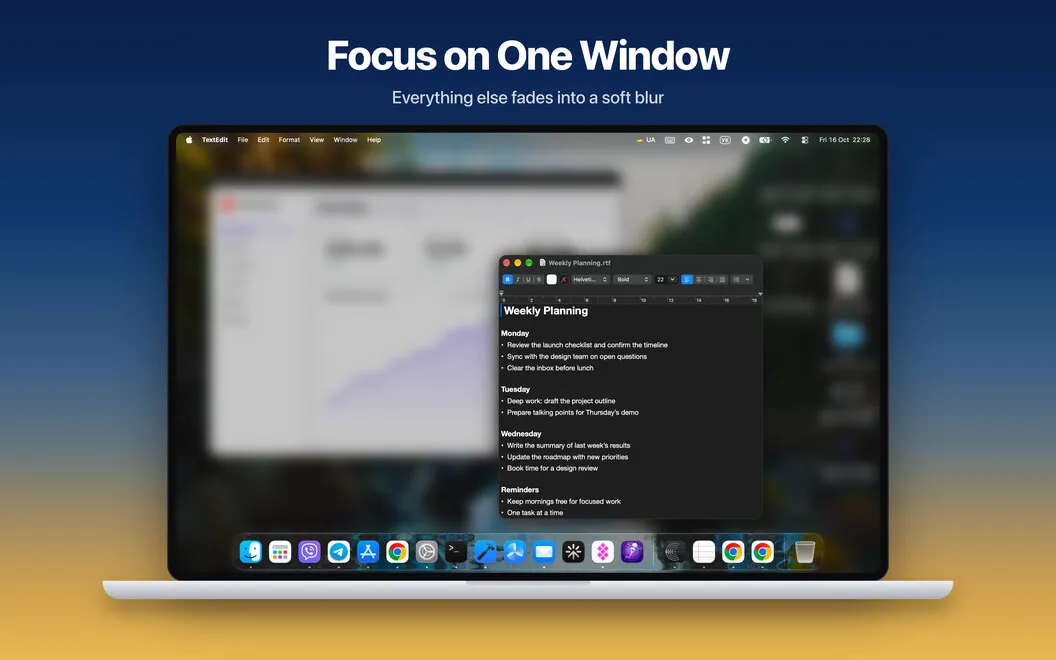
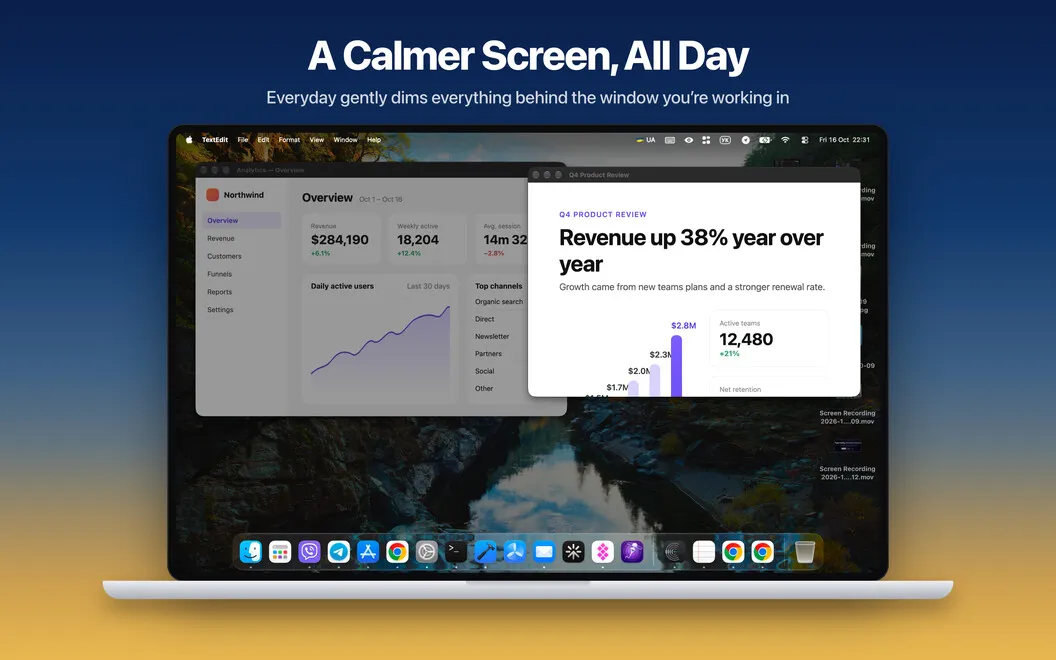
You get a clearer screen without rearranging your desktop or closing other apps. Hush blurs or dims the area around your active window, leaving your work visible and usable. You can hide desktop icons and widgets behind a tint, blur, or your own image while leaving your files untouched.
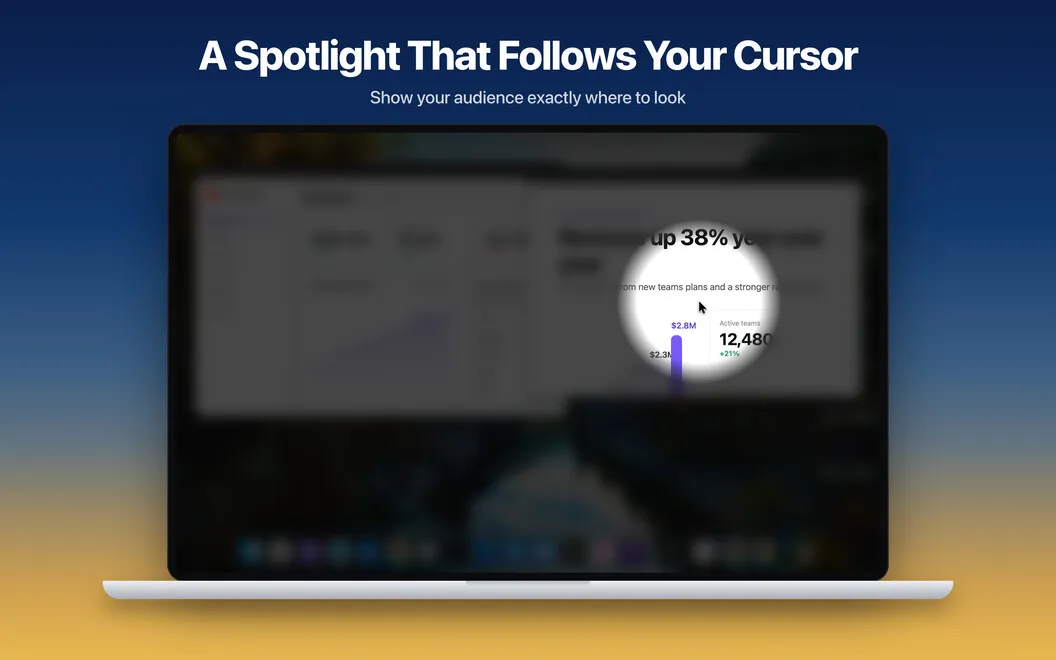
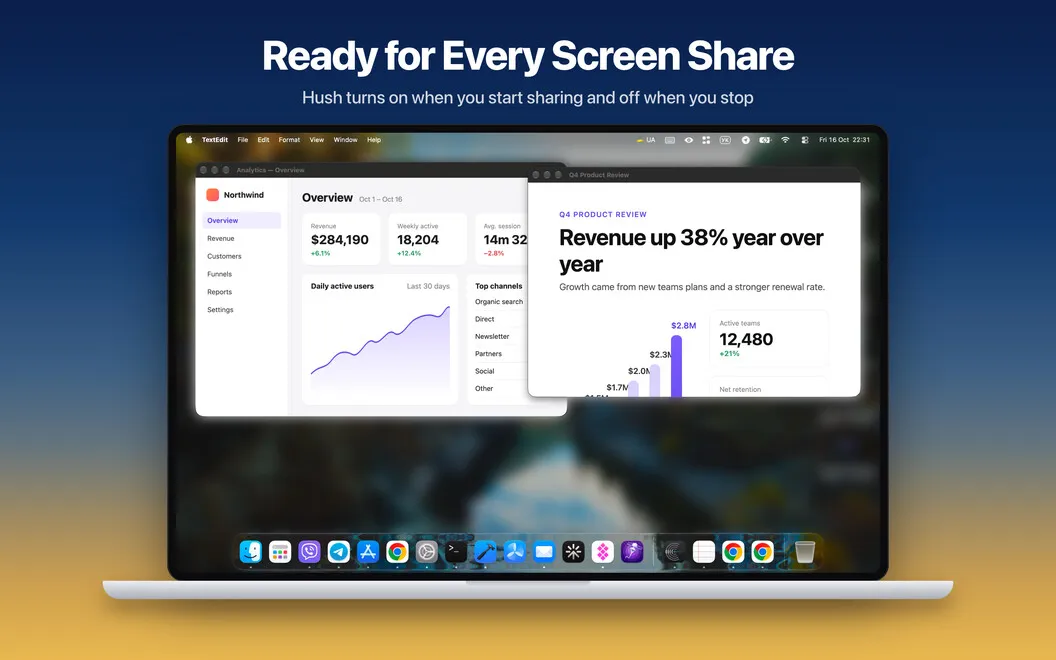
When you share your screen, you can have Hush apply your preferred setup automatically and switch off afterward. For tutorials and live demos, a spotlight follows your cursor so viewers can track what you’re pointing at. You can adjust its size or freeze it in place when you need to explain something.
Between calls, you can keep background windows dimmed as you move between apps, choose exceptions that stay visible, and briefly reveal everything by holding Fn. On multiple displays, you choose which screens get covered.
-
Share without desktop clutter
You can hide icons and widgets without moving files or closing the apps you need.
-
Guide viewers through demos
You can draw attention to your cursor with a spotlight that follows your movements or stays fixed while you explain.
-
Keep background distractions subdued
You keep your active window clear while surrounding windows dim or blur, even as you switch apps.
-
Reuse your call setup
You can save your preferred sharing setup and have Hush turn on and off with screen sharing.
Best for
- You regularly share a cluttered desktop on calls
- You create tutorials or give live software demos
- You want fewer visual distractions while working
Skip it if
You don’t need it if your desktop already stays uncluttered and surrounding windows don’t distract you or your viewers.
Screenshots
From the developer
Hush is a screen focus app for Mac that hides visual clutter in one click. It blurs or dims everything around the window you're working in, so your calls, demos, and recordings show only what matters. Your windows and files stay untouched, and no Screen Recording permission is needed.Read the full description
Alternatives to Hush
Other apps to present & share your screen cleanly. See all
 Presentify
Give better presentations
Setapp
95% · 445 ratings
Presentify
Give better presentations
Setapp
95% · 445 ratings
 PliimPRO
Share screen distraction-free
Setapp
85% · 145 ratings
PliimPRO
Share screen distraction-free
Setapp
85% · 145 ratings
 CleanPresenter
Present a single window
Setapp
74% · 131 ratings
CleanPresenter
Present a single window
Setapp
74% · 131 ratings
 Desktop Composer
Customize & switch macOS looks
Setapp
95% · 37 ratings
Desktop Composer
Customize & switch macOS looks
Setapp
95% · 37 ratings
 DeskMop
A pristine desktop, on demand
Sold separately
DeskMop
A pristine desktop, on demand
Sold separately
 KeyPulse
Show keystrokes, shortcuts and clicks on screen without revealing your text.
Sold separately
KeyPulse
Show keystrokes, shortcuts and clicks on screen without revealing your text.
Sold separately